Ghatasthapana opens Bada Dashain, and in 2083 BS it falls on Sunday, 11 October 2026 (Ashwin 25). It is the day families sow jamara and invite Goddess Durga into the home, and the day your phone starts filling with greetings. Below are ready-to-send Ghatasthapana wishes in Nepali, Romanized Nepali and English, sorted by who you are writing to. Copy, tweak, send.
Ghatasthapana (also called Kalash Sthapana) is the first day of Dashain and of the nine-night Navaratri. It falls on Ashwin Shukla Pratipada, the first day of the bright half of the lunar month. Families place a kalash in a clean, quiet corner of the house and sow barley, maize and paddy in soil. The sprouting grass is called jamara.
For nine days it is watered and worshipped, and on Vijaya Dashami it is placed on the head with tika as a blessing from elders. Navaratri begins with the worship of Shailaputri, the first of the goddess's nine forms.
Ghatasthapana 2083: Date and Timing
Ghatasthapana 2083 is on Sunday, 11 October 2026. The exact saait (auspicious time) for sowing jamara is announced each year by the Nepal Panchanga Nirnayak Samiti, so check their announcement or your local panchang for the confirmed hour. Many families also follow their own household tradition.
Day
Date (2026)
Occasion
Day 1
Sun, 11 Oct (Ashwin 25)
Ghatasthapana
Day 7
Sat, 17 Oct (Kartik 1)
Fulpati
Day 8
Sun, 18 Oct (Kartik 2)
Maha Ashtami
Day 10
Wed, 21 Oct (Kartik 4)
Vijaya Dashami (main tika day)
Day 15
Sun, 25 Oct
Kojagrat Purnima
Ghatasthapana Wishes in Nepali
घटस्थापनाको हार्दिक मंगलमय शुभकामना! जगदम्बा आमाको कृपाले तपाईंको घरमा सुख, शान्ति र समृद्धि छाओस्।
जमराझैं तपाईंको जीवन पनि हरियो र सफल होस्। घटस्थापनाको शुभकामना!
नवरात्रको पावन अवसरमा आमा दुर्गाले तपाईं र तपाईंको परिवारलाई शक्ति र सद्बुद्धि प्रदान गरून्। घटस्थापनाको हार्दिक शुभकामना।
दशैंको शुभारम्भ भएको छ। घर-घरमा खुशी, माया र एकता बढोस्। घटस्थापनाको शुभकामना!
कलश स्थापनाको यो पवित्र दिनमा तपाईंका सबै इच्छा पूरा होऊन्। शुभ घटस्थापना!
Respected parents, Happy Ghatasthapana. Your blessings are the greatest gift of Dashain for us.
Dherai dherai shubhakamana, bua-aama. Tapai ko ashirwad le yo Dashain mangalmaya hos.
Wishes for Friends and Family Abroad
Miss home this Dashain? Sending you a jamara's worth of love from Nepal. Happy Ghatasthapana!
Wherever you are, Dashain travels with you. Wishing you a blessed Ghatasthapana and a joyful festival season.
Ghar bata tadha bhaye pani Dashain ko maya sadhai nai ho. Ghatasthapana ko shubhakamana, sathi!
घर टाढा भए पनि मनमा दशैं छ। घटस्थापनाको शुभकामना, साथी!
Short Status for WhatsApp, Facebook and Viber
Happy Ghatasthapana! 🌾
घटस्थापनाको शुभकामना 🙏
Dashain begins. Jamara grows. Blessings flow.
जय आमा दुर्गा! शुभ घटस्थापना।
Nine days of Shakti start today.
दशैं सुरु, माया सुरु 🌼
Jamara Wishes
May your jamara grow tall and golden, and may your year grow with it.
जमरा जस्तै तपाईंको जीवनमा पनि सधैं नयाँ सुरुवात र उन्नति होस्।
Jamara is a blessing grown with patience. Wishing you patience, peace and plenty.
Looking Ahead: Fulpati, Vijaya Dashami and More
Ghatasthapana is only the beginning. Fulpati (Saturday, 17 October) brings the sacred flowers and jamara procession, and Vijaya Dashami (Wednesday, 21 October) is the main tika day. Keep this page handy for the first day, then come back for Fulpati wishes and Vijaya Dashami status.
Love Status in Nepali (2026): 130+ Romantic, Sad & Short Lines to Copy
Original Nepali love status lines for Facebook, WhatsApp, Instagram and TikTok. Every line comes in Nepali (Devanagari), Romanized Nepali and its English meaning, with one-tap copy.
✍️ By Wilson Shrestha
🗓️ Updated
💬 130 original lines
130original lines
3scripts per line
13moods & occasions
1-tapcopy & share
How to use this page
Find a mood with the filters or search a word like याद, chiya or miss.
Copy in Nepali or Roman letters, or share straight to WhatsApp.
Save lines with ♡ and come back to your favourites any time.
Say म तिमीलाई माया गर्छु (Ma timilai maya garchhu). For a more respectful tone, use म तपाईंलाई माया गर्छु (Ma tapainlai maya garchhu).
What is a good short love status in Nepali for WhatsApp?
Try तिमी नै मेरो खुसीको कारण हौ। (You are the reason for my happiness.) Tap the “Short only” switch in the status finder to see every line under 40 characters.
What should I post for one-sided love?
Pick a line from the One Side Love Status section. Keep it about your own feelings rather than tagging the person, so it stays dignified for both of you.
Why does my Nepali status show as boxes or strange letters?
Either the device is missing a Nepali font, or the text was typed in Preeti instead of Unicode. Install a Unicode font like Kalimati, and convert any Preeti text to Unicode before posting.
Can I use these statuses on Instagram and TikTok?
Yes, copy them freely for your personal posts. Every card shows its character count, so you can check it fits an Instagram bio (150 characters) or a TikTok bio (80 characters).
How do I save my favourite lines?
Tap the heart on any card. Your favourites are saved in your browser, and the “Favourites” switch shows only those lines next time you visit on the same device.
Are these love status lines original?
Yes. Every line on this page was written for wilson.com.np. Share them on social media, but please don't republish the full list on another website.
Find Your Line, Then Make It Yours
Whether you're in a new relationship, years into a marriage, or missing someone far away, there's a Nepali love status here that fits. Copy your favourite, or use the tips above to write your own.
Have a line of your own? Share it in the comments. The best ones may join the list in the next update.
Ncell USSD Codes List 2026: Balance, Data, Recharge & More
Forgot which code checks your balance, or how to buy a data pack without opening the app? This page puts every working Ncell USSD code in one place, grouped by what you want to do. Dial the code from your Ncell SIM, press call, and follow the menu on screen. No internet connection is needed.
Tip: Pack prices and offers change often, and the Ncell app can show personalised prices. If a pack looks different from what you expect, compare it in the app before buying.
Ncell Balance Transfer and Sapati (Emergency Credit)
Use these to block a lost SIM, raise a complaint, or fix anything a code cannot solve.
NTC Codes That Do Not Work on Ncell
Codes such as *400#, *1415#, *9#, *922# and *422# belong to Nepal Telecom (Namaste), not Ncell. Dialing them from an Ncell SIM will not give the result you expect. Use the Ncell codes above instead.
Code Not Working? Try This
Check that you have network signal and are not in airplane mode.
On a dual-SIM phone, choose the Ncell SIM when the dialer asks.
Try the alternative code, for example *901# instead of *101#.
Wait a minute and retry if the network is busy.
Still stuck? Call 9005 from your Ncell number.
Frequently Asked Questions
What is the Ncell balance check code?
Dial *101# or *901#. Both show your main balance.
How do I check my Ncell number?
Dial *103# or *903# from the SIM.
How do I buy an Ncell data pack?
Dial *17123# or *123# and choose a pack from the menu. You can also buy packs in the Ncell app.
How do I check remaining Ncell data?
Send the letter S as an SMS to 17123.
How do I recharge Ncell with a card?
Dial *902*PIN# to recharge your own number, or *102*PIN*Mobile Number# to recharge someone else’s.
How do I take Ncell Sapati?
Dial *9988# when your balance is almost finished and follow the prompts.
Vice City Then and Now: 1986 vs 2026 — How GTA 6 Rebuilds Rockstar’s Neon City
GTA 6 launch: Nov 19, 2026Updated: Oct 6, 202644 days to go10 min read
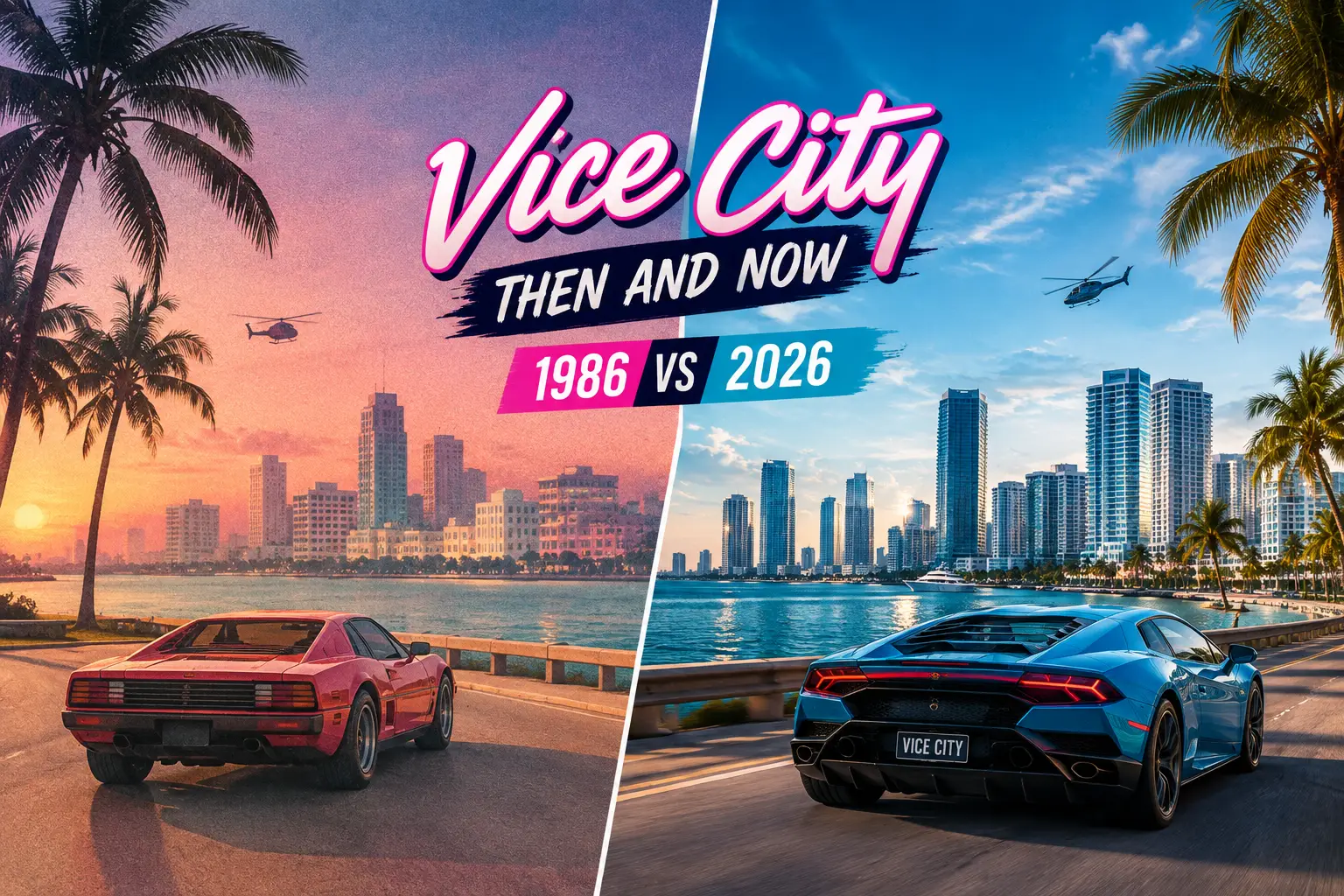
Vice City then and now: Tommy Vercetti’s 1986 playground vs Jason and Lucia’s modern Leonida.
In 2002, Rockstar dropped us into Vice City in 1986: pastel suits, synth-pop on the radio and a crime story borrowed from Scarface and Miami Vice. On November 19, 2026, Grand Theft Auto VI takes us back to the same city — but four decades later, in a present-day version full of phone cameras, social media and viral chaos.
This guide looks at Vice City then and now, 1986 vs 2026: what the original game actually was, what Rockstar has officially confirmed about the new city, which landmarks and names are coming back, and what is still only rumour. Every GTA 6 detail below is separated into confirmed, hinted or unconfirmed, so you know exactly what to trust.
Quick Answer: How Is Vice City Different in 2026?
📅 The era1986 cocaine-boom excess then; a modern, social-media-obsessed Vice City now.
🗺 The scaleOne compact two-island city then; now Vice City is one of six regions in the state of Leonida.
👥 The heroesSolo mobster Tommy Vercetti then; criminal couple Jason and Lucia, switchable mid-mission, now.
🌴 What returnsOcean Beach, Washington Beach, V-Rock radio, the Vercetti name and a six-star wanted level.
New to GTA 6? Our GTA 6 hub collects the release date, characters, map and every confirmed detail in one place.
Vice City Then and Now at a Glance (1986 vs 2026)
Then: GTA Vice City
Now: GTA 6
Story year
1986
Present day (2020s)
Game released
Oct 29, 2002 (PS2, North America)
Nov 19, 2026 (PS5, Xbox Series X|S)
Setting
Vice City only (two main islands)
Vice City + five more regions of Leonida
Protagonist
Tommy Vercetti (voiced by Ray Liotta)
Jason Duval & Lucia Caminos
Main inspiration
Scarface, Miami Vice, 80s crime films
Bonnie and Clyde, modern Florida internet culture
Music
Nine radio stations of licensed 80s hits
Reworked radio + a 34-track original album
Swimming
No — deep water was deadly
Yes
Max wanted level
Six stars
Six stars (back after GTA V’s five)
Tech
RenderWare engine, PS2
Rockstar’s RAGE engine, current-gen only
40 Years of Vice City in One Timeline
Vice City is older than most people remember. It first appeared in the top-down original Grand Theft Auto in 1997, got its famous 3D version in 2002, a 1984 prequel in 2006, and now returns for the first time in a mainline GTA in over two decades.
1986The in-game year of GTA Vice City: Tommy Vercetti arrives from Liberty City after 15 years in prison.
1997Vice City debuts as one of three cities in the original top-down Grand Theft Auto.
2002GTA Vice City launches on PS2 and goes on to sell more than 17.5 million copies.
2006Vice City Stories rewinds to 1984 — and finally lets you swim.
2023GTA VI’s first trailer (December) confirms the return to a modern Vice City.
2026GTA 6 launches November 19 after two delays (from fall 2025, then May 26, 2026).
Vice City in 1986: Why the Original Still Matters
Rockstar North chose a period setting on purpose. After the gritty, modern Liberty City of GTA III, the team wanted to satirise a place frozen in a past era — and mid-80s Miami, with its neon, money and drug wars, was perfect material.
Tommy Vercetti and a Hollywood cast
Tommy Vercetti was the series’ first fully voiced protagonist, played by Goodfellas star Ray Liotta. Sent south by his Liberty City boss Sonny Forelli, Tommy loses the money in an ambushed drug deal and slowly takes over the whole city. The supporting cast included Dennis Hopper, Tom Sizemore, Danny Trejo and Gary Busey — a lineup that made the game feel like an 80s crime movie you could drive around in.
The neighbourhoods everyone remembers
The 1986 map was split across two main islands: the beach strip with Ocean Beach, Washington Beach and Vice Point on the east, and the mainland with Little Havana, Little Haiti, Downtown and Viceport on the west. Starfish Island held the mansion that became the Vercetti Estate, and the Malibu Club was the nightclub at the centre of Tommy’s empire.
Radio that defined a generation
Nine stations — including Flash FM, V-Rock, Fever 105, Wildstyle and Emotion 98.3 — turned the soundtrack into part of the gameplay. For many players outside the US, including a lot of us in Nepal who played it on a PS2 or a cyber-cafe PC, this was the first time we heard much of 80s American pop at all.
Vice City in 2026: What GTA 6 Has Confirmed
The new Vice City is not a remake. It is the Miami-inspired heart of Leonida, Rockstar’s fictional take on Florida. Rockstar has officially named six regions: Vice City, Leonida Keys, Grassrivers, Port Gellhorn, Ambrosia and Mount Kalaga National Park. Interestingly, Rockstar never actually writes “Florida” or “Miami” on its GTA VI site — that link is how everyone reads it, and the geography backs it up.
Neighbourhoods Rockstar names
Rockstar’s official Vice City description highlights four areas: the pastel Art Deco hotels and white sands of Ocean Beach, the panaderias of Little Cuba, the knock-off brands of the Tisha-Wocka flea market, and VC Port, which Rockstar bills as the world’s cruise-ship capital. Rockstar’s pre-order and edition material also mentions Southside Vice City.
What the August 2026 Extended Look showed
On August 27, 2026, Rockstar released Grand Theft Auto VI: An Extended Look, roughly 26 minutes of footage captured on a base PS5. It was the first proper look at the city in motion, and it showed how differently the new Vice City is built:
Seamless switching between Jason and Lucia, even mid-mission.
A returning six-star wanted system, plus a Criminal Profile that tracks how each character behaves.
Modern transport such as e-scooters, something that would have been science fiction in Tommy’s 1986.
Music: from licensed 80s hits to a 34-track album
On September 17, 2026, Rockstar and Atlantic Records announced Grand Theft Auto VI: The Album, 34 original songs releasing the same day as the game, with artists such as Travis Scott, Future, Metro Boomin, Morgan Wallen and Keith Richards. That album is separate from the in-game radio, which Rockstar says is being reworked. So far, V-Rock is the only station officially confirmed — a direct throwback to 1986.
Same Streets, New Era: Landmarks Then vs Now
This is the question every returning fan asks. Here is every 1986 name with a link to GTA 6, ranked by how solid the evidence is.
1986 (Vice City)
2026 (GTA 6)
Status
Ocean Beach
Ocean Beach, with Art Deco hotels
Confirmed
Little Havana
Little Cuba
Confirmed (renamed)
Viceport
VC Port, now a cruise-ship hub
Confirmed
V-Rock radio
V-Rock
Confirmed
Washington Beach
Washington Beach
Named, location not given
Vercetti Estate
Named in a weapon-pattern description
Named, location not given
Ocean View Hotel
Jason and Lucia pictured outside it
Hinted
Escobar International Airport
“VCI Airport” on a freeway sign in Trailer 1
Hinted
Ocean Drive
Shore Drive (named, unplaced)
Hinted
Malibu Club
Not mentioned by Rockstar
Unconfirmed
Green = confirmed by Rockstar. Orange = Rockstar uses the name or shows it, but has not placed it on a map. Pink = no official mention yet. Rockstar has not released a full map; a Leonida map poster ships in the Vice City Collection box on November 19.
Culture Then vs Now: Cocaine Cowboys to Content Creators
📼 1986Pastel suits and loafers, gold chains, cassette tapes and FM radio. Status came from yachts, mansions and nightclubs. The satire targeted greed, cocaine money and TV-cop glamour.
📱 2026Phones everywhere, influencers and viral clips. GTA 6’s world parodies 2020s American culture, including social media and “Florida Man” style chaos. Status now comes from going viral.
That shift is the real story of Vice City then and now. Tommy’s 1986 was about building a criminal empire nobody could see; Jason and Lucia’s Vice City is a place where everything is filmed, posted and judged.
Gameplay Then vs Now
1Water. Tommy could not swim, so falling off a pier meant death. GTA 6 has swimming, and its swamps and Keys make water a core part of the map.
2One hero vs two. Vice City followed one man. GTA 6 lets you switch between Jason Duval and Lucia, whose relationship is a gameplay system of its own.
3Owning the city. Vice City was the first major GTA where you bought property that paid out. GTA 6 expands this with businesses, safehouses and garages.
4The police. Six wanted stars topped out with the army in 1986. Six stars are back, with a more reactive system on top.
5Crowds and life. The 2002 streets held a few dozen people on scripted paths. The 2026 city aims for dense, varied crowds doing their own thing. See more in our GTA 6 features guide.
The Vintage Vice City Pack: 1986 Inside 2026
Rockstar itself is leaning into the then-and-now theme. Everyone who pre-orders GTA 6 (any edition) before November 20, 2026 gets the Vintage Vice City Pack, a set of callbacks to the 2002 game:
Vehicle’55 Vapid Stanier two-tone sedan
PropertyShore Court garage near Ocean Beach
JasonPastel linen suit + 80s haircut
LuciaRed sequin mini dress + curls
WeaponsTropical pattern based on Tommy’s shirt
The garage is the most useful item: it has a weapon locker and a secure spot to drop stolen goods for fencing. For collectors, Rockstar also announced The Goodtime State – Vice City Collection ($399.99, game not included), which includes a double-sided poster with the full Leonida map.
Is Tommy Vercetti in GTA 6? Rockstar has referenced his look and his estate, but has not confirmed Tommy as a character. We break down the theories in Tommy Vercetti in GTA 6: rumors or real?
The Real City Behind Both Versions
Both Vice Cities are love letters to Miami, but to two very different Miamis. The 1986 game captured the city as pop culture saw it then: the Miami Vice TV era, South Beach Art Deco and the drug-trade headlines of the early 80s. GTA 6 swaps that for the Florida of today — luxury high-rises, cruise terminals, swamp towns and the internet’s favourite “only in Florida” stories. The neon is the same; the reasons it glows are not.
What We Still Don’t Know
Exact map size — Rockstar has not published a figure; all numbers online are fan estimates.
The full radio lineup — only V-Rock is official. Emotion 98.3 has appeared in leaks but is unconfirmed.
Whether the Malibu Club or Starfish Island return as real locations.
Where the Vercetti Estate sits and whether it is a visitable place.
We will update this comparison after launch day, once the map can be explored properly.
How to Revisit 1986 Before November 19
Want to play the “then” before the “now”? The remastered GTA Vice City is part of Grand Theft Auto: The Trilogy – The Definitive Edition, available on current consoles and PC. Replaying the first few missions is a great way to spot callbacks in GTA 6 — Ocean Beach, Washington Beach and V-Rock will hit differently.
Is GTA 6 set in the same Vice City as GTA Vice City?
It is the same fictional, Miami-inspired city, but a brand-new version set in the present day rather than 1986. GTA 6 also expands beyond the city into the wider state of Leonida.
What year is GTA 6 set in?
Rockstar has not named an exact year, but GTA 6 takes place in the modern day, in the 2020s, with smartphones and social media built into the world. GTA Vice City was set in 1986.
Which Vice City locations return in GTA 6?
Rockstar has confirmed Ocean Beach, VC Port and Little Cuba (the modern counterpart of Little Havana), and named Washington Beach and the Vercetti Estate without saying where they are. The Malibu Club has not been confirmed.
Is Tommy Vercetti in GTA 6?
Not confirmed. The Vintage Vice City Pack includes a weapon pattern inspired by his shirt and Rockstar mentions the Vercetti Estate, but Tommy himself has not been announced.
Can you swim in GTA 6 Vice City?
Yes. Unlike GTA Vice City, where Tommy drowned in deep water, GTA 6 supports swimming, which matters in a map full of beaches, swamps and islands.
How do I get the Vintage Vice City Pack?
Pre-order or buy any edition of GTA 6 before November 20, 2026. Digital purchases include it automatically; physical pre-orders get it through a code while supplies last.
Final Word: 40 Years Later, Still the City of Excess
Looking at Vice City then and now, 1986 vs 2026, the surface has changed completely: one man became a couple, cassette radio became a 34-track album, and a two-island city became a whole state. But the core idea is the same — Vice City is still Rockstar’s mirror on American greed and glamour. In 1986 it reflected the drug-money boom; in 2026 it reflects an always-online world where everyone wants to go viral.
We will revisit this page after November 19 with real in-game screenshots and an updated landmarks tracker.
150+ Birthday Wishes in Nepali (जन्मदिनको शुभकामना)
Looking for the right birthday wishes in Nepali? Below are 150+ original wishes for your Aama, Buwa, sister, brother, best friend, husband, wife, son, daughter, relatives, teacher and boss, plus funny wishes, blessings, belated wishes and milestone birthdays. Every wish is written in Nepali (Devanagari) with a Roman Nepali version underneath, so you can send it even if your phone has no Nepali keyboard.
Long-press any wish to copy it, or tap WhatsApp next to it to send it straight away. Start by picking who you are wishing below.
Quick answer: "Happy birthday" in Nepali is जन्मदिनको शुभकामना (Janmadin ko shubhakamana). For a warmer or more formal wish, write जन्मदिनको हार्दिक शुभकामना (Janmadin ko hardik shubhakamana).
The Nepali word for birthday is जन्मदिन (janmadin), and the word for wishes is शुभकामना (shubhakamana). You will also see it spelled "janma din ko subhakamana" in Roman letters. All spellings mean the same thing.
Nepali
Roman Nepali
Meaning
When to use
जन्मदिनको शुभकामना
Janmadin ko shubhakamana
Happy birthday
Anyone; the most common form
जन्मदिनको हार्दिक शुभकामना
Janmadin ko hardik shubhakamana
Heartfelt birthday wishes
Cards, elders, office
जन्मदिनको धेरै धेरै शुभकामना
Janmadin ko dherai dherai shubhakamana
Many, many birthday wishes
Warm and emphatic, family and friends
शुभ जन्मदिन
Shubha janmadin
Happy birthday
Short texts, captions
जन्मदिनको शुभेच्छा
Janmadin ko shubhechchha
Good wishes on your birthday
Formal writing and cards
हजुर, तपाईं or तिमी: pick the right respect level
A wish sounds wrong in Nepali if the respect level does not match the person. Use this as a guide; the wishes below already follow it. Avoid the Hindi-style "आपको" in Nepali wishes. Write तपाईंको instead.
हजुर / हजुरहरू
Aama, Buwa, grandparents, elders, in-laws, and a husband in many families
तपाईं / तपाईंहरू
Didi, Dai, uncles and aunts, teachers, boss, colleagues
तिमी / तिमीहरू
Wife, husband, close friends, Bahini, Bhai, your own children
Most respectful on the left, most intimate on the right. When unsure, use हजुर for elders and तपाईं for everyone else. Some families use तिमी for Didi and Dai, so follow what you say at home.
Who
Use
Example ending
Aama, Buwa
हजुर
सधैं स्वस्थ रहनुहोस्
Didi, Dai
तपाईं
सधैं खुसी रहनुहोस्
Bahini, Bhai, friends
तिमी
सधैं खुसी रहनू
Teacher, boss
तपाईं
स्वस्थ र सफल रहनुहोस्
Short Birthday Wishes in Nepali
One-line wishes that work for almost anyone. Good for a quick text, a Facebook comment or the inside of a card.
जन्मदिनको हार्दिक शुभकामना! Janmadin ko hardik shubhakamana!WhatsApp
पार्टी कहिले? शुभ जन्मदिन, यार! Party kahile? Shubha janmadin, yaar!WhatsApp
तिमीसँगका सबै सम्झना अनमोल छन्। जन्मदिनको शुभकामना। Timisangaka sabai samjhana anamol chhan. Janmadin ko shubhakamana.WhatsApp
मेरो मिल्ने साथीलाई मुटुदेखि शुभकामना। Mero milne saathilai mutudekhi shubhakamana.WhatsApp
Birthday Wishes for Husband in Nepali
Many wives write to their श्रीमान् using हजुर; others use तिमी or a pet name like बुढा. Both styles are below, so pick the one you use at home. Celebrating more than a birthday? See our anniversary wishes in Nepali.
तिमी छौ, त्यसैले मेरो घर घर हो। शुभ जन्मदिन! Timi chhau, tyasaile mero ghar ghar ho. Shubha janmadin!WhatsApp
मेरी माया, तिम्रो मुस्कान सधैं यस्तै चम्किरहोस्। Meri maya, timro muskaan sadhai yastai chamkirahos.WhatsApp
तिमीले मेरो परिवारलाई आफ्नै ठान्यौ। धन्यवाद, र जन्मदिनको शुभकामना। Timile mero pariwaarlai aaphnai thaanyau. Dhanyabaad, ra janmadin ko shubhakamana.WhatsApp
रिसाउँदा पनि राम्री, हाँस्दा झन् राम्री! Risaunda pani ramri, haansda jhan ramri!WhatsApp
तिम्रो हरेक सपना पूरा होस्, म सधैं साथमा छु। Timro harek sapana pura hos, ma sadhai saathma chhu.WhatsApp
मेरी जीवनसंगिनी, यो वर्ष तिम्रो लागि सबैभन्दा राम्रो होस्। Meri jiwansangini, yo barsha timro lagi sabaibhanda ramro hos.WhatsApp
जति वर्ष बिते पनि, तिमी उत्तिकै प्यारी छौ। Jati barsha bite pani, timi uttikai pyaari chhau.WhatsApp
आज तिमीलाई केही काम गर्न दिन्नँ। आराम गर, आज तिम्रो दिन हो! Aaja timilai kehi kaam garna dinna. Aaram gara, aaja timro din ho!WhatsApp
मोमबत्ती धेरै भए, फुक्न अलि सास चाहिन्छ। 😄 Mombatti dherai bhae, phukna ali saas chahinchha.WhatsApp
उपहार नल्याएको भए पनि माफ छ, तर केक चाहिँ नबिर्सनू! Upahaar nalyaaeko bhae pani maaf chha, tara cake chaahi nabirsanu!WhatsApp
Blessing Birthday Wishes in Nepali (आशीर्वाद)
Elders send a blessing rather than a wish. In Nepali custom, blessings flow downward: parents, grandparents and elders give आशीर्वाद, and younger people receive it.
भगवानले तिमीलाई सधैं सुखी र स्वस्थ राखून्। Bhagawaanle timilai sadhai sukhi ra swastha raakhun.WhatsApp
दीर्घायु होऊ, यशस्वी होऊ, सफल होऊ। Dirghaayu hou, yashaswi hou, saphal hou.WhatsApp
मेरो आशीर्वाद सधैं तिम्रो साथमा रहोस्। Mero aashirbaad sadhai timro saathma rahos.WhatsApp
तिम्रो बाटो सधैं उज्यालो र सहज होस्। Timro baato sadhai ujyalo ra sahaj hos.WhatsApp
तपाईंको जीवन खुसीले भरिएको होस्। May your life be filled with happiness.WhatsApp
तिम्रा सबै सपना पूरा होऊन्। May all your dreams come true.WhatsApp
सधैं स्वस्थ र सफल रहनुहोस्। May you always be healthy and successful.WhatsApp
तिमी मेरो लागि विशेष छौ। You are special to me.WhatsApp
यो वर्ष तिम्रो सबैभन्दा राम्रो वर्ष होस्। May this be your best year yet.WhatsApp
Milestone Birthday Wishes in Nepali
Big birthdays deserve a wish that names the number. Among the Newa community, Janku is a ritual celebrating long life when a person turns between 77 and 89, with relatives visiting to take blessings (Gulf Times).
पहिलो जन्मदिनको धेरै धेरै शुभकामना, नानी! Pahilo janmadinko dherai dherai shubhakamana, Naani!WhatsApp
१८ औँ जन्मदिनको शुभकामना! अब जिम्मेवारी र सपना दुवै ठूला हुँदैछन्। 18aun janmadinko shubhakamana! Aba jimmewari ra sapana duwai thula hudaichhan.WhatsApp
२१ औँ जन्मदिनको हार्दिक शुभकामना! जीवनको नयाँ यात्रा सुरु होस्। 21aun janmadinko hardik shubhakamana! Jiwanko naya yatra suru hos.WhatsApp
६० औँ जन्मदिनको हार्दिक शुभकामना! हजुरको अनुभव हाम्रो पुँजी हो। 60aun janmadinko hardik shubhakamana! Hajurko anubhav hamro punji ho.WhatsApp
Say जन्मदिनको शुभकामना (Janmadin ko shubhakamana). In short texts, शुभ जन्मदिन (Shubha janmadin) also works.
What is the difference between शुभकामना and शुभेच्छा?
Both mean good wishes. शुभकामना is the everyday word and the one most people use in a birthday message. शुभेच्छा sounds a little more formal and is common in written cards and announcements.
How do I wish my mother or father a happy birthday in Nepali?
Use हजुर and add a line of thanks or a blessing, for example: आमा, हजुरलाई जन्मदिनको हार्दिक शुभकामना। सधैं स्वस्थ र खुसी रहनुहोस्।
Should I use तपाईं or तिमी in a birthday message?
Use तपाईं for anyone older than you, any teacher and anyone senior at work. Use तिमी for close friends, younger siblings and your spouse. If you are not sure, use तपाईं. Too much respect is never taken as rude in Nepali, while too much familiarity can be.
How do I write birthday wishes in Roman Nepali?
There is no single official spelling, so "janmadin ko shubhakamana", "janma din ko subhakamana" and similar forms are all understood. Copy the Roman line under any wish above, or type your own with the Unicode converter.
How do I reply to birthday wishes in Nepali?
A simple reply is शुभकामना दिनुभएकोमा हार्दिक धन्यवाद! (Thank you for the birthday wishes). More replies are in the section above.
Conclusion
The best birthday wish is the one that sounds like you. Pick a line above, add a name or a small memory, and send it. If you have a favourite Nepali birthday wish of your own, share it in the comments; the best ones will be added to this list.