
How to Type Nepali in Laptop (Windows 11, Mac & Chromebook, 2026)
By Wilson Shrestha · Updated October 6, 2026 · 12 min read
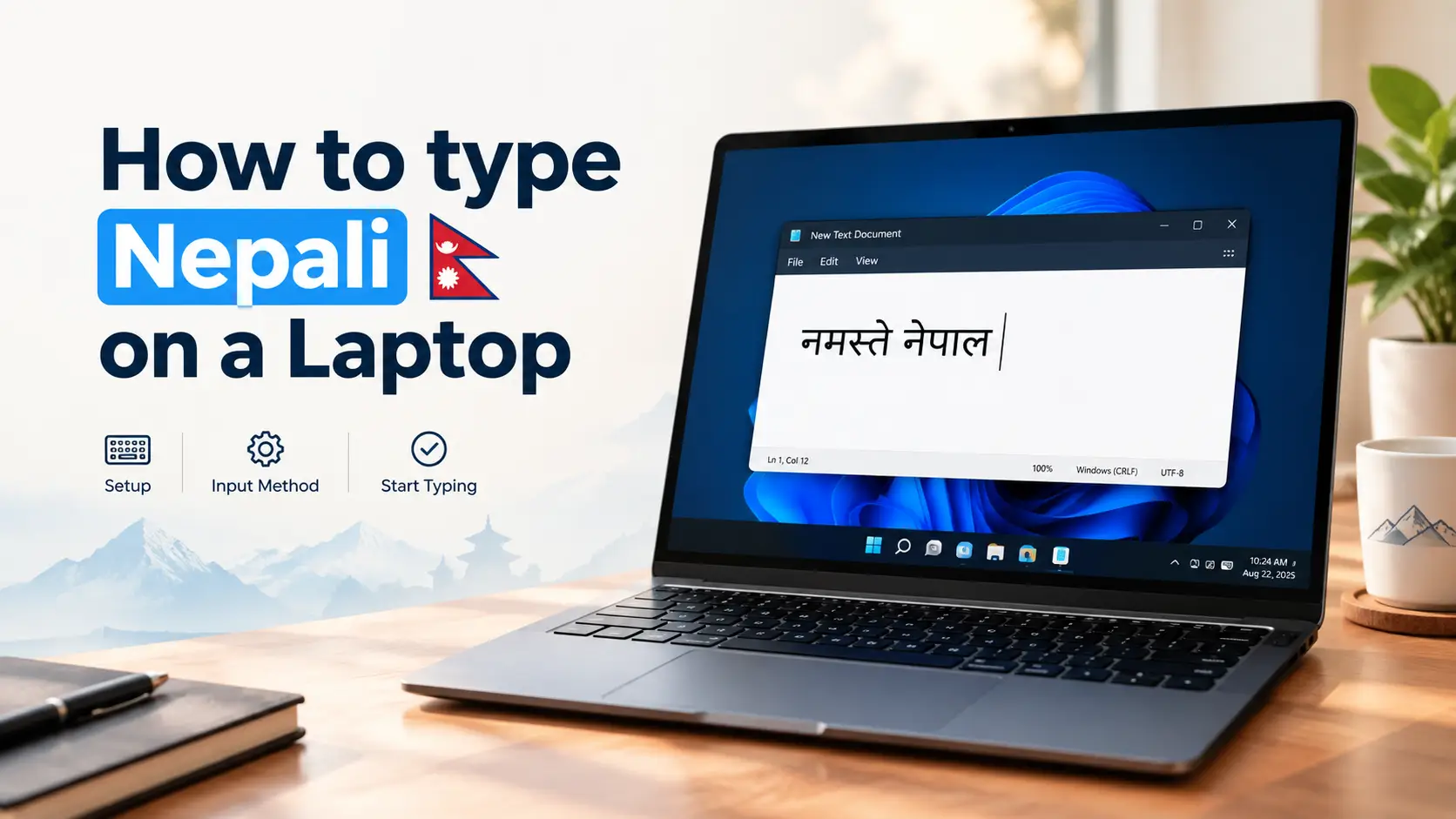
To type Nepali in a laptop, add Nepali as a keyboard language in your laptop’s settings, then press Windows + Space (or Control + Space on a Mac) to switch between English and Nepali. You don’t need a keyboard with Nepali letters printed on it, you don’t need to buy software, and once it’s set up it works offline in every app.
The catch is choosing the right way of typing. Laptops can type Nepali with a fixed Traditional layout, a Romanized layout, an online phonetic tool or the old Preeti font — and many guides still send you to download Google Input Tools for Windows, which Google stopped offering years ago. This guide gives you the method that fits you, the exact steps for Windows 11, Mac and Chromebook, a half-letter cheat sheet and fixes for the problems people actually hit.
Quick answer: type Nepali on a Windows 11 laptop in 5 steps
- Open Settings → Time & language → Language & region.
- Next to Preferred languages, click Add a language.
- Search Nepali (नेपाली), select it, click Next, then Install.
- Press Windows + Space and pick Nepali (the taskbar shows NEP).
- Open Notepad and type. Press K then F and you get पा.
In this guide
- Which Nepali typing method should you use?
- Unicode vs Preeti in 60 seconds
- Add the Nepali keyboard in Windows 11
- Can you type Nepali phonetically in Windows?
- Is Google Input Tools still available?
- Type Nepali online without installing anything
- Switch between English and Nepali
- Type Nepali on a Mac or MacBook
- Type Nepali on a Chromebook or Linux laptop
- Nepali in MS Word, Google Docs and Gmail
- How to type half letters and conjuncts
- Nepali keyboard not working? Fixes
- Improve your Nepali typing speed
- FAQs
Which Nepali Typing Method Should You Use?
Pick by how often you type Nepali and whether an exam or office expects a specific layout. All four methods below produce Nepali on an ordinary English laptop keyboard.
| Method | How it works | Internet | Learning time | Best for |
|---|---|---|---|---|
| Built-in Nepali keyboard (Traditional) | Each key gives a fixed Nepali letter, mostly in the same places as Preeti | No | 2–4 weeks of practice | Daily typists, office work, Lok Sewa |
| Romanized layout | Fixed keys that follow English sounds: K = क, M = म | No | A few days | English typists who want offline Nepali |
| Online phonetic tool | Type “namaste” and get नमस्ते, with word suggestions | Yes | Minutes | Occasional messages and posts |
| Preeti font | A legacy font that draws Nepali over English letters | No | 2–4 weeks | Editing old office documents, printing |
My pick if you type Nepali every day
The built-in Nepali keyboard. It costs a few weeks of practice, but it works in every app, needs no internet, and the key positions match what Lok Sewa typing tests and most offices use.
My pick if you type Nepali now and then
An online phonetic tool. Type the way the word sounds, copy, paste. No setup and nothing to memorise.
Unicode vs Preeti in 60 Seconds
Unicode is the modern standard. Every Nepali letter has its own code, so Unicode text shows correctly on websites, Facebook, Gmail, Google search and any phone — no special font needed. Every method in this guide except Preeti produces Unicode.
Preeti is a font, not a language setting. It draws Nepali shapes on top of ordinary English letters, so नेपाल is really stored as “g]kfn”. Send that to someone without the Preeti font and they see the English letters. Use Preeti only when an office or an old document needs it — you can download the Preeti font with its layout here.
Good news for Preeti typists: the Windows Nepali keyboard puts most letters on the same keys as Preeti, so your muscle memory carries over and your output becomes Unicode. Have old Preeti files? Convert them with the free Preeti ↔ Unicode converter.
How to Add the Nepali Keyboard in Windows 11
This is a one-time setup that takes about five minutes. Windows downloads a small language file, so stay online until it finishes.
Open Language & region
Click Start → Settings → Time & language → Language & region.
Click Add a language
It sits next to Preferred languages.
Search for Nepali
Type Nepali, select नेपाली Nepali and click Next.
Install, but don’t change your display language
Untick Set as my Windows display language unless you want menus in Nepali, then click Install.
Check the keyboard was added
Click the ··· next to Nepali → Language options. Under Keyboards you should see Nepali. If the list is empty, click Add a keyboard.
Switch and type
Press Windows + Space, choose Nepali, and start typing.
Test it in Notepad
Open Notepad, switch to Nepali and press these keys. If Nepali letters appear, you are done.
| Press | You get |
|---|---|
K F | पा |
G D | नम |
S F D | काम |
The Windows Nepali keyboard: home-row map
Your fingers rest on these ten keys. The big letter is what you get normally; the small one underneath is what you get with Shift. Notice that Shift often gives the half letter.
LEFT HAND
A
ब
ब्
S
क
क्
D
म
म्
F
ा
ँ
G
न
न्
RIGHT HAND
H
ज
ज्
J
व
व्
K
प
प्
L
ि
ी
;
स
स्
Windows Nepali keyboard (KBDNEPR), home row. Large = normal key, small blue = with Shift. Colours show which finger presses each key.
See every key at once: with Nepali active, press Windows + Ctrl + O to open the On-Screen Keyboard. It shows the Nepali letter on each key, and pressing Shift on it shows the second layer. Keep it open in a corner while you learn.
Still on Windows 10?
The path is Settings → Time & Language → Language → Add a preferred language; everything else is the same. Microsoft ended Windows 10 support on 14 October 2025, so if your laptop can run Windows 11, the upgrade is worth it for security alone.
Can You Type Nepali Phonetically in Windows?
Not with a built-in Nepali option. Windows 10 and 11 include phonetic keyboards — where you type “namaste” and get नमस्ते — for 10 Indian languages: Hindi, Bangla, Tamil, Marathi, Punjabi, Gujarati, Odia, Telugu, Kannada and Malayalam. Nepali isn’t on Microsoft’s list. Some guides say otherwise; they are wrong. You have three real options:
1. A Romanized layout
The Nepali Unicode Romanized layout from Madan Puraskar Pustakalaya maps sounds to keys (K = क, M = म) and works offline. Its old installer can fail on Windows 10 and 11; community rebuilds exist on GitHub. Install only from a source you trust.
2. The Hindi Phonetic workaround
Add Hindi, then the Hindi Phonetic keyboard. It types Devanagari — the same script as Nepali — but its word suggestions come from a Hindi dictionary, so Nepali-only words may need fixing by hand. Fine for short notes.
3. An online phonetic tool
The easiest route if you have internet: type in a browser tool and paste the result. See typing Nepali online below.
If you added Hindi Phonetic and see “IME is not ready yet”, its dictionary is still downloading. Go to Hindi → Language options and click Download next to Basic typing.
Is Google Input Tools Still Available for Windows?
No. Google discontinued the Windows version of Google Input Tools in 2018 and removed the download from its website. Older blog posts that tell you to “download Google Input Tools Nepali” are pointing at something that no longer exists officially.
What still works from Google:
- The Google Input Tools Chrome extension — phonetic Nepali inside the Chrome browser only, not in Word or other desktop apps.
- Gmail — Settings → See all settings → Language → tick Enable input tools and choose Nepali.
- Chromebooks — Google’s Nepali transliteration is built in (see below).
Don’t download Google Input Tools .exe files from random sites
Copies on download portals are unsupported and can be bundled with adware. Since Windows already has a Nepali keyboard built in, there’s no reason to take the risk.
Type Nepali Online Without Installing Anything
On a borrowed laptop, an office PC where you can’t change settings, or when you only need one paragraph, a browser tool is quickest:
- Open our English to Nepali Unicode converter.
- Type the Nepali words the way they sound:
mero naambecomes मेरो नाम. - Copy the Nepali text with Ctrl + C.
- Paste it anywhere: Word, Facebook, a government form, an email.
Three tricks for that converter
- End a word with a backslash to keep the halant:
bas\= बस् - Use a slash to stop two letters joining:
pratishat/ko= प्रतिशतको - Keep English words in curly brackets:
yo {mobile} mero ho= यो mobile मेरो हो
How to Switch Between English and Nepali
You’ll switch dozens of times a day, so learn the shortcut for your laptop.
| Laptop | Shortcut | Or click |
|---|---|---|
| Windows 11 / 10 | Windows + Space (also Left Alt + Shift) | ENG / NEP on the taskbar |
| Mac / MacBook | Control + Space, or the Globe (fn) key | Input menu in the menu bar |
| Chromebook | Ctrl + Space (previous), Ctrl + Shift + Space (next) | Input code on the shelf |
| Linux (GNOME) | Super + Space | Input indicator, top bar |
Windows remembers the language per window in some apps, so if Notepad suddenly types English again, just switch once more in that window.
How to Type Nepali on a Mac or MacBook
macOS has a built-in Nepali keyboard. No download needed.
- Open System Settings → Keyboard.
- Under Text Input, click Edit next to Input Sources.
- Click +, search Nepali, select it and click Add.
- Turn on Show Input menu in menu bar.
- Press Control + Space (or the Globe key) to switch, and type.
See the layout: click the Input menu in the menu bar and choose Show Keyboard Viewer. It shows which Nepali letter sits on each key.
Prefer sound-based keys? Under Hindi you can add Devanagari – QWERTY, where keys follow English sounds (K gives क). It types the same Devanagari letters Nepali uses, though it is a fixed layout, not a suggestion-based phonetic tool.
How to Type Nepali on a Chromebook or Linux Laptop
Chromebook
Open Settings → Device → Keyboard and inputs → Input (wording varies slightly by ChromeOS version), click Add input methods and search Nepali. You’ll usually see two choices: Nepali with InScript keyboard (fixed keys) and a नेपाली transliteration option, where you type by sound. Pick the transliteration one if you want “namaste” to become नमस्ते.
Linux
In Ubuntu and other GNOME desktops, go to Settings → Keyboard → Add Input Source and add Nepali for the fixed layout. For sound-based typing, install the ibus-m17n package and add its Nepali Romanized input method.
How to Type Nepali in MS Word, Google Docs and Gmail
MS Word uses whatever keyboard Windows or macOS is set to. Switch to Nepali and type — there’s nothing to install inside Word. The only thing that goes wrong is the font. If letters look broken or matras sit in the wrong place, select the text and change the font to one of these:
| Font | Unicode? | Use it for |
|---|---|---|
| Nirmala UI | Yes, built into Windows | Everyday documents, nothing to install |
| Kalimati | Yes | Government letters and office documents in Nepal |
| Mangal | Yes | Older Office templates |
| Preeti | No | Only old documents already typed in Preeti |
Need help installing a font? Follow our guide to install a Nepali font on Windows 11.
Google Docs and Gmail work with your laptop’s Nepali keyboard like any other website. Without the keyboard installed, you can turn on Google’s own input tools in Gmail (see above) or paste text from an online converter.
How to Type Half Letters and Conjuncts in Nepali
A half letter is a consonant plus a halant (्). In Unicode you type the letter, the halant, then the next letter, and the font joins them: क + ् + य = क्य. The Windows Nepali keyboard saves keystrokes by putting common half letters and conjuncts on their own keys.
| To get | Windows Nepali keyboard | Most phonetic tools |
|---|---|---|
| ब् क् म् न् (half letters) | Shift + the letter’s key (Shift + A = ब्) | Type the consonant with no vowel |
| ् (halant) | Shift + \ (backslash key) | \ after the letter, e.g. bas\ |
| क्ष | Shift + I | ksha |
| ज्ञ | Shift + 1 | gya or jna |
| श्र | Shift + . (full stop key) | shra |
| त्र, प्र (letter + ्र) | The letter, then \ (T then \ = त्र) | tra, pra |
| । (purna biram) | . (full stop key) | . or | |
| ँ (chandrabindu) | Shift + F | ~ or ^ in many tools |
Phonetic tools differ slightly in their spelling rules, so test a word before typing a long document. On Windows, the On-Screen Keyboard (Windows + Ctrl + O) is the quickest way to find any character not listed here.
Nepali Keyboard Not Working on Your Laptop? Fixes
| Problem | Likely cause | Fix |
|---|---|---|
| Nepali isn’t in the Windows + Space list | Language installed but no keyboard added | Nepali → ··· → Language options → Add a keyboard → Nepali |
| Still typing English | Switched in a different window | Click inside the app first, then press Windows + Space |
| Nepali shows as empty boxes | The font has no Devanagari letters | Change the font to Nirmala UI or Kalimati |
| Text looks like “g]kfn” | It was typed in Preeti | Install Preeti, or convert it with the Preeti ↔ Unicode converter |
| Matras or half letters break | Old app or non-Unicode font | Use a Unicode font; update the app |
| Wrong letters with Caps Lock on | Caps Lock acts like Shift on Nepali keys | Turn Caps Lock off |
| “IME is not ready yet” | Phonetic dictionary still downloading | Language options → Download next to Basic typing |
How to Improve Your Nepali Typing Speed
Setting up the keyboard takes five minutes; typing fast takes practice. Because the Windows Nepali keyboard shares most key positions with Preeti, the classic Typeshala drills train exactly the right muscle memory.
Practise in your browser
Online Typeshala gives row-by-row Nepali lessons, live WPM and a timed test. Free, no download.
Practise offline
Download Typeshala for Windows if your internet is unreliable or you practise in a computer lab.
Practise with a game
Bored of drills? Play the Typeshala Ramayana game in Nepali or English.
Preparing for a government exam? Read Typeshala for Lok Sewa for speed targets and exam-day tips.
Frequently Asked Questions
Can I type Nepali on a laptop without internet?
Yes. Once the Nepali keyboard is added in Windows, macOS, ChromeOS or Linux, it works fully offline in every app. You only need internet for the one-time setup download and for online converters.
What is the shortcut to change the keyboard from English to Nepali?
On Windows, press Windows + Space (or Left Alt + Shift). On a Mac, press Control + Space or the Globe key. On a Chromebook, press Ctrl + Space.
Is Google Input Tools still available for Windows 11?
No. Google discontinued the Windows version in 2018. Google Input Tools now works only as a Chrome extension and inside Google services like Gmail. Use the built-in Windows Nepali keyboard instead.
Can I type Nepali using English letters on Windows?
Not with a built-in Nepali option, because Windows’ phonetic keyboards don’t include Nepali. Use an online English-to-Nepali converter, a Romanized Nepali layout, or the Hindi Phonetic keyboard as a Devanagari workaround.
Which Nepali keyboard layout is used in Lok Sewa typing tests?
Typing tests in Nepal are generally based on the Preeti / Traditional key positions rather than Romanized typing. Requirements can differ by post, so always check the official vacancy notice.
Why does my Nepali text show as boxes?
The app is using a font without Devanagari letters. Select the text and switch to a Unicode Nepali font such as Nirmala UI or Kalimati.
Do I need to install a Nepali font to type Unicode?
No. Windows, macOS and ChromeOS already include fonts that display Nepali Unicode. Install Kalimati only if your office or template asks for it.
Can I type Nepali on a MacBook?
Yes. Go to System Settings → Keyboard → Input Sources, add Nepali, and switch with Control + Space. No download is needed.
The Short Version
Add Nepali in your laptop’s language settings, switch with Windows + Space or Control + Space, and use a Unicode font. If you only type Nepali occasionally, an online converter is enough. Then put ten minutes a day into Typeshala and you’ll be typing Nepali faster than you write it by hand.
Sources
- Microsoft Support — Manage the language and keyboard/input layout settings in Windows: support.microsoft.com
- Microsoft Support — Set up and use Indic Phonetic keyboards: support.microsoft.com
- Windows Nepali keyboard layout (KBDNEPR) reference: kbdlayout.info
- Google Input Tools — official site: google.com/inputtools
- Nepali Unicode Romanized layout rebuild for Windows 10+: github.com/asheshwor/nepali
Steps checked against Microsoft’s support documentation in October 2026. Menu names can shift slightly with Windows and macOS updates; if a step doesn’t match your screen, look for the closest option under Language or Keyboard settings.