
Online Typeshala: Free Nepali Typing Tutor (Preeti & Unicode, No Download)
By Wilson Shrestha · Updated September 28, 2026 · 10 min read
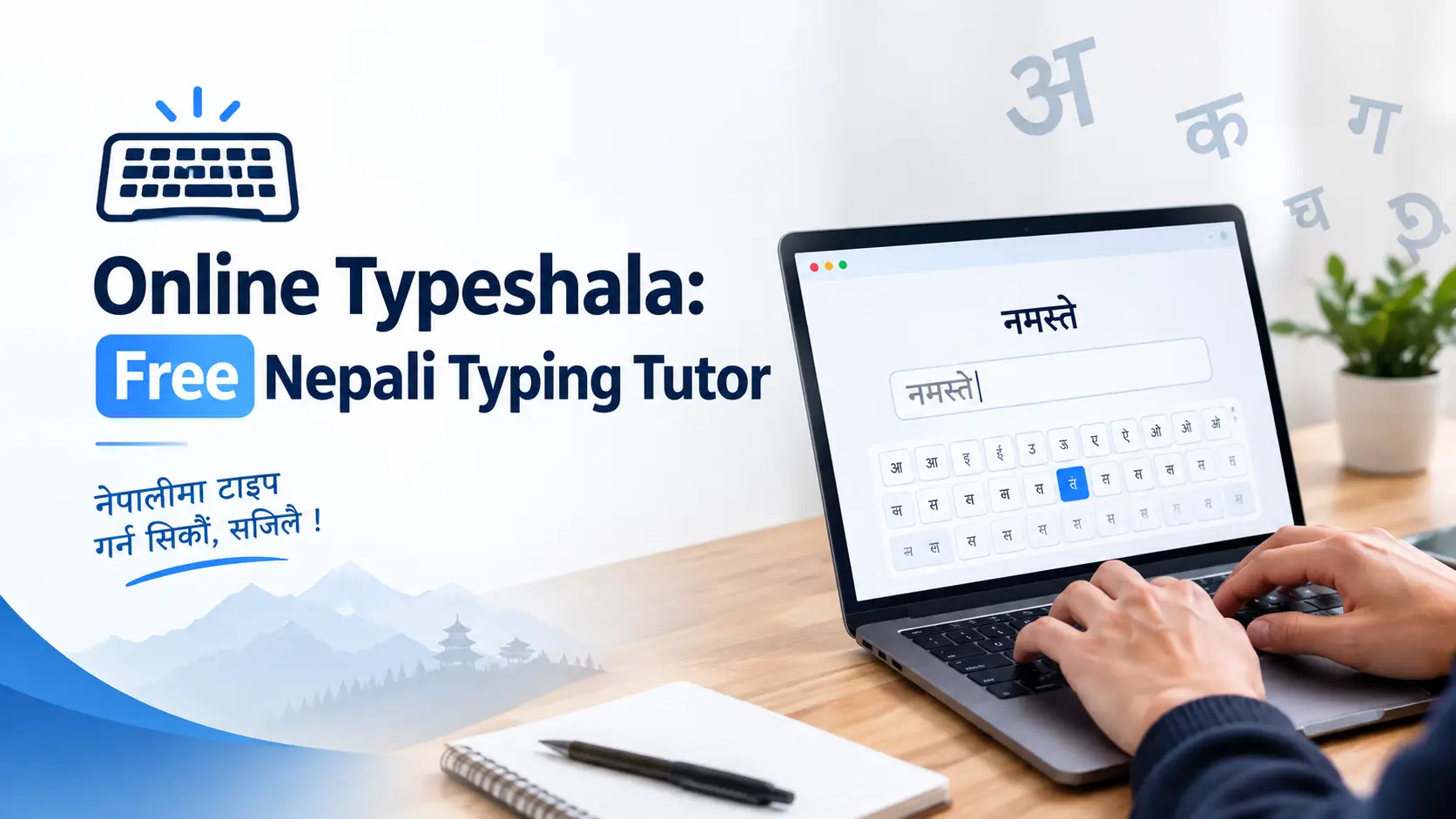
If you learned computers in Nepal, you probably remember Typeshala — the old blue-screen tutor where you typed the same row of letters again and again until your fingers found the home row on their own. It worked. The problem is that the original setup was built for old Windows. On Windows 10 and 11 it often needs extra setup to run on 64-bit systems, and it never ran on a Mac, Linux laptop or Chromebook at all.
Online Typeshala is the modern answer: a free Nepali typing tutor that runs in your browser. Open it, choose Nepali or English, and start typing. There is no installer, no font setup and no account. You can use the full tool right on this page, then follow the practice plan below to reach the speed most Lok Sewa typing tests ask for.
Key takeaways
- 100% free and browser-based — works in Chrome, Edge, Firefox and Safari on Windows, Mac and Linux.
- Nepali and English practice, with Preeti and Nepali Traditional keyboard layouts.
- Row-by-row lessons, five difficulty levels (Easy to Master), custom text, a timed test and a leaderboard.
- Live WPM, accuracy and timer, plus an on-screen keyboard that highlights the next key.
- Realistic goal: about 25 WPM in Nepali, the figure most commonly quoted for Lok Sewa computer operator tests (always confirm in the vacancy notice).
In this guide
Start Typing Now: Online Typeshala (Full Tool)
The complete tutor is embedded below. Click inside it, choose नेपाली or English, pick a key set and begin. Everything runs in your browser.
Prefer a bigger screen? Open Online Typeshala in a new tab. On a phone, connect a keyboard for real practice (more on that below).
What Is Online Typeshala?
Online Typeshala is a web-based Nepali and English typing tutor inspired by the classic Typeshala software that generations of Nepali students used in computer labs. It keeps what made the original effective — short drills, one keyboard row at a time, constant repetition — and adds what the old program could not: live speed and accuracy tracking, difficulty levels, your own practice text, a timed test and a leaderboard.
It is built for anyone who needs to type Nepali properly: Lok Sewa aspirants preparing for computer operator and office posts, students in school and +2 computer classes, office staff writing letters and notices, and journalists and content writers publishing in Nepali.
Features at a Glance
Row-by-row lessons
Separate sets for the Home Row, Top Row, Bottom Row, Numbers and All Keys, so you learn the keyboard in small pieces.
Five difficulty levels
Easy, Medium, Hard, Expert and Master — move up only when your accuracy holds.
Live WPM & accuracy
Speed, accuracy and a timer update as you type, so you see mistakes the moment they happen.
On-screen keyboard
A Nepali keyboard map highlights the next key, so you stop looking down at your hands.
Custom text & timed test
Paste any Nepali or English passage to practise real documents, then run a timed test to measure yourself.
Leaderboard
Compare your best scores with other learners — a small push that keeps daily practice going.
How to Use Online Typeshala, Step by Step
- Choose your language. Select नेपाली for Nepali or English for QWERTY practice.
- Pick a key set. Beginners should start with Home Row. Do not jump to All Keys on day one.
- Select a lesson and level. Each set has several lessons marked Easy, Medium or Hard. Start at Easy.
- Type the highlighted text. Keep your eyes on the screen and follow the on-screen keyboard instead of your fingers.
- Check your score. Repeat a lesson until accuracy stays at 95% or higher, then move to the next one.
- Graduate to Custom and Test. Once you are comfortable with All Keys, paste real Nepali paragraphs into Custom, then use Test to track your WPM week by week.
Your Learning Path: From Home Row to Exam Speed
Most people learn Nepali typing faster when they follow the same order the tool is built around. Treat each stage as a gate: move on only when you hit the accuracy target.
STEP 1
Home Row
Anchor your fingers. Target 95%+ accuracy.
STEP 2
Top Row
Reach up and return to home every time.
STEP 3
Bottom Row
The hardest reach — go slow here.
STEP 4
Numbers
Dates, amounts and ward numbers.
STEP 5
All Keys
Mixed text, matras and half-letters.
STEP 6
Custom + Test
Real passages, timed. Aim for 25+ WPM.
Learning order used in Online Typeshala: Home Row → Top Row → Bottom Row → Numbers → All Keys → Custom & Test
Home-row finger map (Preeti layout)
Your fingers rest on these ten keys and return to them after every reach. Learn this map first — every other lesson builds on it.
LEFT HAND
A
ब
S
क
D
म
F
ा
G
न
RIGHT HAND
H
ज
J
व
K
प
L
ि
;
स
Quick check: with these keys alone you can already type real words. In Preeti, g + d gives नम, and k + f gives पा. That early win is exactly why the home row comes first. For the full top- and bottom-row map, see our Typeshala Preeti key map and lesson guide.
Preeti vs Traditional Unicode vs Romanized: Which Layout Should You Learn?
This is the question most Typeshala pages skip, and it is the one that wastes the most practice time. Nepali has three common ways to type, and they are not interchangeable.
| Layout | What it produces | Best for | Learning curve |
|---|---|---|---|
| Preeti | A legacy font, not Unicode. Text only looks Nepali when the Preeti font is installed. | Older government offices, printing presses, existing Preeti documents | Steep, but fast once learned |
| Nepali Traditional (Unicode) | Real Unicode text that works on websites, Google, email and social media. | Modern office work, Lok Sewa tests that specify Unicode, web publishing | Steep; follows the same typewriter-style arrangement as Preeti |
| Romanized Unicode | Unicode typed phonetically (K gives क, M gives म). | Casual typing, chatting, occasional posts | Easy, but a different skill from Preeti/Traditional |
Learn Preeti / Traditional if…
you are preparing for Lok Sewa, a computer operator post or any office job. The two layouts share largely the same key positions, so most of your muscle memory carries over from one to the other. This is what Online Typeshala trains.
Romanized is enough if…
you only type Nepali now and then for messages or social posts and no exam or employer requires a specific layout.
One rule that saves weeks: pick one layout and stay with it until you pass 25 WPM. Switching between Preeti and Romanized every few days confuses your fingers and resets your progress. If you want the deeper technical comparison, read Devanagari typing methods: InScript vs phonetic.
How Typing Speed Is Measured (WPM, Net WPM & Accuracy)
Typing tests do not count actual words. One “word” is a standard 5 keystrokes, including spaces. That keeps scores fair between long and short words.
Gross WPM = (characters typed ÷ 5) ÷ minutes
Net WPM = Gross WPM − (uncorrected errors ÷ minutes)
Accuracy = (correct characters ÷ characters typed) × 100
Worked example (5-minute test): you type 800 characters with 20 mistakes.
- Gross WPM = 800 ÷ 5 ÷ 5 = 32
- Net WPM = 32 − (20 ÷ 5) = 28
- Accuracy = 780 ÷ 800 × 100 = 97.5%
Exams care about the net figure, so every mistake costs you speed. Exact scoring differs between exams, so read the rules in your specific notice.
Why your Nepali WPM is lower than your English WPM: half-letters, matras and conjuncts often need two or three keystrokes, and many Devanagari characters sit on the Shift layer. A 25 WPM Nepali typist is doing more work per word than a 25 WPM English typist, so compare yourself against Nepali benchmarks, not English ones.
Typing Speed Benchmarks in Nepal
Where should you aim? These are the reference points most often cited by Lok Sewa preparation guides, next to general typing averages.
Typing speed reference points (WPM)
Cut-offs vary by post and exam cycle. Always confirm the exact requirement in the official notice on the Public Service Commission website. For exam-day strategy, see our Typeshala for Lok Sewa typing test prep guide.
A 4-Week Practice Plan (20–30 Minutes a Day)
Short daily sessions beat long weekend marathons. Here is a plan built around the sections of Online Typeshala.
| Week | What to practise | Daily routine | Target |
|---|---|---|---|
| 1 | Home Row, then Top Row (Easy → Medium) | 20 minutes of lessons, eyes on screen only | 95% accuracy, 10–15 WPM |
| 2 | Bottom Row and Numbers (Medium → Hard) | 15 minutes of new rows, 10 minutes revising Week 1 | 95% accuracy, 15–20 WPM |
| 3 | All Keys, plus Custom text with real Nepali paragraphs | Type a news paragraph or office notice every day | 20–25 WPM |
| 4 | Test mode under exam-like conditions | One timed test in the morning, one at night; drill your weakest keys in between | 25+ net WPM |
Target Nepali WPM by week (following the plan)
12
18
23
27
Illustrative targets, not a guarantee. Some learners move faster, others need six weeks — accuracy first is what keeps progress steady.
Why I Built a Web Version of Typeshala
I already share the classic Typeshala software for Windows on this blog, and it still works for many people. But the old setup was made for a different era of Windows. On newer machines it can need compatibility settings, and on a Mac or a borrowed laptop it simply is not an option.
So I built Online Typeshala as a lightweight web app: the same drill-based method, but something you can open on any computer in a few seconds. While building and testing it, one lesson stood out more than any feature — people who slow down and chase accuracy first end up faster than people who rush for a high WPM on day one. That is why the lessons are split by row and the difficulty only goes up when you choose to raise it.
Online Typeshala vs Typeshala Download for Windows
Both versions teach the same skill. Choose the one that fits how and where you practise.
| Feature | Online Typeshala | Typeshala for Windows PC |
|---|---|---|
| Installation | None — open in a browser | Download and install |
| Works on | Windows, Mac, Linux, Chromebook | Windows only |
| Internet | Needed to open the tool | Works fully offline |
| Live WPM & accuracy | Yes, updates as you type | Basic results |
| Custom text & leaderboard | Yes | No |
| Best for | Daily practice anywhere, exam prep | Computer labs and PCs without reliable internet |
Need the offline version? Follow this guide to download Nepali and English Typeshala for Windows PC. All our typing guides are collected on the Typeshala hub.
Add Online Typeshala to Your School or Institute Website
Teachers, computer institutes and Lok Sewa coaching centres can place the tutor on their own site so students practise without leaving it. Paste this code into any HTML block:
<iframe src="https://typeshala.wilson.com.np/embed" width="100%" height="700" style="border:none;border-radius:12px;overflow:hidden;" title="Typeshala Typing Tutor" loading="lazy" allowfullscreen></iframe>Tips to Type Nepali Faster (and Mistakes to Avoid)
Do this
- Sit straight, wrists level, screen at eye height.
- Keep accuracy at 95%+ before raising the level.
- Return fingers to the home row after every reach.
- Drill half-letters and Shift-layer characters separately.
- Practise with real text: news, letters, notices.
Avoid this
- Looking down at the keyboard.
- Jumping straight to the timed test.
- Leaving Caps Lock on — it changes Nepali characters.
- Switching layouts every few days.
- Practising on a phone touchscreen.
Can You Use Online Typeshala on Mobile?
The page opens on phones and tablets, but touch typing is a physical-keyboard skill. Tapping on glass does not build the finger memory an exam or office job needs. For real practice, use a laptop or desktop, a tablet with a keyboard case, or plug a USB keyboard into your Android phone with an OTG adapter.
Frequently Asked Questions
Is Online Typeshala free?
Yes. Online Typeshala is completely free, with no account, sign-up or download required.
Do I need to install the Preeti font to practise?
No. Everything runs in your browser, so you do not need to install Preeti or any other Nepali font to practise.
Can I practise English typing too?
Yes. Switch the language to English to practise the standard QWERTY layout with the same lessons, levels and speed test.
What typing speed do I need for Lok Sewa?
Preparation guides most often quote around 25 WPM in Nepali for computer operator and similar posts, and around 35 WPM in English for bilingual posts. The exact requirement changes by post and exam cycle, so always check the official vacancy notice.
Is Online Typeshala the same as the old Typeshala software?
It follows the same drill-based method as the classic Typeshala, rebuilt for the browser with live WPM and accuracy, difficulty levels, custom text, a timed test and a leaderboard. The original Windows program is still available to download separately.
Does Online Typeshala work offline?
You need an internet connection to open it. If you want to practise completely offline, download Typeshala for Windows PC instead.
How long does it take to learn Nepali typing?
With 20 to 30 minutes of daily practice, many learners are comfortable with the full keyboard in three to four weeks. Speed keeps improving after that as long as you keep practising with real text.
Should I learn Preeti or Unicode?
If you are preparing for an exam or an office job, learn the Preeti / Nepali Traditional key positions, which largely overlap, and check which one your exam notice specifies. If you only type Nepali casually, Romanized Unicode is easier to pick up.
Start Your First Lesson Today
Ten minutes on the home row today is worth more than an hour next weekend. Open Online Typeshala, pick नेपाली, and type your first line.