Unicode to Preeti Converter: Nepali Unicode to Preeti Font Online (Free)

Unicode to Preeti Converter

Paste Nepali Unicode text. The Preeti version appears instantly in the other box.

1Paste or type Nepali Unicode in the Nepali Unicode box
2Preeti text appears instantly in the other box
3Press Copy Preeti, paste it and set the font to Preeti
Preetilegacy font text
Nepali Unicodeनेपाली युनिकोड
Type into:

Special characters

Click a character to copy it, then paste it anywhere.

Embed this converter on your website

Upload this converter to a page, then paste this iframe code where you want it to appear.

Hide:
The code updates as you choose. It also resizes the frame automatically.

Custom mappings (advanced)

Fix a Preeti symbol that converts incorrectly. Type the symbol exactly as it appears in your Preeti text, then the Unicode text it should become. Saved in this browser only.

→

🔒 Privacy: your text stays in your browser and is only auto-saved on this device. OCR downloads language data from a CDN, and voice typing uses your browser's speech service.
Unicode to Preeti Nepali font conversion on laptops

Unicode to Preeti Converter: Nepali Unicode to Preeti Font Online (Free)

This free Unicode to Preeti converter turns modern Nepali Unicode text (नेपाल) into Preeti font text (g]kfn). Paste your text in the Nepali Unicode box above and the Preeti version appears as you type. Copy it, paste it into Word, PageMaker, Photoshop or CorelDRAW, and set the font to Preeti.

You need this when someone still works in Preeti: a print shop, a newspaper layout, an old office template, or a designer whose files were built years ago. Everything online should stay in Unicode, but these print and design jobs often still expect Preeti.

Quick answer

  1. Paste Nepali Unicode text into the Nepali Unicode box.
  2. Press Copy Preeti.
  3. Paste it into your document or design file.
  4. Select the text and change the font to Preeti. It now reads as Nepali.

How to Convert Unicode to Preeti (Step by Step)

  1. Copy your Nepali Unicode text from a website, Facebook post, Google Docs, email or a Word file typed in Kalimati, Mangal or Nirmala UI.
  2. Paste it into the Nepali Unicode box above. The Preeti box fills in instantly. There is no Convert button to press.
  3. Press Copy Preeti.
  4. Paste it where you need it and apply the Preeti font. Until you do, it shows as English letters and symbols. That is normal.

You can also type straight into the Unicode box. Turn on Phonetic typing and type romanized Nepali (for example nepaal becomes नेपाल). The Preeti version is built as you type, so you can produce Preeti text without learning the Preeti keyboard.

How to Use the Preeti Text in Word, PageMaker, Photoshop and CorelDRAW

Microsoft Word

Paste with Ctrl + Shift + V (or Paste Special, Unformatted Text) so Word does not keep the old Unicode font. Select the pasted text, choose Preeti from the font list and set the size. For more on typing in Word, see how to type Nepali in MS Word using Preeti.

PageMaker and InDesign

Older PageMaker layouts usually cannot use Unicode Nepali, which is why this converter exists. Paste the Preeti text into a text frame, select it and set the font to Preeti. Check line breaks and justification, because Preeti text is often wider than the Unicode original.

Photoshop, Illustrator and CorelDRAW

Create a text layer, paste the Preeti text and pick the Preeti font for that layer. If the letters still look English, the font is not installed or the program has not loaded it yet. Restart the program after installing the font.

Convert a Unicode Word File, PDF or Image to Preeti

  1. Press Import file above, or drag the file onto the converter. It accepts .docx, .txt, .pdf and images (.png, .jpg, .webp).
  2. Nepali Unicode text is detected and placed in the Unicode box. The Preeti box updates at the same time.
  3. Press Copy Preeti, or open Download and save the Preeti text (.txt).
  4. Paste into your Word or design file and apply the Preeti font.

Images and scanned PDFs are read with OCR, which downloads Nepali language data the first time. OCR makes mistakes, so read the Unicode text before you copy the Preeti result. Headings, bold text and tables are not carried over into Preeti, so re-apply formatting in your final file.

Preeti text shows English letters? That is expected. Preeti text is stored as English characters and only looks Nepali when the Preeti font is installed and applied. Get it from our free Preeti font download with keyboard layout, install it, then select the text and choose Preeti.

Unicode vs Preeti: Which One Should You Use?

Where the text is goingUseWhy
Websites, Facebook, WhatsApp, emailUnicodeShows correctly on every phone and browser
Google Docs and online formsUnicodeNo font installation needed
Old PageMaker or print shop filesPreetiThe layout was built around the Preeti font
Designer templates made in PreetiPreetiKeeps the same look as the rest of the file
Archiving or sharing documentsUnicodeText stays readable on any computer, years later

If the file is going online, keep it in Unicode. Convert to Preeti only for the print or design step that needs it, and keep a Unicode copy of your text as the master.

What to Check After Converting Unicode to Preeti

  • The ि (chhoti ee) sign: Unicode stores it after the consonant, Preeti types it before. Read names such as सबिन in the final layout.
  • Conjuncts and half letters: क्ष, त्र, ज्ञ, द्ध and र्‍य should appear as one shape, not split letters. See how to type Nepali half letters.
  • English words, emails and URLs: they get mapped to Preeti too. Leave them in a normal English font in your final file.
  • Numbers: decide whether you want Nepali digits (०-९) or English digits, and check dates and amounts against the original.
  • Rare characters: symbols such as ॐ and some punctuation may not have a Preeti key. Use the Special characters panel above, or insert them in a Unicode font.

Other Legacy Nepali Fonts

Preeti is the most common, but Kantipur, Sagarmatha, Kanchan and Ganesh are also non-Unicode fonts with their own key layouts. Text converted for Preeti will not display correctly in those fonts. Download them here: Kantipur, Sagarmatha, Kanchan and Ganesh. To go the other way, use the Kantipur to Unicode converter.

Frequently Asked Questions

What is a Unicode to Preeti converter?

It is a tool that maps standard Nepali (Devanagari) Unicode characters to the English keys used by the Preeti font. The result looks Nepali once you apply the Preeti font, so you can use it in software and templates that do not support Unicode.

Why does the converted Preeti text show English letters?

Preeti text is made of ordinary English characters. It only displays as Nepali when the Preeti font is installed on that computer and applied to the text. Install the font, select the text and choose Preeti.

Can I convert a Unicode Word file to Preeti?

Yes. Press Import file, choose the .docx, then copy the Preeti output or download it as Preeti text (.txt). Paste it into Word and set the font to Preeti. Formatting such as bold and tables needs to be re-applied.

Can I type Nepali and get Preeti directly?

Yes. Turn on Phonetic typing in the Nepali Unicode box and type romanized Nepali. The Preeti version appears as you type, ready to copy.

Is my text uploaded anywhere?

No. The conversion runs in your browser and the text is only auto-saved on your device. OCR for images and voice typing use outside services, as noted in the privacy line under the tool.

How do I convert Preeti back to Unicode?

Use the Swap sides button and paste Preeti text into the Preeti box, or open the full Preeti to Unicode converter guide for DOCX and PDF files.

Final Thoughts

Keep your text in Unicode and convert to Preeti only for the file that needs it. Paste, copy Preeti, apply the font, then read the conjuncts, names and numbers once before you send it to print.

Related tools and guides: Preeti to Unicode converter, English to Nepali Unicode type converter, Nepali keyboard layout charts, online Typeshala and more free online tools for Nepal.
How to Type Nepali in MS Word Using Preeti Font (Step-by-Step, 2026)

How to Type Nepali in MS Word Using Preeti Font (Step-by-Step, 2026)

By Wilson Shrestha · Updated November 22, 2026 · 11 min read

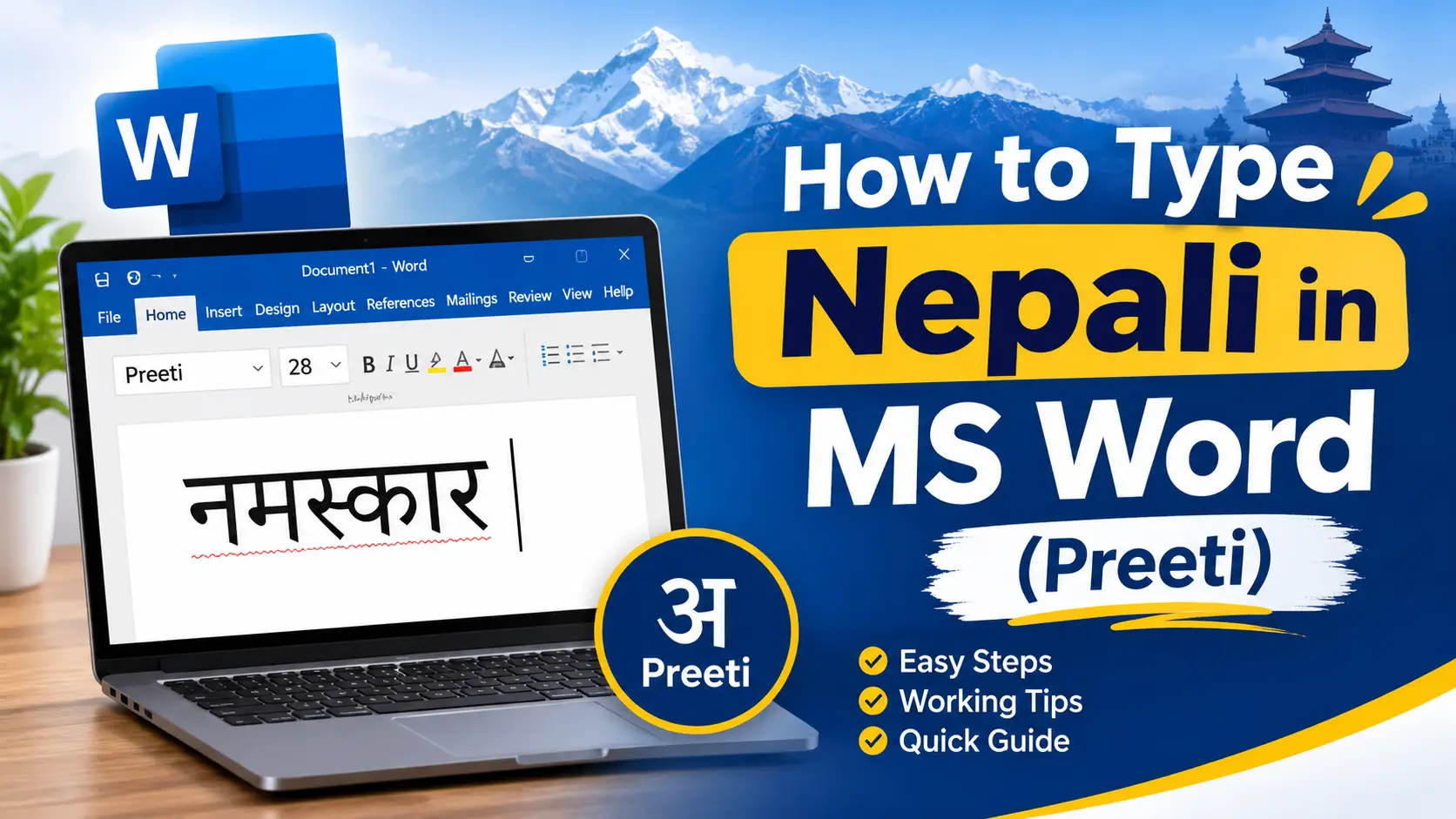
How to type Nepali in MS Word using Preeti font

To type Nepali in MS Word with Preeti, install the Preeti.ttf font on your computer, restart Word, choose Preeti from the font box, keep your keyboard on English (US), and type using the Preeti key layout. Type g]kfn and Word shows नेपाल.

That is the easy part. What most guides skip is what goes wrong after you start typing: Word quietly “corrects” your Preeti letters, underlines every word in red, and the file turns into English gibberish on your boss’s computer. This guide covers the setup, the key chart, and the exact Word settings that stop those problems.

Quick answer: Preeti in MS Word in 5 steps

  1. Download Preeti.ttf and extract it if it is inside a ZIP.
  2. Right-click the file → Install (or Install for all users).
  3. Close and reopen MS Word.
  4. Click the font box on the Home tab, type Preeti, press Enter.
  5. Make sure the taskbar shows ENG, not NEP, then start typing.

Preeti or Unicode: Which Should You Use in MS Word?

Before you install anything, decide whether Preeti is really what you need. Both produce Nepali in Word, but they behave very differently once the file leaves your computer.

PointPreeti (legacy font)Nepali Unicode (Kalimati, Mangal, Nirmala UI)
What is storedEnglish letters drawn as Nepali shapesReal Nepali characters
Needs font on other PCYes, or it shows gibberishNo, Windows already has one
Copy to Facebook, Gmail, webBreaksWorks
Google Docs / phoneNot availableWorks
Old office templates & formsUsually already in PreetiNeed converting first
PrintingLooks clean and familiarLooks clean

Use Preeti when…

You are editing an existing Preeti file, filling an office or ward template, preparing something only for print, or your office specifically asks for Preeti.

Use Unicode when…

The text will be emailed, posted online, opened on a phone or searched later. See how to type Nepali in laptop for the Unicode keyboard setup.

How Preeti Actually Works (and Why It Breaks)

Preeti is not a Nepali keyboard. It is a font that paints Nepali shapes over ordinary English keys. Word still stores English letters underneath, which is why the font must be installed to see Nepali.

What you type → what Word shows in Preeti

g
↓
न
]
↓
◌े
k
↓
प
f
↓
◌ा
n
↓
ल

Stored as g]kfn · displayed as नेपाल

Three things follow from this, and every Preeti problem in Word comes from one of them:

  • No font, no Nepali. A computer without Preeti shows “g]kfn” instead of नेपाल.
  • Word thinks it is English. So it spell-checks it, capitalises it and swaps your quote marks — and each swap changes a Nepali letter.
  • The keyboard must stay English. If Windows is switched to the Nepali keyboard, Preeti gets Unicode letters it cannot draw.

Step 1: Install the Preeti Font

Word can only use fonts that are installed in the operating system. You can get the file from our Preeti font download page, which also includes the full layout and Alt codes.

On Windows 11 and Windows 10

  1. If the download is a ZIP, right-click it → Extract All. Windows cannot install a font from inside a ZIP.
  2. Right-click Preeti.ttf → Install for all users. On Windows 11 you may need Show more options first.
  3. If you get “font not valid”, right-click the file → Properties → tick Unblock → OK, then install again.
  4. Close every Word window and open Word again. A running Word will not see a new font.

Need screenshots for each click? Our guide on how to install Nepali font on Windows 11 walks through it.

On Mac (Word for Mac)

  1. Double-click Preeti.ttf. Font Book opens.
  2. Click Install.
  3. Quit Word fully (Cmd + Q) and reopen it. Keep the input source on ABC or U.S.

Step 2: Select Preeti in MS Word and Start Typing

This works the same in Microsoft 365, Word 2021, 2019, 2016, 2013, 2010 and 2007.

  1. Open a new document.
  2. On the Home tab, click inside the font name box (it usually says Calibri or Aptos).
  3. Type Preeti and press Enter. Scrolling the list works too, but typing is faster.
  4. Check the taskbar language says ENG. If it says NEP, press Windows + Space until it changes.
  5. Type g]kfn. You should see नेपाल.

Already typed in English?

Changing the font of existing English text to Preeti will not translate it. You will just get random Nepali shapes. Preeti only turns into proper Nepali if you typed it with the Preeti layout.

Step 3: Turn Off the AutoCorrect Settings That Break Preeti

This is the step nearly every other guide misses, and it causes most “wrong letter” complaints. Because Word sees English, it changes your keystrokes — and in Preeti, changing a key changes the letter.

Word featureWhat it does to PreetiExample
Capitalize first letter of sentencesTurns the first lowercase key into uppercase after a full stop or new lines (क) becomes S (क्)
Capitalize first letter of table cellsSame problem inside every table cellk (प) becomes K (प्)
Correct TWo INitial CApitalsLowercases the second capital in a wordHalf letters get “fixed” into full letters
Straight quotes with smart quotesSwaps ' and " for curly quotes, which Preeti does not draw as ु and ू;’Gb/ loses its ु
Spelling & grammar checkRed-underlines every word and may suggest English replacementsThe whole page looks wrong

How to fix AutoCorrect (one-time setup)

  1. Go to File → Options → Proofing → AutoCorrect Options.
  2. On the AutoCorrect tab, untick Correct TWo INitial CApitals, Capitalize first letter of sentences, Capitalize first letter of table cells and Replace text as you type.
  3. Open the AutoFormat As You Type tab and untick "Straight quotes" with “smart quotes”. Do the same on the AutoFormat tab.
  4. Click OK twice.

How to remove the red underlines

  1. Press Ctrl + A to select the Preeti text.
  2. Go to Review → Language → Set Proofing Language.
  3. Tick Do not check spelling or grammar and click OK.

From my own setup

When I first typed a Preeti letter in Word, every paragraph started with a half letter and I assumed I had the wrong font file. It was the “capitalize first letter” option all along. Since then, unticking those boxes is the first thing I do on any computer I use for Preeti work.

Preeti Keyboard Chart for MS Word

Here are the keys you will use most. Lowercase keys give full letters; the Shift key usually gives the half form or a vowel. For the full printable layout, see our Nepali keyboard layout charts.

Consonants (व्यञ्जन)

KeyLetterKeyLetterKeyLetterKeyLetter
sकvखuग3घ
rच5छhज6ट
7ठ8ड9ढ0ण
tतyथbदwध
gनkपaबeभ
dमoय/रnल
jवzशiष;स
xहIक्षqत्र1ज्ञ

Vowels (स्वर) and signs

TypeGivesTypeGivesTypeGives
cअcfआOइ
O{ईpउUऊ
CऋPएP]ऐ
cf]ओcf}औ.। (purna biram)
+◌ं (shirbindu)F◌ँ (chandrabindu)M◌ः (visarga)
Shift + 1 to 0Nepali numbers १ २ ३ ४ ५ ६ ७ ८ ९ ०

Memory trick

Learn the home row first: a s d f g h j k l ; = ब क म ा न ज व प ि स. Those ten keys alone cover a big share of everyday Nepali words.

Matras, Half Letters and Conjuncts in Preeti

Vowel signs (मात्रा)

MatraKeyExample typedResult
◌ाfsfका
◌िl (before the letter)lsकि
◌ीLsLकी
◌ु‘s’कु
◌ू"s"कू
◌ृ[s[कृ
◌े]s]के
◌ै}s}कै
◌ोf]sf]को
◌ौf}sf}कौ

The one rule that trips up beginners: ि (hraswa ikar) is typed before the consonant, because that is where it appears on screen. To write मित्र, type ldq, not dlq.

Half letters (आधा अक्षर)

  • Shift + the letter’s key gives the half form for most consonants: S = क्, G = न्, D = म्, : = स्.
  • Backslash adds a halanta (्) after any letter, for ones with no Shift form.
  • Reph (र् on top, as in धर्म) is {, typed after the letter it sits on: धर्म = wd{.

For the complete list, including ट्ट, द्ध and rare conjuncts, read how to type Nepali half letters in Preeti and Unicode.

Practice Words You Can Type in Word Right Now

Type these with Preeti selected. If the result matches, your font, keyboard and AutoCorrect are all set correctly.

Type thisYou getWhat it tests
g]kfnनेपालBasic letters and matras
gd:t]नमस्तेHalf letter स्
wGojfbधन्यवादHalf letter न्
;’Gb/सुन्दरSmart quotes are off (ु shows)
ldqमित्रि before the letter, त्र
sf7df8f}+काठमाडौंNumber keys and ौं
s[kofकृपयाृ sign, and capitalisation is off
1fgज्ञानज्ञ on the 1 key

Want to build speed instead of hunting for keys? Practise the Preeti layout for 15 minutes a day on our online Typeshala, or follow the 30-day Preeti lesson plan.

Can’t remember the keys? The shortcut route

If you only need one letter or application in Preeti, you don’t have to learn the layout. Type it in Unicode with a phonetic tool such as our English to Nepali Unicode converter, convert it with the Unicode to Preeti converter, paste it into Word, then select it and set the font to Preeti.

1

Type “namaste” phonetically

2

Get Unicode नमस्ते

3

Convert to Preeti code gd:t]

4

Paste in Word, set font to Preeti

Make Preeti the Default Font in MS Word

If you type Nepali most days, save yourself from picking the font every time:

  1. On the Home tab, click the small arrow at the bottom-right of the Font group (or press Ctrl + D).
  2. Choose Preeti and a size. Preeti looks small, so 14 to 16 is a common choice for body text.
  3. Click Set As Default.
  4. Pick All documents based on the Normal template and click OK.

A middle path many offices use: keep Calibri as default but create a Word Style called “Nepali” with the Preeti font and proofing turned off. One click switches a paragraph to Nepali.

How to Share a Preeti Word File Without It Breaking

Your document looks perfect on your PC, then the receiver sees “g]kfn”. That happens because their computer doesn’t have Preeti. You have four options:

OptionHowCan they edit?Best for
Save as PDFFile → Save As → PDFNoApplications, notices, printing shops
Embed the fontFile → Options → Save → tick Embed fonts in the fileYes, in Word on Windows (untick “embed only the characters used” for editing)Files a colleague must edit
Send the font tooAttach Preeti.ttf with the .docxYes, after they install itRegular office exchange
Convert to UnicodeRun the text through a Preeti to Unicode converterYes, anywhereEmail, web, Google Docs, phones

For the last option, our Preeti to Unicode converter handles plain text and whole DOCX files. After converting, set the font to a Unicode font such as Kalimati. Old files in Kantipur instead of Preeti? Use the Kantipur to Unicode converter.

Preeti Not Working in MS Word? Fixes for Common Problems

Preeti is not in Word’s font list

  • Close all Word windows and reopen. Still missing? Restart the computer.
  • Check Settings → Personalization → Fonts and search “Preeti”. If it isn’t there, install again with Install for all users.
  • Make sure you installed the .ttf file, not the ZIP or a shortcut.

I type but see English letters

The font box isn’t on Preeti for the text you are typing. Click where you are typing and check the font name. If you pasted text, select it and choose Preeti again — pasted text often keeps its old font.

Letters come out wrong, boxes or strange symbols appear

  • Your Windows keyboard is set to Nepali. Switch to ENG with Windows + Space. Preeti needs the English keyboard.
  • Caps Lock is on. Every key then gives the Shift version (half letters).
  • AutoCorrect is changing keys — repeat Step 3.

The first letter of every line becomes a half letter

That is “Capitalize first letter of sentences”. Turn it off in AutoCorrect Options. To fix text you already typed, press Ctrl + Z right after Word changes a letter — it undoes only the automatic change.

Preeti text shows as gibberish on Facebook, Gmail or phone

This is expected, not a fault. Those apps don’t have the Preeti font. Convert the text to Unicode before you copy it anywhere outside Word.

Can I use Preeti in Google Docs or Word on my phone?

Google Docs doesn’t let you add your own fonts, so Preeti isn’t available there. Use Unicode instead. Word on Android and iPhone also doesn’t pick up Preeti easily, so for mobile work Unicode is the practical choice.

Preeti-in-Word checklist

  • Preeti.ttf installed for all users
  • Word restarted after installing
  • Font box shows Preeti
  • Taskbar shows ENG, Caps Lock off
  • Capitalisation and smart quotes turned off
  • Proofing set to “Do not check spelling”
  • Saved as PDF or font embedded before sharing

Frequently Asked Questions

How do I type Nepali in MS Word using Preeti?

Install the Preeti.ttf font, restart Word, select Preeti in the font box on the Home tab, keep the keyboard on English (US), and type with the Preeti layout. For example, typing g]kfn shows नेपाल.

Why is Preeti font not showing in MS Word?

Word was open when you installed the font, the font was installed from inside a ZIP, or it was installed only for another user. Extract the ZIP, install Preeti.ttf with “Install for all users”, then close and reopen Word.

Why does Word change my Preeti letters automatically?

Word treats Preeti as English text, so AutoCorrect capitalises the first key of a sentence and swaps straight quotes for curly ones. In Preeti that changes letters, such as क becoming क्. Turn off those options under File, Options, Proofing, AutoCorrect Options.

Should I use the Nepali keyboard or English keyboard for Preeti?

Use the English (US) keyboard. Preeti works by drawing Nepali shapes over English keys. If Windows is switched to the Nepali keyboard, Word receives Unicode letters and Preeti shows them incorrectly.

How do I type half letters in Preeti?

Press Shift with the consonant’s key for most half letters, for example S gives क् and G gives न्. The backslash key adds a halanta (्) to any letter, and { adds a reph (र्) to the letter before it.

Why does my Preeti document look like English on another computer?

The other computer doesn’t have Preeti installed, so it shows the English letters stored underneath. Save the file as PDF, embed the font in Word’s save options, send the font file with it, or convert the text to Unicode.

Can I type in Preeti on a Mac?

Yes. Double-click Preeti.ttf, click Install in Font Book, restart Word for Mac, select Preeti and type with the input source set to ABC or U.S. The key layout is the same as on Windows.

The bottom line

Typing Nepali in MS Word with Preeti takes five minutes to set up: install the font, restart Word, pick Preeti, stay on the English keyboard, and turn off AutoCorrect. Use Preeti for print and office templates, and switch to Unicode whenever the text has to travel online.

More tools and guides: Nepali typing & fonts hub · Typeshala guide · Nepali voice typing

Kantipur to Unicode Converter – Free Online (Nepali, 2026)

Kantipur to Unicode Converter: Convert Kantipur Font Text to Nepali Unicode (2026)

By Wilson Shrestha · Published 18 November 2026 · Updated 18 November 2026 · 9 min read

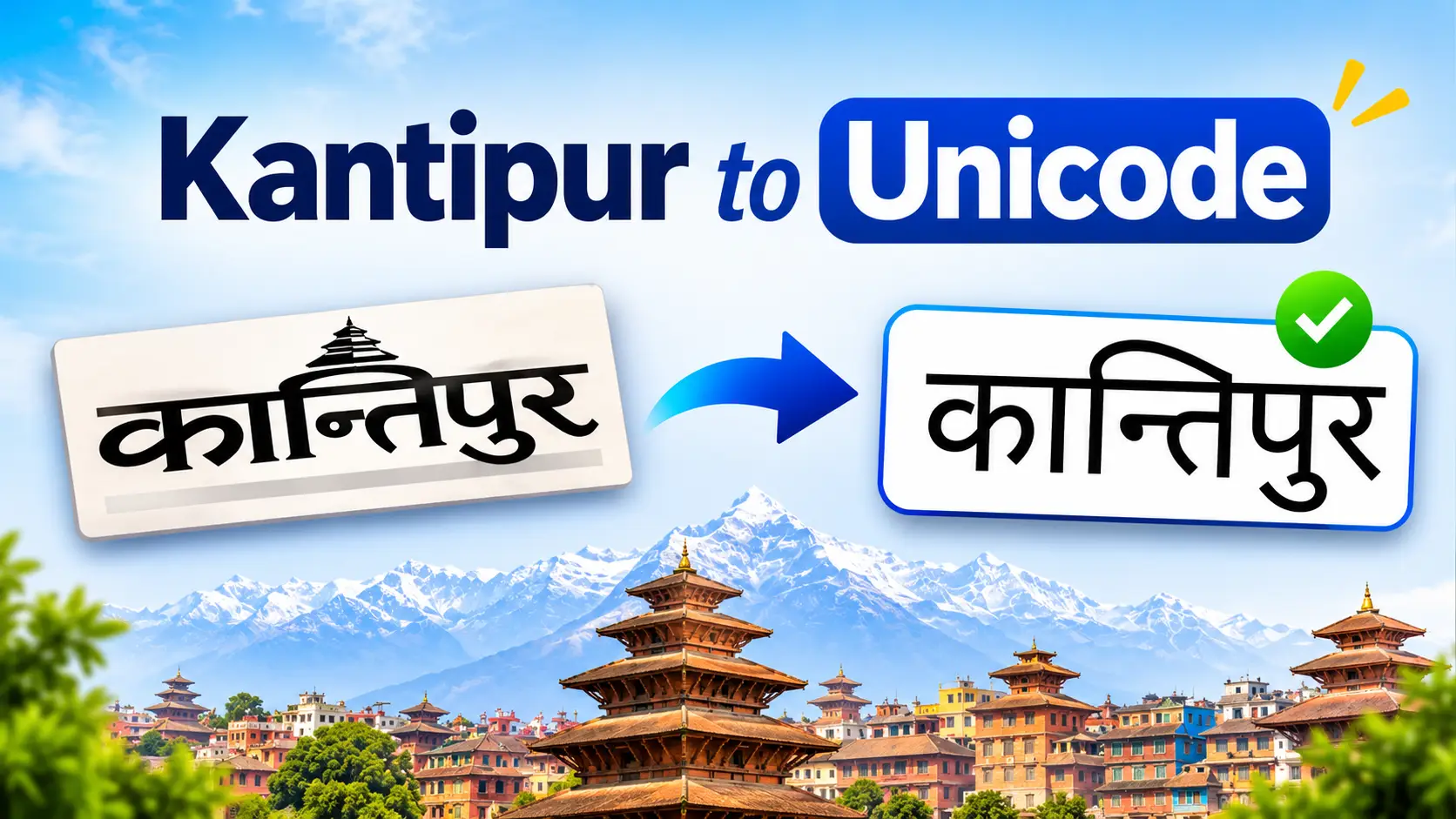
Kantipur to Unicode conversion guide showing Kantipur font text turning into Nepali Unicode

Seeing g]kfn where नेपाल should be? That text was typed in the Kantipur font. Paste it into the free Kantipur font converter below to turn it into Nepali Unicode that works on phones, websites, Gmail and Google Docs. It also works the other way, from Unicode to Kantipur.

कान्तिपुर फन्टको अक्षर युनिकोडमा बदल्न तलको बाकसमा टेक्स्ट पेस्ट गर्नुहोस्।

Kantipur to Unicode Converter

Type or paste in either box. The other box updates instantly: Kantipur → Unicode and Unicode → Kantipur.

Kantipurlegacy font text
0 characters
Nepali Unicodeनेपाली युनिकोड
0 characters

🔒 Your text stays in your browser. Nothing is uploaded. Kantipur rules based on the MIT-licensed kantipurToUnicode project by Grant Cox. Always proofread names, numbers and rare conjuncts.

Quick answer: how to convert Kantipur to Unicode

  1. Copy the Kantipur text from your file.
  2. Paste it into the converter above.
  3. Press Copy Unicode and paste it anywhere.
  4. Proofread names, numbers and words with ँ, ा and conjuncts.

How to Use the Kantipur Converter (Step by Step)

  1. Copy your Kantipur text from Word, PageMaker, a text file or an old web page. It is fine if it shows as English letters.
  2. Paste it into the Kantipur box. The Nepali Unicode box fills in as you type or paste. For a whole file, press Import .txt / .docx.
  3. Check the result. If a yellow note lists leftover symbols, look at those words in the original.
  4. Copy or download. Press Copy Unicode, or save the text as a .txt or Word file.

This lets you convert Kantipur to Unicode online, free, with no sign-up. Your text never leaves your browser. The tool runs on phones too, so you can fix a message on the go.

What Is Kantipur Font, and Why Convert It?

Kantipur is one of the traditional Nepali fonts used in offices, schools, printing presses and newsrooms before Unicode became standard. Like Preeti, it is an ASCII font: it stores ordinary English keyboard characters and simply draws them as Nepali shapes. The letter g is drawn as न, ] as the े sign and k as प.

That trick only works on a computer where the Kantipur font is installed. Everywhere else, including every phone and web browser, you see the raw English characters. Kantipur text also cannot be searched properly, cannot be read by Google, and breaks when mixed with English.

Kantipur Unicode text, meaning Kantipur text converted to Unicode, fixes all of this. Every Nepali letter gets its own permanent code in the Devanagari block (U+0900 to U+097F), so it looks the same on any device and in any Unicode font.

Kantipur text

g]kfn

English characters that look Nepali only with the font installed

→

Converter

Kantipur rules

Swaps each key or key combination for the matching Devanagari letter

→

Nepali Unicode

नेपाल

Real Nepali that works on every phone, browser and app

Want to see the original file exactly as it was typed? Install the font from our Kantipur font free download page.

Kantipur vs Preeti: How Different Are They Really?

Most converter pages either say “Kantipur and Preeti are completely different” or quietly treat them as the same. Neither is accurate. To check, we compared the Preeti and Kantipur mapping tables in two open-source converters: npttf2utf (a Python library for Nepali ASCII fonts) and kantipurToUnicode, built to move OLE Nepal’s E-Paath lessons off Kantipur.

90 of 92

normal keyboard keys map to the same Nepali letter in both fonts

2 keys

behave differently: F and X

~30

other differences, almost all in Alt-code symbols for rare conjuncts

Share of normal keyboard keys that convert the same way:

Green: identical in Preeti and Kantipur (90). Red: different (2). Source: npttf2utf mapping file, v0.3.7.

So a Preeti converter gets most Kantipur text right, but not all of it. The errors cluster in a few predictable places, and those are exactly the words people miss when they proofread quickly. The converter on this page uses Kantipur rules, so it handles them for you.

Character in filePreeti reads it asKantipur reads it asWhat a Preeti tool gets wrong
Fँ (chandrabindu)ा (aa-kar)Stray ँ marks where ा should be. Both source converters agree.
“ (Alt+0147)Not mappedँ (chandrabindu)A curly quote left inside a Nepali word
Xह् (half ha)ह् or हृ (the two sources disagree)Check every ह् and हृ by eye
Ô, ¨ and similarNot mappedक्ष, ङ्गAccented Latin letters left in the output

The m hook: in both Kantipur and Preeti, m is a hook that joins the letter before it, so km = फ, em = झ and pm = ऊ. Simple converters that read m as a letter on its own give पफ or भफ instead. Our Kantipur converter applies the hook rule, so check this first if you compare tools.

Kantipur to Preeti

Because the two fonts share almost all keys, most Kantipur text already displays correctly in Preeti. The safest way to switch is to paste it into the converter above, copy the Unicode, then convert that Unicode to Preeti with our Unicode to Preeti converter. Doing a direct swap by hand means changing every Kantipur F to f and every “ to F, which is easy to get wrong.

How to Tell If Your Text Is Kantipur or Preeti

Plain words like g]kfn look identical in both fonts, so simple text alone will not tell you. Use these checks instead:

  • Check the font name in Word. Click inside the text and look at the font box on the Home tab. This is the fastest and most reliable test.
  • Look for capital F after a consonant. If a Preeti converter puts ँ where ा obviously belongs, the text is Kantipur.
  • Look for curly quotes inside words. A “ in the middle of a Nepali word usually means Kantipur.
  • Think about the source. Old newsroom files, OLE Nepal E-Paath material and some early-2000s office files often used Kantipur. Typing-exam and office documents more often used Preeti.

If the font box shows another name, use the matching guide: Preeti to Unicode converter, Sagarmatha font or Kanchan font.

How to Convert a Kantipur Word (DOCX) or PDF File

Word files (.doc or .docx)

  1. Save a backup copy of the original file.
  2. If it is an old .doc file, open it in Word and choose File → Save As → .docx.
  3. Press Import .txt / .docx in the converter, or press Ctrl + A then Ctrl + C in Word and paste.
  4. Download the result as Word, or paste it into a new document and set the font to Kalimati, Mangal or Nirmala UI.
  5. Re-apply headings, bold text and tables, then check headers, footers and text boxes, which plain-text import skips.

Google Docs

Google Docs cannot show the Kantipur font, so Kantipur text there always looks like English letters. Select the text, copy it, convert it above, then paste the Unicode back. Google Docs displays it in a Devanagari font straight away.

PDF files

Try selecting a line of text in the PDF. If you can copy it, paste it into the converter like normal text. If the PDF is a scan (a picture of a page), there is no text to convert; use the image or scanned-PDF import in our Preeti converter, which reads the page with OCR and outputs Unicode directly.

Many files at once (for IT staff)

For a whole archive, the free Python library npttf2utf can detect the fonts inside a .docx file and map Kantipur, Preeti and Sagarmatha text to Unicode while keeping the document structure. Test it on a few files and proofread before running it on everything.

Unicode to Kantipur: Going the Other Way

Sometimes a printing press or an old PageMaker template still asks for Kantipur. The converter above works in both directions:

  1. Type or paste Nepali Unicode into the Nepali Unicode box. Need a keyboard? See how to type Nepali on a laptop or use our English to Nepali Unicode typing tool.
  2. Press Copy Kantipur.
  3. Paste it into the design or Word file and set the font to Kantipur. It looks like English letters until you do.

Common Kantipur Conversion Problems and Fixes

ProblemLikely causeFix
ँ appears where ा should beKantipur F converted with a Preeti toolUse the Kantipur converter above, which reads F as ा
पफ or भफ instead of फ or झThe tool ignored the m hook ruleUse the converter above, or Find & Replace each pair
Curly quotes or accented letters left inside wordsRare Alt-code characters, or text that was not KantipurCheck the yellow leftover-symbols note and compare with the original
ि (chhoti ee) sits on the wrong letterLegacy fonts type ि before the consonantCheck names and words with half letters; see our half letters guide
Output shows boxes or broken joinsThe text is fine but the display font is wrongSelect all and apply a Unicode font such as Kalimati
Converted text looks like English again in WordWord kept the Kantipur font on the pasted textPaste with Ctrl + Shift + V (keep text only), then set a Unicode font
English words and email addresses are scrambledThe converter treats every letter as KantipurConvert the Nepali parts only, or retype English words after converting

Which Unicode Font Should You Use After Converting?

Converted text is already Unicode, so any Unicode Nepali font will display it. Pick the one that fits where the text is going:

FontBest forInstall needed?
KalimatiGovernment letters and office documents in NepalYes (free download)
Mangal / Nirmala UIEveryday Word files on WindowsNo, built into Windows
Noto Sans Devanagari / MuktaWebsites, blogs and Google DocsNo for web use (Google Fonts)

Installing a font on Windows takes under a minute; see how to install a Nepali font on Windows 11. For more options, browse our free Nepali fonts list.

Before You Publish: A 60-Second Proofreading Checklist

  • Search the Unicode text for ँ and confirm each one is a real chandrabindu.
  • Read every name, place and date against the original file.
  • Check words with ह्, हृ, क्ष, त्र and ज्ञ.
  • Scan for leftover Latin letters or symbols inside Nepali words.
  • Compare numbers and amounts line by line.

Frequently Asked Questions

Is Kantipur a Unicode font?

No. Kantipur is a legacy ASCII font. It stores English keyboard characters and only looks Nepali on a computer with the Kantipur font installed.

What is the difference between Kantipur and Preeti?

Both are legacy Nepali fonts with nearly the same keyboard layout: 90 of 92 normal keys match. The main difference is capital F, which is ा in Kantipur but ँ in Preeti, plus about 30 rare Alt-code symbols.

कान्तिपुर फन्टलाई युनिकोडमा कसरी बदल्ने?

कान्तिपुर फन्टको टेक्स्ट कपी गर्नुहोस्, माथिको Kantipur बाकसमा पेस्ट गर्नुहोस्, अनि Copy Unicode थिच्नुहोस्। युनिकोड टेक्स्ट मोबाइल, फेसबुक र वेबसाइट सबैमा देखिन्छ।

Can I use a Preeti to Unicode converter for Kantipur text?

Mostly, but you will get stray ँ marks where ा belongs, and possibly unconverted symbols. Use the Kantipur converter on this page instead, or add a custom mapping of F to ा in the Preeti tool.

Does the Kantipur converter work on mobile?

Yes. It runs in any modern mobile browser on Android or iPhone. Paste the text, then tap Copy Unicode.

Can I convert Kantipur in Google Docs?

Not inside Google Docs itself. Copy the text from the document, convert it here, and paste the Unicode result back into Google Docs.

How do I convert a Kantipur Word file to Unicode?

Save it as .docx, press Import in the converter (or copy all the text), then download the Unicode result as a Word file. Check tables, headers and text boxes afterwards.

Can I convert Unicode back to Kantipur?

Yes. Type or paste Unicode into the Nepali Unicode box above and press Copy Kantipur, then set the pasted text to the Kantipur font.

Is Kantipur to Unicode conversion 100% accurate?

No tool is perfect, because Kantipur versions differ and some conjuncts are drawn from several glyphs. Common text converts cleanly, but always proofread names, numbers and rare conjuncts.

Is my text safe in this converter?

Yes. The conversion runs inside your browser and the text is not uploaded anywhere.

About the author

Wilson Shrestha runs wilson.com.np and builds free Nepali typing and font tools, including the Preeti to Unicode converter and Online Typeshala. This guide’s mapping comparison was done by reading the source tables of the converters cited below.

Sources: npttf2utf v0.3.7 mapping file (Sabin Acharya, GPL-3.0) and kantipurToUnicode (Grant Cox, MIT License), whose rules power the converter on this page. Last checked: November 2026. Other converters with a Kantipur option include Notary Nepal. More free tools: Free Online Tools for Nepal.

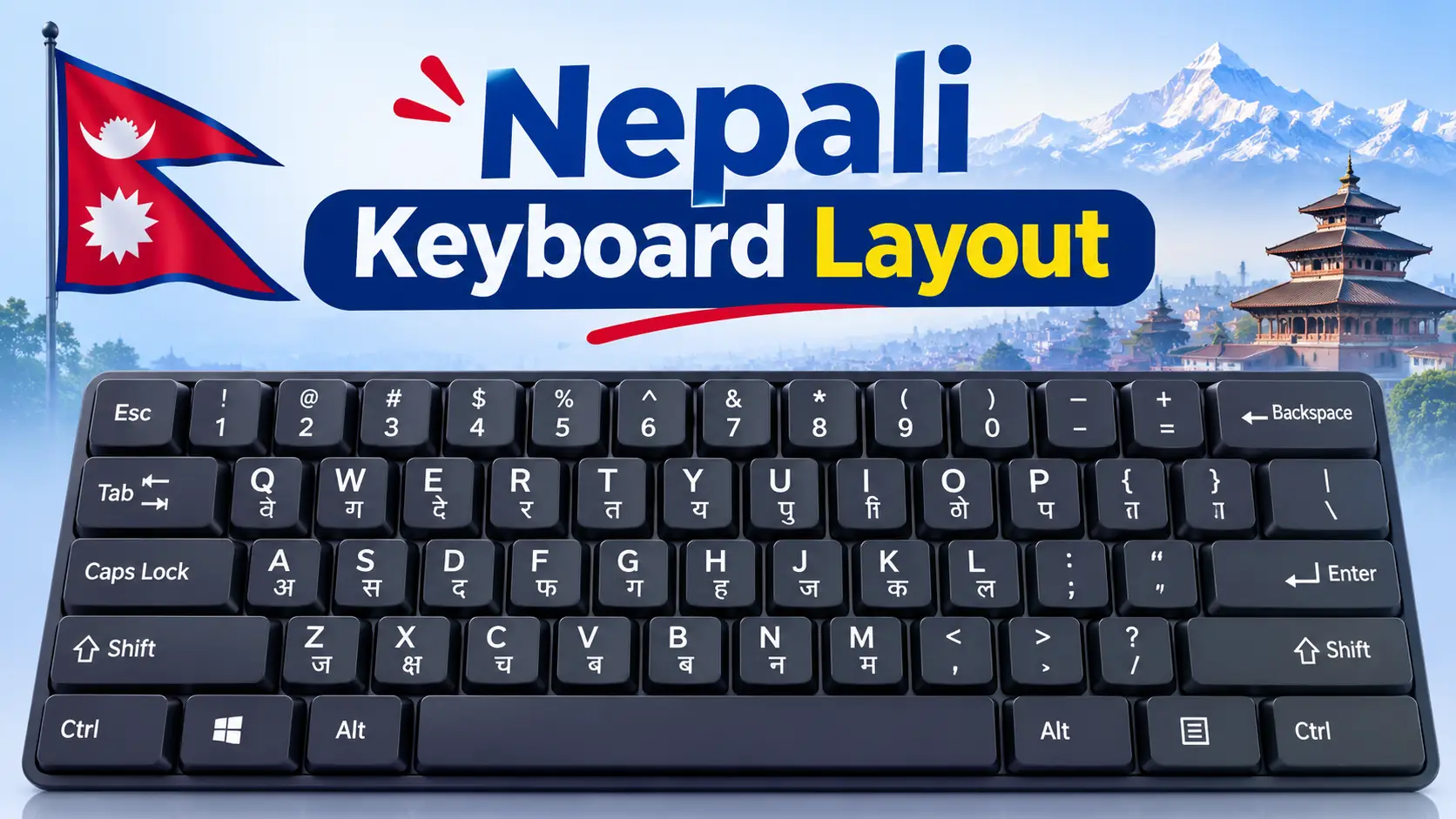
Nepali Keyboard Layout: Romanized, Traditional & Preeti Key Charts (2026)

Nepali keyboard layout poster showing Romanized and Traditional Nepali key positions

Nepali Keyboard Layout: Romanized, Traditional & Preeti Key Charts (2026)

There is no single “Nepali keyboard layout.” There are three you will run into, and they put the same letters on completely different keys. Press K on one and you get क. Press it on another and you get प. This guide gives you the key chart for each one, explains which layout fits your work (office, Lok Sewa, school or chatting), and shows how to set it up on Windows, Mac and mobile.

Quick answer

The three main Nepali keyboard layouts are Nepali Romanized (keys follow English sounds, so k = क and s = स), Nepali Traditional (the typewriter arrangement, built into Windows as the “Nepali” keyboard) and Preeti (a font-based layout used in older government and press work). Romanized and Traditional both type real Unicode text. Preeti does not, unless you run it through a converter.

The 3 Nepali Keyboard Layouts Compared

Every Nepali layout solves the same problem: Devanagari has far more characters than an English keyboard has keys. Each layout makes different trade-offs. Here is how they compare.

FeatureNepali RomanizedNepali TraditionalPreeti
How keys are arrangedBy English sound (k = क, m = म)Typewriter positions (k = प, s = क)Typewriter positions, close to Traditional
OutputUnicodeUnicodeLegacy font (English letters drawn as Nepali)
Works on websites, Facebook, GoogleYesYesNo, text turns into English letters
Easy for beginnersEasiestHard at firstHard at first
Built into WindowsNo, install the MPP driver or KeymanYes (“Nepali” keyboard)No, needs the Preeti font
Best forStudents, freelancers, diaspora, casual useOffice staff, fast typists, ex-Preeti usersOld office files, some typing exams

The short version: if you already know Preeti from school or an office, Traditional will feel familiar because many keys sit in similar places. If you have never typed Nepali before, Romanized is faster to learn.

Nepali Romanized Keyboard Layout (Full Key Chart)

The Romanized layout was designed by Madan Puraskar Pustakalaya (MPP) in Kathmandu so that people used to an English keyboard could type Nepali without memorising random positions. Most letters sit on the English key with the closest sound. Lowercase usually gives the plain letter and Shift gives the aspirated one: t = त, Shift+T = थ; d = द, Shift+D = ध; k = क, Shift+K = ख.

In the chart, the small grey character is the key you press, the large black character is what you get, and the red character is what you get with Shift.

Nepali keyboard layout with Devanagari characters

Nepali keyboard layout with Devanagari characters

1
१
!
2
२
@
3
३
#
4
४
$
5
५
%
6
६
^
7
७
&
8
८
*
9
९
(
0
०
)
=
ZWJ
ZWNJ
q
ट
ठ
w
ौ
औ
e
े
ै
r
र
ृ
t
त
थ
y
य
ञ
u
ु
ू
i
ि
ी
o
ो
ओ
p
प
फ
[
इ
ई
]
ए
ऐ
\
ॐ
ः
a
ा
आ
s
स
श
d
द
ध
f
उ
ऊ
g
ग
घ
h
ह
अ
j
ज
झ
k
क
ख
l
ल
॥
z
ष
ऋ
x
ड
ढ
c
च
छ
v
व
ँ
b
ब
भ
n
न
ण
m
म
ं
,
,
ङ
.
।
.
/
्
?

Nepali Romanized (MPP) layout. Grey = key, black = normal, red = Shift. The orange key (/) is the halanta. Also: ` gives the nukta (Shift gives ऽ), Shift+= gives ZWNJ, and ; ‘ – keep their English symbols. Checked against the source file of the Keyman “Nepali Romanized” keyboard, which reproduces the MPP layout.

Romanized keys you will get wrong at first

Most of the layout is guessable. These are the keys that trip people up:

KeyGivesWhy it is confusing
q / Shift+Qट / ठRetroflex t has no English key, so it sits on q
x / Shift+Xड / ढRetroflex d sits on x, not on d
c / Shift+Cच / छLowercase c is च; छ needs Shift
z / Shift+Zष / ऋNeither sounds like z
f / Shift+Fउ / ऊThe full u vowels live on f; u gives only the matra ु
[ and ]इ / एFull i and e vowels; Shift gives ई / ऐ
Shift+HअThe full a vowel is on h; Shift+A gives आ
/् (halanta)You need it for every half letter
Shift+, (comma)ङHidden on the comma key
Shift+M / Shift+Vं / ँShirbindu and chandrabindu

Typing real words on the Romanized layout

A layout types one character per key, so you build words letter by letter and add the halanta (/) where two consonants join. One rule surprises almost everyone: do not type a for the inherent vowel. Every consonant already carries it, and the a key adds the ा matra. So nms gives नमस, while nams gives नामस.

WordKeys to pressBreakdown
नमस्तेnms/teन म स ् त े
धन्यवादDn/yvadध न ् य व ा द
नेपालnepalन े प ा ल
क्षमाk/zmaक ् ष म ा
ज्ञानj/Yanज ् ञ ा न
श्रीS/rIश ् र ी

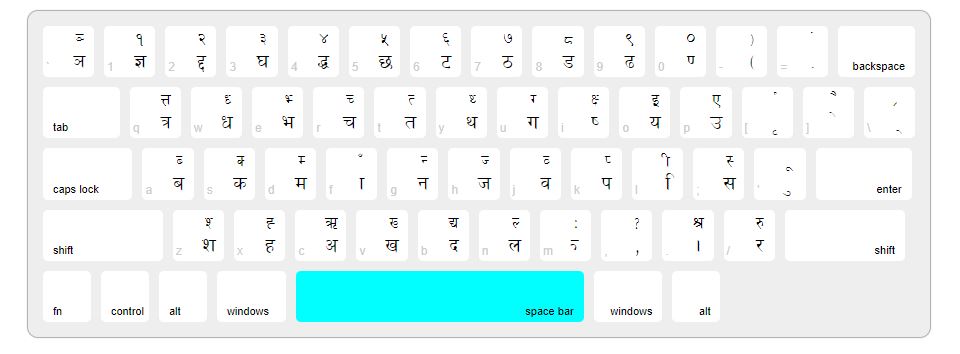
Nepali Traditional Keyboard Layout

The Traditional layout follows the old Nepali typewriter, which is why it feels random to new learners: A gives ब, S gives क, and the matra ा sits on F. Its advantage is speed. Common letters sit on the home row, and it is the layout Windows installs when you add the plain “Nepali” keyboard (driver file kbdnepr.dll).

These are the unshifted letter keys. On most consonant keys, Shift gives the half form, for example Shift+S gives क्.

RowKey → Nepali letter (unshifted)
TopQ
त्र
W
ध
E
भ
R
च
T
त
Y
थ
U
ग
I
ष
O
य
P
उ
[
ृ
]
े
HomeA
ब
S
क
D
म
F
ा
G
न
H
ज
J
व
K
प
L
ि
;
स
‘
ु
BottomZ
श
X
ह
C
अ
V
ख
B
द
N
ल
.
।
/
र

A few Shift values worth memorising: Shift+I = क्ष, Shift+O = इ, Shift+P = ए, Shift+F = ँ, Shift+L = ी, Shift+’ = ू, Shift+] = ै, Shift+C = ऋ and Shift+/ = रू. The number row also carries letters on this layout: keys 1 to 0 hold ज्ञ, घ, ङ, झ, छ, ट, ठ, ड, ढ and ण alongside the digits १ to ०. The exact Shift and AltGr levels differ slightly between Windows versions and third-party drivers, so check your own machine before you print a chart.

See your exact layout in 10 seconds

On Windows, switch to the Nepali keyboard, press Win + R, type osk and press Enter. The On-Screen Keyboard shows the Nepali character on every key. Click Shift to see the second layer. This is the most reliable chart you can get, because it shows the driver actually installed on your PC.

Preeti Layout: Why It Is Different

Preeti looks like a keyboard layout, but it is really a font. When you type “s” in Preeti, the computer stores the English letter s and the font simply draws क. That is why Preeti text turns into gibberish the moment you paste it into Facebook, Gmail, Google Docs or any website that does not have the Preeti font.

Romanized Layout vs “Type namaste, Get नमस्ते”

This is the most common mix-up around Nepali typing. People say “Romanized” for two very different things:

Romanized keyboard layout

  • One key = one Nepali character
  • You add the halanta yourself: nms/te
  • Works offline, in every app
  • Precise, no guessing

Transliteration tool

  • You type whole words in English
  • “namaste” becomes नमस्ते automatically
  • Examples: Google Input Tools, Gboard, online converters
  • Fast for chatting, but sometimes picks the wrong spelling

If you only need a few sentences, a transliteration tool such as our English to Nepali Unicode type converter is quicker. If you write Nepali every day, a proper layout gives you control over every letter and does not depend on word suggestions.

Which Nepali Keyboard Layout Should You Learn?

Start at the top and stop at the first line that fits you.

1. Preparing for a Lok Sewa or office typing test?
Yes → Learn the layout your exam notice names. Many typing tests have used Preeti or the Traditional arrangement, so practise that, not Romanized.
2. Already type Preeti from school or work?
Yes → Move to Nepali Traditional (Unicode). Similar key positions, modern output.
3. New to Nepali typing and use a laptop daily?
Yes → Learn Nepali Romanized. Most of the keys follow English sounds, so it is the quickest layout to pick up.
4. Only type a few messages on your phone?
Yes → Use a phone keyboard with transliteration (type in English, get Nepali). No layout to learn.

For exam prep, pair your layout with daily drills in Online Typeshala and read the Typeshala for Lok Sewa typing test guide. Starting from zero? Our touch typing for beginners guide covers finger positions that work for both English and Nepali.

How to Add a Nepali Keyboard on Windows, Mac and Mobile

Windows 11 and 10 (Traditional layout, built in)

1

Open language settings

Go to Start → Settings → Time & language → Language & region.

2

Add Nepali

Under Preferred languages, select Add a language, search for Nepali and install it. You can skip the display language pack if you only want to type.

3

Check the keyboard

Click the three dots next to Nepali → Language options. Under Keyboards you should see Nepali. If it is missing, use Add a keyboard.

4

Switch while typing

Press Win + Space (or Alt + Shift) to switch between English and Nepali. The taskbar shows which one is active.

Windows (Romanized layout)

Windows does not include the MPP Romanized layout by default. You have two clean options: install the “Nepali Unicode Romanized” keyboard driver distributed by MPP, or install the free Keyman Nepali Romanized keyboard, which uses the same layout and also runs on Mac, Linux, Android and iPhone. Screenshots of the full setup are in our guide on how to type Nepali in a laptop.

Mac

Open System Settings → Keyboard → Input Sources → Edit → +, then search for Nepali or Devanagari and add the source you want. If you need the exact MPP Romanized arrangement on a Mac, Keyman is the simplest way to get it.

Android and iPhone

  • Gboard: add Nepali under Gboard settings → Languages. Pick the Devanagari keyboard, or the transliteration option if you want to type in English letters.
  • Hamro Nepali Keyboard: offers transliteration, an MPP-based Romanized layout and the Traditional layout in one app, handy if you want the same layout on phone and laptop.
  • Keyman: gives you the Romanized layout on mobile, with long-press menus for extra letters.

How to Type Conjuncts and Half Letters

All Unicode layouts build conjuncts the same way: consonant + halanta + consonant, and the font joins them. Here are the ones people look for most, using the Romanized layout:

ConjunctRomanized keysHow it is built
क्षk/zक + ् + ष
त्रt/rत + ् + र
ज्ञj/Yज + ् + ञ
श्रS/rश + ् + र
द्धd/Dद + ् + ध
Eyelash ra (as in गर्‍यो)r/=र + ् + ZWJ (the = key), then the next letter

For a deeper walkthrough, including Preeti and mobile methods, see how to type Nepali half letters (आधा अक्षर).

Common Nepali Keyboard Problems and Fixes

ProblemLikely causeFix
Letters show as boxesNo Unicode Nepali fontInstall a Unicode font such as Kalimati or Mangal
Text turns into English letters when pastedIt was typed in PreetiRetype in a Unicode layout or convert it
Wrong letter on every keyWrong layout active (Romanized vs Traditional)Check the taskbar and the keyboard list in Language options
Half letters do not joinApp or font does not shape Devanagari wellTry Word, Google Docs or a browser with a Unicode font
Keyboard switches by itselfAlt + Shift pressed by accidentChange or turn off the hotkey in Advanced keyboard settings
Cannot add Nepali as a display languageWindows 11 Home Single Language editionYou only need the keyboard, not the display language; Keyman also works

Font help: download Kalimati font and follow our guide to install a Nepali font on Windows 11.

Practical tip: learn one layout, not three

A common reason learners stay slow is keeping a Preeti chart, a Traditional chart and a Romanized chart on the desk and mixing all three. Pick one layout, print only its chart, keep it under your monitor for two weeks, and open the osk On-Screen Keyboard when you get stuck instead of guessing.

Frequently Asked Questions

What is the standard Nepali keyboard layout?

For Unicode typing, the two standard layouts are Nepali Traditional (the typewriter-style arrangement built into Windows as the Nepali keyboard) and Nepali Romanized by Madan Puraskar Pustakalaya. Preeti is still common in older offices, but it is a font, not a Unicode layout.

Which Nepali keyboard layout is easiest to learn?

Nepali Romanized is the easiest for most people because letters sit on the English key with a similar sound, for example k for क, m for म and s for स.

Is Preeti a Unicode keyboard layout?

No. Preeti is a legacy font. It stores English letters and only displays them as Nepali when the Preeti font is installed, so the text breaks on websites and phones. Convert it to Unicode before sharing.

Which keyboard layout is used in Lok Sewa typing tests?

It depends on the exam. Many typing tests have used Preeti or the Traditional arrangement rather than Romanized. Always check the layout named in your exam notice and practise that one.

How do I see the Nepali keyboard layout on my computer?

Switch to the Nepali keyboard, press Win + R, type osk and press Enter. The Windows On-Screen Keyboard shows the Nepali character on each key, and clicking Shift shows the second layer.

How do I type halanta on the Nepali Romanized keyboard?

Press the forward slash key (/). For example, typing nms/te gives नमस्ते and k/z gives क्ष.

Can I use the same Nepali layout on my phone and laptop?

Yes. Keyman offers the Nepali Romanized layout on Windows, Mac, Linux, Android and iPhone, and Hamro Nepali Keyboard offers both Romanized and Traditional layouts on mobile.

Final Word

Choose your Nepali keyboard layout by what you need it for. New and want results fast? Go with Romanized. Preparing for a typing test or coming from Preeti? Learn Traditional. Whichever you pick, stick to Unicode output so your Nepali text works in every app. Then practise with the Typeshala lesson guide and 30-day plan, or compare approaches in Devanagari typing methods: InScript vs phonetic.

Sources: Keyman: Nepali Romanized (MPP), Keyman: Devanagari Typewriter (SIL), kbdlayout.info: Windows Nepali layout, Hamro Patro: Nepali Keyboard. Last checked November 2026.

Nepali Voice Typing Online: 6 Free Ways to Speak and Type in Nepali (2026)

Nepali Voice Typing Online: 6 Free Ways to Speak and Type in Nepali (2026)

Nepali voice typing online: speak into a microphone and get Nepali Unicode text

You can type Nepali with your voice for free, on almost any phone or computer, without learning a keyboard layout. Speak “म भोलि काठमाडौं जाँदैछु” into the microphone and the words appear as standard Nepali Unicode text that you can paste into Facebook, Gmail, Word or a government form.

The catch: Nepali voice typing only works well in certain browsers and apps. Firefox, Windows’ built-in voice typing and iPhone dictation are where most people get stuck. This guide shows the six methods that actually work, which one to use on your device, and how to fix the mistakes speech recognition makes with Nepali.

Quick answer

  • Android phone: install Gboard, add Nepali, tap the mic. It works in every app.
  • Laptop or desktop: open Google Docs in Chrome, go to Tools > Voice typing (Ctrl+Shift+S), choose नेपाली and speak.
  • Typing straight into Gmail or Facebook on a computer: use a voice typing Chrome extension with Nepali selected.
  • iPhone: use Gboard for iOS or a Nepali speech-to-text app. Use Chrome, not Safari, for web tools.

Which Nepali Voice Typing Method Should You Use?

Pick by device first. The method that works best on an Android phone is useless on a Windows laptop, and the other way round.

Your deviceBest methodWorks in other apps?Cost
Android phoneGboard voice typingYes, any app with a text boxFree
Windows laptop or PCGoogle Docs voice typing in ChromeNo, copy and paste the textFree
MacGoogle Docs in ChromeNo, copy and pasteFree
Any computer, typing into Gmail or FacebookVoice typing Chrome extensionYes, most websitesFree (paid extras)
iPhone or iPadGboard for iOS or a Nepali speech-to-text appGboard: yes. Apps: copy and pasteFree
Recorded audio (interview, voice memo)Whisper-based transcription appNo, export textFree to paid

How Nepali Voice Typing Works

Nearly every free Nepali voice typing tool, including the websites that rank for this search, uses the same engine underneath: Google’s speech recognition. Google added Nepali to voice typing on 14 August 2017, as one of 30 new languages for Gboard and Voice Search (Google blog). A website tool is simply a page that asks Chrome to send your voice to that service and shows the result.

🎤

1. You speak
Nepali, into the mic

🌐

2. Browser or Gboard
sends the audio

⚙

3. Google speech
matches sounds to words

📝

4. Unicode text
appears, ready to edit

Figure: the four steps behind every free Nepali voice typing tool. Steps 2 and 3 need an internet connection.

This explains three things the tool pages rarely say plainly:

  • Accuracy is about the same everywhere. A site that says its Nepali accuracy is “optimised” is usually running the same Google engine as Google Docs. Choose a tool for its convenience (copy button, download, Preeti output), not for claimed accuracy.
  • You need internet. If the connection drops, typing stops.
  • The browser matters more than the website. If your browser does not support speech recognition, no Nepali voice typing site will work in it.

Method 1: Google Docs Voice Typing (Best for Laptops and PCs)

Google Docs is the most reliable free way to do Nepali voice typing on a computer. You get a full document, your work saves automatically, and you can download it as Word or PDF. Google’s help page lists Nepali among the supported voice typing languages.

  1. Open Google Chrome on your computer and sign in to your Google account.
  2. Go to docs.google.com and open a blank document.
  3. Click Tools > Voice typing, or press Ctrl+Shift+S (Cmd+Shift+S on Mac). A microphone box appears on the left.
  4. Click the language name above the mic and choose नेपाली (Nepali).
  5. Click the microphone. When Chrome asks for microphone access, click Allow.
  6. When the mic turns red, speak in Nepali. Click the mic again to stop.
  7. Copy the text, or use File > Download to save it as .docx.

Watch out: spoken commands such as “new line” or “period” only work in English. In Nepali, type the पूर्णविराम (।) and line breaks with the keyboard after dictating. Voice typing also pauses if you switch to another tab, so keep the Docs tab in front. It is not available in the Google Docs mobile app; on a phone, use the Gboard mic instead.

Method 2: Gboard Voice Typing on Android (Best for Phones)

On Android, Gboard is the easiest way to type Nepali with your voice. Because it is a keyboard, it works in every app: Messenger, WhatsApp, Viber, Facebook, Gmail and online forms.

  1. Install or update Gboard from the Play Store. Most Android phones already have it.
  2. Open Gboard settings: Settings > System > Keyboard, or tap the gear icon on the keyboard.
  3. Go to Languages > Add keyboard and choose Nepali. The transliteration layout lets you type “namaste” and get नमस्ते as well.
  4. Open any app, tap a text box and switch to the Nepali keyboard with the globe key.
  5. Tap the microphone on the keyboard and speak.
  6. Check the small language label next to the mic says Nepali. If it shows English or Hindi, switch the keyboard language first.

Most “Nepali voice typing not working” complaints on Android come from the wrong language being active. If Gboard writes your Nepali as English words or Hindi spellings, the keyboard is set to the wrong language.

Method 3: Online Nepali Voice Typing Websites (Chrome and Edge)

The top Google results for “Nepali voice typing online” are single-page web tools: a big mic button and a text box. They are handy when you don’t want a Google account or a document, for example to write one Facebook post and copy it.

  1. Open the tool in Chrome or Edge on desktop, or Chrome on Android.
  2. Click the mic and allow microphone access.
  3. Speak, then click stop.
  4. Edit mistakes in the box and press copy or download.

Things to check before you rely on one:

  • Does it keep your text if the page reloads? Some save a draft in your browser; many lose everything.
  • Can it export? A .docx download saves a step if you work in Microsoft Word.
  • Does it offer Preeti output? Useful for designers whose old templates use Preeti. If not, convert the Unicode text afterwards (see below).
  • Privacy claims: your audio still goes to Google through the browser, even when a site says “nothing is stored on our servers”.

Method 4: A Chrome Extension for Gmail, Facebook and Any Website

Google Docs and web tools make you copy and paste. A voice typing extension removes that step on a computer: you click inside the Gmail compose box or a Facebook comment field and speak directly into it.

Voice In is one such extension. Its developer says it works on more than 10,000 websites, including Gmail, Google Docs and Facebook, and lists Nepali as a selectable language. Its own Nepali page also says spoken voice commands are not yet available for Nepali, so punctuation is still typed by hand.

  1. Install the extension from the Chrome Web Store.
  2. On the setup page, choose Nepali as the language.
  3. Click in any text box on a website.
  4. Click the extension icon (or its shortcut) and speak.

Method 5: Nepali Voice Typing on iPhone

iPhone is the hardest device for Nepali voice typing. Apple’s own dictation only covers certain languages, and Apple says dictation “may not be available in all languages”. Check Apple’s feature availability page for your iOS version before relying on it. Web tools are also unreliable in Safari, so use one of these instead:

  • Gboard for iOS: install Gboard from the App Store, enable it in Settings > General > Keyboard > Keyboards, give it Full Access, add Nepali and use its mic button. Check that the mic appears for Nepali on your version; if it doesn’t, use the next option.
  • A Nepali speech-to-text app: for example Lekhandas, made by Nepal’s Bajra Technologies, which converts spoken Nepali to text on iPhone. Dictate in the app, then copy the text.
  • Chrome on iPhone with Google Docs on a computer: for long writing, dictate on a laptop and edit the same document on your phone later.

Method 6: Turn a Nepali Audio Recording into Text

Live voice typing is not the same as transcription. If you already have a recording (an interview, a meeting, a class, a voice note from a relative abroad), you need a tool that accepts audio files.

Apps built on OpenAI’s Whisper model list Nepali (language code ne) among the supported languages, and some run fully on your phone or Mac without uploading the audio. Expect to edit the result: recordings with background noise, two speakers talking over each other or a mix of Nepali and English need more cleanup than live dictation.

Where Nepali Voice Typing Does Not Work

Save yourself the frustration. These are the places people try first and give up:

✗ Firefox

Firefox does not support the speech recognition that these sites use. Open the same page in Chrome or Edge.

✗ Windows voice typing (Win+H)

Win+H only works in the languages on Microsoft’s list. Nepali was not on that list when we checked, so use Google Docs in Chrome instead.

✗ Microsoft Word Dictate

Word’s Dictate button supports a fixed set of languages that includes Hindi but, as of this writing, not Nepali. Dictate in Google Docs and download as .docx.

⚠ Safari and the Google Docs mobile app

Safari’s speech support for Nepali is unreliable, and the Docs phone app has no voice typing menu. Use the keyboard mic on phones.

All 6 Methods Compared

MethodDevicesTypes into other appsSaves your workBest for
Google DocsComputer (Chrome)NoYes, auto-saveLetters, notices, assignments
GboardAndroid, iPhoneYesIn the app you useChats, posts, comments
Voice typing websitesChrome, EdgeNo, copySome, in the browserQuick one-off text
Chrome extensionComputer (Chrome, Edge)Yes, websitesIn the site you useGmail and Facebook on PC
Nepali speech appiPhoneNo, copyIn the appiPhone users
Whisper transcriptionPhone, Mac, PCNo, exportYes, text filesRecordings and interviews

8 Tips for More Accurate Nepali Voice Typing

The engine is the same everywhere, so accuracy depends mostly on how you speak and where you are. These tips matter most for Nepali:

  1. Speak in short, complete sentences. Recognition uses context. “मलाई भोलि बिदा चाहिन्छ” comes out better than single words with long pauses between them.
  2. Use standard spoken Nepali for formal text. Strong regional pronunciation or a lot of Maithili, Bhojpuri or Newari words mixed in produces more errors. Speak naturally, but clearly.
  3. Avoid mixing English words mid-sentence. “मेरो meeting छ” may come out with “meeting” in Roman letters or as a misheard Nepali word. Say the Nepali word (बैठक) or fix it afterwards.
  4. Use a headset or earphone mic. A mic close to your mouth beats a laptop mic across the table, especially with a fan, traffic or a TV in the background.
  5. Say names slowly, or type them. Person names, company names and place names such as ward or tole names are the words most often misheard.
  6. Check numbers. Numbers may come out as English digits (123) or Nepali digits (१२३). Pick one style and fix the rest. For amounts and dates in official letters, typing them is faster.
  7. Add punctuation afterwards. Spoken punctuation commands do not work in Nepali in Google Docs, so add । and commas in one pass at the end.
  8. Dictate first, edit second. Don’t stop to correct every mistake while speaking; you’ll lose your flow. Dictate the whole paragraph, then edit with the keyboard.

Common Problems and Fixes

ProblemLikely cause and fix
Mic button does nothingMicrophone access is blocked. Click the lock icon left of the web address, set Microphone to Allow, and reload the page.
Text comes out in EnglishThe language is still English. Choose नेपाली in the Docs mic box, or switch Gboard to the Nepali keyboard before tapping the mic.
Text looks like Hindi spellingsHindi (हिन्दी) was selected instead of Nepali. Both use Devanagari, so the mistake is easy to miss. Re-select Nepali.
It stops after a pauseSpeech engines stop listening after a silence. Click the mic again, or use a tool with continuous mode.
Voice typing option missing in Google DocsYou are in Firefox, the Docs mobile app or a view-only document. Open an editable document in Chrome on a computer.
Works, then suddenly stopsInternet dropped, or you switched tabs. Reconnect and keep the tab in front. Ad blockers can also block speech features; pause them for the site.
Pasted text shows boxes or broken lettersThe program is using a Preeti-type font. Change the font to a Unicode font such as Kalimati or Nirmala UI.
Half letters (conjuncts) come out wrongFix them with the keyboard. Our guide to typing Nepali half letters shows the key combinations.

After Voice Typing: Edit, Convert and Format Your Text

Voice typing gives you Nepali Unicode. That is the right format for the web, email, social media and Nagarik-style online forms, but a few jobs need one more step:

  • Printing or designing with Preeti: many presses and old office templates still use Preeti. Paste your dictated text into our Preeti to Unicode converter and use the Unicode to Preeti direction.
  • Word documents: set the font to a Unicode Nepali font. Kalimati is the standard choice for government and office letters.
  • Fixing a word the mic keeps missing: type it in Romanized form with our English to Nepali type converter and paste it in.
  • Editing on a laptop: add a Nepali keyboard to Windows or Mac so you can correct text quickly. Our guide on how to type Nepali in a laptop covers Windows 11, Mac and Chromebook.

Is Nepali Voice Typing Private?

For the browser-based methods, your voice is processed by Google’s servers, even when a voice typing website says it stores nothing itself. That is fine for posts and everyday letters. Think twice before dictating:

  • citizenship, passport or bank account numbers,
  • passwords or OTP codes,
  • confidential office or legal documents.

If privacy matters, type those parts by hand, or use a transcription app that processes audio on your device.

Voice Typing or Keyboard Typing: Which Is Better?

Use voice typing for

  • long first drafts of letters and essays
  • chat messages and social media posts
  • people who speak Nepali well but never learned to type it
  • elderly family members and anyone with hand or wrist pain

Use the keyboard for

  • Lok Sewa and office typing tests (they test keyboard speed)
  • names, numbers and official figures
  • noisy places and shared offices
  • final editing and formatting

The fastest workflow is both: dictate the draft, then fix it with the keyboard. If you need keyboard speed for an exam or job, practise with our free online Typeshala, follow the touch typing guide for beginners, or pick from the best free Nepali typing practice software.

Frequently Asked Questions

Is Nepali voice typing free?

Yes. Google Docs voice typing, Gboard and most Nepali voice typing websites are free. Some extensions and transcription apps charge for extra features, but basic Nepali dictation costs nothing beyond your internet data.

How do I do Nepali voice typing on a laptop?

Open Google Docs in Chrome, press Ctrl+Shift+S (or go to Tools > Voice typing), choose नेपाली above the microphone, allow mic access and speak. Copy the text or download the document as Word.

Why is Nepali voice typing not working in my browser?

The usual causes are using Firefox (not supported), microphone permission being blocked, the language set to English or Hindi instead of Nepali, or a lost internet connection. Switch to Chrome or Edge, allow the mic and re-select Nepali.

Does Nepali voice typing work offline?

The browser methods and Google Docs need internet, because the speech is processed online. Some transcription apps built on the Whisper model can convert Nepali recordings to text on your device without a connection.

Can I voice type in Nepali on an iPhone?

Yes, but not reliably through Safari or Apple’s built-in dictation. Use Gboard for iOS with Nepali added, or a Nepali speech-to-text app such as Lekhandas, then copy the text where you need it.

Can I get Preeti font output from voice typing?

Voice typing produces Unicode. A few websites convert to Preeti automatically; otherwise paste the text into a Unicode to Preeti converter and change the font to Preeti.

How accurate is Nepali voice typing?

It is good enough for drafts and messages when you speak clearly in a quiet room, but not perfect. Expect to correct names, numbers, mixed English words and some conjunct letters. Treat every result as a first draft and proofread before sending anything official.

Can I use voice typing in Microsoft Word for Nepali?

Not directly. Word’s Dictate button does not list Nepali at the time of writing. Dictate in Google Docs, download the file as .docx and open it in Word with a Unicode font such as Kalimati.

Start Speaking Nepali Instead of Typing It

For most people the answer is simple: use the Gboard mic on Android, and Google Docs in Chrome on a computer. Choose Nepali, speak in clear sentences, and fix names, numbers and punctuation with the keyboard at the end. You’ll write long Nepali text in a fraction of the time it takes to hunt for keys.

For more free Nepali typing, font and conversion tools, browse our free online tools for Nepal.

Preeti to Unicode Converter: Free Text, DOCX & Unicode to Preeti

Preeti to Nepali Unicode Converter

Type or paste in either box. The other box updates instantly.

1Paste or type your Preeti text in the Preeti box
2Nepali Unicode appears instantly in the other box
3Press Copy Unicode, then paste anywhere
Preetilegacy font text
Nepali Unicodeनेपाली युनिकोड
Type into:

Special characters

Click a character to copy it, then paste it anywhere.

Embed this converter on your website

Upload this converter to a page, then paste this iframe code where you want it to appear.

Hide:
The code updates as you choose. It also resizes the frame automatically.

Custom mappings (advanced)

Fix a Preeti symbol that converts incorrectly. Type the symbol exactly as it appears in your Preeti text, then the Unicode text it should become. Saved in this browser only.

→

🔒 Privacy: your text stays in your browser and is only auto-saved on this device. OCR downloads language data from a CDN, and voice typing uses your browser's speech service.

Preeti to Unicode Converter: Free Text, DOCX & Unicode to Preeti

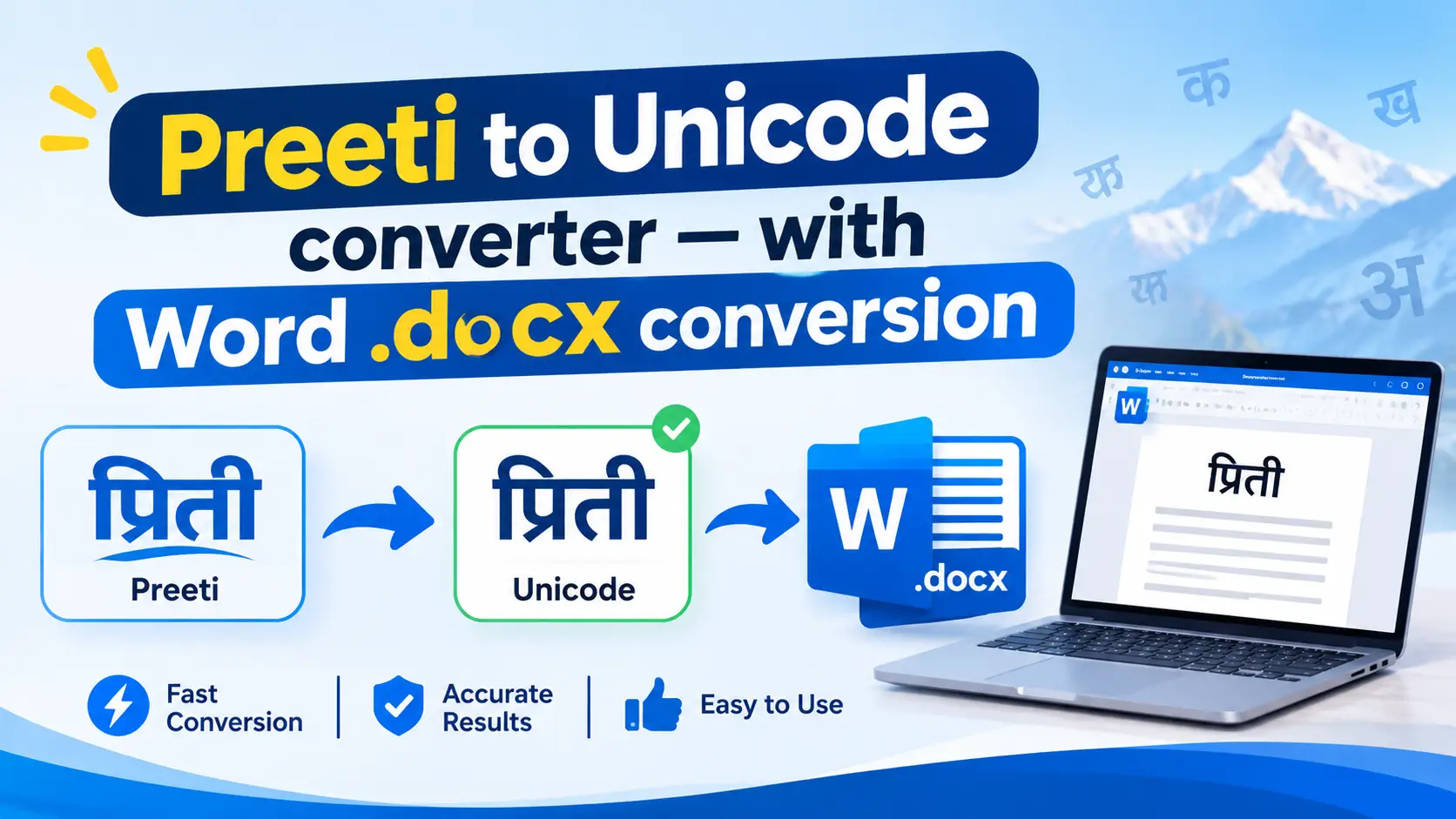
Preeti to Unicode DOCX converter tool for Nepali text

Open an old Nepali file on a computer without the Preeti font and you get something like g]kfn instead of नेपाल. The words are still there. They are stored as ordinary English characters, and only the Preeti font makes them look Nepali.

A Preeti to Unicode converter fixes that by turning the text into real Nepali (Devanagari) Unicode that works on websites, phones, email and Google Docs. This page covers three jobs: converting pasted text, converting a whole DOCX file, and going the other way with a Unicode to Preeti converter when a print shop still demands Preeti.

Quick answer

  1. Paste your Preeti text into the Preeti box, or press Import file to open a DOCX.
  2. Nepali Unicode appears instantly in the other box. Press Copy Unicode.
  3. Paste the result into your document and choose a Unicode font such as Kalimati, Mangal or Nirmala UI.
  4. Proofread names, numbers and words with conjuncts before you publish.

How to Convert Preeti to Unicode in 4 Steps

  1. Copy your Preeti text from Word, PageMaker or any old file. Keep the original file as a backup.
  2. Paste it into the Preeti box of the converter. The Nepali Unicode box fills in as you paste.
  3. Press Copy Unicode.
  4. Paste it where you need it (WordPress, Google Docs, email, a mobile app) and proofread.

If the output still looks odd inside Word, the cause is usually the font applied to the pasted text, not the conversion. Select it and switch to a Unicode font. Not sure how to add one? See how to install a Nepali font on Windows 11.

How to Convert a Preeti DOCX File to Unicode

Most converter pages only handle a pasted paragraph. If you have a 40-page Word file, there are two sensible ways to do it.

Method 1: Import the DOCX

  1. Press Import file in the converter above (or drag the .docx onto it). The same button opens PDF files and images.
  2. The converter reads the Preeti text and fills the Nepali Unicode box.
  3. Open Download, choose Word (.docx) and open the new file in Word.
  4. Check that the converted text uses a Unicode font, then proofread.

Method 2: Copy, Convert, Paste Back (Manual)

  1. In Word press Ctrl + A, then Ctrl + C to copy the whole document.
  2. Paste into the text converter and convert.
  3. Open a new blank Word document and paste the Unicode result.
  4. Select all and apply a Unicode font such as Kalimati or Mangal.
  5. Re-apply headings, bold text and tables that the plain paste removed.

Converting a Preeti Word file to a Nepali Unicode DOCX

What to Check After Converting a DOCX

  • Tables: converters differ in how they treat table cells, so open each table and read it.
  • Text boxes, headers and footers: these are the places most likely to stay unconverted.
  • English words, emails and URLs: anything that was formatted in the Preeti font can be mangled.
  • Dates, phone numbers and amounts: compare them with the original line by line.

Unicode to Preeti Converter: When You Still Need Preeti

Unicode is the right choice for the web, but plenty of print shops, newspaper layouts and older design files still expect Preeti. If a designer sends you a template built in Photoshop, InDesign or PageMaker, you may need to convert your Unicode text back.

  1. Paste your Nepali Unicode text into the Nepali Unicode box of the converter above.
  2. The Preeti version appears in the Preeti box. Press Copy Preeti.
  3. Paste it into your design or Word file and set the font to Preeti.

Important: Preeti output only looks Nepali if the Preeti font is installed on that computer. Without it you will see English letters and symbols. Get the file and install steps in our free Preeti font download with keyboard layout.

Doing this often? Use the dedicated Unicode to Preeti converter, which opens with the Unicode box first.

Why Preeti Text Breaks: Preeti vs Unicode

Unicode gives every Nepali character its own permanent code, in the Devanagari block (U+0900 to U+097F). Preeti does not. It reuses the English keyboard characters and relies on the font to draw Nepali shapes. This is how the conversion works:

Preeti text

English characters that look Nepali only with the font installed

→

Converter

Maps each key combination to the matching Devanagari character

→

Unicode text

Real Nepali that works on every phone, browser and app

Here are real examples of what the same word looks like in each system:

Stored as PreetiNepali Unicode
g]kfnनेपाल
gd:t]नमस्ते
sf7df08"काठमाण्डू
;lag cfrf/\oसबिन आचार्य

Paste any of these Preeti strings into the converter above to see the Unicode result. Mappings can differ slightly between tools, so always read the output.

Common Conversion Mistakes to Check

No converter is perfect on every word. These are the patterns worth a second look. The last row of the table above shows the first one: in ;lag the l comes before a, yet in Unicode the ि sign is stored after the consonant.

PatternWhy it goes wrongWhat to check
ि (chhoti ee matra)Typed before the consonant in Preeti, stored after it in UnicodeNames like सबिन
Conjuncts क्ष, त्र, द्धUnicode stores them as consonant + halant + consonantNo stray halant mark or split letters
Half lettersKeyed differently in Preeti and UnicodeSee how to type Nepali half letters
Mixed English textCharacters formatted in Preeti get mapped tooEmails, URLs, brand names
Numbers and punctuationDigits and symbols share keys with lettersDates, amounts, quotation marks

Which Unicode Font Should You Use After Converting?

Once the text is Unicode, the font only changes how it looks, not what it is. Any of these will display the same converted text:

  • Kalimati: a common choice for formal Nepali documents. Download Kalimati.
  • Mangal: long-time Windows default for Devanagari.
  • Nirmala UI: the Devanagari font built into current versions of Windows.
  • Kokila: popular in formal documents. Kokila font download.

Kantipur, Sagarmatha, Kanchan & Ganesh Text

Preeti is not the only legacy Nepali font. Kantipur, Sagarmatha, Kanchan and Ganesh also store text as English characters, but each has its own key mapping. Run text through a converter that lists your exact font as the source. Using the wrong source font produces wrong letters even when nothing looks broken at first glance.

Can You Convert a Preeti PDF to Unicode?

It depends on the PDF.

  • Selectable text: try copying a line and pasting it into a text editor. If you get Preeti-style characters, paste them into the converter. PDF copying can add extra damage, so compare the result with the page.
  • Scanned images: there is no text to copy. Run OCR first, then convert whatever text comes out and proofread carefully.

Bulk-Convert Many DOCX Files with Python (Optional)

If you have dozens of old files, an open-source Python package called npttf2utf can map Preeti and similar fonts to Unicode in DOCX and TXT files. Its documentation lists support for body paragraphs, tables and shapes in DOCX, and it sets Kalimati as the default font for converted text. A command looks like this:

pip install npttf2utf
npttf2utf -m docx -if auto -of unicode -i "old-file.docx" -o "old-file-unicode.docx"

Test it on one copy of a file first and read the output before running a whole folder.

Frequently Asked Questions

What is a Preeti to Unicode converter?

It is a tool that maps text typed in the legacy Preeti font to standard Nepali (Devanagari) Unicode, so it displays correctly on websites, phones, email and Google Docs without installing any font.

How do I convert a Preeti Word (DOCX) file to Unicode?

Press Import file in the converter above and choose the .docx, then download the result as Word (.docx). Or copy the text, convert it, paste it into a new document and apply a Unicode font such as Kalimati or Mangal. Then proofread tables, headings and numbers.

Can I convert Unicode back to Preeti?

Yes. Paste Nepali Unicode into a Unicode to Preeti converter, copy the output and apply the Preeti font in Word, Photoshop or InDesign. The Preeti font must be installed or the text will show as English symbols.

Why does my Preeti text show English letters or symbols?

Preeti stores ordinary English characters and only looks Nepali when the Preeti font is installed and applied to the text. Install the font or convert the text to Unicode.

Which Unicode font should I use after converting?

Any Devanagari Unicode font works, including Kalimati, Mangal, Nirmala UI and Kokila. The underlying text is identical; only the appearance changes.

Does it work for Kantipur, Sagarmatha or Kanchan text?

Those are separate legacy fonts with their own mappings. Choose a converter that lists your exact font as the source instead of assuming Preeti settings will work.

Can I convert a Preeti PDF?

If the PDF text is selectable, copy it and convert it, then compare with the original because copying can damage characters. Scanned PDFs need OCR before conversion.

Why do some words look wrong after conversion?

The usual causes are the ि matra, conjunct letters, half letters, English words formatted in Preeti, and selecting the wrong source font. Check those patterns first.

Final Thoughts

Use Unicode for anything that goes online or on a phone, and keep Preeti only for print workflows that require it. Convert, apply a Unicode font, then spot-check the risky patterns above. That takes a few minutes and avoids most errors.

If you also type in Nepali, these guides help: how to type Nepali on a laptop, the English to Nepali Unicode type converter, online Typeshala for Preeti practice, and our collection of free Nepali fonts. More utilities are on the free online tools for Nepal page.