
How to Type Nepali in MS Word Using Preeti Font (Step-by-Step, 2026)
By Wilson Shrestha · Updated November 22, 2026 · 11 min read
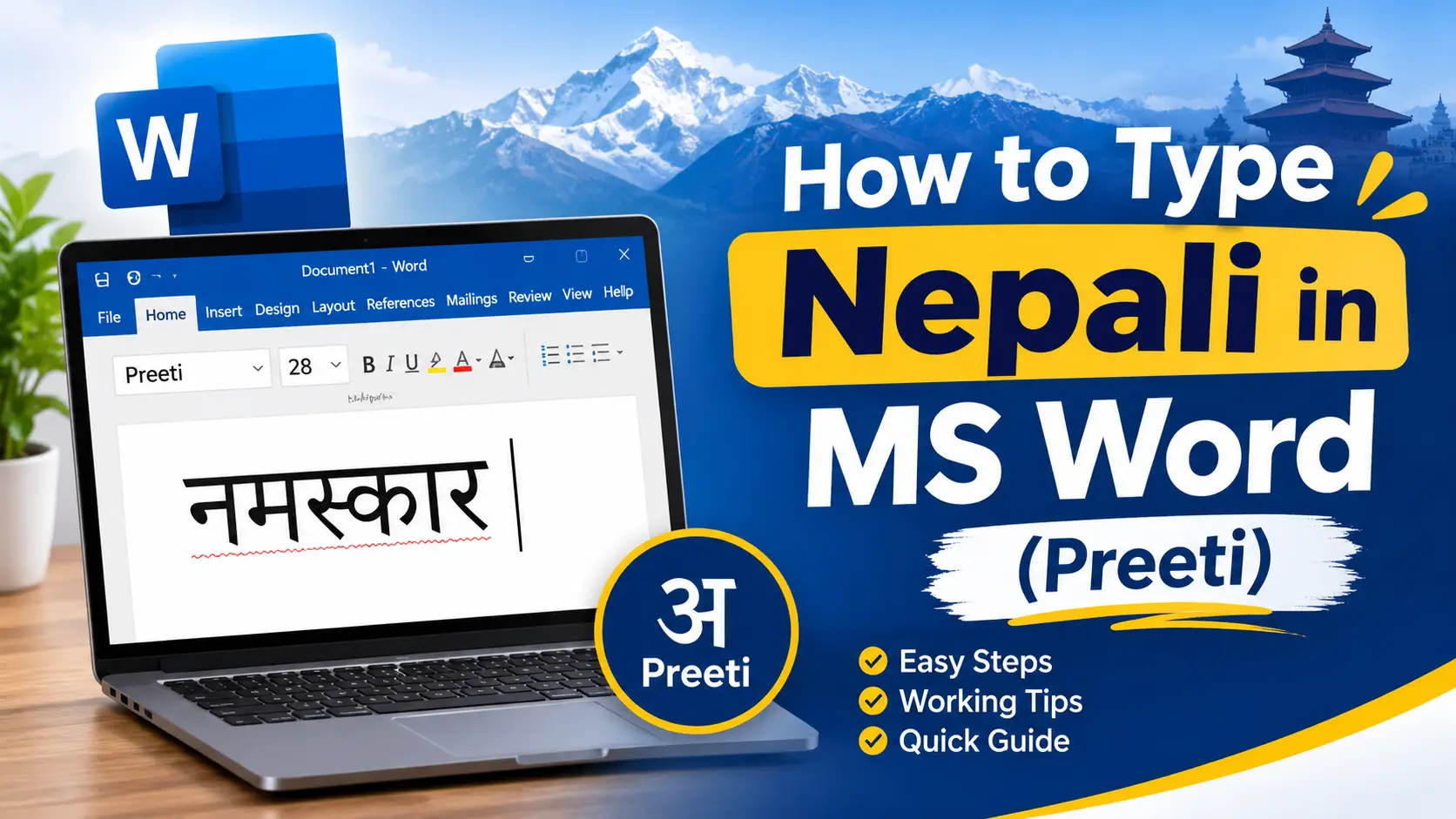
To type Nepali in MS Word with Preeti, install the Preeti.ttf font on your computer, restart Word, choose Preeti from the font box, keep your keyboard on English (US), and type using the Preeti key layout. Type g]kfn and Word shows नेपाल.
That is the easy part. What most guides skip is what goes wrong after you start typing: Word quietly “corrects” your Preeti letters, underlines every word in red, and the file turns into English gibberish on your boss’s computer. This guide covers the setup, the key chart, and the exact Word settings that stop those problems.
Quick answer: Preeti in MS Word in 5 steps
- Download Preeti.ttf and extract it if it is inside a ZIP.
- Right-click the file → Install (or Install for all users).
- Close and reopen MS Word.
- Click the font box on the Home tab, type Preeti, press Enter.
- Make sure the taskbar shows ENG, not NEP, then start typing.
In this guide
- Preeti or Unicode: which should you use in Word?
- How Preeti actually works
- Step 1: Install Preeti font (Windows & Mac)
- Step 2: Select Preeti in MS Word
- Step 3: Turn off the AutoCorrect settings that break Preeti
- Preeti keyboard chart for MS Word
- Matras, half letters and conjuncts
- Practice words you can type right now
- Make Preeti the default font in Word
- Share a Preeti file without it breaking
- Preeti not working in Word? Fixes
- FAQs
Preeti or Unicode: Which Should You Use in MS Word?
Before you install anything, decide whether Preeti is really what you need. Both produce Nepali in Word, but they behave very differently once the file leaves your computer.
| Point | Preeti (legacy font) | Nepali Unicode (Kalimati, Mangal, Nirmala UI) |
|---|---|---|
| What is stored | English letters drawn as Nepali shapes | Real Nepali characters |
| Needs font on other PC | Yes, or it shows gibberish | No, Windows already has one |
| Copy to Facebook, Gmail, web | Breaks | Works |
| Google Docs / phone | Not available | Works |
| Old office templates & forms | Usually already in Preeti | Need converting first |
| Printing | Looks clean and familiar | Looks clean |
Use Preeti when…
You are editing an existing Preeti file, filling an office or ward template, preparing something only for print, or your office specifically asks for Preeti.
Use Unicode when…
The text will be emailed, posted online, opened on a phone or searched later. See how to type Nepali in laptop for the Unicode keyboard setup.
How Preeti Actually Works (and Why It Breaks)
Preeti is not a Nepali keyboard. It is a font that paints Nepali shapes over ordinary English keys. Word still stores English letters underneath, which is why the font must be installed to see Nepali.
What you type → what Word shows in Preeti
Stored as g]kfn · displayed as नेपाल
Three things follow from this, and every Preeti problem in Word comes from one of them:
- No font, no Nepali. A computer without Preeti shows “g]kfn” instead of नेपाल.
- Word thinks it is English. So it spell-checks it, capitalises it and swaps your quote marks — and each swap changes a Nepali letter.
- The keyboard must stay English. If Windows is switched to the Nepali keyboard, Preeti gets Unicode letters it cannot draw.
Step 1: Install the Preeti Font
Word can only use fonts that are installed in the operating system. You can get the file from our Preeti font download page, which also includes the full layout and Alt codes.
On Windows 11 and Windows 10
- If the download is a ZIP, right-click it → Extract All. Windows cannot install a font from inside a ZIP.
- Right-click Preeti.ttf → Install for all users. On Windows 11 you may need Show more options first.
- If you get “font not valid”, right-click the file → Properties → tick Unblock → OK, then install again.
- Close every Word window and open Word again. A running Word will not see a new font.
Need screenshots for each click? Our guide on how to install Nepali font on Windows 11 walks through it.
On Mac (Word for Mac)
- Double-click Preeti.ttf. Font Book opens.
- Click Install.
- Quit Word fully (Cmd + Q) and reopen it. Keep the input source on ABC or U.S.
Step 2: Select Preeti in MS Word and Start Typing
This works the same in Microsoft 365, Word 2021, 2019, 2016, 2013, 2010 and 2007.
- Open a new document.
- On the Home tab, click inside the font name box (it usually says Calibri or Aptos).
- Type Preeti and press Enter. Scrolling the list works too, but typing is faster.
- Check the taskbar language says ENG. If it says NEP, press Windows + Space until it changes.
- Type g]kfn. You should see नेपाल.
Already typed in English?
Changing the font of existing English text to Preeti will not translate it. You will just get random Nepali shapes. Preeti only turns into proper Nepali if you typed it with the Preeti layout.
Step 3: Turn Off the AutoCorrect Settings That Break Preeti
This is the step nearly every other guide misses, and it causes most “wrong letter” complaints. Because Word sees English, it changes your keystrokes — and in Preeti, changing a key changes the letter.
| Word feature | What it does to Preeti | Example |
|---|---|---|
| Capitalize first letter of sentences | Turns the first lowercase key into uppercase after a full stop or new line | s (क) becomes S (क्) |
| Capitalize first letter of table cells | Same problem inside every table cell | k (प) becomes K (प्) |
| Correct TWo INitial CApitals | Lowercases the second capital in a word | Half letters get “fixed” into full letters |
| Straight quotes with smart quotes | Swaps ' and " for curly quotes, which Preeti does not draw as ु and ू | ;’Gb/ loses its ु |
| Spelling & grammar check | Red-underlines every word and may suggest English replacements | The whole page looks wrong |
How to fix AutoCorrect (one-time setup)
- Go to File → Options → Proofing → AutoCorrect Options.
- On the AutoCorrect tab, untick Correct TWo INitial CApitals, Capitalize first letter of sentences, Capitalize first letter of table cells and Replace text as you type.
- Open the AutoFormat As You Type tab and untick "Straight quotes" with “smart quotes”. Do the same on the AutoFormat tab.
- Click OK twice.
How to remove the red underlines
- Press Ctrl + A to select the Preeti text.
- Go to Review → Language → Set Proofing Language.
- Tick Do not check spelling or grammar and click OK.
From my own setup
When I first typed a Preeti letter in Word, every paragraph started with a half letter and I assumed I had the wrong font file. It was the “capitalize first letter” option all along. Since then, unticking those boxes is the first thing I do on any computer I use for Preeti work.
Preeti Keyboard Chart for MS Word
Here are the keys you will use most. Lowercase keys give full letters; the Shift key usually gives the half form or a vowel. For the full printable layout, see our Nepali keyboard layout charts.
Consonants (व्यञ्जन)
| Key | Letter | Key | Letter | Key | Letter | Key | Letter |
|---|---|---|---|---|---|---|---|
| s | क | v | ख | u | ग | 3 | घ |
| r | च | 5 | छ | h | ज | 6 | ट |
| 7 | ठ | 8 | ड | 9 | ढ | 0 | ण |
| t | त | y | थ | b | द | w | ध |
| g | न | k | प | a | ब | e | भ |
| d | म | o | य | / | र | n | ल |
| j | व | z | श | i | ष | ; | स |
| x | ह | I | क्ष | q | त्र | 1 | ज्ञ |
Vowels (स्वर) and signs
| Type | Gives | Type | Gives | Type | Gives |
|---|---|---|---|---|---|
| c | अ | cf | आ | O | इ |
| O{ | ई | p | उ | U | ऊ |
| C | ऋ | P | ए | P] | ऐ |
| cf] | ओ | cf} | औ | . | । (purna biram) |
| + | ◌ं (shirbindu) | F | ◌ँ (chandrabindu) | M | ◌ः (visarga) |
| Shift + 1 to 0 | Nepali numbers १ २ ३ ४ ५ ६ ७ ८ ९ ० | ||||
Memory trick
Learn the home row first: a s d f g h j k l ; = ब क म ा न ज व प ि स. Those ten keys alone cover a big share of everyday Nepali words.
Matras, Half Letters and Conjuncts in Preeti
Vowel signs (मात्रा)
| Matra | Key | Example typed | Result |
|---|---|---|---|
| ◌ा | f | sf | का |
| ◌ि | l (before the letter) | ls | कि |
| ◌ी | L | sL | की |
| ◌ु | ‘ | s’ | कु |
| ◌ू | " | s" | कू |
| ◌ृ | [ | s[ | कृ |
| ◌े | ] | s] | के |
| ◌ै | } | s} | कै |
| ◌ो | f] | sf] | को |
| ◌ौ | f} | sf} | कौ |
The one rule that trips up beginners: ि (hraswa ikar) is typed before the consonant, because that is where it appears on screen. To write मित्र, type ldq, not dlq.
Half letters (आधा अक्षर)
- Shift + the letter’s key gives the half form for most consonants: S = क्, G = न्, D = म्, : = स्.
- Backslash adds a halanta (्) after any letter, for ones with no Shift form.
- Reph (र् on top, as in धर्म) is {, typed after the letter it sits on: धर्म = wd{.
For the complete list, including ट्ट, द्ध and rare conjuncts, read how to type Nepali half letters in Preeti and Unicode.
Practice Words You Can Type in Word Right Now
Type these with Preeti selected. If the result matches, your font, keyboard and AutoCorrect are all set correctly.
| Type this | You get | What it tests |
|---|---|---|
| g]kfn | नेपाल | Basic letters and matras |
| gd:t] | नमस्ते | Half letter स् |
| wGojfb | धन्यवाद | Half letter न् |
| ;’Gb/ | सुन्दर | Smart quotes are off (ु shows) |
| ldq | मित्र | ि before the letter, त्र |
| sf7df8f}+ | काठमाडौं | Number keys and ौं |
| s[kof | कृपया | ृ sign, and capitalisation is off |
| 1fg | ज्ञान | ज्ञ on the 1 key |
Want to build speed instead of hunting for keys? Practise the Preeti layout for 15 minutes a day on our online Typeshala, or follow the 30-day Preeti lesson plan.
Can’t remember the keys? The shortcut route
If you only need one letter or application in Preeti, you don’t have to learn the layout. Type it in Unicode with a phonetic tool such as our English to Nepali Unicode converter, convert it with the Unicode to Preeti converter, paste it into Word, then select it and set the font to Preeti.
1
Type “namaste” phonetically
2
Get Unicode नमस्ते
3
Convert to Preeti code gd:t]
4
Paste in Word, set font to Preeti
Make Preeti the Default Font in MS Word
If you type Nepali most days, save yourself from picking the font every time:
- On the Home tab, click the small arrow at the bottom-right of the Font group (or press Ctrl + D).
- Choose Preeti and a size. Preeti looks small, so 14 to 16 is a common choice for body text.
- Click Set As Default.
- Pick All documents based on the Normal template and click OK.
A middle path many offices use: keep Calibri as default but create a Word Style called “Nepali” with the Preeti font and proofing turned off. One click switches a paragraph to Nepali.
How to Share a Preeti Word File Without It Breaking
Your document looks perfect on your PC, then the receiver sees “g]kfn”. That happens because their computer doesn’t have Preeti. You have four options:
| Option | How | Can they edit? | Best for |
|---|---|---|---|
| Save as PDF | File → Save As → PDF | No | Applications, notices, printing shops |
| Embed the font | File → Options → Save → tick Embed fonts in the file | Yes, in Word on Windows (untick “embed only the characters used” for editing) | Files a colleague must edit |
| Send the font too | Attach Preeti.ttf with the .docx | Yes, after they install it | Regular office exchange |
| Convert to Unicode | Run the text through a Preeti to Unicode converter | Yes, anywhere | Email, web, Google Docs, phones |
For the last option, our Preeti to Unicode converter handles plain text and whole DOCX files. After converting, set the font to a Unicode font such as Kalimati. Old files in Kantipur instead of Preeti? Use the Kantipur to Unicode converter.
Preeti Not Working in MS Word? Fixes for Common Problems
Preeti is not in Word’s font list
- Close all Word windows and reopen. Still missing? Restart the computer.
- Check Settings → Personalization → Fonts and search “Preeti”. If it isn’t there, install again with Install for all users.
- Make sure you installed the .ttf file, not the ZIP or a shortcut.
I type but see English letters
The font box isn’t on Preeti for the text you are typing. Click where you are typing and check the font name. If you pasted text, select it and choose Preeti again — pasted text often keeps its old font.
Letters come out wrong, boxes or strange symbols appear
- Your Windows keyboard is set to Nepali. Switch to ENG with Windows + Space. Preeti needs the English keyboard.
- Caps Lock is on. Every key then gives the Shift version (half letters).
- AutoCorrect is changing keys — repeat Step 3.
The first letter of every line becomes a half letter
That is “Capitalize first letter of sentences”. Turn it off in AutoCorrect Options. To fix text you already typed, press Ctrl + Z right after Word changes a letter — it undoes only the automatic change.
Preeti text shows as gibberish on Facebook, Gmail or phone
This is expected, not a fault. Those apps don’t have the Preeti font. Convert the text to Unicode before you copy it anywhere outside Word.
Can I use Preeti in Google Docs or Word on my phone?
Google Docs doesn’t let you add your own fonts, so Preeti isn’t available there. Use Unicode instead. Word on Android and iPhone also doesn’t pick up Preeti easily, so for mobile work Unicode is the practical choice.
Preeti-in-Word checklist
- Preeti.ttf installed for all users
- Word restarted after installing
- Font box shows Preeti
- Taskbar shows ENG, Caps Lock off
- Capitalisation and smart quotes turned off
- Proofing set to “Do not check spelling”
- Saved as PDF or font embedded before sharing
Frequently Asked Questions
How do I type Nepali in MS Word using Preeti?
Install the Preeti.ttf font, restart Word, select Preeti in the font box on the Home tab, keep the keyboard on English (US), and type with the Preeti layout. For example, typing g]kfn shows नेपाल.
Why is Preeti font not showing in MS Word?
Word was open when you installed the font, the font was installed from inside a ZIP, or it was installed only for another user. Extract the ZIP, install Preeti.ttf with “Install for all users”, then close and reopen Word.
Why does Word change my Preeti letters automatically?
Word treats Preeti as English text, so AutoCorrect capitalises the first key of a sentence and swaps straight quotes for curly ones. In Preeti that changes letters, such as क becoming क्. Turn off those options under File, Options, Proofing, AutoCorrect Options.
Should I use the Nepali keyboard or English keyboard for Preeti?
Use the English (US) keyboard. Preeti works by drawing Nepali shapes over English keys. If Windows is switched to the Nepali keyboard, Word receives Unicode letters and Preeti shows them incorrectly.
How do I type half letters in Preeti?
Press Shift with the consonant’s key for most half letters, for example S gives क् and G gives न्. The backslash key adds a halanta (्) to any letter, and { adds a reph (र्) to the letter before it.
Why does my Preeti document look like English on another computer?
The other computer doesn’t have Preeti installed, so it shows the English letters stored underneath. Save the file as PDF, embed the font in Word’s save options, send the font file with it, or convert the text to Unicode.
Can I type in Preeti on a Mac?
Yes. Double-click Preeti.ttf, click Install in Font Book, restart Word for Mac, select Preeti and type with the input source set to ABC or U.S. The key layout is the same as on Windows.
The bottom line
Typing Nepali in MS Word with Preeti takes five minutes to set up: install the font, restart Word, pick Preeti, stay on the English keyboard, and turn off AutoCorrect. Use Preeti for print and office templates, and switch to Unicode whenever the text has to travel online.
More tools and guides: Nepali typing & fonts hub · Typeshala guide · Nepali voice typing