Sagarmatha Font Download (Free) for Windows, Mac & Linux

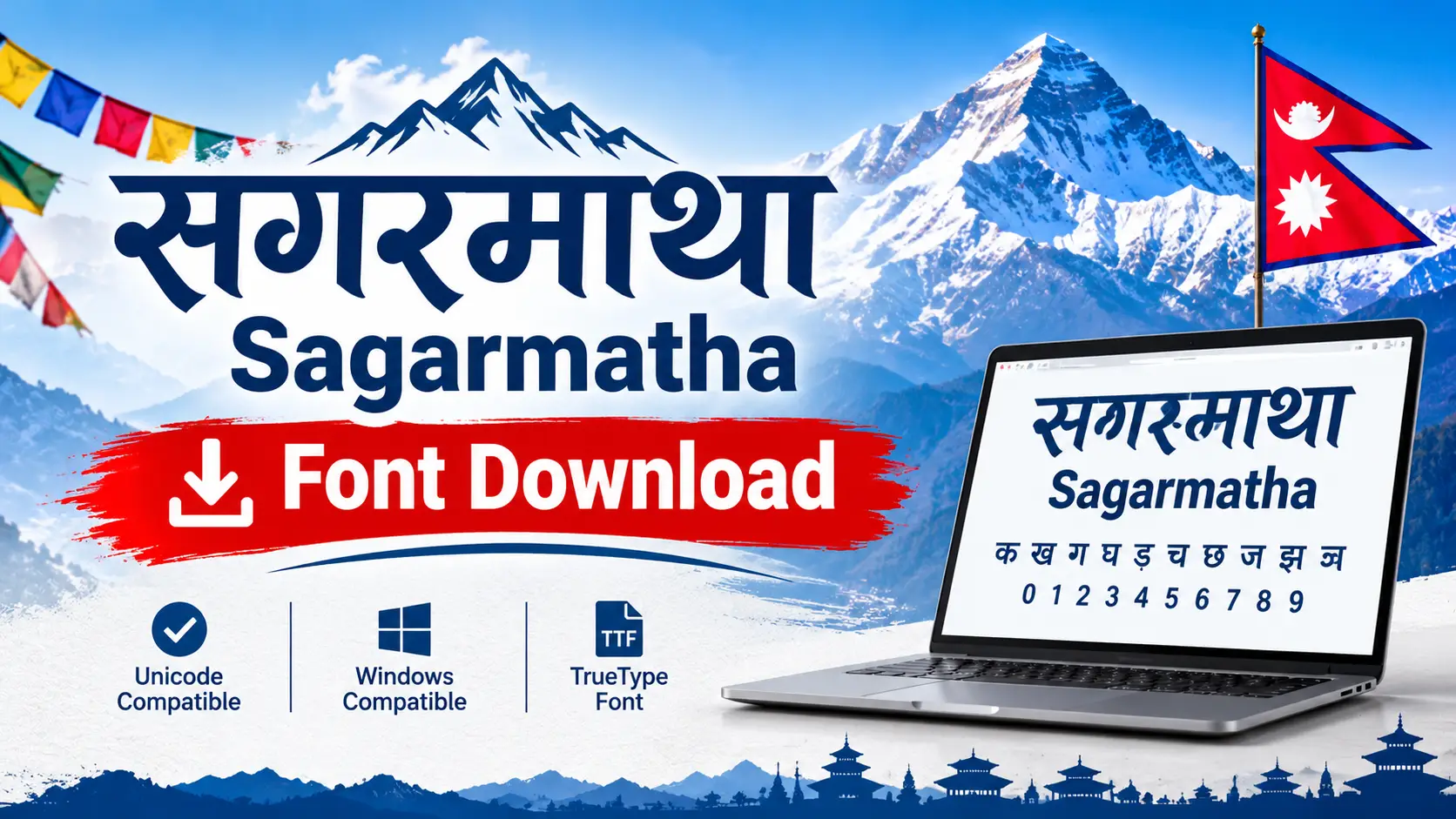
Sagarmatha Nepali font download preview showing the Sagarmatha Regular font

Sagarmatha Font Download (Free) for Windows, Mac & Linux
Your office, school or print shop asked for a file in the Sagarmatha font, and your computer shows English letters or boxes instead of Nepali. This page gives you the Sagarmatha Regular font file, the exact install steps, and the part most download pages skip: Sagarmatha is a legacy font, so you must know how to type it, share it safely and convert it to Unicode.

Sagarmatha Regular Font (ZIP)

Works on Windows, macOS and Linux after installing • Extract the ZIP before installing

Download Sagarmatha Font

Quick Facts About the Sagarmatha Font

Font nameSagarmatha (Regular style in this download)
TypeLegacy Nepali font (not Unicode)
ScriptDevanagari (Nepali)
Name meaningSagarmatha is the modern Nepali name for Mount Everest
PlatformsWindows, macOS, Linux (font must be installed)
Good forOld office files, print jobs and documents that must be in Sagarmatha
Not good forWebsites, email, social media and mobile apps

What Is the Sagarmatha Font?

Sagarmatha belongs to the same traditional family as Preeti and Kantipur. These fonts were built before Unicode became the standard, so they work by redrawing English keyboard characters as Nepali letters. The file stores English characters. The font only displays them as Nepali.

That single fact explains almost every Sagarmatha problem people search for: the document looks perfect on one PC and turns into symbols on another, the text cannot be searched properly, and it breaks on phones and websites.

Legacy font vs Unicode: what actually happens

✓ Font installed

The stored English characters are drawn as Nepali letters. Example from the Preeti family: the characters g]kfn display as नेपाल. Sagarmatha follows the same principle with its own mapping.

✗ Font missing

The computer has nothing to redraw the characters with, so you see plain English letters or random symbols. The Nepali text was never really stored.

How to Install the Sagarmatha Font

Windows 10 and Windows 11

  1. Download the ZIP, right-click it and choose Extract All.
  2. Open the extracted folder and right-click the font file (.ttf or .otf).
  3. Click Install, or Install for all users if several people use the PC.
  4. Close and reopen Word or any design app, then pick Sagarmatha from the font list.

Hit an error? Follow the longer walkthrough in How to Install a Nepali Font on Windows 11.

macOS

  1. Double-click the ZIP to unzip it.
  2. Double-click the font file to open Font Book.
  3. Click Install Font, then restart your app.

Linux

Copy the font file into ~/.local/share/fonts/ and run fc-cache -f in the terminal.

Android and iPhone

Do not expect Sagarmatha to work well on a phone. Mobile apps expect Unicode text. For phone typing, switch on a Nepali Unicode keyboard instead, and see our Nepali typing guide for laptops for the desktop side.

How to Type in Sagarmatha

  1. Install the font and open Word, Notepad++ or your design software.
  2. Select Sagarmatha as the font before you type.
  3. Type on a normal English keyboard. Each key produces a Nepali shape through the font’s mapping.
  4. Check conjuncts and half letters on screen. Do not assume every key matches Preeti.

To build speed, practise with Online Typeshala and study key positions in the Typeshala lesson guide. Half letters have their own tricks, covered in How to Type Nepali Half Letters.

Sagarmatha vs Preeti vs Kantipur vs Unicode Fonts

FontTypeNeeds font installedSafe on web and phones
SagarmathaLegacy✓ Yes✗ No
PreetiLegacy✓ Yes✗ No
KantipurLegacy✓ Yes✗ No
KalimatiUnicodeOnly for the look✓ Yes
KokilaUnicodeOnly for the look✓ Yes

Which one should you use?

  • An office or printer demands Sagarmatha: install it and type in it.
  • Website, email, WhatsApp, social media: use Unicode Nepali.
  • Sending a Sagarmatha file to someone else: export a PDF, or convert the text to Unicode first.
  • Just want to type Nepali quickly: try our English to Nepali Unicode converter.

Fix Common Sagarmatha Font Problems

ProblemLikely causeFix
Font not in the Word listInstalled from inside the ZIP, or Word still openExtract first, reinstall, restart Word
English letters instead of NepaliFont not applied to that textSelect the text and choose Sagarmatha
Looks fine for you, broken for othersTheir PC lacks the fontSend a PDF or convert to Unicode
Text breaks when pasted into a website or appLegacy characters are not real NepaliConvert to Unicode, then paste
Half letters look wrongWrong key sequence for the mappingRe-type using the half-letter method

How to Convert Sagarmatha Text to Unicode

Converting is the permanent fix. Once the text is Unicode, it works everywhere and no font download is needed to read it.

Step 1

Open the file where the Nepali shows correctly and copy the text.

Step 2

Paste into a converter that lists Sagarmatha as a source font.

Step 3

Select Sagarmatha (or auto-detect) and run the conversion.

Step 4

Proofread half letters and conjuncts, then paste into your site, email or app.

Two free tools that list Sagarmatha among supported fonts are the Barala Preeti and Unicode converter and the open-source Nepali Fonts legacy converter. Coverage differs between tools, so test a short paragraph before converting a long document. Some converters also work in reverse (Unicode to legacy) when an office insists on the old font.

Is the Sagarmatha Font Free and Safe?

  • Licence: Font directories list Sagarmatha with no clear licence. It is widely shared for personal and office use. For a logo, product packaging or paid print job, confirm usage rights with the original publisher.
  • Safety: A font download should contain only font files such as .ttf or .otf. If a ZIP contains an .exe or installer, do not run it.
  • Wrong font: Searching “Sagarmatha” also returns Mount Everest pages, and a Myanmar font called Sagar is unrelated. Make sure the font you install is the Nepali Sagarmatha.
  • Styles: This ZIP is the Regular style. Some directories also list a Bold version.

Frequently Asked Questions

What is the Sagarmatha font?

It is a legacy Nepali font that maps English keyboard keys to Devanagari characters, in the same family as Preeti and Kantipur.

Is Sagarmatha a Unicode font?

No. Text typed in Sagarmatha is stored as ordinary English characters and only looks Nepali when the font is installed. Convert it to Unicode for websites, email and phones.

Is Sagarmatha the same as Preeti?

No. They are separate fonts with a similar legacy approach. Converters list them as different encodings, so choose the correct source font when converting.

How do I install the Sagarmatha font on Windows 11?

Extract the ZIP, right-click the font file, choose Install, then restart Word or your design app.

Why does my Sagarmatha text look like English letters or symbols?

The font is not installed on that device or is not applied to the text. Install it, or convert the text to Unicode.

Can I use Sagarmatha on my phone or website?

Not reliably. Phones and websites expect Unicode. Use a Unicode font such as Kalimati and type with a Nepali Unicode keyboard.

How do I convert Sagarmatha text to Unicode?

Copy the text, paste it into a converter that supports Sagarmatha, select it as the source font, convert, then proofread the result.

Final Thoughts

Download Sagarmatha when a document truly requires it, keep the ZIP for later, and convert anything important to Unicode so it never turns into symbols again. If you want more choices, compare options in our free Nepali fonts collection.
Kanchan Font Download: Free Nepali Font for Windows, Mac & Linux (2026)

Kanchan font download for Windows, Mac and Linux - free Nepali legacy font

Kanchan Font Download: Free Nepali Font for Windows, Mac & Linux (2026)

Kanchan is an old Nepali Devanagari font that still turns up in office files, print-shop layouts and design projects. Download the font below, install it in a minute, and learn the one thing that decides whether your Kanchan text will show properly or turn into random English letters.

Quick answer

  • Kanchan is a legacy (non-Unicode) Nepali font. It draws Nepali letters on top of English keys.
  • Download the ZIP, extract it, double-click the font file and click Install. Restart Word or Photoshop.
  • Use it to open old Kanchan files or for print and design work.
  • Do not use it for websites, Facebook, WhatsApp or online forms. Use a Unicode font such as Kalimati there.
Font nameKanchan Regular
ScriptDevanagari (Nepali)
TypeLegacy, non-Unicode
FileZIP with TrueType font
Works onWindows, Mac, Linux
PriceFree (personal use)

Download Kanchan Font (Free)

Kanchan Regular · ZIP file · Windows, Mac & Linux

⬇ Download Kanchan-Regular.zip

Extract the ZIP before installing. A genuine font file ends in .ttf or .otf, never .exe.

What is the Kanchan font?

Kanchan is a Nepali TrueType font for the Devanagari script. It belongs to the first generation of Nepali computer fonts, the same group as Preeti, Kantipur, Himalb and Fontasy Himali. Font historian Luc Devroye’s type archive lists Kanchan among early Nepali TrueType fonts and credits it to The TopoGraphic Shop, dated 1993.

Fonts from that era were built before Unicode Devanagari was common on computers. So instead of storing real Nepali characters, Kanchan stores ordinary English characters and simply draws them as Nepali letters. That design choice is why the font still matters today: if someone sends you an old Word file or a print layout typed in Kanchan, you need this exact font installed to read it.

You will usually meet Kanchan in three places:

  • Old office documents from the 1990s and 2000s that were typed on a computer that had Kanchan as its Nepali font.
  • Print and design files (Photoshop, Illustrator, CorelDRAW, PageMaker) from press and print shops.
  • Font converters, which list Kanchan as a separate option next to Preeti, Kantipur and Sagarmatha.

Don’t confuse the names. Font sites also list fonts called KanchanMJ and KanchanOMJ. Those are separate fonts with different names. If a file asks for “Kanchan”, install Kanchan, not a look-alike name.

Kanchan font preview

Here is how Kanchan looks once it is installed. Its letters are plain and even, which is why it was used for body text in documents rather than as a decorative heading font.

Kanchan Nepali font preview showing sample Devanagari text

Sample Nepali text set in the Kanchan font.

Legacy vs Unicode: why Kanchan text breaks

This is the part most download pages skip, and it explains almost every Kanchan problem. The diagram below shows what actually happens when you type and share Kanchan text.

Step 1 · You type

You press English keys with Kanchan selected.

Step 2 · File saves

The file stores English letters, plus the note “use Kanchan”.

Kanchan installed

✅ Text shows as Nepali.

Not installed / online

❌ Text shows as random English letters.

Unicode fonts skip this problem because the file stores real Nepali characters that every phone, browser and search engine can read.

The practical rule is simple:

  • Use Kanchan when you control every computer that opens the file, or when the result is printed or exported as an image or PDF.
  • Use Unicode (for example Kalimati) for anything shared online: websites, social media, email, Google Docs and government web forms.

Kanchan vs Preeti vs Kantipur vs Kalimati

People searching for Kanchan are usually choosing between these four fonts. Here is how they differ in day-to-day use.

FeatureKanchanPreetiKantipurKalimati
Font typeLegacyLegacyLegacyUnicode
Shows on phones and websitesNoNoNoYes
Google can read the textNoNoNoYes
How common todayNiche, mostly old filesVery commonCommon in printCommon for new work
Best forOpening old Kanchan files, printOffice forms, print shopsNewspaper-style layoutsWeb, email, new documents
Our guideThis pagePreeti fontKantipur fontKalimati font

Which should you install? If a file or a client asks for Kanchan by name, install Kanchan. If you are starting something new, Kanchan is rarely the best choice: Preeti is more widely available on other computers, and Kalimati works everywhere. Many designers keep all of them installed so old files never break. You can grab the others from our free Nepali fonts collection.

How to install Kanchan font

First, extract Kanchan-Regular.zip (right-click → Extract All on Windows, or double-click on Mac). Then follow the steps for your system.

Windows 10 and Windows 11

  1. Open the extracted folder.
  2. Right-click the Kanchan font file and choose Install. On a shared office PC, choose Install for all users so every login can see it.
  3. Close and reopen Word, Excel, Photoshop or any app that was already running.
  4. Pick Kanchan from the font list and type a test line.

Need screenshots or a fix for a font that will not appear? See our step-by-step guide on how to install a Nepali font on Windows 11.

Mac (macOS)

  1. Double-click the font file. It opens in Font Book.
  2. Click Install (or Install Font on older macOS).
  3. Restart Pages, Word or your design app, then select Kanchan.

Linux (Ubuntu and others)

  1. Copy the font file into ~/.local/share/fonts for your user, or /usr/share/fonts for every user.
  2. Run fc-cache -f -v in a terminal.
  3. Reopen LibreOffice or GIMP and choose Kanchan.

Android and iPhone

Phones do not install legacy desktop fonts in a useful way, and Kanchan text will not display correctly in mobile apps. On a phone, type Nepali with a Unicode keyboard instead. Our guide to typing Nepali on a laptop covers the Unicode keyboard setup for computers too.

How to type in Kanchan

Because Kanchan is a legacy font, you do not switch your Windows keyboard to Nepali. You keep the normal English keyboard, select Kanchan as the font, and each key prints the Nepali letter mapped to it.

  • Learn the layout once. Kanchan belongs to the same traditional family as Preeti, and many typists start from the Preeti layout. Our Preeti keyboard layout guide is a good reference.
  • Test before a big job. Converters treat Kanchan as its own option rather than lumping it in with Preeti, so a few keys may not match. Type your name and a line with conjuncts (क्ष, त्र, ज्ञ) and check the result before typing a whole document.
  • Half letters. For conjuncts and half forms, see how to type Nepali half letters.
  • Build speed. Practise the traditional layout with our free online Typeshala.

Kanchan font problems and how to fix them

ProblemLikely causeFix
Nepali shows as random English lettersKanchan is not installed on this computerInstall the font, then reopen the file
Kanchan missing from the font listApp was open during install, or ZIP not extractedExtract the ZIP, install the .ttf, restart the app or PC
Text breaks after pasting into Facebook or WhatsAppOnline apps don’t have KanchanConvert the text to Unicode first
A few letters come out wrongTyping with a slightly different layout, or a different font was appliedSelect all text and set it to Kanchan, then check the key you used
PDF shows wrong characters on another computerFont not embedded when the PDF was savedIn Word, turn on Embed fonts in the file before saving as PDF
“Not a valid font” errorCorrupt or wrong fileDownload again from this page and install only the .ttf file

Convert Kanchan text to Unicode

If you have an old Kanchan document and want it on a website, in an email or in Google Docs, changing the font is not enough. You need to convert the stored English characters into real Unicode Nepali.

  1. Open the file with Kanchan installed and check that the Nepali reads correctly.
  2. Copy the text.
  3. Paste it into a legacy-to-Unicode converter that lists Kanchan as a source font, such as the Barala Preeti/Kanchan to Unicode converter.
  4. Proofread names, numbers and conjunct letters. Converters handle common letters well but can miss rare combinations.
  5. Save the Unicode version separately and keep the original as a backup.

Writing something new instead? Skip Kanchan entirely and type straight into Unicode with our English to Nepali Unicode typing tool.

Is the Kanchan font free and safe to download?

Free: Kanchan is shared free for personal and educational use. Like most Nepali fonts from the 1990s, it circulates without a clear published licence. Font directories that host it also list no licence. For books, logos, packaging or anything you sell, check rights with the original creator or use a Unicode font that has an open licence.

Safe: Before you install any font ZIP, from us or anyone else, run these quick checks:

  • The ZIP should contain a font file ending in .ttf or .otf (sometimes with a readme).
  • Never run a file ending in .exe, .bat or .scr that claims to be a font.
  • Avoid sites that make you click through several “Download” ads or install a downloader app first.

Frequently asked questions

Is Kanchan a Unicode font?

No. Kanchan is a legacy (non-Unicode) Nepali font. It shows Nepali only on a computer that has Kanchan installed. For websites and phones, use a Unicode font such as Kalimati.

Why does my Kanchan text show English letters?

The file stores English characters that only look Nepali when Kanchan is applied. Install the Kanchan font on that computer, or convert the text to Unicode before sharing it.

Is Kanchan the same as Preeti?

No. Both are traditional legacy Nepali fonts with a similar approach, but they are different fonts and converters treat them as separate options. Install the font a file asks for.

Can I use Kanchan in MS Word?

Yes. Install the font, restart Word and choose Kanchan from the font list. Anyone who opens the file also needs Kanchan installed, or you should send it as a PDF with fonts embedded.

Can I use Kanchan font on my phone?

Not in a practical way. Mobile apps expect Unicode text, so Kanchan text breaks there. Use a Nepali Unicode keyboard on Android or iPhone instead.

Can I use Kanchan for commercial work?

It is shared for personal and educational use, and no clear licence is published. For commercial projects, confirm rights with the creator or use an openly licensed Unicode font.

How do I convert Kanchan text to Unicode?

Copy the text from a file where it displays correctly, paste it into a converter that supports Kanchan as the source font, then proofread the Unicode output.

Ganesh Font Download (Ganess Nepali Font): Free, Install & Fix Broken Text

Ganesh (Ganess) Nepali font free download

Ganesh Font Download (Ganess Nepali Font): Free, Install & Fix Broken Text

Looking for the Ganesh font? The Nepali font most people mean is spelled Ganess — a bold, legacy Devanagari font used for headlines, banners, certificates and old newspaper-style files. Below you get a clean download, install steps for Windows, Mac, Android and Linux, and the one thing most download pages skip: why Ganess text turns into English gibberish, and how to fix it.

Font nameGaness (Regular)
TypeLegacy (non-Unicode)
ScriptDevanagari / Nepali
Best forTitles, banners, print
PriceFree

Direct download — no redirect pages, no 20-second timers.

⬇ Download Ganess Font (ZIP)
Works on Windows 11/10, macOS, Linux and Android design apps. Unzip before installing.

Ganess, Ganesh or Ganesha — which font do you actually need?

Search “Ganesh font” and you will find at least five different fonts with nearly the same name. They are not interchangeable. If someone sent you a Nepali file that “needs the Ganesh font”, it is almost always Ganess (double “s”) — that is the name the font file itself uses.

FontLanguageWhat it isGet it here?
GanessNepaliBold legacy Devanagari font for headings and print✔ Yes (this page)
Bishwa GaneshNepaliPart of the “Bishwa” decorative seriesNo
CV GaneshDevanagariA separate legacy display fontNo
AMS GaneshaMarathi / HindiCalligraphy font for Ganesh Chaturthi postersNo
Ganesha ScriptEnglishLatin handwriting font, unrelated to NepaliNo
Quick check: open the old document, click on the Nepali text and look at the font box in Word. If it says Ganess, this download is the one you need. If it says Preeti or Kantipur, get those instead from our free Nepali fonts collection.

What is the Ganess font?

Ganess is a Nepali Devanagari font from the pre-Unicode era, the same generation as Preeti, Kantipur and Sagarmatha. Its strokes are heavier than Preeti’s, so it stands out at large sizes — which is why designers have long used it for:

  • Poster, flex and banner headlines
  • Certificates, invitation cards and wedding cards
  • Shop signboards and logos with Nepali text
  • Old newspaper and office files typed before Unicode became standard

Because it is a legacy font, the letters you see are really English characters drawn with Devanagari shapes. That design choice is why it works perfectly in Photoshop or CorelDRAW on your own PC, but breaks the moment the text leaves it. More on that below.

How to install the Ganess font

First, unzip the download (right-click → Extract All on Windows, double-click on Mac). Then follow your system:

💻 Windows 11 / 10

  1. Right-click the font file → Install (or Install for all users if apps can’t see it).
  2. Close and reopen Word, Photoshop or CorelDRAW.
  3. Pick “Ganess” from the font list.

Full walkthrough with screenshots: install Nepali fonts on Windows 11.

🍎 macOS

  1. Double-click the font file to open Font Book.
  2. Click Install.
  3. Restart Pages, Keynote or Adobe apps.

🐧 Linux

  1. Copy the font to ~/.fonts (you only) or /usr/share/fonts (all users).
  2. Run fc-cache -f -v.
  3. Reopen LibreOffice or GIMP.

📱 Android / iPhone

Phones can’t install fonts system-wide, but design apps like PixelLab, Canva (upload font, Pro) and some poster makers let you import a font file. Unzip first with a file manager, then add the font inside the app.

How to type in the Ganess font

You don’t need a Nepali keyboard. Keep Windows set to English (US), select Ganess as the font, and type — each English key prints a Devanagari letter. Ganess follows the traditional Nepali key arrangement used by the Preeti family, so if you already type Preeti, most keys will feel familiar.

From experience: legacy Nepali fonts are not always mapped identically key-for-key. Before typing a whole banner in Ganess, type a short test line (including half letters like क्ष, त्र and ज्ञ) and check it prints what you expect. It takes ten seconds and saves a reprint.

New to the traditional layout? These guides help:

Why Ganess text turns into gibberish (legacy vs Unicode)

This is the number-one complaint about Ganess, and almost no download page explains it. Here is what happens to the same word in each system:

1. You type
g]kfn
2. PC with Ganess
नेपाल
3. Facebook / PC without it
g]kfn

Illustration using a traditional Preeti-style key sequence. The file only stores English letters; the font draws them as Nepali.

Use it for…Ganess (legacy)Unicode (Kalimati, Mangal)
Poster / banner in Photoshop✔ Great✔ Works
Printing at a press✔ Send PDF, not .docx✔ Works
Facebook, WhatsApp, email✘ Shows English letters✔ Shows everywhere
Website or blog text✘ Google can’t read it✔ Searchable
Sharing a Word file⚠ Receiver needs Ganess too✔ Opens anywhere

Rule of thumb: use Ganess for things that end as an image or PDF. For anything people will read on a screen, type in Unicode with our English to Nepali Unicode converter and choose a Unicode font like Kalimati. If you already have Ganess text, run it through a legacy-to-Unicode converter that lists Ganess as a source font (several Nepali converters, such as Barala, do) and check the result line by line.

Ganess font not working? Fixes for common problems

Font doesn’t appear in Photoshop or Word
Restart the app. Still missing? Reinstall using Install for all users. On Windows 11 a reboot sometimes refreshes the font cache.
“Not a valid font file” error
You are trying to install the ZIP. Extract it first, then install the font file inside.
Old document shows English letters like g]kfn
The file was typed in Ganess but your PC doesn’t have it. Install Ganess — the text fixes itself without retyping.
Text looks fine on my PC but wrong at the print shop
The press doesn’t have Ganess. Export to PDF (fonts embed), or convert text to outlines/curves in CorelDRAW or Illustrator before sending.
Some conjunct letters print the wrong shape
That key is mapped differently from Preeti. Check the character map in Windows (charmap) with Ganess selected to find the correct key.

Ganess vs Preeti vs Kantipur vs Kalimati

FontTypeLookBest use
GanessLegacyBold, heavy strokesHeadlines, banners
PreetiLegacyClean, medium weightOffice letters, Lok Sewa typing
KantipurLegacyNewspaper styleBody text in print
KalimatiUnicodeStandard, readableWeb, government forms, sharing

Pairing tip: designers often set the headline in Ganess and the smaller body text in Preeti or Kantipur. The weight contrast makes posters easier to read from a distance.

Is this Ganess download safe? Licensing note

The ZIP above is hosted directly on wilson.com.np — no ad redirects, no installer (.exe) inside. A font package should only ever contain font files and maybe a readme; if any “Ganesh font” download elsewhere asks you to run an .exe, delete it.

On licensing: Ganess has been shared freely across Nepali font sites for years, and it’s fine for personal, school and everyday design use. Like most legacy Nepali fonts, though, it has no clearly published original licence. For commercial products such as a printed book or a brand logo, consider a Unicode font with a published open licence.

Frequently asked questions

Is it Ganesh font or Ganess font?

They usually mean the same Nepali font. The font file is named Ganess, but most people search for it as “Ganesh font”. Don’t confuse it with AMS Ganesha (Marathi calligraphy) or Ganesha Script (English).

Is Ganess a Unicode font?

No. Ganess is a legacy (non-Unicode) Nepali font. Text typed in it shows correctly only on devices that have Ganess installed.

Can I use Ganess font on Facebook or WhatsApp?

Not as text — it will show as English letters. Either make an image with Ganess, or type your message in Nepali Unicode instead.

Does Ganess use the Preeti keyboard layout?

It follows the traditional Nepali layout of the Preeti family, so most keys match. A few characters can differ, so test a short line before typing a full document.

How do I use Ganess font on my phone?

Unzip the file with a file manager, then import the font into a design app that supports custom fonts, such as PixelLab. Android and iPhone don’t install fonts system-wide.

Why does my Ganess document look wrong on another computer?

That computer doesn’t have Ganess installed. Install the font there, or save the document as PDF before sharing.

Is Ganess font free?

Yes, it is free to download and widely used for personal and everyday design work. For commercial products, check licensing or use an openly licensed Unicode font.

Touch Typing for Beginners: Learn to Type Without Looking (Nepali & English)

TYPE

Touch typing means typing without looking at the keyboard, using all ten fingers, with each finger responsible for a fixed set of keys. It is the difference between hunting for letters one at a time and writing at the speed you think.

This guide covers touch typing for beginners in the order you should actually learn it: posture, the home row, a simple two-week plan, realistic WPM benchmarks, and how the same finger habits carry over to Nepali typing.

Last updated: November 2026

10fingers, fixed keys
8home-row keys
15–20minutes a day
2weeks to stop peeking

Key takeaways

  • Touch typing means typing by feel, with each finger assigned to fixed keys, so your eyes never leave the screen.
  • Everything starts from the home row: the eight keys your fingers rest on and return to after every reach.
  • Learn one row at a time (home, then top, then bottom) instead of the whole keyboard at once.
  • Accuracy first, speed second: aim for about 95% accuracy before chasing words per minute.
  • A short daily habit of 15–20 minutes for two weeks is enough to stop looking at the keys for most beginners.
  • The same finger positions carry straight over to Nepali typing in Preeti and Unicode.

Why Touch Typing Is Worth Learning

Speed without effort

Once your fingers know where the keys are, your eyes stay on the screen and your speed rises naturally.

Fewer mistakes

You notice errors as they appear on screen instead of after you finish a line.

Less strain

Looking down at the keys and back at the screen all day tires your neck and eyes.

Exam and job readiness

Typing tests for computer operator and assistant-level posts reward both speed and accuracy.

Step 1: Sit Properly Before You Type

Good posture is not optional. Bad habits here slow you down and cause aches later.

  • Sit upright with your back supported and both feet flat on the floor.
  • Keep your elbows bent at about 90 degrees, with your forearms roughly level with the keyboard.
  • Keep your wrists straight and relaxed. Do not rest them hard on the desk edge.
  • Place the screen at eye level, about an arm’s length away.

Step 2: Learn the Home Row

Your fingers rest on the home row, the middle row of letter keys. Each finger returns here after every key press, which is what lets you find the other keys without looking.

ALeft pinky
SLeft ring
DLeft middle
FLeft index
JRight index
KRight middle
LRight ring
;Right pinky
Both thumbs rest on the spacebar

The gold outline marks F and J, the keys with a raised bump.

HandPinkyRingMiddleIndex
LeftASDF
Right;LKJ

Most keyboards have a small raised bump on the F and J keys. Your index fingers feel for these bumps so you can find the home row in the dark.

Each finger also covers the keys directly above and below it. Your index fingers handle two columns each (F and G on the left, J and H on the right). Always return to the home row after a reach.

Step 3: Add One Row at a Time

1
Home row first. Practise until you can type the eight home-row keys without looking.
2
Top row next. Reach up with the same finger, then return home.
3
Bottom row last. Reach down, then return home.
4
Then Shift, numbers and punctuation. These come after the letters are comfortable.

Do not try to learn all three rows in the first few days. Learners who rush this stage usually fall back into looking at the keys.

How Fast Should a Beginner Type? (WPM Benchmarks)

Speed is a side effect of accuracy, not a target to chase on day one. Still, it helps to know roughly where you stand. These are general, widely used benchmarks for words per minute (WPM). Treat them as a rough guide, not a strict scale.

Absolute beginner (first few days, hunt-and-peck)5–15 WPM
After about 2 weeks of daily touch-typing practice15–25 WPM
Comfortable touch typist, a few months in30–45 WPM
Average adult typist~40 WPM
Job-ready / typical exam requirement55–70 WPM
Advanced or professional typist70–90+ WPM

Preparing for a typing-based exam such as a Lok Sewa computer operator or assistant-level post? The required speed and accuracy vary by notice, so check the official vacancy details rather than relying on general numbers. Our Lok Sewa typing test preparation guide shows how to practise against those specific targets.

A Simple 2-Week Practice Plan

Short, daily sessions work better than one long weekend session. Aim for 15 to 20 minutes a day.

DaysFocusGoal
1–3Home row onlyType the home row without looking
4–6Add the top rowShort words, no looking down
7–9Add the bottom rowAll letters by touch
10–12Full sentences, Shift and punctuationSmooth, steady rhythm
13–14Timed testsTrack speed and accuracy

Accuracy comes before speed. Aim for around 95% accuracy before you push for more words per minute. Speed arrives on its own once your fingers stop searching for keys. If you feel tempted to peek, cover your hands with a cloth or a sheet of paper for the first week.

For a longer, day-by-day structure once these two weeks are done, see our Typeshala lesson guide and 30-day plan.

How This Carries Over to Nepali Typing

Learn the finger positions on the English keyboard first. Nepali typing uses the same physical keys, so the habits transfer directly.

If your exam or job requires Nepali typing, check which system it expects before you spend weeks on practice. If the notice does not say, our guide on how to type Nepali on a laptop will help you decide.

The Best Free Tools to Practise With

Common Beginner Mistakes

Looking at the keyboard

This is the habit to break first. Every glance resets your progress.

Using only two or three fingers

It feels faster at first but caps your speed.

Rushing for speed

Errors cost more time than they save, and many typing tests deduct for them.

Not returning to the home row

Your fingers lose their reference point.

Practising too rarely

Muscle memory builds through frequency, not long gaps between sessions.

Relying on Backspace

Slow down slightly instead of fixing every error as it happens. See common typing mistakes and how Typeshala helps fix them.

Frequently Asked Questions

How long does it take to learn touch typing?

It depends on how often you practise. With 15 to 30 minutes of daily practice, many beginners can find most keys without looking within a few weeks. Speed keeps improving for months after that.

What is a good typing speed for a beginner?

Anywhere from 15 to 25 WPM is a reasonable target in your first couple of weeks of touch typing, rising to 30–45 WPM once it feels comfortable. Most exams and jobs ask for 40–60 WPM with high accuracy, so treat early speed numbers as a baseline, not a deadline.

Should I learn English or Nepali typing first?

Start with the language your exam or job requires. The finger positions and habits you build are the same either way, so the second language comes much faster.

Do I need a special keyboard?

No. Any standard keyboard with the raised bumps on F and J works. A comfortable, full-size keyboard helps but is not required.

Can adults learn touch typing, or is it only for kids?

Adults learn touch typing just as well as children. Muscle memory builds at any age with consistent practice. The main difference is usually unlearning an existing hunt-and-peck habit, which takes a bit of patience in the first week.

How can I type faster once I can touch type?

Keep accuracy high, practise daily, and work on rhythm rather than bursts. See our tips on how to increase typing speed in Typeshala.

Your Next Step

Pick one practice tool from the list above, sit properly, and spend 15 minutes today on the home row alone. Do the same tomorrow. Consistency matters more than any trick.

Today: 15 minutes, home row only

How to Type Nepali Half Letters (आधा अक्षर) in Unicode, Preeti & Mobile

How to Type Nepali Half Letters (आधा अक्षर) in Unicode, Preeti & Mobile

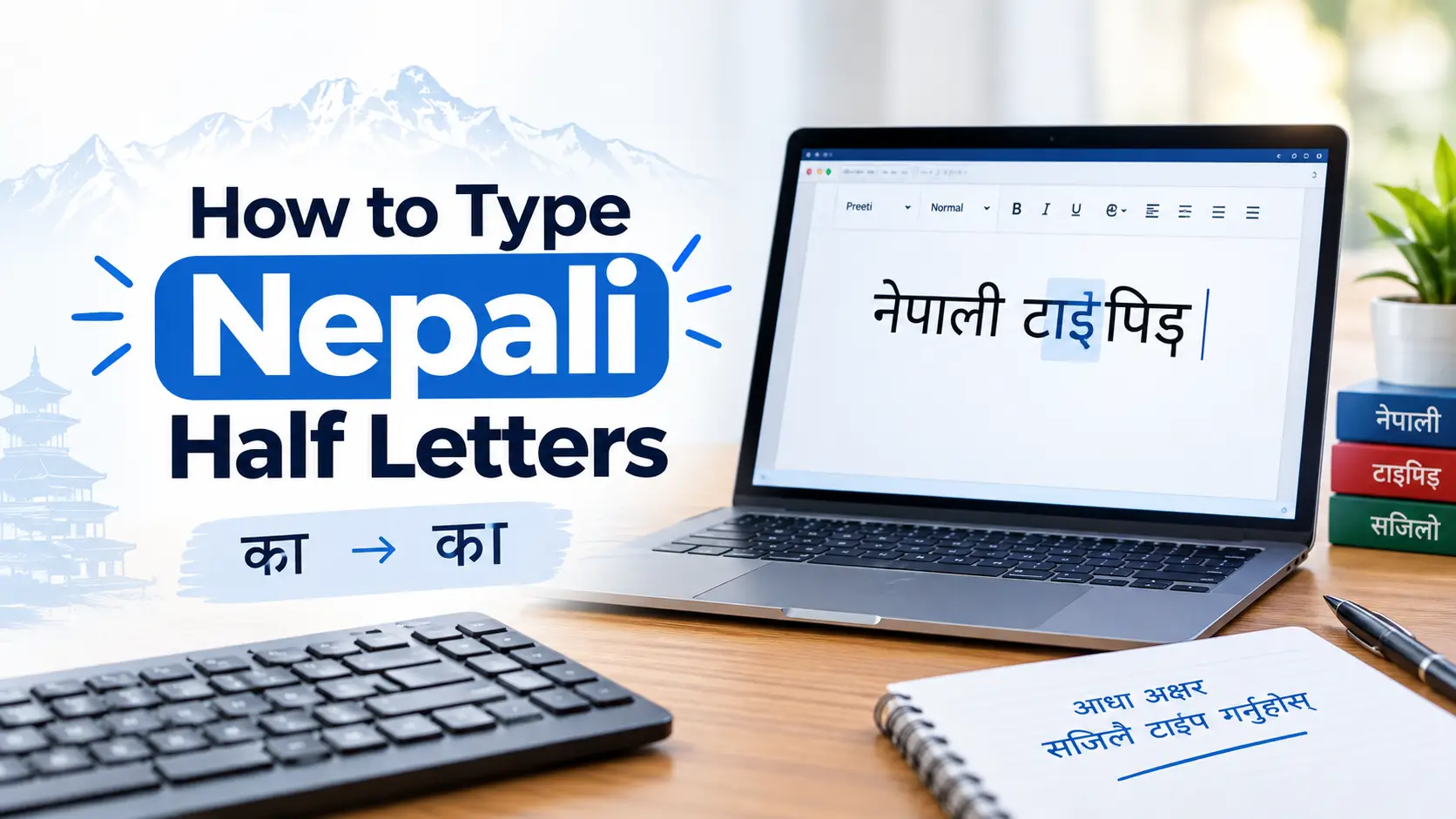
How to type Nepali half letters – consonant plus halant plus consonant on a keyboard

You know how to type क, स and त. But the moment a word needs स्त, क्ष or प्र, the letters refuse to join — you get सत, a stray ् mark, or a box. Half letters (आधा अक्षर) are the single biggest stumbling block for anyone learning Nepali typing.

The good news: every half letter follows one rule. Once you know where the halant (हलन्त, ्) key is on your keyboard, you can type any conjunct in the language — not just the ones you have memorised. This guide shows the rule, then the exact keys for Romanized Unicode, Traditional Unicode, Preeti and mobile keyboards.

Quick answer: A half letter is a consonant + halant (्). Type the first consonant, press the halant key, then type the next consonant: स + ् + त = स्त.

  • Nepali Romanized (Unicode) layout: halant is the / key → s / t = स्त
  • Phonetic tools (Google Input Tools, online converters): just type the sound → mitra = मित्र
  • Preeti: hold Shift + the consonant key for its half form → Shift+; = स्, then t = स्त
  • Mobile: tap the ् key between the two consonants

What Is a Half Letter in Nepali?

Every Nepali consonant carries a built-in “a” sound. क is not just “k” — it is “ka”. When two consonants need to sit together with no vowel between them (like “st” in namaste), the first one has to drop that “a”. The mark that does this is the halant (हलन्त, also called hal or virama): ्.

A consonant with a halant is called a dead consonant (मृत व्यञ्जन) or half letter. Depending on the letters involved, it shows up on screen in one of three ways:

How it looksWhat happensExamples
Half formThe first letter loses its vertical stroke and attaches to the nextस्त, न्त, ग्य, प्य, क्त
Special or stacked shapeThe two letters merge into a new shape or stack verticallyक्ष, त्र, ज्ञ, द्ध, ट्ट, द्य
Visible halantNothing follows, so the ् mark is shown under the letterभगवान्, विद्वान्, जगत्

Behind all three is exactly the same typing sequence. Your font decides the shape — you only decide the order of letters.

The One Rule: Consonant + ् + Consonant

स
consonant (sa)
+
्
halant
+
त
consonant (ta)
=
स्त
half letter + full letter

The same three-step sequence builds every Nepali conjunct: क्ष, त्र, ज्ञ, प्र, र्क and more.

In Unicode (the text used on Facebook, Viber, Google Docs, websites and modern Word files), every conjunct is stored as first consonant → halant → second consonant. Even the “special” letters are not separate keys under the hood:

ConjunctTyped as (Unicode order)Example word
स्तस + ् + तनमस्ते, पुस्तक
क्षक + ् + षशिक्षा, क्षमा
त्रत + ् + रमित्र, पत्र
ज्ञज + ् + ञज्ञान, विज्ञान
श्रश + ् + रश्री, श्रम
द्धद + ् + धबुद्ध, शुद्ध
द्यद + ् + यविद्यालय, विद्यार्थी
प्र (ra below)प + ् + रप्रदेश, प्रेम
र्क (reph above)र + ् + कतर्क, सर्कस
स्त्र (three letters)स + ् + त + ् + रस्त्री, अस्त्र

Notice the two र forms. When र comes first (र्क), it becomes the little hook on top called reph. When र comes second (प्र), it becomes the slanted stroke below. Same keys, different order — that is why धर्म and ध्रम look so different.

If you understand this table, you already understand Nepali half letters. The rest is just finding the halant key on the keyboard you use.

Which Method Should You Use?

Phonetic tools
Chatting, social media, quick posts
Halant: none — type the sound
Romanized layout
Long Unicode documents, blogs, office work
Halant: / key
Traditional / Inscript
Typists trained on the typewriter layout
Halant: or D
Preeti
Lok Sewa tests, print and government offices
Halant: Shift + consonant

Method 1: Romanized Unicode (Easiest for Most People)

Phonetic typing tools

Google Input Tools, Gboard’s transliteration mode and most online “English to Nepali” converters work by sound. You never press a halant — you simply leave out the vowel:

  • namaste → नमस्ते
  • mitra → मित्र
  • shiksha → शिक्षा
  • gyaan → ज्ञान
  • dharma → धर्म

When the tool guesses wrong (for example सत instead of स्त), don’t fight it — pick the right word from the suggestion list, or type the word again a little differently (dhanyabaad vs dhanyawaad). Phonetic tools are fast for chatting but less predictable for official documents.

Nepali Romanized keyboard layout

The Nepali Romanized layout (popularised by Madan Puraskar Pustakalaya and used by many Nepali Unicode setups) maps each Nepali letter to a fixed English key — k = क, s = स, t = त and so on. Here the halant is on the forward slash key /.

  • k / t → क्त
  • s / t → स्त
  • n / t → न्त
  • p / r → प्र
  • j g t / → जगत् (halant at the end of a word)

Because the keys never change, this layout is far more reliable than guess-based phonetic tools once you are typing long documents.

Method 2: Nepali Traditional Unicode or Inscript Layout

If you installed the Nepali keyboard that follows the old typewriter arrangement (Nepali Traditional) or an Inscript-style Devanagari layout, the letters are in fixed positions that don’t match English sounds. The rule is still the same — consonant, halant, consonant — you only need to know where your layout keeps the ् key:

  • Inscript layouts: the halant is on the D key.
  • Nepali Traditional (typewriter-style) Unicode: it is usually on the backslash key, and many Shift+key positions give ready-made half letters, similar to Preeti.

Not sure which layout you have? Switch to Nepali, press Windows + R, type osk and press Enter. The Windows On-Screen Keyboard shows the Nepali character on every key — find ्, then hold Shift to see which half letters sit on the upper layer. New to setting up a Nepali keyboard? Follow our guide on how to type Nepali in laptop first.

Method 3: Typing Half Letters in Preeti

Preeti is still the font of choice for Lok Sewa typing tests, many government offices and print shops. Preeti is not Unicode — each key simply draws a shape — so instead of a halant rule, it gives most half letters their own key: hold Shift and press the consonant.

Full letterPreeti keyHalf letterPreeti key
कsक्S
गuग्U
चrच्R
जhज्H
तtत्T
नgन्G
पkप्K
बaब्A
मdम्D
लnल्N
वjव्J
स;स्: (Shift + 😉
शzश्Z

So in Preeti, नमस्ते is g d : t ] and प्राप्त is k | f K t.

For the full Preeti key map, see our Typeshala keyboard shortcuts and lesson guide.

Ready-made conjunct keys in Preeti

ConjunctPreeti keyExample
त्रqपत्र = kq
त्तQउत्तर = pQ/
ज्ञ1ज्ञान = 1fg
द्ध4बुद्ध
द्यBविद्यालय
्र (ra below)| (Shift + )प्र = k|
र् (reph above){ (Shift + [)कार्य = sfo{
् (visible halant)for letters with no half form, and word endings

Two Preeti habits that trip everyone up

  1. Use Shift, not backslash, to join letters. Pressing in Preeti draws a visible ् mark; it does not glue the letters together the way Unicode does. Use the Shift half-letter keys for joined forms, and keep for letters that have no half form (like द्, ट्, ड्) or for word endings such as भगवान्.
  2. Type in visual order. Preeti types what you see, left to right. The ि matra appears before the whole conjunct, so स्थिति starts with l. Reph (र्) appears on top of the next letter, so it is typed after that letter: कार्य = sfo{. In Unicode it’s the opposite — you always type in sound order.

Typing in Preeti but need to post the text online? Preeti text shows as gibberish anywhere the font isn’t installed. Paste it into a Preeti to Unicode converter and every half letter and conjunct is converted to proper Unicode.

How to Type Half Letters on Mobile

  • Nepali (Devanagari) keyboards such as Gboard’s Nepali layout or Hamro Nepali Keyboard have a ् key. Depending on the keyboard it sits on the main layer, on the second/symbols page, or under a long-press. Tap consonant → ् → consonant.
  • Transliteration mode (type English, get Nepali) works like the phonetic tools above — type mitra, tap मित्र in the suggestions.

Forcing a Visible Halant or a Standalone Half Letter

Sometimes you need the opposite of joining — for example showing क्‌त with the halant visible in a grammar lesson, or a lone half letter like क्‍ for a typing chart. Unicode has two invisible characters for this:

CharacterCodeEffectExample
Zero Width Non-Joiner (ZWNJ)U+200CStops the join — shows the halant markक्‌त instead of क्त
Zero Width Joiner (ZWJ)U+200DShows the half form even with nothing after itक्‍ instead of क्

In Microsoft Word: after the halant, type 200C (or 200D) and press Alt + X. Word turns the code into the invisible character. Many online Nepali keyboards also have dedicated ZWJ/ZWNJ keys.

Why Your Half Letters Aren’t Joining (and How to Fix It)

ProblemLikely causeFix
You see क् त instead of क्तA space or wrong character between the letters, or a ZWNJ slipped inDelete back to the first consonant and retype consonant → ् → consonant
Joins in one app, not in anotherFont has limited conjunct supportUse a full Unicode Nepali font: Kalimati, Mangal, Nirmala UI or Noto Sans Devanagari (see how to install Nepali font)
English letters like k|f appearPreeti text in a non-Preeti font (or pasted online)Select it and apply Preeti, or convert it to Unicode
Backslash shows as Preeti isn’t the active font in WordChoose Preeti in the font box before typing
ि appears on the wrong letter in PreetiTyped in sound order instead of visual orderIn Preeti, type ि before the whole conjunct
Phonetic tool keeps adding a vowelThe tool guessed a different wordPick from suggestions, or switch to a fixed-key Romanized layout

Practise Half Letters Until They’re Automatic

Knowing the rule takes five minutes; typing स्वास्थ्य without stopping takes practice. Drill conjunct-heavy words — शिक्षा, प्रदेश, विद्यार्थी, मन्त्रालय, स्वतन्त्र — in a typing tutor that gives you accuracy feedback:

Frequently Asked Questions

What is a half letter called in Nepali?

It is called आधा अक्षर (half letter) or हलन्त भएको अक्षर. The mark that creates it is the हलन्त (्), also called hal or virama. Two or more consonants joined this way form a संयुक्त अक्षर (conjunct letter).

Which key is halant on the Nepali keyboard?

It depends on the layout: / on the Nepali Romanized layout, D on Inscript layouts, and usually on Nepali Traditional Unicode and Preeti. Open the Windows On-Screen Keyboard (osk) to confirm on your computer.

How do I type क्ष, त्र and ज्ञ?

In Unicode they are क + ् + ष, त + ् + र and ज + ् + ञ. In phonetic tools type ksha, tra and gya. In Preeti, त्र is q, ज्ञ is 1, and क्ष is I followed by f.

How do I type र् (reph) like in धर्म or कार्य?

In Unicode type र + ् + the next consonant: र + ् + म gives र्म. In Preeti, type the following letter first and then {, because reph sits on top of it: कार्य = sfo{.

Why do half letters work in Word but break on Facebook?

Your Word document is probably in Preeti, which only looks correct on computers that have the Preeti font. Facebook, Viber and websites need Unicode. Convert the text to Unicode before you paste it.

Is it better to learn Preeti or Unicode for half letters?

Learn Unicode for everyday use — the halant rule works the same everywhere and the text displays on any device. Learn Preeti too if you are preparing for a Lok Sewa typing test or work in an office that still uses it.

Final Tip

Stop memorising conjuncts one by one. Find the halant key on your layout, remember consonant + ् + consonant, and every half letter in Nepali — from स्त to स्त्र — is just three keystrokes away.

How to Type Nepali in Laptop (Windows 11, Mac & Chromebook, 2026)

How to Type Nepali in Laptop (Windows 11, Mac & Chromebook, 2026)

By Wilson Shrestha · Updated October 6, 2026 · 12 min read

How to type Nepali in laptop on Windows 11, Mac and Chromebook

To type Nepali in a laptop, add Nepali as a keyboard language in your laptop’s settings, then press Windows + Space (or Control + Space on a Mac) to switch between English and Nepali. You don’t need a keyboard with Nepali letters printed on it, you don’t need to buy software, and once it’s set up it works offline in every app.

The catch is choosing the right way of typing. Laptops can type Nepali with a fixed Traditional layout, a Romanized layout, an online phonetic tool or the old Preeti font — and many guides still send you to download Google Input Tools for Windows, which Google stopped offering years ago. This guide gives you the method that fits you, the exact steps for Windows 11, Mac and Chromebook, a half-letter cheat sheet and fixes for the problems people actually hit.

Quick answer: type Nepali on a Windows 11 laptop in 5 steps

  1. Open Settings → Time & language → Language & region.
  2. Next to Preferred languages, click Add a language.
  3. Search Nepali (नेपाली), select it, click Next, then Install.
  4. Press Windows + Space and pick Nepali (the taskbar shows NEP).
  5. Open Notepad and type. Press K then F and you get पा.

Which Nepali Typing Method Should You Use?

Pick by how often you type Nepali and whether an exam or office expects a specific layout. All four methods below produce Nepali on an ordinary English laptop keyboard.

MethodHow it worksInternetLearning timeBest for
Built-in Nepali keyboard (Traditional)Each key gives a fixed Nepali letter, mostly in the same places as PreetiNo2–4 weeks of practiceDaily typists, office work, Lok Sewa
Romanized layoutFixed keys that follow English sounds: K = क, M = मNoA few daysEnglish typists who want offline Nepali
Online phonetic toolType “namaste” and get नमस्ते, with word suggestionsYesMinutesOccasional messages and posts
Preeti fontA legacy font that draws Nepali over English lettersNo2–4 weeksEditing old office documents, printing

My pick if you type Nepali every day

The built-in Nepali keyboard. It costs a few weeks of practice, but it works in every app, needs no internet, and the key positions match what Lok Sewa typing tests and most offices use.

My pick if you type Nepali now and then

An online phonetic tool. Type the way the word sounds, copy, paste. No setup and nothing to memorise.

Unicode vs Preeti in 60 Seconds

Unicode is the modern standard. Every Nepali letter has its own code, so Unicode text shows correctly on websites, Facebook, Gmail, Google search and any phone — no special font needed. Every method in this guide except Preeti produces Unicode.

Preeti is a font, not a language setting. It draws Nepali shapes on top of ordinary English letters, so नेपाल is really stored as “g]kfn”. Send that to someone without the Preeti font and they see the English letters. Use Preeti only when an office or an old document needs it — you can download the Preeti font with its layout here.

Good news for Preeti typists: the Windows Nepali keyboard puts most letters on the same keys as Preeti, so your muscle memory carries over and your output becomes Unicode. Have old Preeti files? Convert them with the free Preeti ↔ Unicode converter.

How to Add the Nepali Keyboard in Windows 11

This is a one-time setup that takes about five minutes. Windows downloads a small language file, so stay online until it finishes.

1

Open Language & region

Click Start → Settings → Time & language → Language & region.

2

Click Add a language

It sits next to Preferred languages.

3

Search for Nepali

Type Nepali, select नेपाली Nepali and click Next.

4

Install, but don’t change your display language

Untick Set as my Windows display language unless you want menus in Nepali, then click Install.

5

Check the keyboard was added

Click the ··· next to Nepali → Language options. Under Keyboards you should see Nepali. If the list is empty, click Add a keyboard.

6

Switch and type

Press Windows + Space, choose Nepali, and start typing.

Test it in Notepad

Open Notepad, switch to Nepali and press these keys. If Nepali letters appear, you are done.

PressYou get
K Fपा
G Dनम
S F Dकाम

The Windows Nepali keyboard: home-row map

Your fingers rest on these ten keys. The big letter is what you get normally; the small one underneath is what you get with Shift. Notice that Shift often gives the half letter.

LEFT HAND

A

ब

ब्

S

क

क्

D

म

म्

F

ा

ँ

G

न

न्

RIGHT HAND

H

ज

ज्

J

व

व्

K

प

प्

L

ि

ी

;

स

स्

Windows Nepali keyboard (KBDNEPR), home row. Large = normal key, small blue = with Shift. Colours show which finger presses each key.

See every key at once: with Nepali active, press Windows + Ctrl + O to open the On-Screen Keyboard. It shows the Nepali letter on each key, and pressing Shift on it shows the second layer. Keep it open in a corner while you learn.

Still on Windows 10?

The path is Settings → Time & Language → Language → Add a preferred language; everything else is the same. Microsoft ended Windows 10 support on 14 October 2025, so if your laptop can run Windows 11, the upgrade is worth it for security alone.

Can You Type Nepali Phonetically in Windows?

Not with a built-in Nepali option. Windows 10 and 11 include phonetic keyboards — where you type “namaste” and get नमस्ते — for 10 Indian languages: Hindi, Bangla, Tamil, Marathi, Punjabi, Gujarati, Odia, Telugu, Kannada and Malayalam. Nepali isn’t on Microsoft’s list. Some guides say otherwise; they are wrong. You have three real options:

1. A Romanized layout

The Nepali Unicode Romanized layout from Madan Puraskar Pustakalaya maps sounds to keys (K = क, M = म) and works offline. Its old installer can fail on Windows 10 and 11; community rebuilds exist on GitHub. Install only from a source you trust.

2. The Hindi Phonetic workaround

Add Hindi, then the Hindi Phonetic keyboard. It types Devanagari — the same script as Nepali — but its word suggestions come from a Hindi dictionary, so Nepali-only words may need fixing by hand. Fine for short notes.

3. An online phonetic tool

The easiest route if you have internet: type in a browser tool and paste the result. See typing Nepali online below.

If you added Hindi Phonetic and see “IME is not ready yet”, its dictionary is still downloading. Go to Hindi → Language options and click Download next to Basic typing.

Is Google Input Tools Still Available for Windows?

No. Google discontinued the Windows version of Google Input Tools in 2018 and removed the download from its website. Older blog posts that tell you to “download Google Input Tools Nepali” are pointing at something that no longer exists officially.

What still works from Google:

  • The Google Input Tools Chrome extension — phonetic Nepali inside the Chrome browser only, not in Word or other desktop apps.
  • Gmail — Settings → See all settings → Language → tick Enable input tools and choose Nepali.
  • Chromebooks — Google’s Nepali transliteration is built in (see below).

Don’t download Google Input Tools .exe files from random sites

Copies on download portals are unsupported and can be bundled with adware. Since Windows already has a Nepali keyboard built in, there’s no reason to take the risk.

Type Nepali Online Without Installing Anything

On a borrowed laptop, an office PC where you can’t change settings, or when you only need one paragraph, a browser tool is quickest:

  1. Open our English to Nepali Unicode converter.
  2. Type the Nepali words the way they sound: mero naam becomes मेरो नाम.
  3. Copy the Nepali text with Ctrl + C.
  4. Paste it anywhere: Word, Facebook, a government form, an email.

Three tricks for that converter

  • End a word with a backslash to keep the halant: bas\ = बस्
  • Use a slash to stop two letters joining: pratishat/ko = प्रतिशतको
  • Keep English words in curly brackets: yo {mobile} mero ho = यो mobile मेरो हो

How to Switch Between English and Nepali

You’ll switch dozens of times a day, so learn the shortcut for your laptop.

LaptopShortcutOr click
Windows 11 / 10Windows + Space (also Left Alt + Shift)ENG / NEP on the taskbar
Mac / MacBookControl + Space, or the Globe (fn) keyInput menu in the menu bar
ChromebookCtrl + Space (previous), Ctrl + Shift + Space (next)Input code on the shelf
Linux (GNOME)Super + SpaceInput indicator, top bar

Windows remembers the language per window in some apps, so if Notepad suddenly types English again, just switch once more in that window.

How to Type Nepali on a Mac or MacBook

macOS has a built-in Nepali keyboard. No download needed.

  1. Open System Settings → Keyboard.
  2. Under Text Input, click Edit next to Input Sources.
  3. Click +, search Nepali, select it and click Add.
  4. Turn on Show Input menu in menu bar.
  5. Press Control + Space (or the Globe key) to switch, and type.

See the layout: click the Input menu in the menu bar and choose Show Keyboard Viewer. It shows which Nepali letter sits on each key.

Prefer sound-based keys? Under Hindi you can add Devanagari – QWERTY, where keys follow English sounds (K gives क). It types the same Devanagari letters Nepali uses, though it is a fixed layout, not a suggestion-based phonetic tool.

How to Type Nepali on a Chromebook or Linux Laptop

Chromebook

Open Settings → Device → Keyboard and inputs → Input (wording varies slightly by ChromeOS version), click Add input methods and search Nepali. You’ll usually see two choices: Nepali with InScript keyboard (fixed keys) and a नेपाली transliteration option, where you type by sound. Pick the transliteration one if you want “namaste” to become नमस्ते.

Linux

In Ubuntu and other GNOME desktops, go to Settings → Keyboard → Add Input Source and add Nepali for the fixed layout. For sound-based typing, install the ibus-m17n package and add its Nepali Romanized input method.

How to Type Nepali in MS Word, Google Docs and Gmail

MS Word uses whatever keyboard Windows or macOS is set to. Switch to Nepali and type — there’s nothing to install inside Word. The only thing that goes wrong is the font. If letters look broken or matras sit in the wrong place, select the text and change the font to one of these:

FontUnicode?Use it for
Nirmala UIYes, built into WindowsEveryday documents, nothing to install
KalimatiYesGovernment letters and office documents in Nepal
MangalYesOlder Office templates
PreetiNoOnly old documents already typed in Preeti

Need help installing a font? Follow our guide to install a Nepali font on Windows 11.

Google Docs and Gmail work with your laptop’s Nepali keyboard like any other website. Without the keyboard installed, you can turn on Google’s own input tools in Gmail (see above) or paste text from an online converter.

How to Type Half Letters and Conjuncts in Nepali

A half letter is a consonant plus a halant (्). In Unicode you type the letter, the halant, then the next letter, and the font joins them: क + ् + य = क्य. The Windows Nepali keyboard saves keystrokes by putting common half letters and conjuncts on their own keys.

To getWindows Nepali keyboardMost phonetic tools
ब् क् म् न् (half letters)Shift + the letter’s key (Shift + A = ब्)Type the consonant with no vowel
् (halant)Shift + \ (backslash key)\ after the letter, e.g. bas\
क्षShift + Iksha
ज्ञShift + 1gya or jna
श्रShift + . (full stop key)shra
त्र, प्र (letter + ्र)The letter, then \ (T then \ = त्र)tra, pra
। (purna biram). (full stop key). or |
ँ (chandrabindu)Shift + F~ or ^ in many tools

Phonetic tools differ slightly in their spelling rules, so test a word before typing a long document. On Windows, the On-Screen Keyboard (Windows + Ctrl + O) is the quickest way to find any character not listed here.

Nepali Keyboard Not Working on Your Laptop? Fixes

ProblemLikely causeFix
Nepali isn’t in the Windows + Space listLanguage installed but no keyboard addedNepali → ··· → Language options → Add a keyboard → Nepali
Still typing EnglishSwitched in a different windowClick inside the app first, then press Windows + Space
Nepali shows as empty boxesThe font has no Devanagari lettersChange the font to Nirmala UI or Kalimati
Text looks like “g]kfn”It was typed in PreetiInstall Preeti, or convert it with the Preeti ↔ Unicode converter
Matras or half letters breakOld app or non-Unicode fontUse a Unicode font; update the app
Wrong letters with Caps Lock onCaps Lock acts like Shift on Nepali keysTurn Caps Lock off
“IME is not ready yet”Phonetic dictionary still downloadingLanguage options → Download next to Basic typing

How to Improve Your Nepali Typing Speed

Setting up the keyboard takes five minutes; typing fast takes practice. Because the Windows Nepali keyboard shares most key positions with Preeti, the classic Typeshala drills train exactly the right muscle memory.

Practise in your browser

Online Typeshala gives row-by-row Nepali lessons, live WPM and a timed test. Free, no download.

Practise offline

Download Typeshala for Windows if your internet is unreliable or you practise in a computer lab.

Practise with a game

Bored of drills? Play the Typeshala Ramayana game in Nepali or English.

Preparing for a government exam? Read Typeshala for Lok Sewa for speed targets and exam-day tips.

Frequently Asked Questions

Can I type Nepali on a laptop without internet?

Yes. Once the Nepali keyboard is added in Windows, macOS, ChromeOS or Linux, it works fully offline in every app. You only need internet for the one-time setup download and for online converters.

What is the shortcut to change the keyboard from English to Nepali?

On Windows, press Windows + Space (or Left Alt + Shift). On a Mac, press Control + Space or the Globe key. On a Chromebook, press Ctrl + Space.

Is Google Input Tools still available for Windows 11?

No. Google discontinued the Windows version in 2018. Google Input Tools now works only as a Chrome extension and inside Google services like Gmail. Use the built-in Windows Nepali keyboard instead.

Can I type Nepali using English letters on Windows?

Not with a built-in Nepali option, because Windows’ phonetic keyboards don’t include Nepali. Use an online English-to-Nepali converter, a Romanized Nepali layout, or the Hindi Phonetic keyboard as a Devanagari workaround.

Which Nepali keyboard layout is used in Lok Sewa typing tests?

Typing tests in Nepal are generally based on the Preeti / Traditional key positions rather than Romanized typing. Requirements can differ by post, so always check the official vacancy notice.

Why does my Nepali text show as boxes?

The app is using a font without Devanagari letters. Select the text and switch to a Unicode Nepali font such as Nirmala UI or Kalimati.

Do I need to install a Nepali font to type Unicode?

No. Windows, macOS and ChromeOS already include fonts that display Nepali Unicode. Install Kalimati only if your office or template asks for it.

Can I type Nepali on a MacBook?

Yes. Go to System Settings → Keyboard → Input Sources, add Nepali, and switch with Control + Space. No download is needed.

The Short Version

Add Nepali in your laptop’s language settings, switch with Windows + Space or Control + Space, and use a Unicode font. If you only type Nepali occasionally, an online converter is enough. Then put ten minutes a day into Typeshala and you’ll be typing Nepali faster than you write it by hand.

Sources

Steps checked against Microsoft’s support documentation in October 2026. Menu names can shift slightly with Windows and macOS updates; if a step doesn’t match your screen, look for the closest option under Language or Keyboard settings.