Nepali to English Date Converter (BS to AD)

Nepali Date Converter

Instantly convert between Bikram Sambat (BS) and Gregorian (AD) dates — plus date difference and age.

Date
Bikram Sambat
—
—
Gregorian (AD)
—
—
From
to
To
—
Pick two dates to see the difference
Date of birth
Age as of
—
Pick a date of birth to calculate age

Supports BS 2000–2086 (AD 1943–2030), verified with an automated round-trip test. Runs entirely in your browser — nothing you enter is sent or stored anywhere.

Nepali to English Date Converter (BS to AD): Convert Any Bikram Sambat Date Accurately
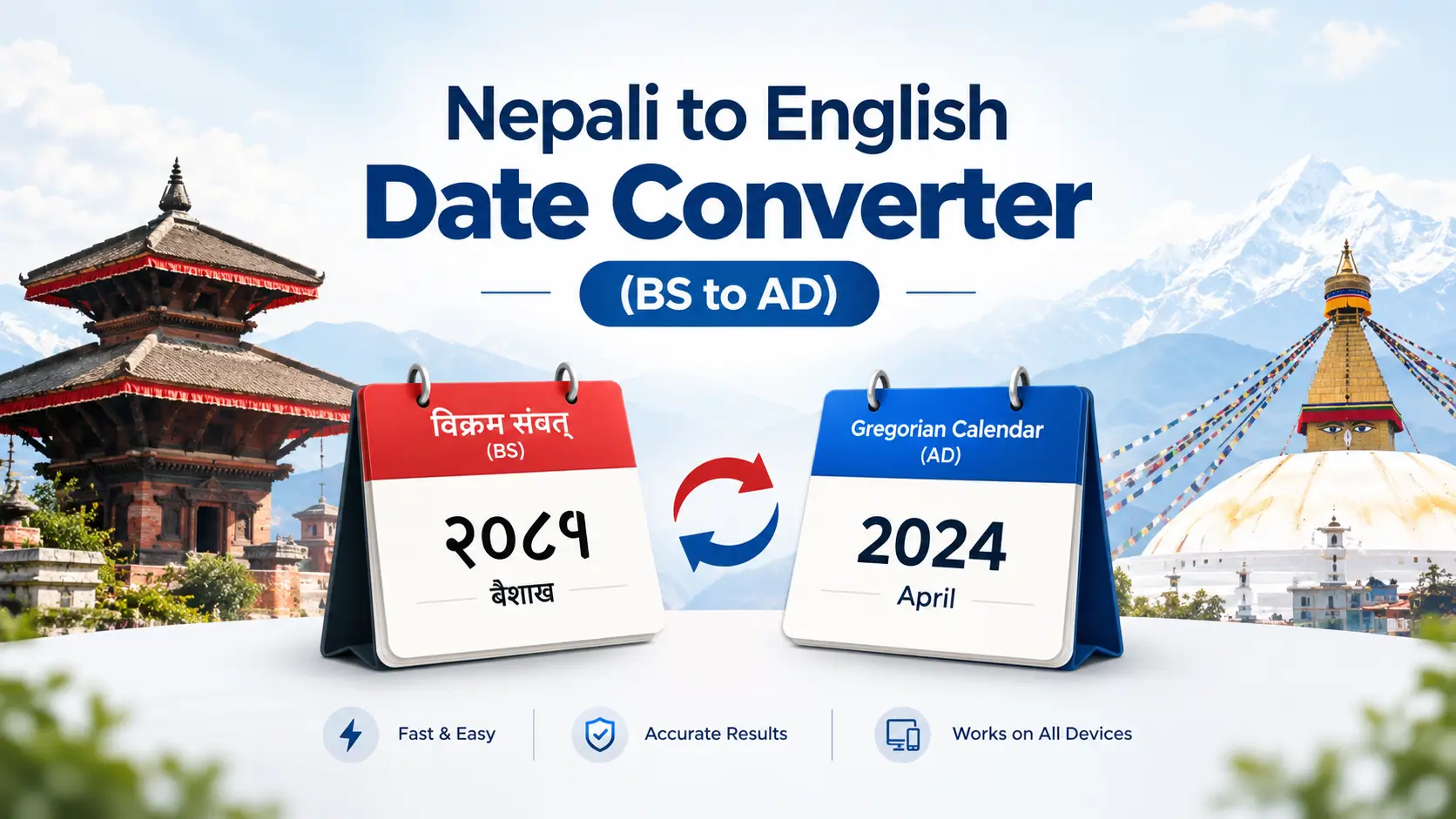
Nepali to English date converter (BS to AD) alt="Nepali to English Date Converter showing Bikram Sambat date Ashwin 1, 2083 converted to September 17, 2026 AD" width="1200" height="675" loading="eager" decoding="async">
Convert Bikram Sambat (BS) dates to Gregorian (AD) dates instantly — with the correct weekday.

Quick answer: A Nepali to English date converter turns a Bikram Sambat (BS) date into its exact Gregorian (AD) equivalent. Bikram Sambat runs roughly 56 years and 8½ months ahead of the English calendar, so Ashwin 1, 2083 BS = 17 September 2026 AD (Thursday). Because Nepali months vary between 29 and 32 days each year, there is no fixed formula — the conversion has to be read from the published calendar data for that specific year.

If you have ever filled in a passport form, a DV Lottery entry, a foreign university application or a bank KYC form, you already know the problem: your citizenship certificate says 2045 Bhadra 12, and the form wants a day, a month and a year in English. Guessing costs you a rejected application.

I built the converter on this page after watching too many people do the maths by hand and get it wrong by a day or two. This guide explains exactly how BS to AD conversion works, where people slip up, and what most converters on the internet quietly get wrong — including the timezone bug that shows the wrong Nepali date to every Nepali living outside Nepal.

What a Nepali to English Date Converter Actually Does

Nepal runs on two calendars at once. Government offices, courts, land records, school certificates, tax filings and festivals all use Bikram Sambat (BS). Airlines, embassies, foreign universities, banks and virtually every international system use the Gregorian calendar (AD). A date converter — miti pariwartan in Nepali — is the bridge between the two.

A good converter does four things:

  • BS → AD: turns a Nepali date such as Ashwin 1, 2083 into 17 September 2026.
  • AD → BS: turns an English date back into the Nepali miti, for citizenship records or festival planning.
  • Returns the weekday — critical when a deadline falls on a Saturday or a public holiday.
  • Outputs in both scripts, so you can paste Devanagari (२०८३ असोज १) into Nepali forms and Roman text into English ones.

The converter above adds two things most tools skip: a Difference tab that counts the days between two dates in either calendar, and an Age tab that calculates exact age from a BS date of birth.

Why Bikram Sambat and Gregorian Dates Never Line Up

Most people assume there is a simple sum: add 57 years, subtract some months, done. There isn't, and understanding why will save you from a lot of bad guesses.

1. The year gap changes twice a year

The Bikram Sambat era begins in 57 BCE, which puts it about 56 years and 8½ months ahead of the Gregorian calendar. But the Nepali year starts in mid-April, not in January. The practical result:

  • From mid-April to 31 December, BS year = AD year + 57. (September 2026 → 2083 BS)
  • From 1 January to mid-April, BS year = AD year + 56. (February 2027 → still 2083 BS)

This is why a single BS year always straddles two AD years — and why "2083 BS" can't be translated into one English year.

2. Nepali months have no fixed length

In the Gregorian calendar, April always has 30 days. In Bikram Sambat, month lengths are fixed each year by astronomical calculation of the sun's position, so a month can run 29, 30, 31 or 32 days, and the same month can differ from one year to the next. Ashadh might be 31 days one year and 32 the next. A whole BS year is therefore 365 or 366 days, but distributed unpredictably across the twelve months.

That is the real reason a converter needs a lookup table of published month lengths rather than a formula. Anyone claiming a clean arithmetic shortcut is approximating.

3. Every Nepali month spans two English months

Baishakh is not April. Baishakh runs from roughly mid-April to mid-May. Shrawan is not July — it runs mid-July to mid-August. Every single Nepali month cuts across the boundary between two Gregorian months, which is exactly where mental arithmetic falls apart.

2083 BS Month Lengths and Their English Dates

Here is the full mapping for the current Nepali year, 2083 BS. I have cross-checked these against the published patro data and round-tripped every boundary date through the converter.

Nepali months of 2083 BS with day counts and corresponding English date ranges
Nepali monthDevanagariDays in 2083English (AD) date range
Baishakhवैशाख3114 Apr 2026 – 14 May 2026
Jesthaजेठ3115 May 2026 – 14 Jun 2026
Ashadhअसार3215 Jun 2026 – 16 Jul 2026
Shrawanसाउन3117 Jul 2026 – 16 Aug 2026
Bhadraभदौ3117 Aug 2026 – 16 Sep 2026
Ashwin (Asoj)असोज3117 Sep 2026 – 17 Oct 2026
Kartikकात्तिक3018 Oct 2026 – 16 Nov 2026
Mangsirमंसिर2917 Nov 2026 – 15 Dec 2026
Poushपुस2916 Dec 2026 – 13 Jan 2027
Maghमाघ3014 Jan 2027 – 12 Feb 2027
Falgunफागुन3013 Feb 2027 – 14 Mar 2027
Chaitraचैत3015 Mar 2027 – 13 Apr 2027

Total: 365 days. Note how Ashadh reaches 32 days while Mangsir and Poush drop to 29 — a 3-day swing between months inside the same year. Do not reuse this table for 2084 BS. The lengths are recalculated every year.

Useful anchor dates to memorise: Baishakh 1, 2083 = 14 April 2026 (Tuesday, Nepali New Year) · Baishakh 1, 2084 = 14 April 2027 · Magh 1, 2083 = 14 January 2027 (Maghe Sankranti).

How to Convert a Nepali Date to English, Step by Step

Converting BS to AD (Nepali date of birth to English)

  1. Copy the date exactly as printed on your document. Take it from your citizenship certificate, birth registration or SLC/SEE certificate — not from memory, and not from a relative's recollection.
  2. Set the toggle to BS. This tells the converter you are entering a Bikram Sambat date.
  3. Select the year first, then the month, then the day. The day dropdown reloads once the month is chosen, because some months offer 32 days and others only 29.
  4. Read the AD result together with the weekday. The weekday is your free error check — more on that below.
  5. Copy the result in the format the form asks for. Most Nepali government forms want DD/MM/YYYY; US forms (including the DV Lottery) usually want MM/DD/YYYY. The same date, written the wrong way round, reads as a completely different day.

Converting AD to BS (English date to Nepali miti)

The process is identical in reverse: switch the toggle to AD, pick the Gregorian year, month and day, and read the Bikram Sambat result. This is what you need when a foreign-issued certificate must be entered into a Nepali system, or when you want to know which Nepali miti your English birthday falls on this year.

The round-trip check I always run

This takes ten seconds and catches almost every input error. After converting BS → AD, convert the answer straight back AD → BS. If you don't land on the exact date you started with, something went wrong — usually a mis-picked month, or a BS year typed as an AD year.

The second check is the weekday. If you know your birth certificate or an older family member says you were born on a Friday and the converter returns a Monday, stop and re-check the input before that date goes anywhere official.

The Manual Method (For When You Have No Internet)

You cannot convert exactly by hand, but you can get within a day or two — enough to sanity-check a result:

  • Subtract 56 years and 8 months and about 15 days from the BS date.
  • Or, faster: identify which half of the Nepali year the date falls in. If the Nepali month is Baishakh through Poush, subtract 57 from the BS year. If it is Magh, Falgun or Chaitra, subtract 56.
  • Then shift the day: the 1st of a Nepali month lands somewhere between the 12th and the 18th of the corresponding English month.

Never use the manual method for anything official. It will be off by one to three days. It is a plausibility check, not a conversion. For documents, always use the converter.

Where You Will Actually Need BS to AD Conversion

  • Nepali passport applications. The form asks for date of birth in both BS and AD, and the two must agree with your citizenship certificate.
  • DV Lottery and visa applications. The US Diversity Visa entry, Schengen applications and most embassy forms accept AD only, and a mismatch against your passport is a hard rejection.
  • Lok Sewa Aayog and government exams. Vacancy notices, deadlines and age-eligibility limits are all announced in BS. If you are abroad, you need the AD dates to plan travel and file on time.
  • SEE, NEB and university admissions. Registration portals often require AD birth dates even though your school records are all in BS. If you are also working out your grade point average, the SEE GPA calculator handles the other half of that paperwork.
  • Foreign employment (EPS Korea, Gulf, Japan). Contracts, medical reports and insurance documents run on AD dates while your source documents are in BS.
  • Banking, KYC and remittance. Nepali banks record account opening in BS; international correspondent banks want AD.
  • Property and legal documents. Lalpurja, sale deeds and court filings are dated in BS. NRNs handling family property from abroad convert these constantly.
  • Business invoicing and VAT. IRD-compliant bills in Nepal carry BS dates, while accounting software and foreign clients expect AD. If you run a shop or a service business, the invoice generator and billing software is built for exactly this dual-date reality.
  • Document translation. Certified translators convert every date on a transcript or certificate — and a single wrong digit invalidates the attestation.

7 Conversion Mistakes I See Constantly

These come from real support messages and from watching people use the tool.

1. Treating the BS year as an AD year

Someone born in 2050 BS types "1950" or "2050 AD" into an English form. A BS year in the 2000s corresponds to an AD year in the 1940s–1990s. Always label which calendar you are writing in.

2. Assuming Baishakh = April

The single most common error. A date in late Baishakh falls in May, not April. The same trap applies to every month.

3. The day-32 problem

Nepali months can have 32 days. Plenty of web forms — and plenty of databases — silently reject or truncate day 32 because the Gregorian calendar never goes past 31. If a date in Ashadh or Jestha won't save, this is almost always why.

4. Converting the wrong date of birth

Many Nepalis have two birth dates: the real one, and the one recorded on the birth registration or citizenship certificate (sometimes registered years later, sometimes rounded to Baishakh 1). For any official form, convert the date printed on the document — consistency with your paperwork matters more than biographical accuracy.

5. Mixing up DD/MM and MM/DD

3 May reads as 5 March in the American format. Check which convention the form uses before you type.

6. Trusting a converter for very old dates

Conversions before roughly 1970 BS are reconstructed from historical records rather than from published official patro, and different tools genuinely disagree by a day. For pre-1970 BS dates, check two independent converters and, where a legal document is involved, verify with the issuing office.

7. Copying the date but forgetting the year boundary

Chaitra 30, 2083 is 13 April 2027 — a different AD year from Baishakh 1, 2083 (14 April 2026), even though both sit inside the same Nepali year. When a deadline is announced as "Chaitra 2083", check which English year that lands in.

What Most Nepali Date Converters Don't Tell You

Having built one, here are the things I wish more tools were honest about.

The timezone trap for Nepalis abroad

Nepal Standard Time is UTC+5:45 — a 45-minute offset shared with almost nowhere else on earth. Many converters derive "today's Nepali date" from the visitor's browser clock. If you are in New York, Sydney or Riyadh, that can show you yesterday's or tomorrow's Nepali date. A correctly built converter anchors "today" to Nepal Standard Time regardless of where the visitor sits. It is a small detail that matters enormously when you are checking whether a Lok Sewa deadline has passed.

Adhik Maas does not apply to the Nepali calendar

You will see converters advertising support for Adhik Maas (the extra month). That belongs to the lunar Vikram Samvat used in parts of India. Nepal's Bikram Sambat is a solar calendar — it has no leap month. It absorbs the extra fraction of a day by varying the length of ordinary months, which is exactly why Ashadh sometimes stretches to 32 days. If a tool inserts a thirteenth month into a Nepali year, it is applying the wrong calendar system.

Supported ranges vary wildly — and matter

Different converters cover different spans: some handle roughly 1898–2101 BS, others stretch from 1658 BS onward. Wider isn't automatically better. Anything outside the well-documented modern range (about 1970–2100 BS) is extrapolated. If your date falls outside that window, treat the answer as indicative.

Age in BS is not the same as age in AD

Because the Nepali year starts in mid-April, your "Nepali age" can tick over months before your English birthday. For anything with an age cut-off — Lok Sewa eligibility, driving licence, retirement — calculate it properly rather than subtracting years. The Nepali age calculator works directly from a BS date of birth and gives you exact years, months and days.

The weekday is the feature nobody advertises

Most converters return only a date. The weekday tells you whether a deadline falls on a Saturday (Nepal's weekly holiday), whether an office will be open, and — as described above — gives you a free cross-check against the original document.

BS to AD Year Reference (2080–2084)

BS yearStarts (Baishakh 1)Ends (Chaitra last day)Spans AD years
208014 Apr 202312 Apr 20242023–2024
208113 Apr 202413 Apr 20252024–2025
208214 Apr 202513 Apr 20262025–2026
2083 (current)14 Apr 202613 Apr 20272026–2027
208414 Apr 2027mid-Apr 20282027–2028

Nepali New Year always lands between 12 and 15 April. If you ever see a converter placing Baishakh 1 in March or May, close it.

A Short Note on Why I Built This

I am a web developer based in Kathmandu, and the trigger was mundane: helping a relative fill in a visa application where the existing tools returned three slightly different answers for a 1960s BS birth date. One had the day right and the weekday wrong. One was off by a day. One rejected the 32nd of Ashadh outright.

So the converter on this page was built around three rules: pin "today" to Nepal Standard Time rather than the visitor's clock; allow every valid day including the 32nd; and always show the weekday so users can verify the result themselves. It runs entirely in your browser — nothing you type is sent anywhere or stored.

Frequently Asked Questions

What is today's Nepali date in English?

Today is Ashwin 1, 2083 BS, which is 17 September 2026 AD (Thursday). Use the converter above for any other date — it anchors "today" to Nepal Standard Time, so the result is correct whether you are in Kathmandu or overseas.

How many years ahead is the Nepali calendar?

About 56 years and 8½ months. In practice, add 57 to the English year between mid-April and December, and 56 between January and mid-April.

How do I convert my Nepali date of birth to English?

Set the toggle to BS, select the year, month and day exactly as printed on your citizenship certificate, and read the AD result. Then convert it back the other way to confirm you land on the same Nepali date.

Is there a formula to convert BS to AD?

No exact one. Nepali month lengths vary from 29 to 32 days and change every year, so conversion relies on published calendar data rather than arithmetic. Subtracting roughly 56 years, 8 months and 15 days gets you close but is usually off by a day or more.

Which year is 2083 BS in AD?

2083 BS runs from 14 April 2026 to 13 April 2027, so it covers parts of both 2026 and 2027. No single English year matches it.

Can a Nepali month really have 32 days?

Yes. Month lengths are set by the sun's position, and months such as Jestha and Ashadh often run to 32 days. In 2083 BS, Ashadh has 32 days while Mangsir and Poush have only 29.

Is this converter accurate enough for a passport or visa application?

Yes, for dates within the modern published range of roughly 1970–2100 BS. For older dates, cross-check against a second converter and, if a legal document depends on it, confirm with the issuing office.

Why do different date converters give different answers?

Almost always for pre-1970 BS dates, where month lengths are reconstructed from historical sources rather than official records. For dates in the modern range, well-built converters agree.

When does the Nepali New Year fall?

Baishakh 1, always between 12 and 15 April. Baishakh 1, 2083 fell on 14 April 2026, and Baishakh 1, 2084 falls on 14 April 2027.

Does the converter work offline or store my data?

The conversion runs in your browser. Nothing you enter is transmitted or saved, which matters when you are converting a date of birth from an identity document.
About the author — Wilson Shrestha is a web developer based in Kathmandu, Nepal, building free Nepali utility tools at wilson.com.np. He develops and maintains this BS ⇄ AD converter, the Nepali age calculator and the SEE GPA calculator, and works with Nepali businesses on billing systems that handle dual-calendar records. Last updated: 17 September 2026 (Ashwin 1, 2083).

Get Started with HTML & CSS: A Practical Beginner’s Guide

Get Started with HTML & CSS: A Practical Beginner's Guide

Get Started with HTML & CSS: A Practical Beginner’s Guide

Embarking on the journey to learn web development can be both exciting and daunting. If you’re looking to get started with HTML and CSS, you’re in the right place. These foundational technologies form the backbone of web development, allowing you to create visually appealing and functional web pages. This guide will walk you through the basics, provide step-by-step instructions, and help you avoid common pitfalls.

📌 Key Takeaways

  • Learn the basics of HTML and CSS to build web pages.
  • Step-by-step instructions for beginners to start coding.
  • Understand common mistakes and how to avoid them.
id=”introduction-to-html-and-css” class=”autoblogger-h2″ style=”font-size: 1.75rem; font-weight: 800; color: #0f172a; margin: 2.5rem 0 1.25rem 0; border-bottom: 2px solid #e2e8f0; padding-bottom: 0.5rem;”>Introduction to HTML and CSS

To create web pages that are both functional and attractive, you need to understand HTML and CSS. Let’s delve into what each of these technologies does.

What is HTML?

HTML, or Hypertext Markup Language, is the standard language used to create web pages. It provides the structure by defining elements such as headings, paragraphs, links, and images. HTML acts as the skeleton of your web page, which you can further enhance with CSS. For a deeper dive into HTML, you can refer to the [HTML Living Standard](https://html.spec.whatwg.org/multipage/).

What is CSS?

CSS, or Cascading Style Sheets, is used to style and layout your web pages. While HTML structures the content, CSS is responsible for its appearance, including colors, fonts, and spacing. By using CSS, you can transform a plain HTML document into a visually engaging web page. For more on CSS, check out the [CSS Specifications](https://www.w3.org/Style/CSS/specs.en.html).

Setting Up Your Development Environment

Before you start coding, it’s essential to set up a suitable environment. This involves choosing a text editor and installing a web browser.

Choosing a Text Editor

A text editor is a crucial tool for writing code. There are many options available, but for beginners, editors like Visual Studio Code, Sublime Text, or Atom are recommended. They offer features like syntax highlighting and code autocompletion, which can make your coding experience smoother.

Installing a Web Browser

A modern web browser is indispensable for testing and viewing your web pages. Browsers like Google Chrome, Mozilla Firefox, and Safari provide robust developer tools to inspect and debug your code. Always ensure your browser is up-to-date to take advantage of the latest features and security updates.

Basic HTML Structure - get started HTML CSS
Basic HTML Structure

Basic HTML Structure

Understanding the basic structure of an HTML document is essential. Here’s how you can create your first HTML page.

HTML Elements and Tags

HTML documents are made up of elements enclosed in tags. Common elements include `

` for headings, `

` for paragraphs, and `` for links. Tags usually come in pairs: an opening tag (`

`) and a closing tag (`

`).

Creating Your First HTML Page

  1. Open your text editor and create a new file.
  2. Write the basic HTML structure. Here’s a simple example:

“`html My First Web Page

Welcome to My First Web Page

This is a paragraph of text on my web page.

“`

  1. Save the file with a `.html` extension, such as `index.html`.
  2. Open the file in your web browser to view your first web page.

Introduction to CSS Styling - get started HTML CSS
Introduction to CSS Styling

Introduction to CSS Styling

Once your HTML structure is in place, you can start styling with CSS to enhance its appearance.

CSS Syntax and Selectors

CSS is composed of rulesets. Each ruleset consists of a selector and a declaration block. For example:

“`css h1 { color: blue; font-size: 24px; } “`

Here, `h1` is the selector, and `color: blue; font-size: 24px;` are declarations.

Applying CSS to HTML

There are three main ways to apply CSS to an HTML document:

  1. Inline CSS: Directly within an HTML element using the `style` attribute.

“`html

Welcome!

“`

  1. Internal CSS: Within a ` ```

    1. External CSS: Linked from an external file using a `` element.

    ```html ```

    Using external CSS is the most efficient method for larger projects as it keeps your HTML and CSS separate and manageable.

    Common Mistakes and How to Avoid Them

    Even seasoned developers make mistakes, but being aware of common pitfalls can save you time and frustration.

    HTML Mistakes

    • Leaving Tags Unclosed: Always close your tags to avoid rendering issues.
    • Incorrect Nesting: Ensure elements are properly nested. For example, a `

      ` tag cannot contain block elements like `

      `.

    CSS Pitfalls

    • Specificity Confusion: Understand how CSS specificity impacts which styles are applied. Inline styles override external styles.
    • Overusing IDs: Use classes over IDs for styling as they are more reusable and flexible.

    Next Steps in Web Development

    Once you have a firm grasp of HTML and CSS, consider exploring more advanced topics.

    Learning Responsive Design

    Responsive design ensures your web pages look good on all devices. Learn about media queries and flexible grid systems to create adaptable layouts.

    Exploring Advanced Topics

    After mastering the basics, delve into JavaScript for interactivity, or explore frameworks like Bootstrap for faster development. Online platforms like [MDN Web Docs](https://developer.mozilla.org/) offer extensive resources for further learning.

    By following this guide, you should have a solid foundation in HTML and CSS. Keep practicing, experimenting, and soon you'll be creating impressive web pages with ease.

    Frequently Asked Questions

    What do I need to start learning HTML and CSS?

    A computer, text editor, and web browser are essential.

    How long does it take to learn HTML and CSS?

    Basic proficiency can be achieved in a few weeks with consistent practice.

    What are the common challenges beginners face?

    Understanding syntax and choosing the right resources are common challenges.

NID Card Check Nepal: Check Your NID Status Online

NID Card Check Nepal: How to Check Your National ID Card Status Online (2026 Guide)

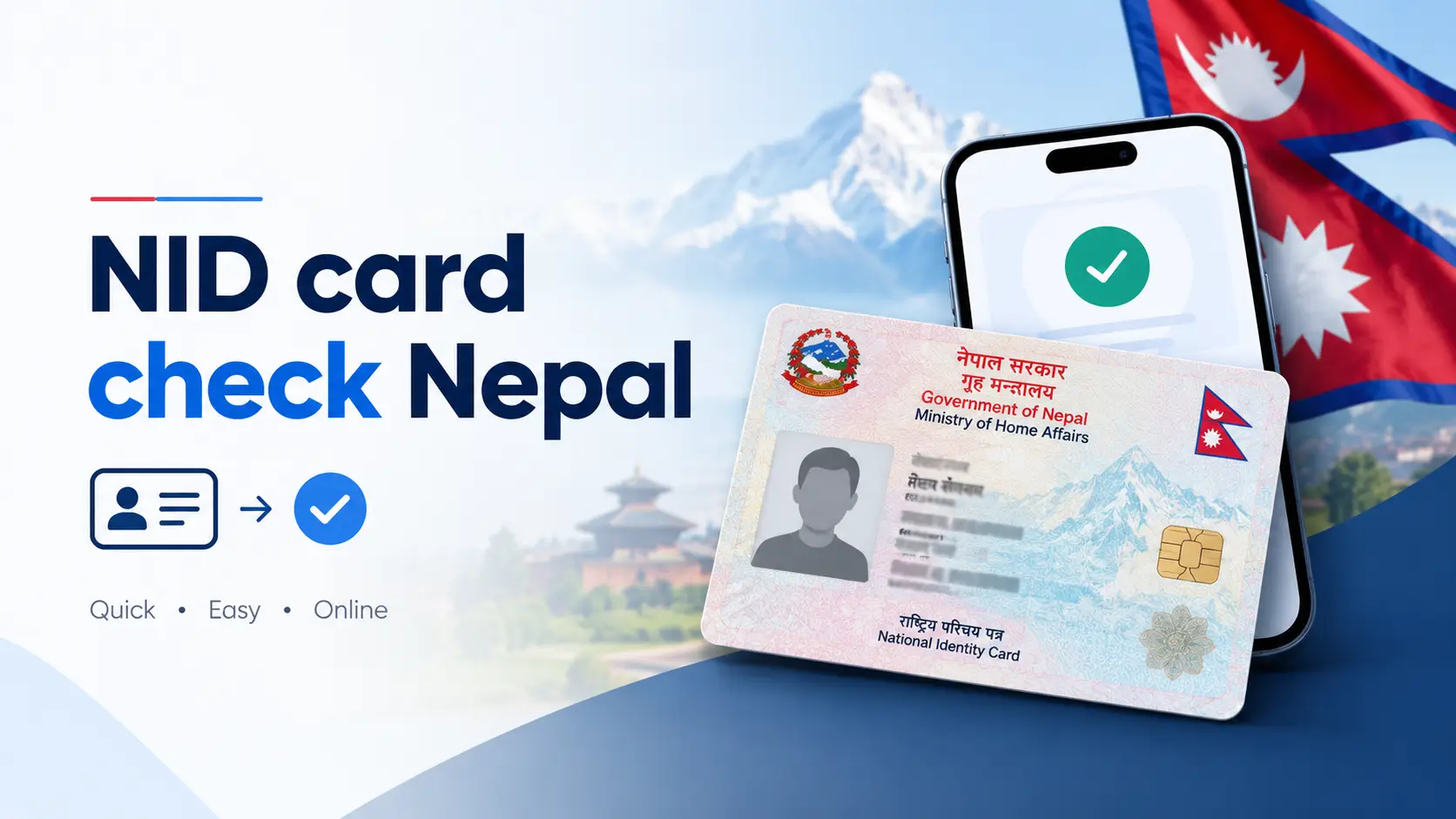
National ID card status check in Nepal on the DONIDCR Citizen Portal
Checking your Rastriya Parichaya Patra (National ID) status on the official DONIDCR Citizen Portal.

Quick answer: To do an NID card check in Nepal, open the official DONIDCR Citizen Portal at citizenportal.donidcr.gov.np, go to “Check National ID Card Status”, enter your Request Number (RSN) from your enrollment receipt or your National Identity Number (NIN), solve the captcha, and submit. You can also SMS N <space> your application number to 30001 to get your NIN, or open the Nagarik App to view your National ID once the NIN is generated.

You gave your fingerprints, iris scan and photo months ago. You walked out of the District Administration Office with a printed slip. And then… nothing. No SMS, no card, no update. If that sounds familiar, you are in the majority — and the good news is that you do not need to visit any office to find out what happened to your application.

This guide covers every working method to check your National ID (Rastriya Parichaya Patra) status in 2026: the official portal, the SMS shortcode, the Nagarik App, and the eNID download that most articles never mention. It also decodes the confusing error messages, explains the difference between the three ID numbers people constantly mix up, and tells you what to do when the system says your data does not exist.

What people actually mean by “NID card check”

Search results for this keyword are messy because three very different questions hide behind the same phrase. Identify yours first, because the method changes:

If you want to…You are really askingUse this method
Find out where your application standsApplication / printing statusCitizen Portal status page
Get your 10-digit National Identity NumberNIN lookupSMS to 30001, or the portal
Show proof of your NID to a bank or telecomDigital copy of the cardNagarik App or eNID download

Most competing articles answer only the first question in a line or two, then spend the rest of the page explaining how to apply. If you have already enrolled, that is wasted reading. Everything below assumes your biometrics are already submitted.

The three numbers people confuse (and why your check keeps failing)

This is the single biggest reason an NID status check returns nothing. Nepal's system uses several identifiers, and entering the wrong one in the wrong field produces an error that looks like a system fault but is actually a typing problem.

NumberWhere you got itWhat it is used for
Pre-enrollment / application numberPrinted at the top of the confirmation page you received after filling the online formSMS lookups to 30001
Request Number (RSN)On the receipt or token slip handed to you after biometric capturePortal status check before your NIN exists
National Identity Number (NIN)Sent by SMS once approved; printed on the card itselfPortal check, Nagarik App, banks, e-passport, SIM registration

Rule of thumb: if you have not received any NIN yet, use the Request Number. If you already have your NIN, use that instead — it is the more stable identifier and it survives re-prints and corrections.

Method 1 — Check NID status on the DONIDCR Citizen Portal

The Citizen Portal is run by the Department of National ID and Civil Registration (DONIDCR) under the Ministry of Home Affairs, Singhadurbar. It is the only source that reflects the actual database, and it is free.

  1. Open the official portal. Go to citizenportal.donidcr.gov.np/en/check-nid-card-status. Check the URL character by character — fake lookalike domains are common around Nepali government services.
  2. Switch language if you need to. The portal runs in both Nepali and English. The English toggle sits in the top navigation.
  3. Enter your Request Number or NIN. The single input field accepts either. Type it manually rather than pasting, because copied text often carries a trailing space that breaks the match.
  4. Complete the captcha. It is case-sensitive. If it refuses twice, reload the page to get a fresh code instead of retrying the same one.
  5. Submit and read the result. The portal returns the stage your record has reached. Note it down along with the date you checked, so you have a reference point next time.

Peak-hour tip: the portal slows noticeably during weekday office hours. Checking early morning or after 8 pm gives a far better success rate — this is a server load issue, not a problem with your application.

Method 2 — NID check by SMS to 30001

This works on any handset, needs no internet, and is the fastest route if you only want your NIN. Send from the mobile number you registered during enrollment.

To get your National Identity Number (NIN)

N <space> your 16-digit application number → send to 30001

To check card printing status

S <space> your 16-digit application number → send to 30001

The reply arrives from a DONIDCR sender ID. A successful lookup tells you the application has been approved and gives your National Identity Number. An unsuccessful one returns a “not found” message, and the department's reply usually points you to its support line for follow-up.

  • Send from the SIM registered in your own name and linked to the application.
  • Use a single space after the letter — extra spaces cause a failed parse.
  • Do not add “+977”, dashes, or the word “NID” anywhere in the message.
  • Standard SMS charges from your operator apply; the service itself is free.

Honest caveat that competitors skip: this shortcode is not consistently reliable. Error replies happen even for valid applications, and the message format has been revised more than once since launch. Treat SMS as a convenience, and the portal as the source of truth.

Method 3 — Check your NID in the Nagarik App

The Nagarik App now carries a National ID section. Once your NIN has been generated, you can link it and view the front of your card inside the app — genuinely useful while the physical card is still unprinted.

  1. Install the Nagarik App and complete the standard registration and identity verification with your mobile number.
  2. Open the National ID (राष्ट्रिय परिचयपत्र) module from the services list.
  3. Enter your National Identity Number to link your record.
  4. Your NID details appear in the app. Note that the app blocks screenshots of linked documents as a security measure, so plan to show the screen directly when asked.

If the app returns nothing, the usual cause is that your NIN has not been generated yet, or the mobile number in the app does not match the one on your NID record.

Method 4 — Ask your District Administration Office

When all three digital routes fail, the NID unit at your District Administration Office (or Area Administration Office) can look up your record directly. Carry your enrollment receipt and your original citizenship certificate. This is also the only route for a genuine problem — a mismatched name, a wrong date of birth, or a record that never synced.

MethodNeeds internetGives youReliability
Citizen PortalYesApplication and printing statusHighest
SMS 30001NoNIN, printing statusInconsistent
Nagarik AppYesDigital view of your NIDGood, after NIN exists
District Administration OfficeNoFull record, correctionsDefinitive, but slow

Find your national ID card

Knowing your status is one thing. Physically finding the card is another — and this is where the process trips people up, because the card is not posted to your home.

Where the printed card sits

Printed cards are dispatched from the central printing facility to the office that handled your enrollment, most commonly the District Administration Office of the district where you gave your biometrics. If a ward office ran a mobile registration camp for your area, the card usually returns to that ward or to the municipality office instead. Cards are not forwarded automatically to a new address, so if you have moved districts since enrolling, your card is waiting in the old one.

How to collect it

  • Wait for confirmation. The department sends an SMS when a card is ready. Do not queue at the office on speculation — confirm on the portal first.
  • Go in person. Biometric verification may be required at handover, so a family member generally cannot collect the card for you.
  • Carry your originals. Your citizenship certificate and your enrollment receipt. Bring the mobile phone with your registered SIM as well, in case an OTP is needed.
  • Check the printed details immediately. Verify the spelling of your name, your parents' names and your date of birth before you leave the counter. Correcting a card later is significantly harder than correcting it while you are standing there.

If no card exists yet

For a very large share of applicants, there is simply no card to find. Printing and distribution have run far behind enrollment since the programme began, and the department has never committed to a firm nationwide completion date. Meanwhile your NIN is the part that carries legal weight — it is what banks, telecoms and the passport department actually record. A confirmed NIN plus your enrollment slip or eNID is enough for almost every counter that asks.

What each status label means

The portal's wording can vary. Read your own screen rather than assuming, but broadly:

Status shownWhat it meansWhat to do
Submitted / pending verificationYour record is in the queue for document and biometric checksWait; re-check in 4–6 weeks
Approved / NIN generatedYou are registered and your National Identity Number existsRetrieve the NIN and start using it
Printing / in productionThe physical card is queued at the printing facilityNothing to do; wait for the SMS
Printed / dispatchedThe card has left central printing for your districtRe-check in a few weeks, then visit the office
Ready for collectionThe card is at your issuing officeCollect in person with originals
Not found / no dataThe identifier does not match a record in the databaseSee the troubleshooting section below

A status that has not moved in months is normal. It reflects a national backlog, not a rejected application. Rejections are communicated directly, not by silence.

Download your eNID — the option almost nobody writes about

The Citizen Portal now includes an eNID download section. This produces an official digital copy of your National ID issued by the department itself — not a photo of a printed card, and not a screenshot.

  1. Open the Citizen Portal and choose the eNID download option from the navigation.
  2. Enter your citizenship details exactly as they appear on the certificate — including the issuing district in the same format the record uses, and the date in the same calendar (BS or AD) as registered.
  3. Verify the request through the OTP sent to your registered mobile number.
  4. Download the file and store it somewhere private.

Important limitation: the department describes this as a provisional NID. It is a stopgap while cards are printed — it does not replace the permanent biometric smart card, and an individual bank or office may or may not accept it. Ask before you rely on it for something time-critical.

Error messages decoded

“Data not found” on the portal

  • Your entered details do not match the database exactly — a common cause is a citizenship district recorded under its older name, or a BS date entered where AD is expected.
  • Your record has not yet synchronised from the enrollment centre to the central database.
  • NIN generation is still in progress, in which case the department's own guidance is to check the status page rather than the eNID page.

“Error while retrieving your data” by SMS

Usually a server-side fault or a format mismatch rather than a problem with your application. Re-send with exactly one space after the letter, from the registered SIM, at an off-peak hour. If three attempts fail, switch to the portal.

You lost your application number or receipt

This is recoverable. Try, in order: search your SMS inbox for messages from the DONIDCR sender ID, which often quote the number; check whether your NIN is already visible in the Nagarik App, in which case you no longer need the application number at all; then visit the NID unit at the office where you enrolled with your original citizenship certificate, where staff can retrieve your record from your citizenship details.

Protect your NIN like a password

Your NIN is becoming the master key to your bank accounts, SIM registration and government records. Treat it accordingly:

  • Never post a screenshot of your status page, eNID, or enrollment receipt in Facebook groups or comment sections asking for help. This happens constantly and it hands over everything an impersonator needs.
  • Only ever enter your details on citizenportal.donidcr.gov.np. No legitimate NID check requires payment, an app download from outside the official stores, or a Telegram bot.
  • No genuine agent can “speed up” your card. Card printing is centralised; nobody in a photocopy shop has access to that queue.
  • Obtaining a National ID with false information carries criminal penalties under the National Identity Card and Registration Act — including imprisonment and a substantial fine. Do not let a middleman submit altered details on your behalf.

What the process actually felt like — my own check

Three months of “no data”, then a NIN in one SMS

I enrolled in Kathmandu and left with a printed slip I nearly threw away because it looked like a receipt. For the first three months, the portal returned nothing at all for my request number. I assumed the application had been lost.

What eventually worked was the SMS route — and the detail that fixed it was embarrassingly small. I had been typing the request number from my biometric slip into an SMS that expects the pre-enrollment application number from the confirmation page. Two different numbers, two different slips, both in the same folder. Once I sent the correct one to 30001, the NIN came back within a minute.

Two other things I would tell anyone starting this: photograph both slips the day you get them and store the images somewhere you will still find them in a year — paper slips fade, and the thermal-printed ones fade fast. And check at 7 in the morning. The portal that timed out four times during office hours loaded on the first attempt before breakfast.

The physical card still has not arrived. The NIN, meanwhile, has already been asked for twice — once by a bank and once during a passport enquiry — and the number alone was accepted both times.

What the other guides leave out

Having read through the pages currently ranking for this topic, these are the gaps this article set out to close:

  • The identifier confusion is never explained. Most guides say “enter your number” without distinguishing the application number, the request number and the NIN — which is precisely the mistake that makes checks fail.
  • The eNID download is missing or buried. It is the most practically useful thing available to someone whose card has not been printed, and it barely appears in the top results.
  • Error messages go undecoded. “Data not found” is reported as an outcome, not explained as a fixable mismatch.
  • Nobody tells you where the card physically goes. If you enrolled in one district and moved to another, that is the single most important fact for you — and it is absent.
  • Privacy guidance is thin. Guides encourage readers to share screenshots for help without warning what a NIN in the wrong hands enables.
  • Timelines are stated too confidently. Fixed “3 to 6 months” promises appear in articles despite the department never committing to one.

The same digital-services shift is reaching other documents. If you are updating your records this month, these guides cover the rest:

Frequently asked questions about NID card check in Nepal

How do I check my NID card status online in Nepal?

Open citizenportal.donidcr.gov.np, go to the “Check National ID Card Status” page, enter your Request Number or your National Identity Number, complete the captcha and submit. The portal displays the stage your record has reached.

Can I check my NID status without an application number?

Yes, if your NIN has already been generated — the portal accepts the NIN in the same field. If you have neither number, visit the NID unit at the office where you enrolled with your original citizenship certificate and staff can retrieve the record.

What is the SMS number for NID check in Nepal?

30001. Send N <space> application number to retrieve your National Identity Number, or S <space> application number for printing status, from your registered mobile number.

Why does the portal say “data not found” for my NID?

Most often because the details you entered do not match the database exactly, because your record has not yet synchronised from the enrollment centre, or because NIN processing is still incomplete. Re-check the district name format and whether the date should be BS or AD.

How long does it take to receive the National ID card?

There is no guaranteed timeline. Enrollment has consistently outpaced printing and distribution, so waits of many months are common and vary by district. Your NIN usually arrives long before the physical card.

Is the NID card free in Nepal?

The first card is issued free of charge. A replacement for a lost or damaged card carries a fee, and corrections caused by the applicant's own error are chargeable, while corrections caused by departmental error are processed free. Confirm current amounts on the official portal before paying anything.

Is the eNID valid instead of the physical card?

The department describes the eNID as a provisional National ID. It is an official digital copy for use while cards are being printed, but it is not the permanent biometric smart card, and acceptance can vary between institutions.

Can I check the NID status of a family member?

You can run a portal lookup with their Request Number or NIN if they have asked you to. However, the eNID download and the Nagarik App require an OTP sent to the registered mobile number, and card collection normally requires the cardholder in person because of biometric verification.

Do I still need my citizenship certificate if I have an NID?

Yes. The National ID is intended to become the primary identity document over time, but the citizenship certificate remains in active use and is still required for many processes, including NID enrollment itself.

Is the NID compulsory now?

The National Identity Number has been made a requirement for a growing list of services, including e-passport applications, and it is increasingly requested for bank accounts and SIM registration. Where the physical card has not been issued, the NIN itself is generally what institutions record.

The short version

An NID card check takes about two minutes once you know which number to use. Try the Citizen Portal first with your Request Number or NIN; fall back to the 30001 SMS if the site is unresponsive; use the Nagarik App or the eNID download if you need something to show at a counter. And if the status has not changed in months, that is the national backlog, not your application.

Keep your enrollment slips photographed, guard your NIN the way you would guard a password, and check back on the portal every few weeks rather than making a trip to the office. Rules and portal features around Nepal's National ID change fairly often — always confirm against the official DONIDCR website before acting on anything time-sensitive.

Nepal Commercial Bank SWIFT Codes: Complete & Verified List

List of Nepal commercial bank SWIFT and BIC codes 2026 reference chart
Quick-reference SWIFT/BIC codes for all 20 NRB-licensed commercial banks in Nepal.

Nepal Commercial Bank SWIFT Codes 2026: Complete & Verified List

Last updated: September 2026 · Reviewed by Wilson Shrestha, freelance web developer, Kathmandu

Every commercial bank in Nepal has a unique SWIFT/BIC code, and getting even one letter wrong can delay — or bounce back — an international transfer. Below is the full, independently checked list of Nepal Rastra Bank (NRB) licensed "Class A" commercial bank SWIFT codes, plus the five codes that are most commonly published incorrectly across the Nepali web, so you can send or receive money with confidence.

Quick answer — most-searched Nepal bank SWIFT codes:
  • Nabil Bank: NARBNPKA
  • Nepal Bank Limited (NBL): NEBLNPKA
  • Rastriya Banijya Bank (RBB): RBBANPKA
  • NIC Asia Bank: NICENPKA
  • Global IME Bank: GLBBNPKA

What Is a SWIFT/BIC Code?

A SWIFT code, formally a Business Identifier Code (BIC), is the address banks use to route money and messages to each other over the SWIFT network. It is assigned to a bank by SWIFT itself — never guessed from the bank's brand name — which is exactly why a few Nepali banks (Nabil being the best-known example) have SWIFT codes that don't match their trading name at all.

A Nepali bank's code follows this pattern:

PositionMeaningExample (Nabil Bank)
1st 4 lettersBank codeNARB
Next 2 lettersCountry code — always NP for NepalNP
Next 2 charactersLocation code (head office)KA
Last 3 characters (optional)Branch code — XXX means head officeXXX

Most Nepali banks use one primary code for the whole bank (head office), so the 8-character version (e.g. NARBNPKA) and the 11-character version (NARBNPKAXXX) refer to the same bank. Use whichever length the sending bank or remittance form asks for.

Nepal Commercial Bank (Class A) SWIFT Codes — Full List

Nepal Rastra Bank currently licenses 20 "Class A" commercial banks. These are the institutions people usually mean when they search for a "Nepal commercial bank SWIFT code" — as opposed to development banks or finance companies, which sit in a different licence class (more on that below).

#BankSWIFT / BIC
1Nepal Bank Limited (NBL)NEBLNPKA
2Rastriya Banijya Bank Limited (RBB)RBBANPKA
3Nabil Bank LimitedNARBNPKA
4Nepal Investment Mega Bank Limited (NIMB)NIBLNPKT
5Standard Chartered Bank Nepal LimitedSCBLNPKA
6Himalayan Bank LimitedHIMANPKA
7Nepal SBI Bank LimitedNSBINPKA
8Everest Bank LimitedEVBLNPKA
9NIC Asia Bank LimitedNICENPKA
10Machhapuchchhre Bank LimitedMBLNNPKA
11Kumari Bank LimitedKMBLNPKA
12Laxmi Sunrise Bank LimitedLXBLNPKA
13Siddhartha Bank LimitedSIDDNPKA
14Agriculture Development Bank Limited (ADBL)ADBLNPKA
15Global IME Bank LimitedGLBBNPKA
16Citizens Bank International LimitedCTZNNPKA
17Prime Commercial Bank LimitedPCBLNPKA
18NMB Bank LimitedNMBBNPKA
19Prabhu Bank LimitedPRVUNPKA
20Sanima Bank LimitedSNMANPKA
Before you send or receive a large amount: confirm the code directly with the bank or on its official website. Mergers (NIMB, Global IME, Laxmi Sunrise are all post-merger entities) occasionally leave old codes floating around on outdated directories.

5 Nepal Bank SWIFT Codes That Get Published Wrong

While researching this list we cross-checked every code against each bank's own official page. Five codes showed up incorrectly on more than one existing "Nepal SWIFT code" directory — almost always because the code was guessed from the bank's name instead of taken from SWIFT's actual registry:

BankCommonly (wrongly) listed asCorrect code
Nabil BankNABILNPKANARBNPKA
Rastriya Banijya BankRBBLNPKARBBANPKA
Himalayan BankHIMALNPKAHIMANPKA
NIC Asia BankNICBNPKANICENPKA
Machhapuchchhre BankMBLBNPKAMBLNNPKA

Nabil's case is the clearest example of why you should never derive a SWIFT code from a bank's current brand name: Nabil Bank's code starts with NARB — a legacy identifier from years ago — not NABI. SWIFT codes are assigned once and rarely change even after a rebrand, so the "obvious" guess based on today's name is often the wrong one.

How to Receive an International Wire Transfer in Nepal

Whoever is sending you money — a client, employer, or family member abroad — will typically ask for the following details:

  1. Beneficiary's full name, exactly as it appears on your Nepal bank account.
  2. Beneficiary account number — double-check every digit.
  3. Bank name and SWIFT/BIC code from the list above.
  4. Branch name and address where your account is held.
  5. Purpose of payment — salary, freelance/service export, family maintenance, education, or business payment.
  6. Charge instruction — ask whether the sender is using OUR (sender pays all fees), SHA (shared), or BEN (you pay all fees), since this affects how much actually lands in your account.

If a payment is delayed, ask the sender for the MT103 (the SWIFT payment message) and, if available, the UETR tracking reference — your bank can use these to trace exactly where the transfer is stuck.

SWIFT Code vs. Nepal's Domestic Transfer Systems

A SWIFT code only matters for cross-border payments. For moving money between two Nepali bank accounts, Nepal uses entirely separate domestic rails, and a SWIFT code plays no role in them:

  • ConnectIPS — the interbank payment portal for bill payments and account-to-account transfers, identified by your account number and bank name, not a SWIFT code.
  • NCHL (Nepal Clearing House Limited) — operates the electronic cheque clearing (ECC) and interbank fund transfer (IFT) systems that settle domestic transfers between member banks.
  • Mobile wallets (eSewa, Khalti, IME Pay, etc.) — link to your local account number and mobile number; they never ask for a SWIFT code because they don't touch the international SWIFT network.

If a form is asking you for a "bank code" and you're moving money within Nepal, it almost certainly wants your bank's NCHL/branch code, not a SWIFT code — the two are unrelated identifiers.

SWIFT Code vs IBAN vs Account Number in Nepal

IdentifierWhat it identifiesUsed in Nepal?
SWIFT/BICThe bank (and branch) receiving the paymentYes — required for every inward wire
Account numberYour individual bank accountYes — sent together with the SWIFT code
IBANA standardised account-number format used in Europe and parts of the Middle EastNo — Nepali banks generally don't issue IBANs; senders use your account number + SWIFT code instead
Local branch codeA specific domestic branch, for in-country transfersYes, but this is not the same as the SWIFT branch suffix (XXX)

Sending Money Out of Nepal: What Regulates It

Outward remittance from Nepal — for education, business travel, medical treatment, or investment abroad — is governed by Nepal Rastra Bank's foreign exchange (forex) regulations, not by SWIFT itself. NRB sets which purposes qualify for foreign currency release, the documentation required for each category, and periodic limits that are revised from time to time.

Because these quotas and documentation rules change, this guide won't quote specific dollar limits here — instead, confirm the current allowance and paperwork directly with your bank's forex desk or NRB's published directives before applying. Your bank will also tell you whether the transfer needs to route through a specific correspondent bank based on the currency and destination country.

Development Bank & Finance Company (Class B & C) Codes

Strictly speaking, "commercial bank" refers only to NRB's 20 Class "A" licensees above. Development banks (Class B) and finance companies (Class C) are a different licence category, and not all of them route international transfers on their own SWIFT code — some settle through a correspondent commercial bank instead. If your institution isn't listed here or doesn't have its own code, ask them directly for their current inward-remittance instruction.

#InstitutionSWIFT / BICClass
21Mahalaxmi Bikas Bank LimitedMLBNNPKAClass B
22Narayani Development Bank LimitedNDBLNPKAClass B
23Karnali Development Bank LimitedKDBLNPKAClass B
24Shangrila Development Bank LimitedSGBBNPKAClass B
25Excel Development Bank LimitedEDBLNPKAClass B
26Miteri Development Bank LimitedMIDBNPKAClass B
27Muktinath Bikas Bank LimitedMNBLNPKAClass B
28Garima Bikas Bank LimitedGARINPKAClass B
29Kamana Sewa Bikas Bank LimitedKSBLNPKAClass B
30Corporate Development Bank LimitedCDBLNPKAClass B
31Jyoti Bikas Bank LimitedJBBLNPKAClass B
32Shine Resunga Development Bank LimitedSHRDNPKAClass B
33Lumbini Bikas Bank LimitedLUBLNPKAClass B
34Sindhu Bikas Bank LimitedSIBLNPKAClass B
35Salapa Bikas Bank LimitedSABLNPKAClass B
36Saptakoshi Development Bank LimitedSAPDNPKAClass B
37Green Development Bank LimitedGRDBLNPK VerifyClass B
38Nepal Finance LimitedNEFLNPKAClass C
39Nepal Share Markets and Finance LimitedNSMFNPKAClass C
40Gurkhas Finance LimitedGFLNPKA VerifyClass C
41Goodwill Finance LimitedGWFLNPKAClass C
42Shree Investment & Finance Co. LimitedSIFCNPKAClass C
43Best Finance LimitedBESFNPKAClass C
44Progressive Finance LimitedPRGFNPKAClass C
45Janaki Finance Co. LimitedJFCLNPKAClass C
46Pokhara Finance LimitedPOKFNPKAClass C
47Central Finance LimitedCEFLNPKAClass C
48Multipurpose Finance LimitedMFLNPKA VerifyClass C
49Samriddhi Finance Company LimitedSAFNNPKAClass C
50Capital Merchant Banking & Finance Co. LimitedCMBFNPKAClass C
51Guheshwori Merchant Banking & Finance LimitedGMBFNPKAClass C
52ICFC Finance LimitedICFCFNPK VerifyClass C
53Manjushree Financial Institution LimitedMFILNPKAClass C
54Reliance Finance LimitedREFLNPKAClass C
Row 24 (Shangrila Development Bank) has been corrected to SGBBNPKA, confirmed against the bank's own official contact page. The four rows marked Verify don't match the standard 8/11-character SWIFT format found on any directory we checked — call the institution directly before using them for a transfer.

A Practical Tip From Running Payments for an IT & Design Business

If you invoice international clients for design, software, or consulting work — or you're moving funds between a trading or investment account and a Nepali bank — the SWIFT code is only half the job. The other half is agreeing the charge type (OUR/SHA/BEN) and purpose code upfront with your bank, because that's usually what determines whether the full amount lands, and how long compliance checks take. It's worth asking your bank once, in writing, for their standard inward-payment instruction sheet — then reusing it for every client instead of re-explaining it each time.

If you're setting up international payments for the first time, it also helps to understand how dollar cards in Nepal work for the outward side of things, and if you're channelling any of that income into the local market, our guide on how to start investing in Nepal's share market is a useful next read.

Video Walkthrough: Finding & Using a Nepal Bank SWIFT Code

Frequently Asked Questions

What is the SWIFT code of Nabil Bank?

Nabil Bank's SWIFT/BIC is NARBNPKA (11-character form: NARBNPKAXXX). It is not NABILNPKA, despite that being a common guess.

Do all branches of a Nepali bank share the same SWIFT code?

Most Nepali commercial banks use one primary SWIFT code for the whole bank, regardless of which branch your account is at. A few large banks maintain separate department-level codes, so if a sender insists on a branch-specific code, confirm it with your bank first.

Is a SWIFT code the same as a BIC code?

Yes. "SWIFT code" and "BIC" (Business Identifier Code) refer to the same identifier used for international bank messaging and transfers.

Do Nepali bank accounts have an IBAN?

No. Nepali banks generally don't issue IBANs — international senders should use your account number together with the bank's SWIFT/BIC code instead.

Does Nepal use IFSC codes or routing numbers?

No. IFSC codes are specific to India's domestic banking system. Nepali banks use SWIFT/BIC codes for international transfers and separate NCHL/branch codes for domestic transfers — neither is an IFSC code.

What happens if the wrong SWIFT code is used?

The transfer can be delayed, rejected, or returned, and intermediary banks may deduct fees along the way. If this happens, contact the sending bank immediately with the transfer reference or MT103.

Do development banks and finance companies in Nepal have SWIFT codes?

Some do, but not all route international transfers directly — many settle through a correspondent commercial bank. Ask the specific institution for their current inward-remittance instruction rather than assuming.

Where can I officially verify a Nepali bank's SWIFT code?

Check the bank's own official website (most publish it under "remittance" or "contact us"), call the bank directly, or ask for a signed payment instruction before sending a large amount.

About the reviewer: Wilson Shrestha is a Kathmandu-based freelance web developer who builds and maintains payment-adjacent tools for Nepali businesses, and regularly deals with cross-border invoicing for international clients.

Information last checked September 2026 against each Class A bank's own official website and Nepal Rastra Bank's licensed BFI list. Banking details occasionally change after mergers or rebranding — always confirm with the receiving bank before a large or time-critical transfer. This article is general information, not financial advice.

How to Run Typeshala in Windows 10 (64-Bit): Complete OTVDM Setup Guide

How to Run Typeshala in Windows 10 (64-Bit): Complete OTVDM Setup Guide

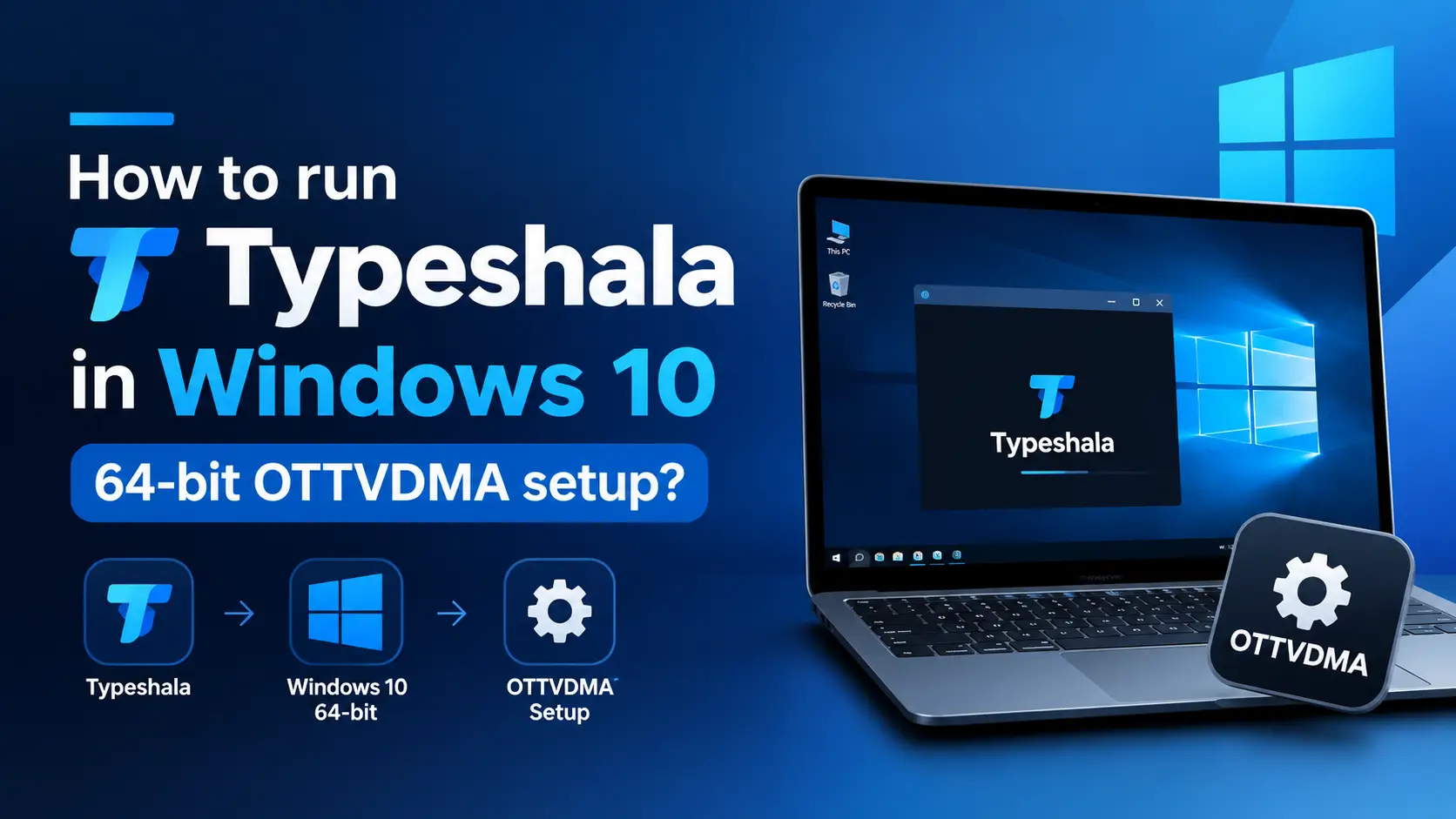
How to run Typeshala in Windows 10 64-bit using OTVDM setup

If you've tried opening Typeshala.exe on a modern Windows 10 or 11 PC, you've probably seen this message pop up instead of the typing tutor you were expecting:

"This app can't run on your PC" — To find a version for your PC, check with the software publisher.

This isn't a corrupted download and it isn't your computer's fault. Typeshala is a 16-bit Windows application built long before 64-bit systems became the norm, and Windows 10/11 64-bit dropped native support for that class of program entirely. The fix isn't a settings tweak or "compatibility mode" — it needs a small compatibility layer called OTVDM sitting between Typeshala and your operating system. This guide walks through exactly what that means and how to set it up in under five minutes.

Why Typeshala Won't Run on Windows 10/11 64-Bit

Every version of Windows released since Windows XP has come in two builds: 32-bit and 64-bit. Older software, including Typeshala, was compiled as a 16-bit NE (New Executable) program — the same architecture used by early-90s Windows apps. 32-bit Windows could still run these through an internal compatibility layer called NTVDM (NT Virtual DOS Machine). When Microsoft built the 64-bit versions of Windows, it removed NTVDM completely, because 64-bit processors can't execute 16-bit instructions the same way.

That's the entire story behind the error — it has nothing to do with your antivirus, your RAM, or your Windows edition. You simply need something to stand in for the NTVDM layer that 64-bit Windows no longer has.

What Is OTVDM, and How Does the "OTVDMA Setup" Actually Work?

OTVDM (Open Test Virtual DOS Machine, also distributed under the name WineVDM) is a free, open-source tool that recreates the missing 16-bit compatibility layer on 64-bit Windows. Instead of installing Typeshala the normal way, you run it through OTVDM's own executable (usually otvdmw.exe or otvdma.exe depending on the packaged build), which translates Typeshala's old 16-bit calls into instructions your 64-bit system can actually execute.

Practically, this means:

  • You don't "install" Typeshala in the traditional sense — you launch it from inside OTVDM.
  • OTVDM needs to sit in the same folder as (or be pointed at) the original TYPESHALA.exe file.
  • It also needs the Microsoft Visual C++ Redistributable (x86) installed, since OTVDM itself relies on it to run correctly.
Good to know: despite what some sites claim, Typeshala isn't "incompatible" with Windows 10 or 11 — it just needs this one extra compatibility step. You don't need to switch to a different typing tutor to get it working.

Step-by-Step: How to Install and Run Typeshala on Windows 10 (64-Bit)

Step 1: Download the Typeshala + OTVDM Package

Download the pre-packaged file below. It bundles the original Typeshala program together with the OTVDM compatibility tool and the VC++ redistributable, so you don't have to hunt down each piece separately.

⬇ Download Typeshala for Windows 10/11 (64-bit)

Want the original 32-bit version for an older PC instead? Check our Nepali & English Typeshala download page for every available build.

Step 2: Extract the ZIP/RAR File

  • Right-click the downloaded file and choose Extract All (or use 7-Zip/WinRAR if it's a .rar/.7z file).
  • Open the extracted folder. You should see a Typeshala folder, an OTVDM folder, and a vc_redist.x86.exe file.

Step 3: Install the Visual C++ Redistributable

  • Double-click vc_redist.x86.exe and follow the prompts.
  • If it's already installed, Windows will show Repair / Uninstall options instead of an install button — that's normal, just close the window and move on.

Step 4: Launch Typeshala Through OTVDM

  1. Open the OTVDM folder and double-click the executable inside it (usually otvdmw.exe).
  2. A file-browser dialog will open, asking you to locate the program you want to run.
  3. Navigate to the Typeshala folder and select TYPESHALA.exe, then click Open.

Typeshala should now launch normally, with full access to all typing lessons, the freehand practice mode, and the built-in Ramayan typing game.

Creating a Permanent Desktop Shortcut

Running OTVDM manually every time gets tedious. Set up a one-click shortcut instead:

  1. Right-click the OTVDM executable and choose Create shortcut.
  2. Move the shortcut to your Desktop and rename it "Typeshala."
  3. Right-click the shortcut → Properties → Change Icon, and select the original Typeshala icon from its folder for a familiar look.

From now on, double-clicking this shortcut opens OTVDM and Typeshala together — you won't need to browse for the .exe file each time.

Troubleshooting: Common OTVDM & Typeshala Errors

Most of the problems people run into come down to a handful of predictable causes. Here's how to fix each one:

  • "This app can't run on your PC" still appears: you're double-clicking TYPESHALA.exe directly instead of opening it through OTVDM. Always launch OTVDM first, then browse to Typeshala from inside it.
  • OTVDM itself won't open: the Visual C++ Redistributable (x86) isn't installed, or a 64-bit version was installed instead of the 32-bit one. Reinstall using the x86 package from Step 3.
  • Antivirus flags or quarantines the files: this is a common false positive with older, unsigned .exe files and compatibility tools like OTVDM. Add the extracted folder to your antivirus exclusions before running it, and only download the package from a source you trust.
  • Screen appears blank, tiny, or garbled: right-click the shortcut → Properties → Compatibility tab, and try enabling "Run this program in compatibility mode for Windows XP."
  • Typing/fonts look broken: this usually points to missing Nepali fonts on your system rather than an OTVDM problem — install a Nepali Unicode font pack and relaunch.
  • Progress or scores don't save between sessions: run OTVDM as Administrator (right-click → Run as administrator) so it has permission to write save files to the folder.

OTVDM vs. Other Ways to Run Old 16-Bit Software

OTVDM is the simplest option for most people, but it's worth knowing the alternatives and their trade-offs:

MethodDifficultyBest for
OTVDM / WineVDMEasy — no installation, just run and pointMost users who just want Typeshala working quickly
Virtual Machine (32-bit Windows 7/XP)Advanced — needs a licensed OS image and setup timeUsers who need to run several old 16-bit apps together
Dual-boot older 32-bit WindowsAdvanced — repartitioning requiredRarely worth it just for a typing tutor
Windows "Compatibility Mode"Easy but usually doesn't work32-bit apps only — 16-bit apps like Typeshala won't launch this way

Prefer to Practice Without Installing Anything?

If you just want to build typing speed without dealing with installers, you can also practice Nepali and English typing online directly in your browser — no OTVDM setup needed.

Video Tutorial: Watch the Full Setup

Prefer to follow along visually? This walkthrough covers every step above in real time.

Watch on YouTube →

Frequently Asked Questions

Is Typeshala actually compatible with Windows 10 and 11 64-bit?
Yes — with OTVDM acting as the compatibility layer, Typeshala runs normally on 64-bit Windows 10 and 11. You don't need to switch to a different program.
Do I need to "install" OTVDM?
No installation is required. OTVDM runs directly from its extracted folder — you just launch its executable and point it to Typeshala.exe.
Is it safe to download Typeshala and OTVDM from third-party sites?
Stick to a source you trust and keep your antivirus active. Because both files are old and unsigned, some antivirus tools flag them as a false positive — that's expected behavior for legacy software, not necessarily a sign of infection.
Will my typing progress and scores be saved?
Yes, as long as OTVDM has write permission to the folder. If scores aren't saving, run OTVDM as Administrator.
Can I use Typeshala on Windows 11 the same way?
Yes, the exact same OTVDM steps apply on Windows 11 64-bit.
Is there a way to practice typing without downloading anything?
Yes — use the free online Typeshala practice tool directly in your browser.

Final Thoughts

Typeshala's "can't run on this PC" error looks alarming, but it's really just a leftover from how old 16-bit software was built. Once OTVDM is set up, it runs exactly like it did on older machines — full access to Nepali and English typing lessons, freehand practice, and the Ramayan game — with no need to abandon it for a different tool. Download the package above, follow the four steps, and you'll be typing within minutes.

For more downloads and guides, check out our complete Typeshala download page.