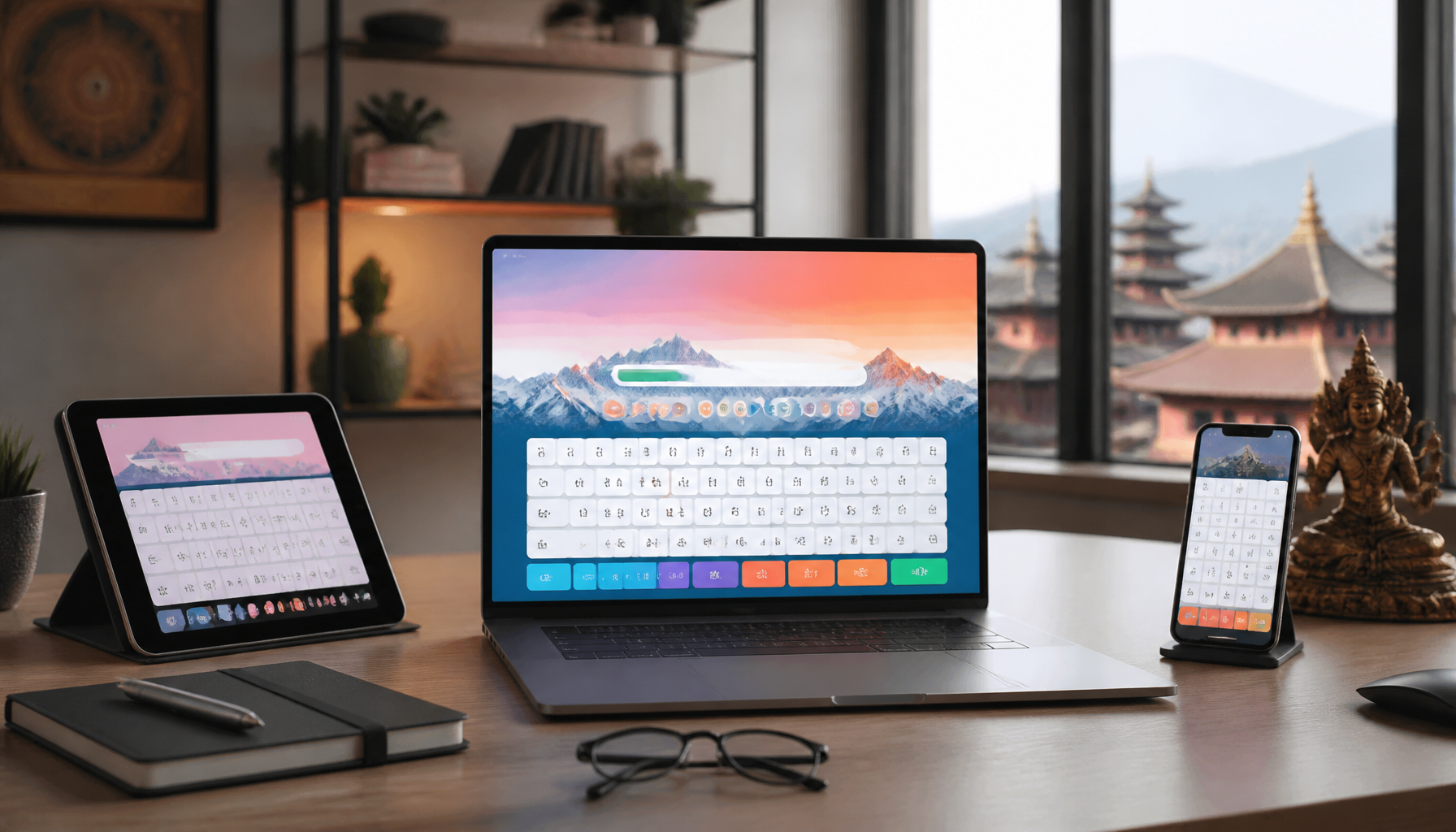
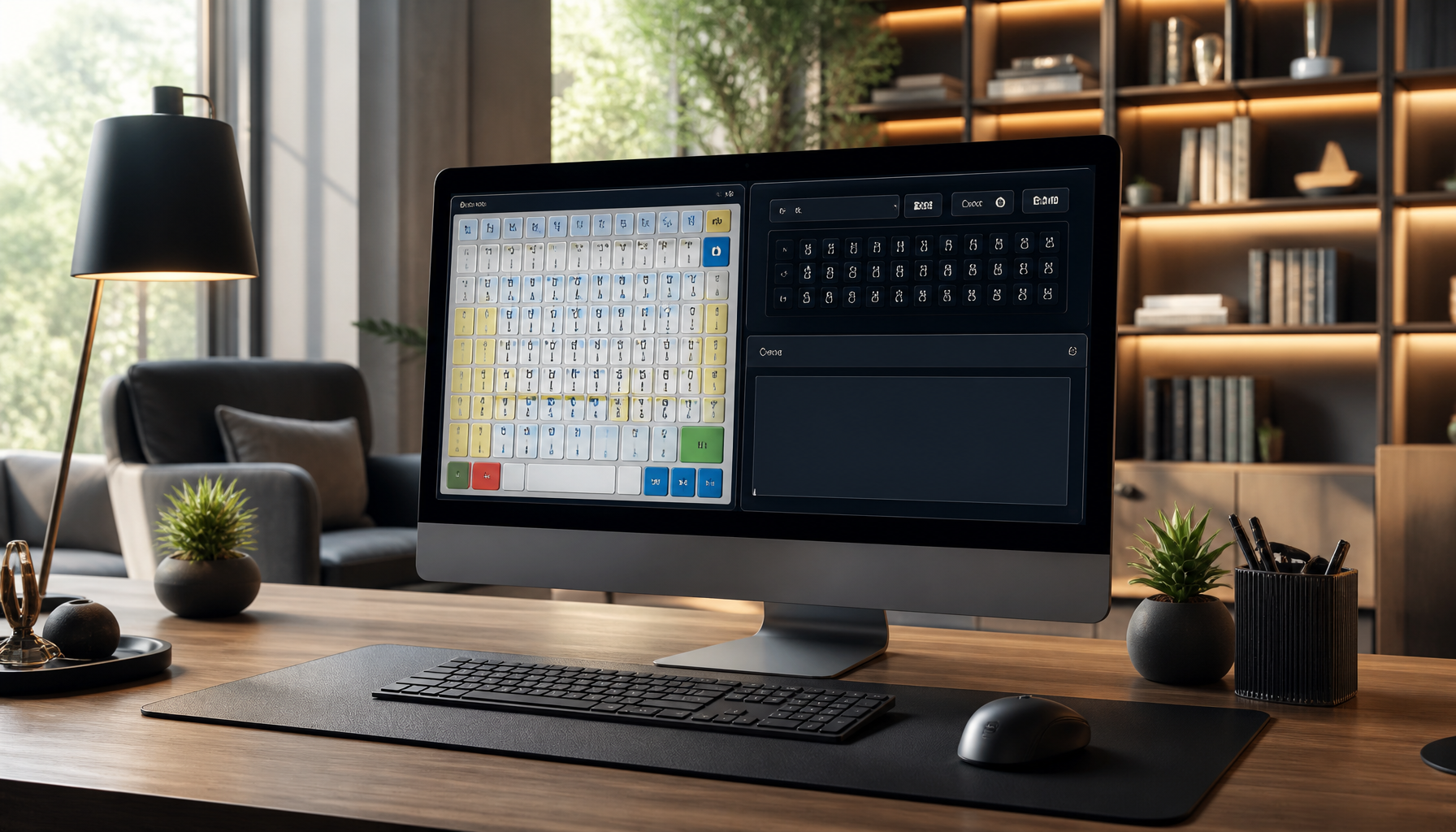
In the digital age, proficiency in typing is a valuable skill, especially for languages like Nepali. Traditional tools like Typeshala have long been a staple for learners, but as technology progresses, new and more effective Nepali typing practice alternatives have emerged. These modern tools offer engaging and efficient ways to enhance your typing skills, catering to both beginners and advanced users.
Why Look for Nepali Typing Practice Alternatives?
Limitations of Traditional Tools
Typeshala has been a reliable resource for many, but it comes with limitations. For instance, its interface has remained unchanged for years, lacking the dynamic features that modern software offers. Moreover, Typeshala’s exercises can become monotonous, making it difficult to maintain engagement over time. As a result, learners often find their progress stalling.
Benefits of Modern Typing Software
Modern Nepali typing software provides a variety of features that address these shortcomings. These tools often include interactive lessons, real-time feedback, and engaging interfaces that keep users motivated. Additionally, they accommodate different skill levels, from novice to proficient typists. By incorporating the latest technology, these platforms offer a more personalized learning experience.
Top Nepali Typing Software and Tools
Software for Beginners
For those new to Nepali typing, starting with user-friendly software is crucial. Nepali Unicode typing tool is an excellent option for beginners. It supports Unicode, which is essential for typing in Nepali across various platforms. Understanding [Unicode’s role in typing software](https://www.unicode.org/standard/WhatIsUnicode.html) can greatly enhance your typing experience.
Another beginner-friendly tool is Easy Nepali Typing, which offers a simple interface and step-by-step tutorials. It helps users familiarize themselves with the Nepali keyboard layout and basic typing techniques.
Advanced Typing Tools
For advanced users seeking to refine their skills, tools like Nepali Typing Master provide comprehensive lessons that cover advanced typing techniques. These platforms offer detailed analytics to track progress and identify areas that need improvement. They also introduce challenging exercises aimed at increasing typing speed and accuracy.
Feature
Beginner Tools
Advanced Tools
Interface
Simple and intuitive
Feature-rich and dynamic
Typing Exercises
Basic finger placement
Advanced speed drills
Progress Tracking
Basic feedback
Detailed analytics
Real-time Feedback
Minimal
Comprehensive
Engaging Online Typing Courses
Interactive Courses
Online typing courses have revolutionized how we learn to type. Platforms like TypingClub offer interactive lessons that adapt to the learner’s pace. These courses incorporate multimedia elements such as videos and games to make the learning process more engaging. [TypingClub](https://www.typingclub.com/) is renowned for its structured curriculum that gradually increases in difficulty.
Free vs Paid Options
While many online courses offer free trials, they also provide premium versions with additional features. Free versions usually include basic lessons and limited progress tracking. In contrast, paid options offer extensive resources, personalized lessons, and comprehensive analytics. Depending on your commitment and budget, choosing between free and paid resources can significantly impact your learning journey.
Gamified Typing Practice Platforms
Typing Games for Skill Improvement
Gamification is a powerful tool in education, making learning enjoyable and effective. Typing games transform mundane practice into an exciting challenge. Platforms like Keybr integrate games that focus on speed and accuracy, making it easier to improve these skills through regular practice.
Platforms with Leaderboards
Competitive elements, such as leaderboards, can further motivate learners. Platforms like 10FastFingers allow users to compete against others worldwide, adding a competitive edge to the practice. This not only enhances motivation but also provides a benchmark to measure progress. By striving to climb the leaderboard, users naturally improve their typing speed and accuracy.
Tips for Effective Nepali Typing Practice
Setting Realistic Goals
Effective typing practice begins with setting achievable goals. Start by determining your current speed and set incremental targets. This approach ensures consistent progress without feeling overwhelmed.
Consistent Practice Strategies
Consistency is key to mastering any skill. Dedicate a specific time each day for typing practice. Utilize a mix of platforms to keep your sessions varied and engaging. Combining structured lessons with gamified exercises can yield the best results.
💡 Pro Tips:
Start each session with a warm-up exercise to get your fingers moving.
Use online timers to track typing sessions and ensure focused practice.
Regularly review your progress and adjust goals accordingly.
⚠️ Important Note:
While practice is essential, ensure you maintain proper hand positioning to prevent strain. Taking regular breaks is crucial to avoid fatigue and potential injury.
In conclusion, embracing modern Nepali typing practice alternatives can significantly enhance your typing skills. Whether you are a beginner or an advanced user, these tools offer tailored solutions to meet your learning needs. By leveraging interactive courses, gamified platforms, and consistent practice strategies, you can achieve proficiency in Nepali typing more efficiently and enjoyably.
Frequently Asked Questions
What are the best alternatives to Typeshala?
Several modern tools offer enhanced features, such as online courses and interactive platforms.
Can typing games really improve my Nepali typing speed?
Yes, gamified platforms can make learning fun and improve speed through practice.
Are there free resources available for Nepali typing practice?
Many platforms offer free trials or limited access to their typing courses and tools.
Are you looking to increase typing speed in Typeshala? Whether you’re a student or a professional, improving your typing skills can significantly enhance your productivity. Typeshala is an excellent tool for honing your typing skills through systematic practice. In this guide, we’ll delve into practical techniques and advanced tips to help you boost your typing speed efficiently.
Understanding Typeshala for Typing Practice
Typeshala is a popular typing tutor software that combines both Nepali and English language typing exercises. This makes it an excellent resource for those aiming to increase their typing speed in a bilingual setting.
Setting Up Typeshala
To get started with Typeshala, follow these steps:
Download and Install: Ensure you download Typeshala from a [trusted source](https://example.com/typeshala-docs) to avoid any security risks.
Setup: Follow the installation guide provided to set up the software on your computer.
Customize Settings: Adjust the settings to suit your comfort level. This includes font size, background color, and language preference.
Basic Features Overview
Familiarizing yourself with Typeshala’s interface is crucial:
Typing Exercises: Typeshala offers a wide range of exercises that cater to different skill levels.
Progress Tracking: The software provides detailed feedback on your typing performance, allowing you to monitor improvements.
Keyboard Layout Guides: Visual aids help you learn correct finger positioning.
Effective Techniques to Increase Typing Speed
Now that you have Typeshala set up, it’s time to focus on techniques that will increase your typing speed.
Proper Posture and Hand Positioning
Maintaining an ergonomic posture is essential for both speed and comfort:
Sit Upright: Your back should be straight, and your feet flat on the floor.
Keyboard Placement: Position the keyboard at elbow height to reduce strain.
Finger Placement: Use the home row keys as your base position.
💡 Pro Tip: Consistently practicing the correct posture can prevent fatigue and improve your typing speed over time.
Regular Practice Sessions
Consistency is key when it comes to improving typing speed:
Daily Practice: Dedicate specific time slots each day to practice typing.
Set Goals: Aim for incremental increases in speed to stay motivated.
Use Typing Games: Engage with typing games to make practice sessions more enjoyable.
Advanced Tips for Improving Typing Accuracy
As you become more comfortable with basic typing exercises, you can leverage Typeshala’s advanced features to further refine your skills.
Utilizing Advanced Features
Typeshala offers several features that can help you enhance your typing accuracy:
Speed and Accuracy Tests: Regularly test yourself to identify areas of improvement.
Custom Exercises: Create exercises that focus on your weak points for targeted practice.
Monitoring Progress
Analyzing your progress is crucial for continuous improvement:
Review Statistics: Regularly check your typing speed and accuracy statistics.
Set Benchmarks: Use these statistics to set new goals and track your improvement.
⚠️ Important Note: It’s essential to balance speed with accuracy to avoid developing bad habits that could hinder your overall progress.
By integrating these practical tips and advanced strategies, you’ll be well on your way to mastering typing with Typeshala. Remember, the key to increasing your typing speed is consistent practice, proper technique, and the effective use of software tools. For further reading, you can explore the [Typeshala official documentation](https://example.com/typeshala-docs) for more technical insights and guidelines.
For additional resources on typing practice, you may also find our internal article on [How to Set Up an Ergonomic Workspace](https://example.com/ergonomic-workspace) helpful.
Frequently Asked Questions
How can I set up Typeshala for optimal use?
Follow the installation guide and customize settings for comfort.
What are the best practices for increasing typing speed?
Focus on consistent practice and maintaining proper posture.
How often should I practice typing to see improvement?
Daily practice is recommended for noticeable progress.
Can Typeshala help with typing accuracy?
Yes, it offers features to monitor and improve accuracy over time.
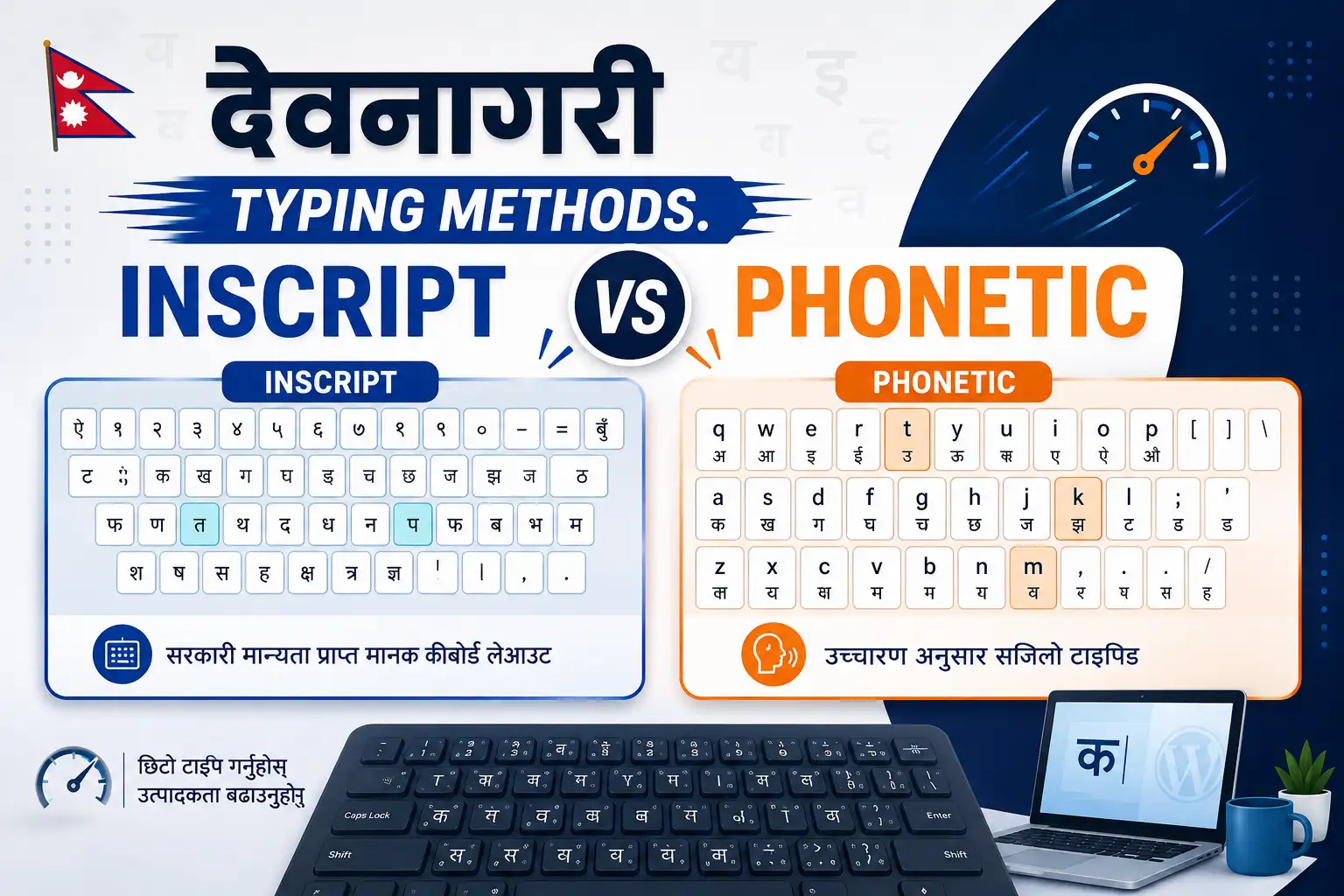
In the realm of digital communication, Devanagari typing methods have become indispensable for anyone engaging with languages like Hindi, Marathi, and Nepali. As more people turn to digital platforms for communication, understanding the nuances of Devanagari typing systems becomes crucial. Two primary methods dominate the landscape: Inscript and Phonetic. This article explores these methods, offering insights into their workings, advantages, and the contexts in which they excel.
Introduction to Devanagari Typing Methods
History and Evolution
The Devanagari script, used for over 120 languages, has a rich history that dates back to ancient times. With the advent of computers, the need for efficient Devanagari typing methods became evident. Initially, typing in Devanagari was cumbersome due to a lack of standardized methods. However, the development of Unicode and keyboard layouts like Inscript revolutionized this space. Today, Devanagari typing is integral to modern computing, facilitating seamless communication in native languages.
Importance in Modern Computing
In today’s digital age, the ability to type in Devanagari is vital for accessing information, creating content, and communicating effectively in several languages. Both Inscript and Phonetic typing methods cater to different user needs, making them pivotal in bridging linguistic and technological gaps.
Understanding Inscript Typing
Layout and Design
The Inscript typing method is a standardized keyboard layout designed by the Government of India. It maps the Devanagari characters to specific keys on the keyboard, allowing users to type directly in Devanagari. The layout is intuitive for those familiar with the script, as it follows the logical sequence of characters.
For a detailed guide on the Inscript layout, refer to the [Government of India’s Inscript keyboard layout guide](https://www.meity.gov.in/content/inscript-keyboard).
Advantages of Inscript Typing
Standardization: Inscript is a standardized layout, ensuring consistency across devices and platforms.
Direct Input: Users can type in Devanagari without converting from another script, making it ideal for formal and professional use.
Comprehensive Character Set: It supports a wide range of Devanagari characters, including rare and complex symbols.
💡 Pro Tip: Familiarize yourself with the Inscript layout through online typing tutors to improve speed and accuracy.
Exploring Phonetic Typing
How Phonetic Typing Works
Phonetic typing translates the phonetic sounds of Devanagari words into Roman script. For example, typing “namaste” will convert into “नमस्ते.” This method leverages the familiarity of the Roman alphabet, making it accessible to new learners and casual users.
Benefits and Drawbacks
Accessibility: Phonetic typing is user-friendly, especially for those who are not native Devanagari speakers.
Ease of Use: Requires minimal learning curve, as it relies on the phonetic sounds of words.
Limitations: May not capture complex characters accurately, leading to potential errors in formal documents.
⚠️ Important Note: Phonetic typing may not be suitable for official documents due to potential inaccuracies in character representation.
Devanagari Inscript vs Phonetic Typing: A Detailed Comparison
Efficiency and Speed
Aspect
Inscript Typing
Phonetic Typing
Typing Speed
Slower initially, faster with practice
Generally faster for beginners
Accuracy
High accuracy in character representation
May vary based on phonetic accuracy
Device Compatibility
Universally compatible
Requires specific software
User Learning Curve
Inscript typing has a steeper learning curve, demanding users to memorize key placements. However, once mastered, it offers high accuracy and speed. Phonetic typing, on the other hand, is intuitive and quick for beginners but may not cater to complex typing needs.
Choosing the Right Typing Method for You
Assessing Your Needs
To choose the right typing method, consider your specific requirements:
Professional Use: Opt for Inscript if you need precision and are working on official documents.
Casual Use: Phonetic typing is suitable for casual communication and quick typing tasks.
Future Trends in Devanagari Typing
The future of Devanagari typing is poised to evolve with advancements in AI and machine learning. Predictive text and voice recognition technologies are expected to enhance typing efficiency, offering users more intuitive experiences.
For further technical insights into Unicode and its role in standardizing scripts, refer to the [Unicode Consortium’s official documentation](https://unicode.org/standard/WhatIsUnicode.html).
In conclusion, whether you choose Inscript or Phonetic typing depends on your specific needs and proficiency level. Both methods have their unique strengths, catering to a diverse range of users. By understanding their differences, you can make an informed decision and enhance your Devanagari typing skills.
Frequently Asked Questions
What is the primary difference between Inscript and phonetic typing?
Inscript typing uses a fixed keyboard layout, while phonetic typing is based on sound representation.
Which typing method is faster for beginners?
Phonetic typing is generally faster for beginners due to its intuitive nature.
Can I use both typing methods interchangeably?
Yes, but it may require practice to switch seamlessly between the two methods.
Typeshala Not Opening on Windows 11? Here's the Real Fix
Updated September 2026Tested on Windows 11 24H2 & Windows 109 min read
Typeshala refuses to launch on Windows 11 for one specific technical reason — and it is not the one most guides tell you.
If Typeshala won't open on your Windows 11 PC, you have almost certainly already tried restarting, reinstalling and running it as administrator — and none of it worked. That's not your fault. Those fixes cannot work, because the actual problem is architectural.
Quick Answer
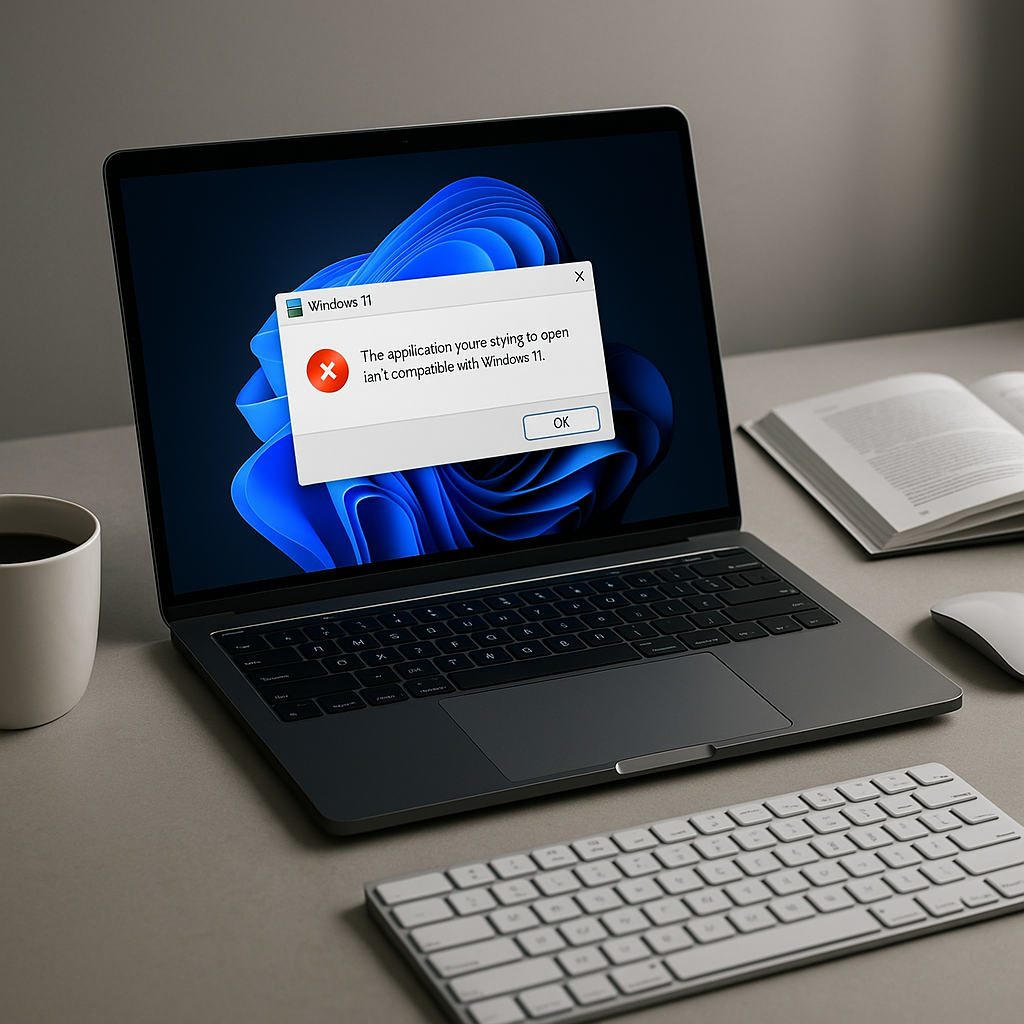
Typeshala (टाइपशाला) is a legacy 16-bit Windows program. All 64-bit versions of Windows — and Windows 11 ships in no other form — removed the NTVDM subsystem that ran 16-bit software. There is nothing left on your PC to execute it, which is why you get "This app can't run on your PC."
The fix: install OTVDM (winevdm), a free open-source 16-bit compatibility layer, then launch TYPSHALA.EXE through it. Compatibility Mode, updating, and reinstalling will not solve this on Windows 11. Full steps are below.
Why Typeshala Won't Open on Windows 11
Typeshala was built in the DOS and Windows 3.x era. You can see its age in the program itself: the main executable is named TYPSHALA.EXE in classic 8.3 uppercase format, and the whole application weighs under 100 KB. It is a 16-bit application.
That single detail explains everything. Modern Windows runs 32-bit software perfectly well through a translation layer called WOW64 — which is why most old programs still open fine. But 16-bit software needed a completely different component called NTVDM (the NT Virtual DOS Machine), and Microsoft never shipped NTVDM in 64-bit Windows at all.
Microsoft's own compatibility documentation is unambiguous: NTVDM is supported only on x86 (32-bit) Windows, and x64 and ARM versions "do not support 16-bit x86 code of any kind."
Now add the detail that makes Windows 11 a hard wall rather than an inconvenience: Windows 11 was never released in a 32-bit edition. Every single Windows 11 installation on earth is 64-bit or ARM. On Windows 10 you could at least turn NTVDM on if you happened to be running the 32-bit edition. On Windows 11 that option does not exist and never will.
This is why the usual advice fails
Updating Typeshala does nothing — the program hasn't been updated in over a decade and there is no newer build to install. Reinstalling does nothing — the files were never corrupted. Running as administrator does nothing — this is not a permissions problem. Even Compatibility Mode usually does nothing on Windows 11, because compatibility mode only changes how Windows reports itself to a program. It cannot restore a 16-bit subsystem that isn't installed.
You are not fixing a broken program. You are supplying the missing piece of Windows that the program needs. Once you understand that, the correct fix becomes obvious.
Match Your Error Message to the Real Cause
Different symptoms point to different problems. Find yours in the table below before you start changing settings.
What you see
What it actually means
What fixes it
"This app can't run on your PC"
The classic 16-bit block. Your 64-bit Windows has no NTVDM to run it.
Press Windows + I to open Settings, then go to System → About and look at System type. If it says 64-bit operating system, you have confirmed the diagnosis above — and if you're on Windows 11, it will always say this.
Check 2 — Make sure you have a complete Typeshala copy
A lot of Typeshala downloads floating around are incomplete: they contain the executable but not the lesson data files or the Preeti font, so even a successful launch gives you a broken program. Make sure your folder contains TYPSHALA.EXE along with its supporting data files before you start troubleshooting the launch itself.
Don't have a clean copy of Typeshala yet?
Start with a complete package that includes the lesson files and the Nepali font, then come back to the fix below. It will save you from chasing a launch problem that's really a missing-files problem.
Fix 1: Run Typeshala with OTVDM — The Method That Actually Works
OTVDM (also called winevdm) is a free, open-source 16-bit Windows emulator built specifically to run Windows 1.x–3.1 era software on modern 64-bit Windows. It is licensed under GPL-2.0 and maintained publicly on GitHub. In effect, it replaces the NTVDM component Microsoft removed — which is exactly what Typeshala needs.
This is the only method on this page that reliably works on Windows 11, and it's the approach the Nepali computer-training community has quietly standardised on. Some Typeshala bundles even ship otvdmw.exe alongside the program for this reason.
Download OTVDM from the official source
Get it from the project's own GitHub releases page — github.com/otya128/winevdm/releases. Download the latest otvdm.zip. Take it from here rather than from a random file-sharing mirror, so you know exactly what you're installing.
Install the Visual C++ runtime it depends on
OTVDM needs the 32-bit Microsoft Visual C++ Redistributable. If the extracted folder contains vc_redist.x86.exe, run that. Otherwise grab it directly from Microsoft's official redistributable page and install the x86 version — not x64. Skipping this step is the single most common reason people report that "OTVDM didn't work either."
Extract and install OTVDM
Right-click otvdm.zip and choose Extract All. Open the extracted folder, right-click install.inf and choose Install. Approve the User Account Control prompt. This registers OTVDM as the handler for 16-bit programs.
Launch Typeshala through OTVDM
You now have two ways to run it, and both work:
Drag and drop: drag TYPSHALA.EXE onto otvdm.exe.
Direct launch: after installing install.inf, simply double-click TYPSHALA.EXE — Windows now hands it to OTVDM automatically.
Typeshala should open in its familiar blue interface.
Create a desktop shortcut so you never repeat this
Right-click TYPSHALA.EXE → Show more options → Send to → Desktop (create shortcut). From now on Typeshala opens with one double-click like any normal app.
Why this works when nothing else does
Compatibility Mode lies to a program about which Windows version it's running on. OTVDM does something fundamentally different — it actually emulates the 16-bit environment itself. That's the difference between telling Typeshala what it wants to hear and giving it what it genuinely needs to execute.
Fix 2: Compatibility Mode — And Why It Usually Fails
Compatibility Mode is the fix you'll find in almost every forum thread and support answer about Typeshala, so it's worth being clear about when it helps and when it's a dead end.
It can work if you are running 32-bit Windows 10, 8 or 7. On those systems the 16-bit subsystem still exists and compatibility mode may be enough to coax Typeshala into launching. It will not work on Windows 11, or on any 64-bit Windows, for the architectural reason explained above.
If you're on 32-bit Windows 10 or older, here's the procedure:
Right-click TYPSHALA.EXE and choose Properties.
Open the Compatibility tab.
Tick Run this program in compatibility mode for and select Windows XP (Service Pack 3).
Also tick Run this program as an administrator.
Click Apply, then OK, and launch the program.
On 32-bit Windows 10, try enabling NTVDM first
Open Control Panel → Programs → Turn Windows features on or off and look for Legacy Components → NTVDM. Tick it, restart, and try Typeshala again. This option appears only on 32-bit editions — if you can't find it, you're on 64-bit Windows and OTVDM is your answer.
Fix 3: Run Typeshala in a Virtual Machine
If you're setting up a computer training centre, a school lab, or any environment where you need Typeshala to behave exactly as it always has, a virtual machine is the most faithful option.
Install VirtualBox (free), create a virtual machine running 32-bit Windows 7 or Windows XP, and install Typeshala inside it. Because the guest operating system is genuinely 32-bit, NTVDM is present and Typeshala runs natively with zero emulation quirks.
The trade-off is honest: it's heavier to set up, it uses more disk space and RAM, and you need a valid licence for the guest Windows. For a single student who just wants to practise typing tonight, OTVDM is far more practical. For a lab of twenty machines that must be identical and reliable, a VM image you can clone is worth the effort.
Fix 4: Skip the Hassle — Use an Online Typeshala
Here's the pragmatic truth many guides won't tell you: if your goal is to learn Nepali typing rather than to run this specific 20-year-old program, you may not need to fix any of this.
Browser-based Typeshala clones now reproduce the original lesson structure, the Preeti keyboard layout and the speed-and-accuracy scoring, and they run on any device with no installation, no emulator and no compatibility issues at all. Options include typeshala.typingkeyboards.com and nepalitypeshala.com.
When the online version is genuinely better
Use it if you're on a Mac, a Chromebook, an ARM-based Windows laptop, or a school PC where you can't install software. Stick with desktop Typeshala if you need to work offline, or if your course or examination board specifically requires the original program.
Which Method Should You Choose?
Method
Works on Windows 11
Difficulty
Best for
OTVDM (winevdm)
Yes
Easy — 5 minutes
Almost everyone. The default recommendation.
Compatibility Mode
No
Very easy
32-bit Windows 10/8/7 only.
Virtual machine
Yes
Advanced — 30+ minutes
Training centres, labs, exam setups.
Online Typeshala
Yes
None — instant
Learners, Mac/ARM users, locked-down PCs.
Reinstall / update
No
—
Nothing. This never addresses the real cause.
Windows 11 Roadblocks: S Mode, SmartScreen & ARM
Windows 11 adds three obstacles that didn't exist on older systems. Any one of them can stop Typeshala even after you've installed OTVDM correctly.
SmartScreen: "Windows protected your PC"
Typeshala and OTVDM are unsigned by modern standards, so SmartScreen warns you. This is a reputation warning, not a virus detection. Click More info, then Run anyway — but only when you downloaded the file from a source you trust, such as the official GitHub releases page linked above.
Windows 11 S Mode blocks it entirely
If your PC is in S Mode, it will refuse to run any application that didn't come from the Microsoft Store, and no fix on this page will work until you leave S Mode. Go to Settings → System → Activation and choose Switch to Windows 11 Home/Pro. It's free and permanent — but note you cannot switch back afterwards.
Microsoft Defender may quarantine old files
Decades-old executables sometimes trip heuristic detection. If Typeshala vanishes after extraction, check Windows Security → Protection history. You can add an exclusion for the Typeshala folder under Virus & threat protection → Manage settings → Exclusions — do this only for files you obtained from a source you trust.
ARM-based Windows laptops
On Snapdragon/ARM devices, Windows emulates x86 software but 16-bit support is absent at an even deeper level. OTVDM is unreliable here. On an ARM laptop, use the online Typeshala or a virtual machine instead.
Typeshala Opens but Nepali Won't Type? Fix the Preeti Font
This catches people out constantly: Typeshala launches perfectly, but Nepali lessons show as Roman letters or meaningless symbols. That isn't a launch failure at all — the program is working and the Preeti font is missing from your system.
Download the Preeti font file (.ttf).
Right-click it and choose Install for all users.
Restart Typeshala.
If it still displays incorrectly, open the program's Options or Settings menu and set the font to Preeti manually.
Preeti is a legacy non-Unicode Nepali font, which is why it must be installed separately and why modern Unicode Nepali text won't display correctly inside Typeshala.
Still Stuck? Final Troubleshooting Checklist
Work down this list in order — each item resolves a distinct failure mode:
Confirm you installed the x86 Visual C++ Redistributable, not the x64 one.
Re-run install.inf as administrator — if the first attempt silently failed, nothing else will work.
Extract the Typeshala folder somewhere simple like C:\Typeshala. Long paths, spaces and non-English folder names can break very old programs.
Move it out of Program Files — legacy apps often can't write to protected directories.
Temporarily pause real-time antivirus protection, launch once, then re-enable it.
Verify your download isn't a partial or corrupted archive by re-extracting it fresh.
Check Task Manager → Details while launching — if otvdm.exe appears and disappears, the runtime dependency is still missing.
If every step fails, fall back to the online Typeshala and move on with your practice.
Key takeaways
The cause is architectural, not a bug. Typeshala is 16-bit; 64-bit Windows removed 16-bit support entirely.
Windows 11 has no 32-bit edition, so enabling NTVDM is not an option on it — ever.
OTVDM (winevdm) is the working fix for Windows 11 and 64-bit Windows 10.
Updating, reinstalling and running as admin cannot help, because nothing is broken or corrupted.
If you only want to learn typing, an online Typeshala removes the problem completely.
Frequently Asked Questions
Why is Typeshala not opening on Windows 11?
Because Typeshala is a 16-bit application and Windows 11 is 64-bit only. All 64-bit versions of Windows removed NTVDM, the component that ran 16-bit software, so there is no subsystem available to execute the program. Installing the free OTVDM (winevdm) compatibility layer restores that capability and lets Typeshala launch normally.
Does Typeshala work on Windows 11 at all?
Yes, but not on its own. With OTVDM installed it runs reliably on Windows 11, including the latest builds. Without a 16-bit compatibility layer it cannot start under any circumstances, no matter which settings you change.
Is Typeshala 32-bit or 64-bit?
Neither — it is a 16-bit program from the DOS/Windows 3.x era. This is the detail most guides get wrong. A 32-bit program would run fine on 64-bit Windows through WOW64; the fact that Typeshala doesn't is precisely what proves it's 16-bit.
Why does compatibility mode not fix Typeshala?
Compatibility mode only changes what version of Windows the program is told it's running on. It cannot install a missing subsystem. Since 64-bit Windows contains no 16-bit execution environment at all, there is nothing for compatibility mode to fall back on. It can help on 32-bit Windows 10 and older, but not on Windows 11.
What does "This app can't run on your PC" mean for Typeshala?
It's Windows telling you the executable's architecture is incompatible with your system — in this case, a 16-bit program on 64-bit Windows. It does not mean the file is corrupted, infected or incorrectly downloaded, so re-downloading it will produce exactly the same message.
Is OTVDM (winevdm) safe to use?
It is an open-source project released under the GPL-2.0 licence with its source code publicly available on GitHub. As with any software, download it only from the official GitHub releases page rather than from third-party mirrors, and expect a SmartScreen warning because the files are unsigned.
Can reinstalling Typeshala fix the opening issue?
No. Reinstalling replaces files that were never damaged. The problem lies in your operating system's missing 16-bit support, not in the Typeshala files, so a fresh copy will fail in exactly the same way.
Can I run Typeshala on a Mac or a Chromebook?
Not natively — Typeshala is a Windows-only program. Use a browser-based Typeshala instead, which works identically on macOS, ChromeOS, Linux and mobile devices with no installation required.
Why does Typeshala open but show Nepali as strange symbols?
The Preeti font isn't installed on your system. Typeshala relies on this legacy non-Unicode Nepali font to display Devanagari characters. Install the Preeti .ttf file, restart the program, and select Preeti in its Options menu if needed.
Is there a modern alternative to Typeshala?
Yes. Online Nepali typing tutors reproduce Typeshala's lesson structure and Preeti keyboard layout in the browser, with no installation or compatibility issues. They're the practical choice if your goal is learning to type rather than running this particular program.
Typeshala has outlived the operating system it was written for by more than twenty years, which is a genuine testament to how well it taught a generation of Nepali typists. It just needs one small bridge to keep going on modern hardware. Install OTVDM once, make your desktop shortcut, and you can carry on exactly as before.
Need the software itself?
If you still need a complete Typeshala package with the lesson files and Nepali font included, the full download guide walks through it step by step.
Typesalute Typing Tutor: Enhance Your Typing Skills Today
Are you struggling to improve your typing speed and accuracy? The Typesalute typing tutor offers a comprehensive solution for users aiming to enhance their keyboard skills. From students to seasoned professionals, Typesalute provides personalized lessons tailored to various skill levels, ensuring a structured and effective learning experience.
Understanding Typesalute Typing Tutor
The Typesalute typing tutor stands out with its user-centric design and a suite of features aimed at boosting your typing proficiency. Let’s dive into what makes Typesalute a top choice for typing learners.
Key Features of Typesalute
Typesalute is packed with features designed to cater to different learning needs:
Personalized Learning Paths: Typesalute adapts to your typing level, offering exercises that evolve as you progress.
Interactive Exercises: Engage with diverse exercises targeting speed, accuracy, and finger dexterity.
Real-time Feedback: Immediate performance feedback helps you identify and correct mistakes swiftly.
For more technical specifications, refer to the [Typesalute official documentation](https://example.com/docs).
Benefits of Using Typesalute
Choosing Typesalute brings several advantages:
Enhanced Typing Speed: Users often report notable improvements in their typing speed after consistent practice.
Improved Accuracy: The focus on precision helps reduce typing errors, a crucial skill in professional environments.
User-Friendly Interface: The intuitive design ensures that even beginners can navigate the software with ease.
💡 Pro Tip: Set goals within Typesalute to track your progress and stay motivated as you advance.
How to Get Started with Typesalute
Getting started with Typesalute is straightforward. Follow these steps to begin your typing journey:
Installation Guide
Download: Visit the official Typesalute website to download the latest version of the software.
Install: Run the installer and follow the on-screen instructions to complete the setup.
Setting Up Your Profile
Create an Account: Register with your email to start using Typesalute.
Customize Your Profile: Input your current typing speed and goals to receive personalized lesson plans.
Start Practicing: Access the dashboard and begin with the recommended exercises.
⚠️ Note: Ensure your device meets the system requirements for optimal performance.
Typesalute Typing Tutor in Action
Typesalute is not just a tool; it’s a game-changer for anyone looking to refine their typing skills. Here’s how it can transform your typing experience:
Real-world Applications
Incorporating Typesalute into your routine can significantly enhance productivity, especially in roles requiring extensive typing. Whether drafting reports or coding, faster typing means more efficient work processes.
User Testimonials
Many users have shared success stories, highlighting how Typesalute helped them achieve their typing goals. From students excelling in exams to professionals meeting tight deadlines, the feedback is overwhelmingly positive.
💡 Pro Tip: Regular practice, even just 10 minutes a day, can lead to substantial improvements over time.
Conclusion
The Typesalute typing tutor is an invaluable resource for anyone serious about developing their typing skills. Its comprehensive features and user-friendly approach make it suitable for all levels, from beginners to advanced typists. By following the steps outlined above, you can start your journey towards becoming a proficient typist today.
For further exploration and resources, visit our [related post](https://example.com/related-post) on enhancing productivity with improved typing skills.
Frequently Asked Questions
What is Typesalute typing tutor?
Typesalute is a software designed to help users improve their typing skills through interactive lessons and exercises.
How does Typesalute improve typing skills?
It offers personalized exercises and real-time feedback to enhance typing speed and accuracy.
Is Typesalute suitable for beginners?
Yes, it is designed for all levels, providing tailored lessons for beginners to advanced users.
Can professionals benefit from Typesalute?
Absolutely, it helps professionals improve efficiency by increasing typing speed and accuracy.
Where can I download Typesalute?
Typesalute can be downloaded from the official website or authorized distributors.
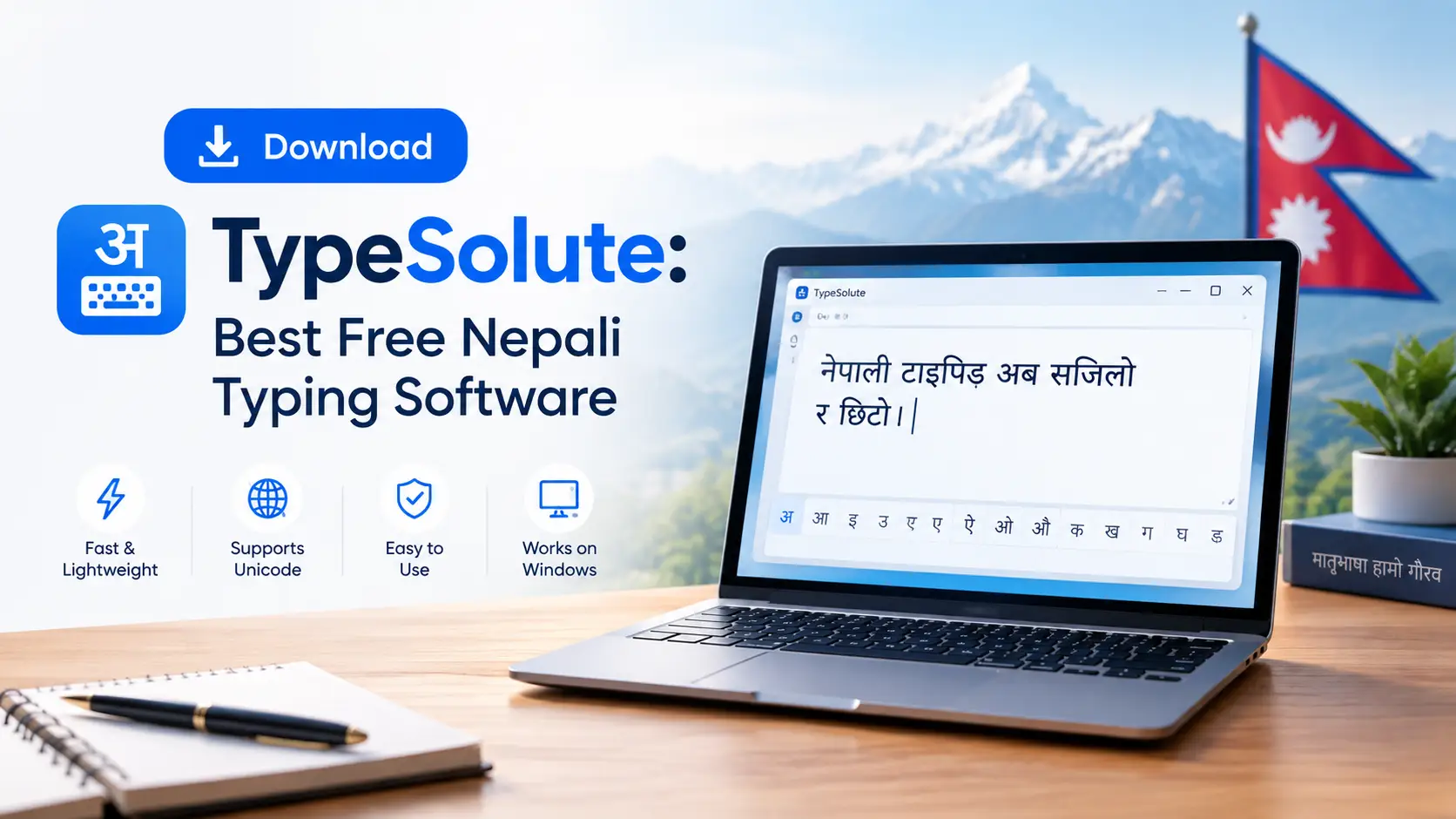
Every year, thousands of students in Nepal sit down at a new laptop, search for the typing tutor they used in school, and discover it simply will not run. Typeshala — the software that taught an entire generation Devanagari typing — is a 16-bit program. Modern 64-bit Windows 10 and Windows 11 machines refuse to open it. TypeSolute is the answer to that problem: a free, offline Nepali and English typing tutor built by the same tradition, but compiled to run natively on today's Windows.
This guide gives you the verified download links, real file sizes, a step-by-step installation walkthrough, fixes for the errors most people hit, the full Preeti keyboard map, and a 30-day practice plan built for Lok Sewa typing candidates. No fluff, no fake feature lists — just what the software actually does.
TypeSolute at a Glance
Software name: TypeSolute (Nepali Typing Tutor)
Developer: Appsolute Innovation
Latest version: 1.0.0 (released April 2020)
License: 100% free — no registration, no trial period
Platform: Windows 11, 10, 8, 7 — both 32-bit and 64-bit
Installer size: approximately 52.9 MB
Portable size: approximately 73.5 MB
Internet required: No — fully offline after download
Typing modes: Unicode Nepali, Preeti Nepali, English
Speed test: 2-minute session reporting WPM and CPM
What this guide covers
Why TypeSolute replaced Typeshala on modern Windows
Verified download links and which build to choose
Full installation walkthrough for installer and portable versions
Fixes for SmartScreen, antivirus and missing-font errors
The complete Preeti keyboard layout map
Preeti vs Unicode — which one your exam actually needs
A 30-day practice schedule to reach 25 WPM
Why Typeshala Stopped Working — and Where TypeSolute Fits In
Typeshala was written for a much older Windows. It is a 16-bit application, and 64-bit editions of Windows dropped the NTVDM compatibility layer that 16-bit programs depend on. The result is predictable: on a 64-bit Windows 10 or Windows 11 laptop, Typeshala either throws an "unsupported" error or refuses to launch at all. It still works on 32-bit Windows 7 and Windows 8 machines, which is why some older school computer labs never noticed the problem.
TypeSolute was released by Appsolute Innovation in April 2020 as the modern successor. It keeps the structure Nepali learners already know — guided lessons, a Preeti board, a Unicode board, and a timed speed test — but ships as a normal 32/64-bit Windows application that installs and runs without workarounds.
Worth knowing: Typeshala's Ramayan balloon game is the one thing genuinely missing from TypeSolute. If gamified practice is what kept you motivated, keep the old build on a 32-bit machine for fun and use TypeSolute for serious lesson work. See our Nepali typing practice guide using the Typeshala typing tutor for the game-based approach.
Download TypeSolute Free for Windows
TypeSolute is distributed as a ZIP archive. You extract it first, then either run the installer or launch the portable executable directly. Both builds contain the same program — the difference is only in how they sit on your system.
⬇ Download TypeSolute — Free Nepali Typing Software
Version 1.0.0 • Windows 11, 10, 8, 7 • 32-bit & 64-bit • Offline
No sign-up required. No payment. No bundled toolbars.
Installer or Portable — Which Should You Pick?
Consideration
Installer (~52.9 MB)
Portable (~73.5 MB)
Setup process
Runs a normal setup wizard
Extract and double-click — no install
Admin rights needed
Usually yes
No
Desktop shortcut
Created automatically
You create it manually
Runs from USB drive
No
Yes
Best for
Your own home or office PC
College labs, cyber cafés, shared computers
Removal
Through Windows "Apps & features"
Just delete the folder
Practical advice: If you are a student practising in a college computer lab where you cannot install software, take the portable build on a pen drive. Your lesson progress travels with the folder, so you can practise on any machine without asking an administrator for permission.
How to Install TypeSolute — Step by Step
Method 1 — Installing the Setup Version
Download the archive. Click the download button above and save the ZIP file to your Downloads folder. On a typical Nepali broadband connection this takes two to four minutes.
Extract the ZIP. Right-click the downloaded file and choose Extract All. Pick a folder you will remember. Do not try to run the setup from inside the compressed archive — this is the single most common cause of installation failure.
Run the setup file. Open the extracted folder and double-click the setup executable. If Windows asks for permission, choose Yes.
Handle the SmartScreen prompt. If you see a blue "Windows protected your PC" box, click More info, then Run anyway. This appears because the installer is not code-signed, not because the file is harmful.
Choose an installation folder. The default location works fine. Change it only if your C: drive is short on space.
Complete the wizard. Click through the prompts and finish. A shortcut is placed on your desktop.
Launch and pick your mode. Open TypeSolute and choose Unicode Nepali, Preeti Nepali, or English to begin your first lesson.
Method 2 — Running the Portable Version
Extract the portable ZIP to a folder on your desktop, or directly onto a USB drive if you plan to carry it around.
Open the extracted folder and locate the main TypeSolute executable file.
Double-click to launch. Nothing is written to Program Files and no registry entries are created.
Optional — pin it. Right-click the executable and choose Pin to Start or Create shortcut so you can reach it quickly tomorrow.
Important: Do not delete or move individual files out of the extracted folder. TypeSolute keeps its lesson data, fonts and configuration alongside the executable. Moving the .exe on its own will cause it to open with missing content.
Fixing the Errors Most Download Pages Never Mention
This is where almost every other TypeSolute page stops — they give you a link and leave you alone with the error messages. Here are the five problems people actually run into, and how to clear each one.
1. "Windows protected your PC" blue screen
This is Microsoft Defender SmartScreen reacting to an installer without a purchased code-signing certificate. Small Nepali software publishers rarely buy one. Click More info and then Run anyway. If your organisation has SmartScreen locked down, right-click the file, open Properties, tick Unblock at the bottom, and apply.
2. Antivirus quarantines the file during download
Some antivirus engines flag unsigned installers and any program that reads keystrokes — which a typing tutor obviously does — as suspicious. This is a heuristic guess, not a detection of actual malware. Add the extracted folder to your antivirus exclusion list, or pause real-time protection for the two minutes it takes to install, then turn it straight back on. Never leave protection disabled afterwards.
3. Nepali text appears as boxes or question marks
If Devanagari characters render as empty rectangles, your Windows installation is missing the Nepali language pack. Open Settings → Time & Language → Language & Region, click Add a language, and install Nepali (Nepal). Restart the computer. This fixes the display across Word, browsers and TypeSolute at the same time.
4. Preeti text looks wrong when pasted into Word
Preeti is a font-based system, not a character encoding. Text typed in Preeti only looks like Nepali when the Preeti font is applied to it. Install the Preeti font into C:\Windows\Fonts, then select your pasted text in Word and set the font to Preeti. If you need that same text to work in email or on a website, you must convert it to Unicode — Preeti will not display on devices that lack the font.
5. Extraction fails or the archive appears corrupted
Windows' built-in extractor sometimes chokes on larger archives, particularly if the download was interrupted. Install 7-Zip, right-click the ZIP, and choose 7-Zip → Extract Here. If it still fails, delete the file and download again — a partial download is the usual culprit on unstable connections.
Preeti vs Unicode — Choose Before You Start Practising
This decision matters more than which software you use, and it is the question most beginners get wrong. Picking the wrong system means weeks of muscle memory pointed in the wrong direction.
Aspect
Preeti (Traditional)
Unicode (Romanized / InScript)
How it works
Maps each English key to a Devanagari glyph
Encodes actual Devanagari characters
Displays without the font installed
No — shows garbled Roman letters
Yes — works on every device
Learning curve
Steeper — you memorise a full key map
Gentler, especially the Romanized layout
Top speed potential
Higher — one keystroke, one glyph
Slightly lower for conjunct characters
Where it is used
Government offices, print, DTP, older archives
Websites, email, social media, modern systems
Searchable text
No
Yes
Still required by exams?
Often, for computer operator posts
Increasingly the standard
Rule of thumb: Check your exam notice or your office's requirement first. If neither specifies, learn Unicode — it is easier and universally compatible. Learn Preeti only when a job, exam or DTP workflow explicitly demands it. TypeSolute lets you practise both, so you are not locked in.
The Preeti Keyboard Map — Learn It Row by Row
Preeti's power comes from direct key-to-glyph mapping, but that means memorisation. TypeSolute shows the guide on screen while you type; this reference is useful for offline revision. Learn the home row first — it carries the highest-frequency characters.
Row
Key mapping
Practice priority
Home row
a=ब s=क d=म f=ा g=न h=ज j=व k=प l=ि
Learn first — covers the most common letters
Top row
q=त्र w=ध e=भ r=च t=त y=थ u=ग i=ष o=य p=उ
Learn second
Bottom row
z=श x=ह c=अ v=ख b=द n=ल m=ं
Learn third
Shift layer
Holding Shift produces aspirated consonants, conjuncts and additional vowel signs
Learn only after the base layer is automatic
Do not skip ahead. Master the home row until you can type it without looking, then add one row at a time. Learners who try to memorise all three rows in the first week almost always plateau around 12 WPM and stay there.
What You Actually Get Inside TypeSolute
A note on accuracy before the feature list: some listings online describe a different product entirely under the same name — a text-expansion and snippet tool for office workers. That software is unrelated to the Nepali typing tutor, has no Nepali lessons, and no working download. If you arrived here after finding a page offering "TypeSolute" with clipboard history, team snippet libraries and encrypted sync, you were looking at the wrong program. The features below are what the Nepali typing tutor genuinely contains.
✓ What TypeSolute does
Offline Unicode Nepali typing practice
Preeti Nepali typing with an on-screen guide
English typing lessons and drills
Timed 2-minute test reporting WPM and CPM
Clean, uncluttered windowed interface
Portable build for shared computers
Runs fully without an internet connection
✗ What it does not do
No macOS or Linux version — Windows only
No predictive text or autocomplete
No Nepali spell-checker
No plugin for Word or Google Docs
No typing games
No cloud sync or progress backup
No updates since version 1.0.0 in 2020
Being clear about the limitations matters. TypeSolute is a typing tutor — a training tool. It is not an input method editor, so you do not type inside TypeSolute to produce documents. You practise in TypeSolute to build speed, then use Windows' own Nepali keyboard layout or a converter tool when you actually write.
Personal Experience: What Two Weeks of Practice Actually Looks Like
Notes from teaching Nepali typing to beginners
Having set this software up on more than a dozen machines for students preparing for computer operator posts, a few patterns repeat every single time.
Week one is discouraging, and that is normal. Almost everyone lands between 8 and 12 WPM in Devanagari during the first few sessions. People get demoralised and conclude the software is the problem. It is not — Devanagari words are longer in characters than English ones, so a Nepali WPM figure is naturally lower than the same person's English score. Compare your Nepali speed to your own Nepali history, never to your English number.
Accuracy is the thing that fails candidates, not speed. The most common mistake is racing. Learners push for 25 WPM with 80% accuracy and then wonder why they fail the practical test — because errors are deducted from the score. Hold 95% accuracy comfortably before you chase speed. Speed arrives on its own once the finger positions are automatic.
Twenty minutes daily beats two hours on Saturday. Muscle memory consolidates through frequency, not duration. Students doing three short sessions a day progressed noticeably faster than those doing one long weekend marathon.
Do not look at the keyboard. This sounds obvious and almost nobody follows it. Cover your hands with a thin cloth for the first two weeks. It feels dramatically slower initially and then pays for itself permanently.
A Realistic 30-Day Plan to Reach Exam Speed
Period
Focus
Daily time
Realistic target
Days 1–7
Home row only, eyes off the keyboard
20 minutes
8–12 WPM, 90% accuracy
Days 8–14
Add the top row; short word drills
25 minutes
12–16 WPM, 92% accuracy
Days 15–21
Add the bottom row; full sentences
30 minutes
16–20 WPM, 94% accuracy
Days 22–30
Shift layer, conjuncts, timed tests
30 minutes
22–26 WPM, 95%+ accuracy
Why 25 WPM is the number to aim for: Nepal's Public Service Commission typing assessments for computer operator and assistant-level posts commonly sit in the 20–30 WPM range for Devanagari, with English requirements higher. Exact thresholds vary by post and by notification cycle, so always confirm against the specific Lok Sewa Aayog notice for the position you are applying to rather than relying on a blog figure.
System Requirements
Component
Minimum
Recommended
Operating system
Windows 7 (32-bit)
Windows 10 or 11 (64-bit)
Processor
1 GHz dual-core
Any modern processor
RAM
1 GB
4 GB or more
Free disk space
150 MB
300 MB (includes extraction space)
Display
1024 × 768
1366 × 768 or higher
Internet
Only for the initial download
Not needed afterwards
Language pack
Nepali (Nepal) for correct Devanagari display
Same, plus the Preeti font installed
Safe Downloading — How to Avoid the Fake Mirror Sites
Search results for Nepali software downloads are heavily polluted with mirror sites that wrap a legitimate file in an ad-laden downloader, or serve something else entirely. A few habits keep you safe:
Check the file size before opening it. The installer should land near 52.9 MB and the portable build near 73.5 MB. A 2 MB "TypeSolute.exe" is a download manager or something worse.
Be suspicious of multiple download buttons. Legitimate pages have one. Mirror sites surround the real link with decoy ad buttons.
Never install a "download accelerator" you were not looking for. If a site insists you install its own client first, leave.
Ignore pages promising a Mac version. There isn't one. Any site offering "TypeSolute for macOS" is generating content automatically and has not verified anything.
Scan before running. Right-click the extracted file and use your antivirus scan option, or upload it to VirusTotal if you want a second opinion.
Alternatives Worth Knowing About
Tool
Best for
Cost
Works offline
TypeSolute
Structured lessons on modern Windows
Free
Yes
Typeshala (classic)
Game-based practice on older or 32-bit PCs
Free
Yes
Browser-based typing tutors
Quick practice on any device, no install
Free
No
Windows Nepali keyboard layout
Real document writing, not training
Built in
Yes
Preeti ↔ Unicode converters
Converting existing documents between systems
Usually free
Varies
Many learners end up using two of these together: TypeSolute for daily drills, and Windows' built-in Nepali layout for actual work. If you want a deeper walkthrough of the download and setup process specifically for Windows 10 and 11, see our companion guide on the TypeSolute download for Windows 10 and 11.
Frequently Asked Questions
Is TypeSolute really free to download?
Yes. TypeSolute is distributed free of charge by Appsolute Innovation. There is no trial period, no registration requirement and no paid upgrade. If a site asks you to pay for it or to submit personal details before downloading, you are on the wrong page.
Does TypeSolute work on Windows 11?
Yes. TypeSolute runs on Windows 11, Windows 10, Windows 8 and Windows 7, on both 32-bit and 64-bit systems. This is precisely why it was created — the older Typeshala software cannot run on 64-bit Windows because it is a 16-bit application.
Can I use TypeSolute on a Mac?
No. TypeSolute is a Windows-only application and no macOS build exists. Websites claiming to offer a Mac version are not reliable. Mac users should either run Windows through virtualisation software, or use a browser-based Nepali typing tutor instead.
Does TypeSolute need an internet connection?
Only for the initial download. Once installed or extracted, the software runs completely offline — including the Unicode Nepali typing mode. This makes it practical in areas with unreliable connectivity and in exam-preparation settings where internet access is restricted.
What is the difference between the installer and the portable version?
The installer (~52.9 MB) runs a setup wizard, creates a desktop shortcut and registers the program with Windows. The portable version (~73.5 MB) requires no installation at all — extract it and run it, including from a USB drive. Use the portable build on computers where you lack administrator rights.
Does TypeSolute support Preeti font typing?
Yes. TypeSolute includes a dedicated Preeti typing board with the key guide shown on the same screen, alongside separate Unicode Nepali and English modes. For Preeti text to display correctly outside TypeSolute, you will also need the Preeti font installed in your Windows Fonts folder.
Why does my antivirus flag TypeSolute?
Typing tutors read keyboard input by design, and TypeSolute's installer is not code-signed. Together these trigger heuristic warnings in some antivirus engines. This is a precautionary flag rather than a malware detection. Download only from a trusted source, verify the file size, and add the folder to your antivirus exclusions if needed.
How long does it take to reach 25 words per minute in Nepali?
With around 20 to 30 minutes of daily practice, most beginners reach roughly 20 to 26 WPM within a month. The limiting factor is almost always accuracy rather than raw speed — build to 95% accuracy first, and speed follows. Progress is slower if you practise irregularly or keep looking at the keyboard.
Is TypeSolute the same as the text-expansion tool with the same name?
No. A separate, unrelated product shares the name TypeSolute and is described as a snippet and text-automation tool for office workflows. It has nothing to do with Nepali typing. The software covered in this guide is the Nepali and English typing tutor by Appsolute Innovation, version 1.0.0.
Is there a newer version than 1.0.0?
No. Version 1.0.0, released in April 2020, remains the current and only release. The software is feature-complete for its purpose, so the lack of updates does not affect how it functions on current versions of Windows.
Final Verdict
TypeSolute is not flashy, and it has not been updated since 2020 — but it solves the exact problem Nepali learners face today. It installs on modern Windows without compatibility tricks, it teaches Preeti and Unicode and English side by side, it runs offline, and it costs nothing. For a student preparing for a Lok Sewa typing test, an office worker who needs Preeti for government correspondence, or anyone who simply wants to write in their own language at a reasonable speed, it is the most practical free option available for Windows.
Download it, commit to twenty minutes a day for a month, and protect your accuracy before you chase speed. That single habit separates the people who pass the practical test from the people who retake it.
Ready to Start?
Free • Offline • Windows 11, 10, 8, 7 • Preeti, Unicode & English