
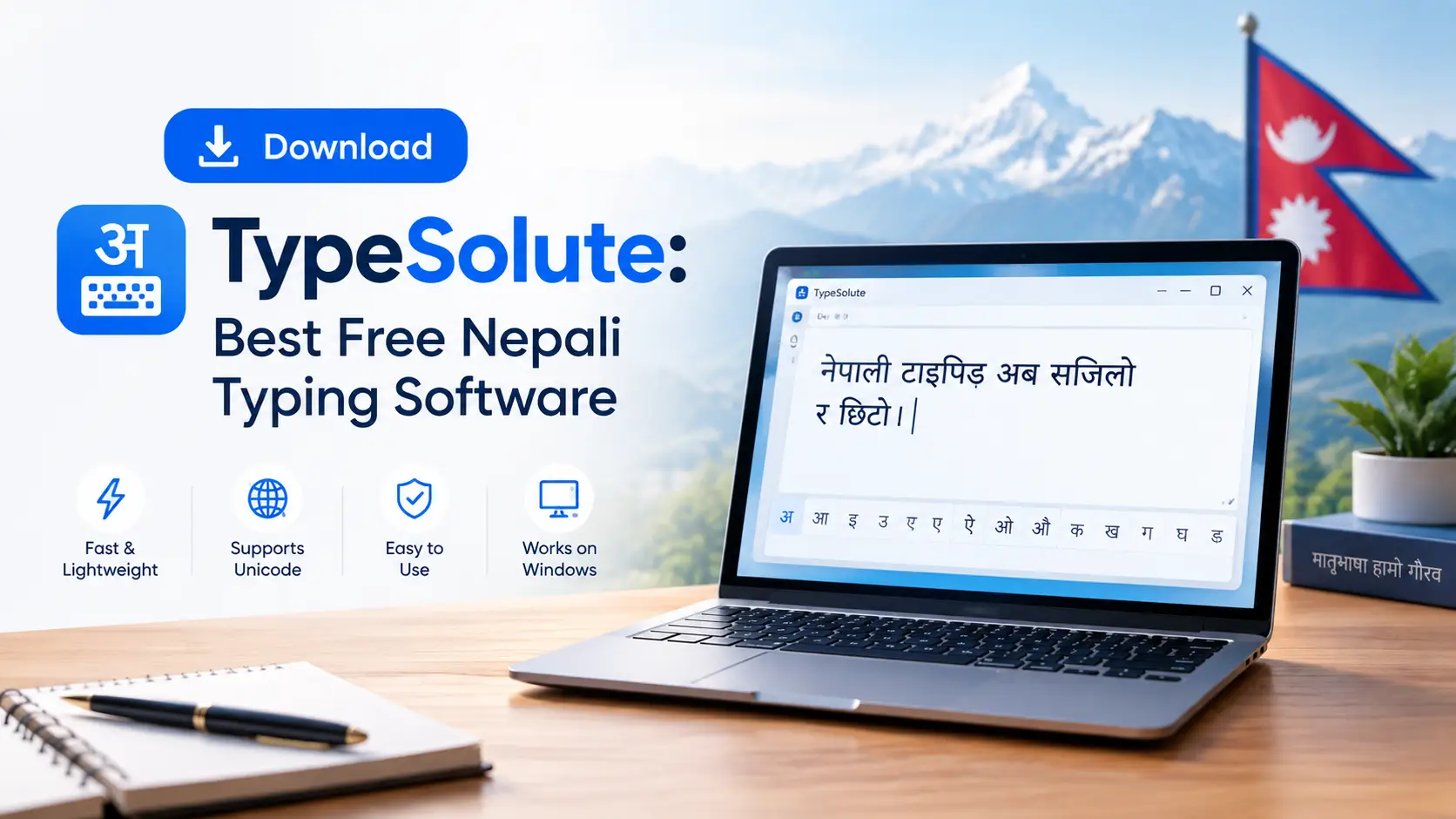
100% FreeOfflineWindows 11 · 10 · 8 · 7
Download TypeSolute: Best Free Nepali Typing Software
Every year, thousands of students in Nepal open a new laptop, search for the typing tutor they used in school, and find it will not run. Typeshala is a 16-bit program, and modern 64-bit Windows 10 and 11 refuse to open it. TypeSolute solves that: a free, offline Nepali and English typing tutor that runs natively on today’s Windows.
This guide gives you verified download links, real file sizes, step-by-step installation, fixes for common errors, the Preeti keyboard map, and a 30-day plan for Lok Sewa typing candidates. No fluff, no fake feature lists.
⬇ Download TypeSoluteFix an error📑 What this guide covers
Why Typeshala Stopped Working, and Where TypeSolute Fits
Typeshala was written for a much older Windows. It is a 16-bit application, and 64-bit Windows dropped the NTVDM layer that 16-bit programs need. On a 64-bit Windows 10 or 11 laptop, Typeshala throws an “unsupported” error or won’t launch. It still works on 32-bit Windows 7 and 8, which is why some school labs never noticed.
Appsolute Innovation released TypeSolute in April 2020 as the modern successor. It keeps the structure Nepali learners know (guided lessons, a Preeti board, a Unicode board, a timed test) but installs and runs without workarounds.
Want the original? You can still run Typeshala on 64-bit Windows 10 with the otvdm compatibility layer, or use our free Typeshala download page. For most people, TypeSolute is far simpler. (otvdm guide)
TypeSolute vs Typeshala: Honest Comparison
| Feature | Typeshala (Classic) | TypeSolute 1.0.0 |
|---|---|---|
| Windows 11 / 10 (64-bit) | Needs a compatibility layer | Runs natively |
| Windows 7 / 8 (32-bit) | Runs | Runs |
| Nepali Unicode typing | Not included | Included, offline |
| Preeti typing | Included | Included, on-screen guide |
| English practice | Included | Included |
| Speed test | Basic | WPM and CPM after 2 minutes |
| Typing games | Yes (Ramayan balloon game) | Not included |
| Interface | DOS-era, keyboard-driven | Modern windowed layout |
| Portable version | Unofficial repacks only | Official portable build |
| Price | Free | Free |
Worth knowing: the Ramayan balloon game is the one thing missing from TypeSolute. If games kept you motivated, keep the old build on a 32-bit PC and use TypeSolute for serious lessons. See our Nepali typing practice guide.
Download TypeSolute Free for Windows
TypeSolute comes as a ZIP archive. Extract it first, then run the installer or launch the portable executable. Both contain the same program; they only differ in how they sit on your system.
⬇ TypeSolute: Free Nepali Typing Software
Version 1.0.0 · Windows 11, 10, 8, 7 · 32-bit & 64-bit · Offline
Download TypeSolute NowDownload Classic TypeshalaNo sign-up. No payment. No bundled toolbars.
Installer or Portable: Which Should You Pick?
| Consideration | Installer (~52.9 MB) | Portable (~73.5 MB) |
|---|---|---|
| Setup | Normal setup wizard | Extract and double-click |
| Admin rights | Usually yes | No |
| Desktop shortcut | Automatic | Create manually |
| Runs from USB | No | Yes |
| Best for | Your own home or office PC | College labs, cyber cafés, shared PCs |
| Removal | Windows “Apps & features” | Delete the folder |
Practical advice: in a college lab where you can’t install software, carry the portable build on a pen drive. Your lesson progress travels with the folder.
How to Install TypeSolute, Step by Step
💻 Installer
- 1Download the archive. Save the ZIP to Downloads. On typical Nepali broadband this takes two to four minutes.
- 2Extract the ZIP. Right-click, choose Extract All, and pick a folder you’ll remember. Never run setup from inside the compressed archive; it’s the most common cause of failure.
- 3Run the setup file. Double-click it and choose Yes if Windows asks permission.
- 4Handle SmartScreen. On the blue “Windows protected your PC” box, click More info, then Run anyway. The installer isn’t code-signed; that doesn’t make it harmful.
- 5Choose a folder. The default is fine unless C: is short on space.
- 6Finish the wizard. A desktop shortcut is created.
- 7Launch and pick a mode: Unicode Nepali, Preeti Nepali, or English.
💾 Portable
- 1Extract the portable ZIP to your desktop, or straight onto a USB drive.
- 2Find the main TypeSolute executable in the extracted folder.
- 3Double-click to launch. Nothing is written to Program Files and no registry entries are created.
- 4Optional: right-click the executable and choose Pin to Start or Create shortcut.
Important: don’t move individual files out of the extracted folder. TypeSolute keeps lessons, fonts and settings beside the executable; moving the .exe alone makes it open with missing content.
Fixing the Errors Most Download Pages Never Mention
Most TypeSolute pages give you a link and leave you alone with the error. Expand a problem to see the fix.
1. “Windows protected your PC” blue screen
This is Microsoft Defender SmartScreen reacting to an installer without a purchased code-signing certificate, which small Nepali publishers rarely buy. Click More info, then Run anyway. If SmartScreen is locked down, right-click the file, open Properties, tick Unblock, and apply.
2. Antivirus quarantines the file
Some engines flag unsigned installers and any program that reads keystrokes, which a typing tutor does. This is a heuristic guess, not a malware detection. Add the extracted folder to your exclusion list, or pause real-time protection while installing, then turn it back on straight away.
3. Nepali text shows as boxes or question marks
Your Windows is missing the Nepali language pack. Go to Settings → Time & Language → Language & Region → Add a language, install Nepali (Nepal), then restart. This fixes Word, browsers and TypeSolute together.
4. Preeti text looks wrong in Word
Preeti is a font-based system, not a character encoding. It only looks like Nepali when the Preeti font is applied. Install the Preeti font into the Windows Fonts folder, then select the pasted text in Word and set the font to Preeti. For email or websites, convert to Unicode; Preeti won’t display on devices without the font.
5. Extraction fails or the archive looks corrupted
Windows’ built-in extractor can choke on larger archives, especially after an interrupted download. Install 7-Zip, right-click the ZIP, and choose 7-Zip → Extract Here. If it still fails, delete the file and download again.
Preeti vs Unicode: Choose Before You Start
This decision matters more than the software. The wrong choice means weeks of muscle memory pointed the wrong way.
| Aspect | Preeti (Traditional) | Unicode (Romanized / InScript) |
|---|---|---|
| How it works | Maps each English key to a Devanagari glyph | Encodes actual Devanagari characters |
| Shows without the font | No, garbled Roman letters | Yes, on every device |
| Learning curve | Steeper: full key map to memorise | Gentler, especially Romanized |
| Top speed | Higher: one keystroke, one glyph | Slightly lower for conjuncts |
| Used in | Government offices, print, DTP, older archives | Websites, email, social media |
| Searchable | No | Yes |
| Exam requirement | Often, for computer operator posts | Increasingly the standard |
Rule of thumb: check your exam notice or office requirement first. If neither says, learn Unicode; it’s easier and universally compatible. Learn Preeti only when a job, exam or DTP workflow demands it. TypeSolute lets you practise both.
The Preeti Keyboard Map, Row by Row
TypeSolute shows the guide on screen as you type. Use this for offline revision, and learn the home row first, since it carries the most frequent characters.
🥇 Home row: learn first
🥈 Top row: learn second
🥉 Bottom row: learn third
Shift layer: holding Shift gives aspirated consonants, conjuncts and extra vowel signs. Learn it only once the base layer is automatic.
Don’t skip ahead. Master the home row without looking, then add one row at a time. Learners who memorise all three rows in week one usually plateau around 12 WPM.
What You Actually Get Inside TypeSolute
Accuracy note: some listings use the name “TypeSolute” for an unrelated text-expansion and snippet tool for office workers (clipboard history, team snippets, encrypted sync). It has no Nepali lessons and no working download. If you saw that, you were on the wrong program.
What it does
- ✓ Offline Unicode Nepali practice
- ✓ Preeti typing with on-screen guide
- ✓ English lessons and drills
- ✓ 2-minute test with WPM and CPM
- ✓ Clean, uncluttered interface
- ✓ Portable build for shared PCs
- ✓ Works with no internet
What it doesn’t do
- ✕ No macOS or Linux version
- ✕ No predictive text or autocomplete
- ✕ No Nepali spell-checker
- ✕ No Word or Google Docs plugin
- ✕ No typing games
- ✕ No cloud sync or backup
- ✕ No updates since v1.0.0 (2020)
TypeSolute is a training tool, not an input method editor. You practise in it to build speed, then use Windows’ own Nepali keyboard layout or a converter when you actually write documents.
A Realistic 30-Day Plan to Reach Exam Speed
- Days 1–7: Home row only, eyes off the keyboard
20 min/day Target: 8–12 WPM · 90% accuracy - Days 8–14: Add the top row, short word drills
25 min/day Target: 12–16 WPM · 92% accuracy - Days 15–21: Add the bottom row, full sentences
30 min/day Target: 16–20 WPM · 94% accuracy - Days 22–30: Shift layer, conjuncts, timed tests
30 min/day Target: 22–26 WPM · 95%+ accuracy
Why 25 WPM? Public Service Commission typing assessments for computer operator and assistant-level posts commonly sit around 20 to 30 WPM in Devanagari, with higher English requirements. Thresholds vary by post and cycle, so always confirm against the specific Lok Sewa Aayog notice.
✅ Your Daily Practice Checklist
- ☐ Hands covered, eyes on the screen
- ☐ Warm-up on the home row (5 minutes)
- ☐ One lesson or drill for today’s row
- ☐ One 2-minute speed test, noting WPM and accuracy
- ☐ Accuracy at or above today’s target
System Requirements
| Component | Minimum | Recommended |
|---|---|---|
| OS | Windows 7 (32-bit) | Windows 10 or 11 (64-bit) |
| Processor | 1 GHz dual-core | Any modern processor |
| RAM | 1 GB | 4 GB or more |
| Free disk space | 150 MB | 300 MB (incl. extraction) |
| Display | 1024 × 768 | 1366 × 768 or higher |
| Internet | Only to download | Not needed afterwards |
| Language pack | Nepali (Nepal) | Same, plus Preeti font |
Safe Downloading: Avoid the Fake Mirror Sites
Search results for Nepali software are polluted with mirrors that wrap a real file in an ad-laden downloader, or serve something else. Five habits keep you safe:
- Check the file size. The installer should be near 52.9 MB and the portable near 73.5 MB. A 2 MB “TypeSolute.exe” is a download manager or worse.
- Distrust multiple download buttons. Real pages have one; mirrors surround it with decoys.
- Never install an unrequested “download accelerator.” If a site insists, leave.
- Ignore “TypeSolute for Mac.” There isn’t one.
- Scan first. Right-click and scan, or upload to VirusTotal for a second opinion.
Alternatives Worth Knowing
| Tool | Best for | Cost | Offline |
|---|---|---|---|
| TypeSolute | Structured lessons on modern Windows | Free | Yes |
| Typeshala (classic) | Game-based practice on older PCs | Free | Yes |
| Browser typing tutors | Quick practice, no install | Free | No |
| Windows Nepali keyboard | Real document writing | Built in | Yes |
| Preeti ↔ Unicode converters | Converting existing documents | Usually free | Varies |
Many learners combine two: TypeSolute for daily drills and Windows’ Nepali layout for real work. For help getting the classic software running, see our guide to fixing Typeshala on Windows 11.
TypeSolute Pros & Cons
Pros
- ✓ Free, no license fee
- ✓ Preeti and Unicode supported
- ✓ Fully offline after install
- ✓ Live WPM and accuracy tracking
- ✓ Beginner-friendly structured lessons
Cons
- ✕ Interface feels a bit dated
- ✕ No macOS or Linux version
- ✕ Occasional setup errors on newer Windows 11 builds
- ✕ No cloud sync; progress stays on one device
- ✕ Limited advanced or custom lessons
Frequently Asked Questions
Is TypeSolute really free to download?
Yes. Appsolute Innovation distributes it free, with no trial, registration or paid upgrade. If a site asks for payment or personal details, you’re on the wrong page.
Does TypeSolute work on Windows 11?
Yes. It runs natively on Windows 11 and 10 (32-bit and 64-bit), and on Windows 8 and 7, with no compatibility layer.
Can I use TypeSolute on a Mac?
No. It is Windows-only, and any site offering a macOS version hasn’t verified its claims.
Does TypeSolute need an internet connection?
Only for the initial download. After that it works fully offline.
What is the difference between the installer and the portable version?
Same program, different packaging. The installer (~52.9 MB) sets up like normal software; the portable build (~73.5 MB) runs from any folder or USB drive with no admin rights, which suits labs and shared PCs.
Does TypeSolute support Preeti font typing?
Yes. It includes Preeti Nepali with an on-screen guide, alongside Unicode Nepali and English.
Why does my antivirus flag TypeSolute?
The installer is unsigned and the program reads keystrokes, which triggers heuristic warnings. It isn’t a malware detection. See the fix above, and always download from a trusted page and check the file size.
How long does it take to reach 25 words per minute in Nepali?
With 20 to 30 minutes of daily practice, the plan above targets 22 to 26 WPM by day 30, provided you hold 95% accuracy and don’t look at the keyboard. Individual results vary.
Is TypeSolute the same as the text-expansion tool with the same name?
No. They are unrelated. The text-expansion tool has no Nepali lessons and no working download.
Is there a newer version than 1.0.0?
Not at the time of writing. Version 1.0.0 from April 2020 is the latest, and no updates have been released since.
Final Verdict
TypeSolute isn’t flashy, and it hasn’t been updated since 2020, but it solves the exact problem Nepali learners face today. It installs on modern Windows without tricks, teaches Preeti, Unicode and English side by side, runs offline, and costs nothing. For a Lok Sewa candidate, an office worker who needs Preeti for government correspondence, or anyone who wants to write in their own language faster, it’s the most practical free option on Windows.
Commit to twenty minutes a day for a month, and protect your accuracy before you chase speed. That one habit separates people who pass the practical test from those who retake it.
Ready to Start?
Free · Offline · Windows 11, 10, 8, 7 · Preeti, Unicode & English
Download TypeSolute Free