Select Page

Typeshala vs Typing Tutor | Free Nepali Typing Software

Are you looking for Free Nepali Typing Software?

There are various Free Nepali Typing Software, among them I have listed 2 of the most popular Free Nepali Software available in the market right now.

  1. Typeshala
  2. Typing Tutor

If you are confused about these 2 programs, I will completely solve your confusion. Then you will be clear about which software is useful.

I have been using both of the software since 2017, and I have the best experience on both of them. I have used each and every function of them and I got to know that both of them have different advantages of using it. We can practice on both software which everyone does to get their job done for documentation preparation, graphic design, blogging, etc. These I have usually done most.

Simply to let you know, Typeshala is made by Nepali Developers and it is best for Nepali typing practice but it does not have a good user interface and design like Typing Tutor, which is mostly used to practice English typing. Other differences between this software are listed below.

Typeshala vs Typing Tutor

Feature Typeshala Typing Tutor
Language Support Primarily focused on Nepali typing May support multiple languages
Target Audience Widely used in Nepal for Nepali learners General typing software for various users
Special Features Customized for Nepali keyboard layout May have adaptive lessons, games, etc.
Availability Often used locally in Nepal Available internationally with variations
Operating Systems Primarily for Windows Available for various operating systems
Popularity Popular in Nepali-speaking regions Widely used globally
[dsm_blog_carousel use_excerpt="off" use_date="off" use_author="off" _builder_version="4.23.1" _module_preset="default" hover_enabled="0" global_colors_info="{}" include_categories="122" sticky_enabled="0"][/dsm_blog_carousel]

FREE DOWNLOAD KALIMATI FONT

FREE DOWNLOAD KALIMATI FONT

Are you looking to free download kalimati font?

You are at the right place, I have provided a download link button down below so that you can free download Kalimati font.

I have used this font for different purposes of my work like graphic designing, Nepali Document typing, and in blogging as well. It is one of the best-looking and easy-to-read fonts available in the font market of Nepal. That’s the reason it is the most popular Nepali typing font.

Kalimati is a Devanagari font that is inspired by traditional Nepali calligraphy, but it has been updated to be more modern and accessible. Kalimati is used for a variety of uses, such as websites, apps, and print materials. You can Free Download Kalimati Font from the given link below.

Font Name Kalimati
Designer Google Fonts
Release Date 2010
Style Serif
Copyright Google Fonts
License SIL Open Font License 1.1

Kalimati Regular is one of the fonts of the Nepali language. Many artists like to use this style of calligraphy in their designs.

If you are going to do any kind of graphics or work on any kind of web design project, we highly recommend trying out Kalimati Regular in your projects. Not only will it make all your images stand out but it helps you get more traffic to your website. Download this font for free.

[dsm_blog_carousel use_excerpt="off" use_date="off" use_author="off" _builder_version="4.23.1" _module_preset="default" hover_enabled="0" global_colors_info="{}" include_categories="122" sticky_enabled="0"][/dsm_blog_carousel]

FREE DOWNLOAD: PREETI FONT WITH LAYOUT

FREE DONWLOAD PREETI FONT WITH LAYOUT
In Nepal, Preeti Font is one of the most used fonts in local Graphic Design, Nepali Documentation, blogger, etc. It is the most simple to read and elegant choice for all the users. Preeti Font is a combination of style and Legibility, which makes it an ideal choice for both print and digital media. It is also used in Government office documentation. I have also used this font in my daily life as in graphic design and to create documents. So here I have provided to Free download of Preeti Font just in one click.
[dsm_button button_one_text=”CLICK HERE TO DOWNLOAD” button_one_url=”https://wilson.com.np/wp-content/uploads/2022/10/Preeti-Normal.zip” button_one_url_new_window=”on” button_alignment=”center” _builder_version=”4.23.1″ _module_preset=”default” custom_button_one=”on” button_one_text_size=”25px” button_one_text_color=”#FFFFFF” button_one_bg_use_color_gradient=”on” button_one_bg_color_gradient_stops=”#12876f 0%|#0c5a4a 100%” button_one_border_radius=”50px” button_one_icon=”||divi||400″ button_one_on_hover=”off” global_colors_info=”{}”][/dsm_button]
Preeti Font is one of the oldest computer font of Nepal. It is developed by Ananda K. Maharjan and officially released in 1996.

Name Preeti Font
Type Nepali Font
Designer Ananda K. Maharjan
Release Year 1996
Appearance Elegant and Traditional
Readability High
Versatility Suitable for Various Applications
Used in
Wedding Invitations, Certificates, Cultural Publications
Graphic Design, Printing press, Documentation, blogs

To be able to use this font, first of all, you need to Download this font from the above button (CLICK HERE TO DOWNLOAD). Then you need to learn to type this font from your keyboard. I will provide you Preeti font layout so that it will be helpful for you to type by watching the placement of words on the keyboard. Also, I am suggesting you download Typeshala to practice typing.

PREETI FONT KEYBOARD LAYOUT

PREETI FONT KEYBOARD LAYOUT

Alt key Combination

preeti font alt key keyboard combination

Free Hindi Fonts Download for PC

Free Hindi Fonts Download for PC: Where to Find and How to Install Them

Free Hindi fonts are essential for anyone looking to type in Hindi on their PC. These fonts allow users to create documents, emails, and other text-based content in Hindi, making it easier to communicate with others who speak the language. With the popularity of Hindi increasing globally, the demand for free Hindi fonts has also been on the rise.

There are many websites that offer free Hindi fonts for download. These fonts come in a variety of styles and designs, making it easy for users to find the perfect font for their needs. Some websites even offer font packages that include multiple fonts, allowing users to experiment with different styles and designs. Additionally, many of these websites also provide instructions on how to install the fonts on a PC, making it easy for users to get started.


Why Download Free Hindi Fonts for PC?

Hindi is one of the most widely spoken languages in the world and is the official language of India. If you are someone who works with Hindi language content, it is essential to have access to a variety of Hindi fonts on your PC. Here are a few reasons why downloading free Hindi fonts for PC is important:

1. Better readability and comprehension

Using the same font for all Hindi content can lead to boredom and lack of interest in reading. By using different fonts, you can make the content more visually appealing, which can lead to better readability and comprehension. With a wide variety of free Hindi fonts available for download, you can choose the best font that suits your content and enhances its readability.

2. Improved aesthetics

Fonts play a crucial role in the overall aesthetics of any content. Using the right font can make the content more attractive and pleasing to the eyes. With the availability of free Hindi fonts for download, you can experiment with different fonts and choose the one that best complements your content.

3. Enhanced creativity

Having access to a variety of Hindi fonts can also enhance your creativity. With different fonts available, you can experiment with various font styles, sizes, and colors to create unique and visually appealing content. This can help you stand out from the crowd and make your content more memorable.

4. Cost-effective

Purchasing Hindi fonts can be expensive, especially if you require multiple fonts for various projects. However, with the availability of free Hindi fonts for download, you can save a significant amount of money. You can download and use as many fonts as you need without worrying about the cost.

In conclusion, downloading free Hindi fonts for PC is essential for anyone who works with Hindi language content. With a wide variety of fonts available for download, you can choose the best font that suits your content and enhances its readability, aesthetics, and creativity. Additionally, downloading free Hindi fonts is cost-effective and can save you a significant amount of money.

Where to Find Free Hindi Fonts for PC

For those looking for free Hindi fonts for their PC, there are several websites that offer a wide range of options. In this section, we will discuss some of the most popular websites for free Hindi font downloads and provide tips for finding high-quality fonts.

Popular Websites for Free Hindi Fonts Download

  1. HindiFonts.com: This website offers a vast collection of trendy, stylish, and high-quality Hindi fonts for any device, including mobile, tablet, desktop, Apple, Windows, Linux, and iPad. Users can download fonts for free and preview how their desired text looks using the “Enter Your Text To Preview” feature.
  2. IndiaTyping.com: This website provides all types of Hindi fonts for free download, including the popular Devlys Hindi font, Mangal, and many more. Users can also download Hindi keyboard layouts for the Typewriter (Remington) layout used in Hindi typing.
  3. TypingGuru.net: This website offers over 1000 free Hindi fonts for Windows and Mac, including Chanakya font, Devnagari font, Krishna font, Kruti Dev font, Kundli font, New Delhi font, and more. Users can also find fonts for other languages and typing tutorials.

Tips for Finding High-Quality Free Hindi Fonts

  1. Look for websites that offer a wide range of fonts and font styles to choose from. This will give you more options to find the perfect font for your needs.
  2. Check the font’s compatibility with your device and software before downloading. Some fonts may not work with certain operating systems or software programs.
  3. Read user reviews and ratings to get an idea of the font’s quality and usability. This can help you avoid downloading fonts that may have issues with readability or other problems.
  4. Consider the font’s licensing before downloading. Some fonts may be free for personal use only, while others may require attribution or payment for commercial use.

In conclusion, finding free Hindi fonts for your PC is easy with the help of popular websites like HindiFonts.com, IndiaTyping.com, and TypingGuru.net. By following the tips provided, you can ensure that you find high-quality fonts that are compatible with your device and software, and meet your specific needs.

English To Nepali Type Converter Unicode

Are you looking for a Nepali Unicode converter?

You are in the right place, you will find an easy and quick English and Nepali Unicode converter plus a converter for Unicode to Preeti Font. So that you can perform both tasks on the same page. I have created this because it was not available on another site.

I use this page everyday in my day to day life for my work like Graphic designing, blogging, and Nepali Documentation.

Easy way to convert English letters to Nepali letters Unicode. No need to know Nepali Typing, now you can convert English alphabets to Nepali letters. It automatically translates your English letter into Nepali letters.

You can use this in sending messages, Graphic design, Documents, or letter typing.

English to Nepali Unicode Converter.

English to Nepali Unicode Converter
Other special characters
ri^ = रि (as in प्र)
rr= र्‍ (as in गर्‍य)


शब्दको अन्त्यमा हलन्त राख्नको लागि backslash (\) अक्षर प्रयोग गर्नुहोस् । Example: bas = बस, bas\ = बस् |
If a Nepali letter gets wrongly analyzed with the preceding letter, use the slash (/) key to separate. Example: pratishatko = प्रतिशत्को, pratishat/ko = प्रतिशतको |
Combine English into your Nepali Unicode text: Simply put any English text inside the curly {} brackets to keep it in English. Example: yo {mobile} mero ho. = यो mobile मेरो हो

Convert Unicode to Preeti Font

Download Nepali Fonts

Preeti Normal  Download

Ganess  Download

Urmila  Download

Kalimati Download

Here you can also download the popular fonts for free. this page will help you to save you time.

Conclusion for English to Nepali Type converter unicode

I think it is the best page or site for Unicode converter. In this page, you will get the following:

  • English to Nepali Unicode Converter
  • Unicode to Preet Font converter (also known as Devnagrik to Nepali typing converter.)
  • Also, How to type in using English text in Nepali
  • Links for downloading popular Nepali Fonts.
[dsm_blog_carousel use_excerpt="off" use_date="off" use_author="off" _builder_version="4.23.1" _module_preset="default" hover_enabled="0" global_colors_info="{}" include_categories="122" sticky_enabled="0"][/dsm_blog_carousel]

Free Download Nepali and English Typeshala for Windows PC

Free Download Nepali and English Typeshala for Windows PC

Typeshala is computer software that teaches you to type letters in Nepali and English format. This is very useful for office work and learning for students.

You just have to practice 15 to 30 minutes per day for 10 to 15 days.
The download link for Offline Typeshala is given below.
Typeshala Keyboard Layout Preview

Free Download Nepali and English Typeshala for Windows PC

Master the Art of
Bilingual Typing

This typing tutor will help you to learn Nepali typing in Devanagari script and English typing as well. It is used for freehand typing with entertaining games within.

Nepali typing is one of the hardest typing languages but by using this software for 15 minutes every day you will learn typing in 3 to 4 weeks.

Download this for free and start learning Nepali and English typing from today.

No Internet Needed
Free Download
Windows PC

Learn Through Play

Typeshala software is very useful if you want to learn Nepali and English typing.

Ramayan Game is one of the most entertaining games on this platform which helps you to increase your typing speed with fluency.


No Internet is needed to use this application, you just need the internet to download this application.

System Requirements for Typeshala

Operating System Windows XP, Vista, 7, 8, 10
Processor Pentium 4 or equivalent
RAM 512 MB or more
Hard Disk Space 100 MB or more
Graphics Standard VGA graphics or higher
Input Keyboard and mouse

Free Download Nepali and English Typeshala for Windows PC. Start Typing

It has been ages that we use Offline Typeshala as a typing tutor to learn English and Nepali Typing. We also can learn to type online.

Here you can Download Typeshala for free and without any difficulty. Download the software with just one click.

This is the trusted platform for free downloading Nepali and English Typeshala for Windows PC.

Typeshala Download Preview

Downloading

01
Click on the Download Button above (the Gradient Red & Orange button).
02
Wait for the ZIP file to finish downloading to your computer.

Installing

01
Unzip the file: Right-click the ZIP and select "Extract All" to a folder.
02
Open the folder and locate Typeshala.exe.
03
Right-click the file and select "Run as Administrator" to ensure compatibility with Windows 10/11.
04
Accept the terms and launch the app from your Desktop.

Note: Windows 10/11 users may encounter minor setup errors. Please refer to the video tutorial above for a step-by-step fix. Still having trouble? Leave a comment below and our team will assist you.

How to Use Typeshala — A Detailed Tutorial

Once you have installed Typeshala, here is a complete step-by-step guide on how to use it effectively to master both Nepali and English typing.

Step 1

Choose Your Language

When you open Typeshala for the first time, you will be prompted to choose between Nepali and English typing mode. If you are a beginner, it is recommended to start with English typing first to get comfortable with the keyboard layout. Once you are confident, switch to Nepali mode to learn Devanagari script typing.

Step 2

Start with the Basic Lessons

Typeshala organizes its lessons from beginner to advanced level. The lessons are structured as follows:

  • Lesson 1–5 (Home Row Keys): You will start by practicing the most important keys — A, S, D, F, G, H, J, K, L, and ; — which form the "home row." Your fingers should always rest on these keys. For Nepali typing, this corresponds to the central Devanagari characters most frequently used in text.
  • Lesson 6–10 (Upper and Lower Rows): After mastering the home row, you progress to the top row (Q, W, E, R, T, Y, U, I, O, P) and the bottom row (Z, X, C, V, B, N, M).
  • Lesson 11–15 (Numbers and Special Characters): These lessons teach you to type numbers and punctuation marks, which are essential for office work and documentation.
  • Lesson 16+ (Full Text Practice): By this stage, you begin typing full sentences and paragraphs to build speed and accuracy.
Step 3

Use the On-Screen Keyboard Guide

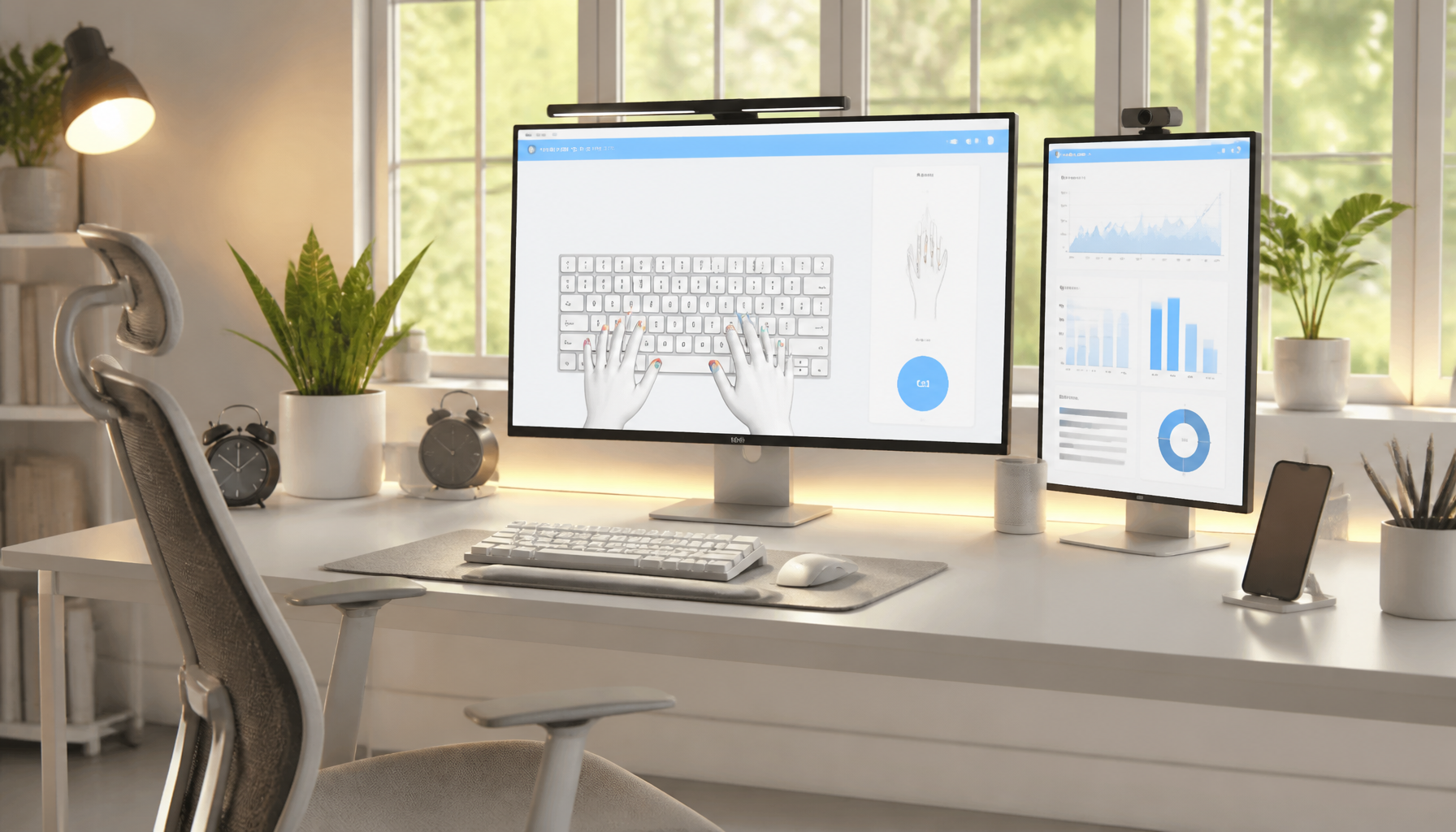
Typeshala features a virtual on-screen keyboard that highlights which key to press next and which finger to use. Always follow the on-screen guide to develop proper finger discipline. Using the wrong fingers at this stage will create bad habits that are very hard to break later.

Step 4

Enable Free Hand Typing Mode

Once you complete the structured lessons, move to Free Hand Typing Mode. In this mode, you can type any text you want — copy from a Nepali newspaper, government document, or English article. This is excellent practice for real-world typing situations.

Step 5

Play the Ramayan Typing Game

One of Typeshala's most beloved features is the Ramayan Game — a fun, gamified exercise that challenges you to type characters and words quickly to advance in the game. This game is especially effective for:

  • Building typing speed under pressure
  • Improving accuracy through repetition
  • Making practice sessions entertaining so you don't feel bored

Try to play the game for at least 10–15 minutes after each structured lesson session. You will notice your words-per-minute (WPM) count increase rapidly.

Step 6

Track Your Progress

Typeshala includes a Progress Tracking feature that shows your typing speed (WPM) and accuracy percentage after each session. Use these metrics to set personal goals. For example:

  • Week 1 Goal: 15–20 WPM with 80% accuracy
  • Week 2 Goal: 25–35 WPM with 85% accuracy
  • Week 3–4 Goal: 40+ WPM with 90%+ accuracy
Step 7

Practice Keyboard Shortcuts

Advanced users can use Typeshala to also learn common keyboard shortcuts used in office applications (Ctrl+C, Ctrl+V, Ctrl+Z, etc.). Practicing these alongside typing makes you significantly faster in day-to-day computer work.

Nepali Keyboard Layout Explained

Understanding the Nepali keyboard layout is essential before you begin Typeshala. Nepal uses the Romanized (Preeti) font layout for traditional Nepali typing and the Unicode (Devanagari) layout for modern digital communication. Typeshala primarily uses the Preeti font layout, which maps Devanagari characters to standard keyboard keys.

Here is a simplified explanation of the key mappings:

Home Row (Most Frequently Used Nepali Characters)

Keyboard Key A
(aa matra) "aa" vowel sign
Keyboard Key S
(o matra) "o" vowel sign
Keyboard Key D
(e matra) "e" vowel sign
Keyboard Key F
(halanta) consonant joiner
Keyboard Key G
"ra"
Keyboard Key H
"ha"
Keyboard Key J
"ka"
Keyboard Key K
"ta"
Keyboard Key L
"na"

List of some of the Additional Features of Typeshala Software

01. Lesson Customization
02. Multi-Language Support
03. Progress Tracking
04. Games and Challenges:
05. Interactive Typing Games
06. Offline Mode
07. Compatibility with Various Operating Systems
08. Keyboard Shortcut Training
09. User-Friendly Interface
10. Community and Support

Tips for Learning the Nepali Layout

Do not look at the keyboard. Place small stickers or use blank keycaps to force yourself to memorize character positions.
Practice vowel signs (matras) separately — they are invisible on most standard keyboards but are used constantly in Nepali writing.
Print a Nepali keyboard layout chart and keep it next to your monitor for the first week of practice.
Use muscle memory — your fingers will learn the positions faster through repetition than through conscious memorization.

Typeshala vs. Other Typing Software

A comprehensive breakdown of features, compatibility, and language support.

Feature Typeshala TypingMaster Keybr 10FastFingers
Nepali Language Support Yes No No No
English Language Support Yes Yes Yes Yes
Offline Mode Yes Yes No No
Free to Use Fully Free Freemium Free Free
Typing Games Yes (Ramayan) Yes No No
Progress Tracking Yes Yes Yes Yes
Suitable for Beginners Yes Yes Moderate Moderate
Windows Compatible Yes Yes Web-based Web-based
Devanagari Script Support Yes No No No

Verdict: For anyone living in Nepal or working with Nepali documentation, Typeshala is the only typing software that offers complete Nepali Devanagari script support in an offline, free, and beginner-friendly package. No other tool comes close for Nepali language learners.

Why Download Nepali and English Typeshala for Windows PC?

Downloading Nepali and English Typeshala for Windows PC allows users to improve their typing skills in both Nepali and English languages, enabling efficient and accurate typing proficiency, which is beneficial for various purposes such as work, communication, and personal development.

Pros

Free to download and use
Beginner-friendly
Includes freehand typing and games
Works completely offline
Structured lesson progression

Cons

Only available for Windows PC
Limited to Nepali and English typing
May not be suitable for advanced typists
Older UI design
Requires administrator rights to install on some systems

Features and Benefits of
Learning Nepali Typing

Know Devanagari Script

Understand the fundamental writing system used across Nepal and India.

Improve Nepali Language Skills

Practice real Nepali words and sentences used in everyday communication.

Get Job Opportunities

Mandatory skill for government jobs, banking, and administrative work in Nepal.

Activate Learning Cells

Engages your cognitive abilities and keeps your mind sharp.

Advance Digital Communication

Write emails, social media posts, and documents in Nepali with speed and confidence.

Improve Typing Speed

Go from 0 to 40+ WPM in just a few weeks of consistent practice.

Learn While Having Fun

Games make the practice enjoyable, not a chore.

Marketable Resume Skill

Bilingual typing (Nepali + English) is a valuable and marketable skill in Nepal.

Additional Software Features

Lesson Customization

Choose lessons based on your skill level.

Multi-Language

Switch between Nepali and English modes.

Progress Tracking

View WPM speed and accuracy data.

Interactive Games

Challenges like the Ramayan Game.

Offline Mode

No internet connection required.

Compatibility

Works on Windows XP through Windows 10.

Shortcut Training

Master essential office shortcuts.

User-Friendly

Simple design for all age groups.

Tips to Learn Nepali Typing Faster

01
Practice every day without skipping

Even 15–20 minutes of daily practice beats 2 hours once a week. Consistency is the key.

02
Never look at the keyboard

This is the most important rule. Force yourself to look at the screen only.

03
Focus on accuracy before speed

Type slowly and correctly. Speed will come naturally as your fingers memorize the layout.

04
Use all ten fingers

Follow the finger placement shown on Typeshala's on-screen keyboard guide.

05
Set a timer

Practice in focused 15–20 minute sessions rather than long, distracted hours.

06
Celebrate milestones

When you hit 20 WPM, then 30 WPM, reward yourself. Small wins keep you motivated.

07
Type real content

Use Free Hand mode to type text from Nepali newspapers or government documents.

Real user Testimonials

I have been using this Typeshala Software for more than 10 years of my working career. I used it to teach my students to help them with Nepali Typing exercises. It is one of the best Nepali Typing software available in the market right now. There has been no issue with this software while working with it. It is user-friendly to new learners and easy to learn. Basically, if you practice 2 hours per day for 7 days you will be pretty much good at Nepali Typing which will help you in Nepali Documentation writing, Graphic design, Blogging etc.

Suraj Raj Shrestha

Computer Engineer and Instructor, Blueprint Technologies Pvt. Ltd.

I used this Typeshal Typing Software and I have learned Nepali Typing in 4 days. I have done as my teacher Suraj Raj Shrestha said and I am doing good in Nepali and English Typing. I think it is the best software to start your Typing journey. Highly recommended to beginners who are interested and want to learn Typing in Journey.

Gunjan Shrestha

Computer Student

FAQs

What is Nepali and English Typeshala?

Nepali Typeshala is a typing tutor software specifically designed for learning and improving Nepali typing skills, while English Typeshala is a typing tutor software focused on enhancing English typing skills.

Which language Typing can we practice in Typeshala?

Typeshala is a Nepali typing tutor software that primarily focuses on helping users improve their typing skills in the Nepali language.

Can we Download Typeshala For Windows 10/8/7?

We can download, install, and run Typeshala for Windows 10/8/7. There will be no issue, it will run smoothly without any lags because it is lite software for your computer.

Is Typeshala available offline?

Yes, we can use Typeshala offline. We don’t need any internet service to run this Typeshala offline.

Is Nepali Typeshala a free to use or free resource?

Yes, as of now Nepali Typing practice software is free to use as a free resource. Users could download and use the software without incurring any cost. However, keep in mind that software offerings and pricing models can change. I will update you if there have been any changes in its pricing or usage terms.

About This Article

Hi everyone, I am Wilson Shrestha, author of this article. In my previous days, while learning typing, I used Typeshala and I can guarantee you that it is the best software available now for learning Nepali and English typing.

If you install this software on your computer, you won't need any other software to get started. Practice a minimum of 1 hour per day and it will help you enormously.

I am a blogger and graphic designer, and this software helped me significantly in my field. It has been more than 10 years since this software was launched, and yet it still captures all the requirements of the market today.

I also taught over 100 students Nepali typing using Typeshala during my time as an instructor at a typing educational institute in Nepal.

I currently work at Blueprint Technologies Pvt. Ltd., a software company in Nepal.

My recommendation

Start today. Don't wait. Even 15 minutes of practice right now will put you ahead of where you were yesterday.

[dsm_blog_carousel use_excerpt="off" use_date="off" use_author="off" _builder_version="4.23.1" _module_preset="default" hover_enabled="0" global_colors_info="{}" include_categories="122" sticky_enabled="0"][/dsm_blog_carousel]