Yomari Purnima Festival: Discover Its Rich Cultural Significance

Yomari Purnima Festival: Discover Its Rich Cultural Significance

Yomari Purnima Festival: Discover Its Rich Cultural Significance

The Yomari Purnima festival is a cherished celebration within the vibrant tapestry of Nepalese festivals. This unique festival is not only a tribute to the harvest season but also a profound expression of cultural heritage and religious devotion. At its heart lies the making of Yomari, a traditional delicacy that embodies the spirit of prosperity and community. Understanding Yomari Purnima provides a fascinating glimpse into the rich cultural and religious traditions of Nepal.

📌 Key Takeaways

  • Yomari Purnima is a vibrant Nepalese festival with deep cultural roots.
  • The festival celebrates the harvest and is marked by the making of Yomari, a traditional delicacy.
  • Understanding Yomari Purnima offers insight into Nepal’s rich cultural and religious traditions.

Understanding the Yomari Purnima Festival

Origins and History

Yomari Purnima is deeply rooted in the traditions of the Newar community in Nepal, an indigenous group with a rich cultural legacy. The festival is celebrated on the full moon day of the month of Mangsir, which typically falls in November or December. Historically, it marks the end of the rice harvest season, a time when the community gives thanks for the bounty of the land.

The name “Yomari” is derived from two Newari words: “ya,” meaning “to like,” and “mari,” meaning “delicacy.” According to legend, the festival began when a couple, who had just harvested their rice, created a new type of food called Yomari to celebrate their prosperity. They offered it to the gods, and it was so well-received that it became a staple of the festival.

Cultural Significance

The Yomari Purnima festival is more than just a celebration of harvest; it is a time for families and communities to come together in gratitude and prayer. It is believed that worshipping during this festival brings wealth and prosperity. The Newar community, in particular, sees this as a time to honor the goddess Annapurna, the deity of grains and nourishment, as well as Kubera, the god of wealth.

How Yomari Purnima is Celebrated

Traditional Customs

Central to the Yomari Purnima festival is the preparation of Yomari, a special steamed dumpling made from rice flour and filled with sweet ingredients such as chaku (a type of molasses) and sesame seeds. The making of Yomari is a communal activity, often involving family members of all ages. This act of cooking together strengthens familial bonds and fosters a sense of unity.

Communities also gather to engage in traditional music and dance, which are integral to the festival’s celebrations. The rhythmic beats of traditional instruments and the graceful movements of dancers create an atmosphere of joy and togetherness.

Modern Celebrations

In modern times, while the essence of the festival remains the same, celebrations have expanded to include larger community events. Urban areas host public gatherings where people from different backgrounds can partake in the festivities. These events often feature cultural performances and exhibitions that showcase the diversity of Nepalese traditions.

The Significance of Yomari in the Festival - Yomari Purnima festival
The Significance of Yomari in the Festival

The Significance of Yomari in the Festival

Symbolism of Yomari

Yomari is more than just a culinary delight; it symbolizes wealth, prosperity, and the bounty of the harvest. Its unique shape, resembling a fish or a conch shell, is also significant. In Hindu culture, the conch shell is considered sacred and is associated with auspicious beginnings.

Yomari Recipe

Creating Yomari requires a few simple ingredients, but the process is a cherished tradition. Here’s a basic overview of how Yomari is made:

  1. Mix Rice Flour: Begin by mixing rice flour with warm water to form a smooth dough.
  2. Prepare Filling: Combine chaku with shredded coconut and sesame seeds to make the filling.
  3. Shape Dumplings: Shape the dough into small cones, fill them with the sweet mixture, and seal them.
  4. Steam: Steam the dumplings until they are cooked through.
Connecting Yomari Purnima to Other Nepalese Festivals - Yomari Purnima festival
Connecting Yomari Purnima to Other Nepalese Festivals

Connecting Yomari Purnima to Other Nepalese Festivals

Comparison with Other Festivals

Yomari Purnima shares thematic elements with other Nepalese festivals, such as Dashain and Tihar, which also celebrate prosperity and community. However, each festival has its unique customs and deities, reflecting the rich tapestry of Nepalese cultural events.

Cultural Integration

The integration of various cultural and religious practices is a hallmark of Nepalese festivals. Yomari Purnima exemplifies this by blending Hindu and Buddhist traditions, showcasing the country’s diverse spiritual heritage.

Experiencing Yomari Purnima: A Guide for Visitors

Where to Celebrate

For those interested in experiencing Yomari Purnima firsthand, visiting Kathmandu or Bhaktapur offers an authentic glimpse into the celebrations. These areas are known for their vibrant festivals and welcoming communities.

Tips for Visitors

  • Engage with Locals: Participating in local community events allows for a deeper understanding of the festival’s significance.
  • Try Yomari: Don’t miss the opportunity to taste freshly made Yomari, which is often offered to visitors.
  • Respect Traditions: Be mindful of local customs and traditions, showing respect for the cultural practices you observe.

The Yomari Purnima festival is a vibrant celebration that encapsulates the essence of Nepalese culture and tradition. Through the making of Yomari and communal festivities, it fosters a sense of unity and gratitude. Whether you’re a cultural enthusiast or a curious traveler, witnessing this festival offers a profound connection to Nepal’s rich heritage.

Frequently Asked Questions

What is the Yomari Purnima festival?

Yomari Purnima is a Nepalese festival celebrating the harvest with traditional customs and cultural activities.

How is Yomari made?

Yomari is a steamed dumpling made from rice flour and filled with sweet ingredients, traditionally prepared during the festival.

Why is Yomari Purnima important?

Yomari Purnima holds cultural and religious significance, symbolizing prosperity and community unity.
.wh-rel{max-width:880px;margin:30px auto 10px;padding:22px 24px;border:1px solid #e6e9f0;border-radius:16px;background:#f6f8fc;font-family:Inter,system-ui,sans-serif}.wh-rel h3{margin:0 0 10px;font-size:19px;color:#14213d;padding:0}.wh-rel ul{margin:0 0 12px;padding-left:20px}.wh-rel li{margin-bottom:6px}.wh-rel a{color:#1f6feb;text-decoration:none}.wh-rel .hub{font-weight:700}

Kokila Font Download: Free, Safe Install & Hindi Typing Fix

Kokila Devanagari Hindi font sample displayed on a desktop monitor
✓ Verified against Microsoft Typography docs

Kokila Font Download: Safe Install Guide & Hindi Typing Fix

📅 Updated October 14, 2026 🔤 Devanagari / Hindi 🪟 Windows · 🍎 macOS

Kokila is one of the most common fonts for typing and reading Hindi text on Windows — which also means there's a good chance it's already on your computer and you don't need to download anything at all. This guide covers how to check, how to install it if you genuinely don't have it, and how to fix the typing and display problems people run into most often.

What Is Kokila Font?

Kokila is a Devanagari (Hindi) typeface designed by Modular Infotech (MODI) of Pune, India, and licensed to Microsoft for distribution with Windows and Office. It's built as a Unicode OpenType font, which is why it displays correctly across modern apps, browsers, and devices without needing a separate keyboard layout — unlike older ASCII-mapped fonts such as Preeti, which require their own typing system (see our Preeti font and keyboard layout guide if that's what you're actually looking for).

Kokila comes in four styles — Regular, Bold, Italic, and Bold Italic — and is commonly used for Hindi body text in documents, forms, and presentations where clarity at small sizes matters.

Is Kokila Font Already on Your Computer?

🔍 Check this first

Microsoft has shipped Kokila with every version of Windows since Windows 7, and it's also available inside Office through cloud fonts. Save yourself the download.

Check on Windows

  1. Open the Start Menu and search for Font Settings.
  2. Type Kokila into the search box at the top of the Fonts list.
  3. If it appears, it's already installed — open Word or any text editor, select the Hindi text, and choose Kokila from the font dropdown.

Check on macOS

Kokila is not bundled with macOS by default, since it's a Windows/Office system font. Open Font Book and search "Kokila" to confirm — if it's missing, follow the install steps below.

Kokila Font Specifications

SpecificationDetails
Designer / FoundryModular Infotech (MODI), Pune, India — licensed to Microsoft
FormatOpenType (TTF), Unicode-based
Script supportDevanagari (Hindi), Latin
StylesRegular, Bold, Italic, Bold Italic (4 total)
File namesKokila.ttf, Kokilab.ttf, Kokilai.ttf, Kokilabi.ttf
Bundled withWindows 7, 8, 8.1, 10, 11; available in Office via cloud fonts

How to Download Kokila Font

If you've checked and Kokila genuinely isn't on your system — most often the case on macOS, or on a stripped-down Windows install — you can get the Regular style here:

⬇ Download Kokila Font (.ttf)
Always scan downloaded font files with your antivirus software before installing.

Since Kokila is a Microsoft-licensed font rather than an independent freeware release, the safest long-term option for Windows users is installing it through Windows Update's optional fonts or Office's cloud fonts rather than a third-party file. Use the link above only if those aren't available to you.

Installing on Windows

  1. Download the file using the link above.
  2. Locate it in your Downloads folder.
  3. Right-click the .ttf file and select Install.
  4. Restart any open apps — Kokila won't appear in already-open programs until they're restarted.

Installing on macOS

  1. Download the file using the link above.
  2. Double-click it to open it in Font Book.
  3. Click Install Font.
  4. Restart the app you want to use it in, then select Kokila from the font menu.
🛡️ Is it safe to download?

Treat any font file like any other download:

  • Scan it with your antivirus software before opening it.
  • Prefer Windows' built-in optional fonts or Office's cloud fonts when possible — that comes directly from Microsoft.
  • Avoid sites that bundle fonts with separate "installer" or "downloader" executables — a genuine font file is a plain .ttf, nothing more.

Fixing Common Hindi Typing Problems With Kokila Font

Hindi text shows as boxes or question marks

This almost always means the application isn't reading the text as Unicode. Check that the document or webpage's encoding is set to UTF-8, and that you're not pasting text originally typed in a legacy ASCII font like Preeti — those use a completely different character mapping and will display as gibberish in Kokila even though both are "Hindi fonts."

Kokila doesn't appear in the font list after installing

Close and fully reopen the application — Word, Photoshop, and most editors cache the font list at launch. On Windows, if it still doesn't appear after restarting the app, restart your PC.

Typing works but the letters look wrong or disconnected

This is usually a typing-method mismatch, not a font problem. If you're using a transliteration tool or a Preeti-style keyboard layout, the output isn't real Unicode Devanagari and won't render correctly in Kokila. Use a Unicode-based typing method, such as Google Input Tools or Windows' built-in Devanagari keyboard.

Word or Excel keeps switching to Mangal instead

Mangal is Windows' default Devanagari font, so apps often fall back to it automatically. Select your Hindi text and manually choose Kokila from the font dropdown, or set it as the default font for new documents in your app's settings.

Kokila Font vs. Mangal Font

Kokila

Compact, book-style letterforms. Easier to read in long paragraphs and print layouts. Not Windows' default — must be manually selected.

Mangal

Bolder strokes. Windows' default Devanagari font, so it's what you'll see unless you specify otherwise.

If a file looks correct in one but garbled in the other when opened on a different computer, the issue is almost always that only one of the two fonts is installed there — install both to avoid this when sharing files.

Frequently Asked Questions

Do I need to download Kokila font, or is it already on my PC?

Check first — Kokila has shipped with every Windows version since Windows 7. Search "Kokila" in Windows Font Settings before downloading anything.

Why is Kokila Font not displaying correctly?

This usually means the app is still using a fallback font, or the text wasn't typed in Unicode. Confirm Kokila is manually selected from the font dropdown, and check that the source text used a Unicode Devanagari input method rather than a legacy font like Preeti.

Is Kokila Font safe to download?

Treat it like any font file: scan it with antivirus software before installing, and prefer getting it through Windows' or Office's built-in font sources when that option is available to you.

Is Kokila Font free to use?

Kokila is licensed by its designer, Modular Infotech, to Microsoft for distribution with Windows and Office — it isn't an independent open-source or freeware font. For personal use on a licensed copy of Windows or Office you're covered under Microsoft's font-use terms; for redistribution or commercial/enterprise use, check Microsoft's font licensing terms directly.

What's the difference between Kokila and Mangal?

Both are Microsoft Devanagari system fonts. Mangal is bolder and is Windows' default; Kokila is more compact and often preferred for long-form reading and print layouts.

Related Guides

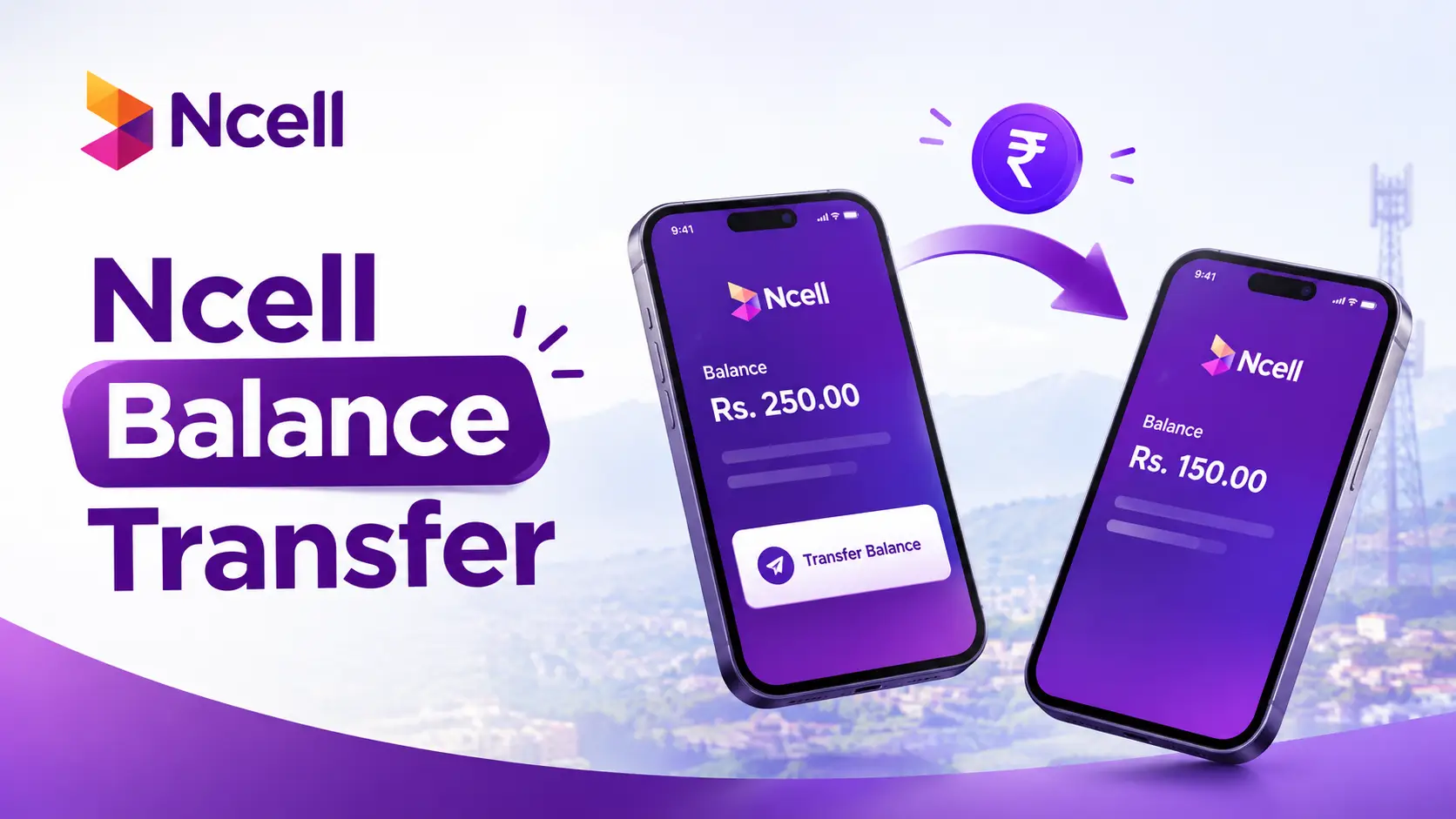
Ncell Balance Transfer 2026: USSD Code, Limit, Fee & Step-by-Step Guide

Ncell Balance Transfer 2026: USSD Code, Limit, Fee & Step-by-Step Guide

Transfer Balance Ncell: Fast & Safe Methods Explained
✅ Verified on Ncell’s official page
🕒 Updated 14 Oct 2026
📶 Prepaid to Prepaid only

Need to send credit to a family member, friend, or a stranded number right now? Ncell’s balance transfer lets you share part of your own prepaid balance with any other Ncell prepaid number in seconds, using a short USSD code — no app, login, or internet needed. This guide covers the exact dial code, the real limits and fee, a step-by-step walkthrough, a ready-made fee reference table, and fixes for every common failure.

⚡ Quick Facts: Ncell Balance Transfer

USSD Code
*17122*num*amt#

Alternate Code
*133*num*amt#

Min / Max per transfer
Rs 10 – Rs 500

Daily limit
3 transfers / day

Fee
Rs 1.27 (incl. tax)

SIM age required
90+ days active

What Is Ncell Balance Transfer?

Ncell balance transfer is an official value-added service that lets a prepaid Ncell subscriber send part of their own main balance to another Ncell prepaid number, instantly, over USSD. There’s no app, data connection, or Ncell account login required — it works on any basic or smartphone the moment you can dial a code.

It’s commonly used for:

  • Emergencies — topping up someone who’s completely out of balance and needs to make an urgent call.
  • Helping family in remote areas — where the nearest recharge point is far away.
  • Splitting a recharge — one person tops up a bigger amount, then shares it across a few numbers.
  • Quick favours — sending a small gift balance to a friend or kid’s phone.

For the official terms, see Ncell’s own Balance Transfer page, and for telecom regulation in Nepal, the Nepal Telecommunications Authority (NTA).

Before You Start: 4 Things to Check

1. Check your own balance
Dial *101# to see your current balance. You need enough to cover the amount sent plus the Rs 1.27 fee.

2. Both SIMs must be Ncell prepaid
Postpaid numbers can’t send or receive this way. Both the sender and receiver must be Ncell prepaid.

3. Your SIM must be 90+ days old
Brand new SIMs can’t use balance transfer until they’ve been active for at least 90 days.

4. Double-check the number
Save the recipient’s number first and read it back digit by digit — a wrong digit sends your balance to a stranger, and it can’t be reversed.

Step-by-Step: How to Transfer Balance on Ncell

1
Open your phone’s dialer
No app needed — this works from the standard call/dial screen on any phone.

2
Dial the transfer code
Type *17122* followed by the 10-digit receiver’s number, then *, then the amount in rupees, then #. Example — sending Rs 100 to 980XXXXXXX:
*17122*980XXXXXXX*100#
Tip: long-press the code on your phone to select and copy it. If that doesn’t work on your network, try the alternate code *133*980XXXXXXX*100#.

3
Press call / send
A USSD pop-up confirms the receiver’s number and amount. Review it carefully.

4
Confirm and wait for the SMS
Both you and the recipient get an instant SMS confirmation. The amount (minus the Rs 1.27 fee from your side) lands in the recipient’s main balance immediately.

🧮 What You’ll Actually Pay (Fee Reference)

The Rs 1.27 fee is the same no matter the amount. Here’s exactly what leaves your balance for each common transfer amount:

Recipient getsFeeTotal deducted from you
Rs 10Rs 1.27Rs 11.27
Rs 50Rs 1.27Rs 51.27
Rs 100Rs 1.27Rs 101.27
Rs 200Rs 1.27Rs 201.27
Rs 300Rs 1.27Rs 301.27
Rs 500 (max)Rs 1.27Rs 501.27

Sending the maximum 3 times in one day would cost Rs 1,500 + Rs 3.81 in fees = Rs 1,503.81 total from your balance.

Transfer Limits & Fees at a Glance

RuleDetail
Minimum per transferRs 10
Maximum per transferRs 500
Transfers allowed per dayUp to 3
Theoretical max per dayRs 1,500 (3 × Rs 500)
Transaction feeRs 1.27 (tax included), charged to the sender
Eligible SIM typesPrepaid → Prepaid only (no postpaid)
Minimum SIM age90 days from activation

Rates and limits are set by Ncell and can change — always check the official balance transfer page if something here looks off.

Alternative: Using the My Ncell App

If USSD codes aren’t going through on your network, or you simply prefer an app interface, the My Ncell app offers the same service with a few extra conveniences like transaction history.

  1. Download the app: Get “My Ncell” from the Google Play Store or Apple App Store.
  2. Log in: Sign in with your Ncell number and the OTP sent to you.
  3. Find Balance Transfer: Look under Services or VAS (Value Added Services) in the menu.
  4. Enter the recipient and amount, then confirm — the same Rs 10–500 limit and Rs 1.27 fee apply.
Note: Third-party “balance transfer” services outside the official USSD code or My Ncell app are not endorsed by Ncell. Avoid giving your PIN, OTP, or account details to any app or page that isn’t Ncell’s own.

Troubleshooting Common Problems

ProblemLikely Cause & Fix
“Insufficient balance”Your balance is less than the amount + Rs 1.27 fee. Dial *101# to confirm, then send a smaller amount.
“Service not available”Your SIM may be under 90 days old, is postpaid, or you’ve hit the 3-transfer daily cap. Wait until tomorrow or check SIM status.
Request times out / no responseNetwork congestion. Move to an area with better signal and retry after a minute or two.
Recipient says balance didn’t arriveTransfers are usually instant. Ask them to dial *101# after a few minutes; if it’s still missing after 30 minutes, contact Ncell support with your SMS confirmation as proof.
Sent to the wrong numberBalance transfers can’t be reversed by self-service. Contact Ncell customer care immediately — approval isn’t guaranteed, which is why double-checking the number first matters.

Still stuck? Reach Ncell support by dialing 9999 from your Ncell number, or via ncell.com.np.

Staying Safe from Scams

⚠️ Ncell will never ask you to “dial a code to receive a refund/prize” or share your PIN over a call or SMS. If a message pressures you to urgently transfer balance to “verify your SIM” or “claim a reward,” it’s a scam — delete it and never act on it.
  • Only trust ncell.com.np and the official My Ncell app — not links shared in SMS or social media comments.
  • Never share your number’s PIN, OTP, or ID details with anyone claiming to “help” you transfer balance.
  • Confirm the recipient’s number out loud before pressing call — transfers can’t be undone.
  • Keep the SMS confirmation as your only proof if a dispute comes up later.

✅ Key Takeaways

  • Dial *17122*receiver’s number*amount# (or *133*…#) to send Rs 10–500 instantly.
  • You can do this up to 3 times a day, and a small Rs 1.27 fee applies each time.
  • Works prepaid-to-prepaid only, and your own SIM must be at least 90 days old.
  • Transfers are instant and cannot be reversed — always double-check the recipient’s number first.

Frequently Asked Questions

How do I transfer balance from Ncell to Ncell?

Dial *17122*, then the receiver’s 10-digit number, then *, then the amount in rupees, then #, and press call. For example, to send Rs 100, dial *17122*980XXXXXXX*100#. If this doesn’t work, try the alternate code *133*980XXXXXXX*100#.

What is the minimum and maximum amount I can transfer?

You can send a minimum of Rs 10 and a maximum of Rs 500 per transfer, up to 3 times a day.

Is there a fee for Ncell balance transfer?

Yes, Ncell charges a small fee of Rs 1.27 (including tax) per transfer, deducted from the sender’s balance along with the amount sent.

Can I transfer balance to a postpaid number, or from a new SIM?

No. Balance transfer only works between two Ncell prepaid numbers, and your own SIM must have been active for at least 90 days before you can use the service.

What should I do if my balance transfer fails?

Check that you have enough balance (amount + Rs 1.27 fee), that the recipient’s number is correct, that you haven’t exceeded 3 transfers today, and that your SIM is prepaid and over 90 days old. If it still fails, retry after a few minutes or contact Ncell support by dialing 9999.

Can I cancel or reverse a balance transfer?

No, balance transfers are instant and final once confirmed. There is no self-service cancellation — if you sent it to the wrong number, contact Ncell customer care right away, though reversal isn’t guaranteed.

Check NTC Data Balance: Easy USSD Code Guide

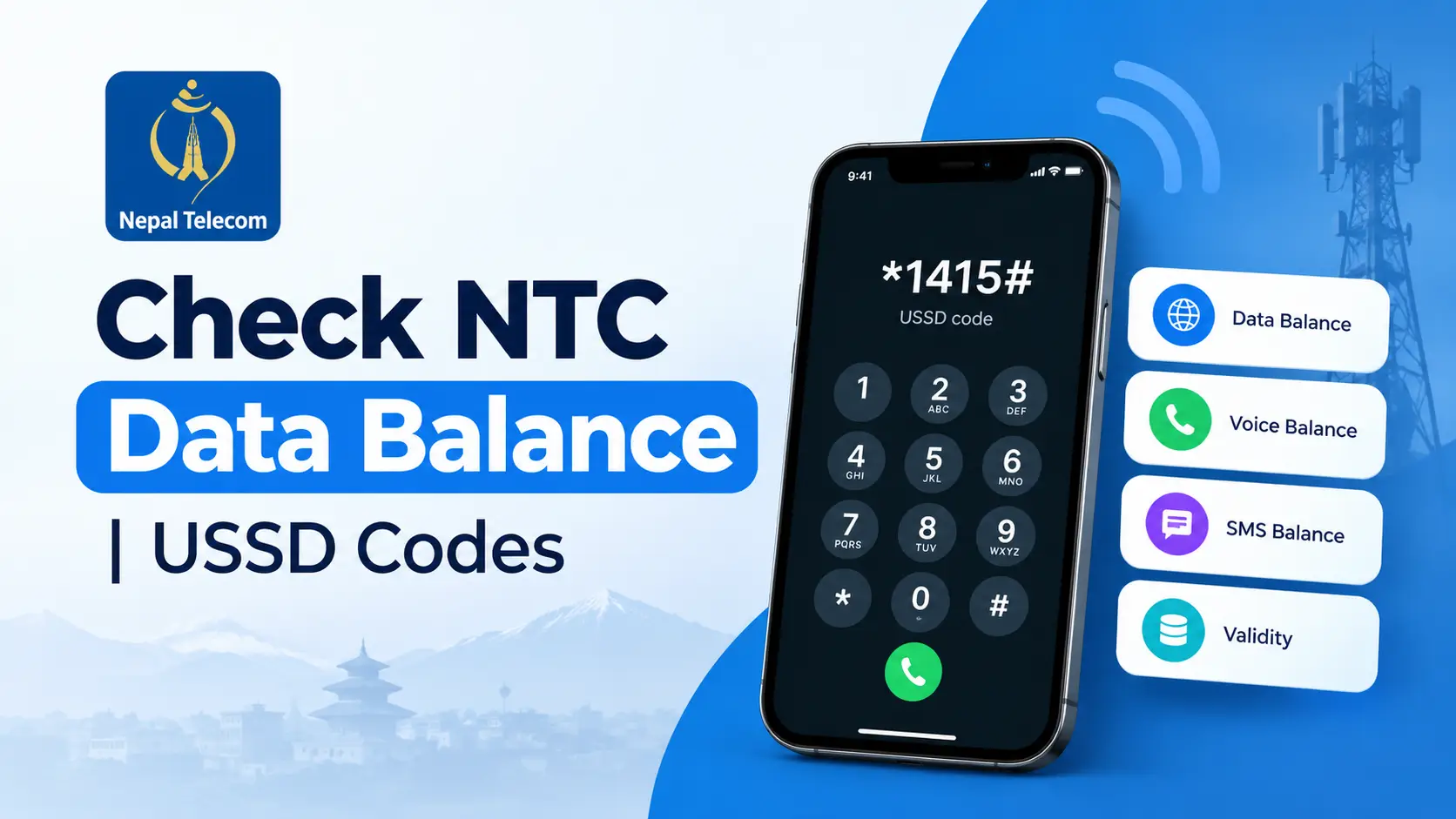
How to check NTC data balance using the *1415*55# USSD code in Nepal

How to Check NTC Data Balance: *1415*55# USSD Code, SMS & App Guide

In today’s connected world, staying on top of your mobile data usage is crucial. For NTC (Nepal Telecom) users, knowing how to check your data balance quickly can save you from unexpected interruptions. The fastest way is a single USSD code — *1415*55# — but this guide also covers the SMS, app, and online portal methods, plus the questions NTC users ask most.

⚡ Quick Answer

Dial *1415*55# from your NTC SIM. You’ll get an instant on-screen reply showing your remaining data balance and its expiry date — no internet needed.

*1415*55# 📞 Dial now

Understanding USSD Codes for NTC

What is a USSD Code?

Unstructured Supplementary Service Data (USSD) codes are a communication protocol used by GSM cellular telephones to communicate with the mobile network operator’s computers. These codes allow users to access various services, such as checking balance, data usage, or even subscribing to new services. For more on how USSD works, see this overview of USSD functionality.

Is *1415# the Same as *1415*55#?

No. Dialing plain *1415# opens Nepal Telecom’s general USSD menu for data packs, combo offers, and account options — it doesn’t show your remaining balance directly. For an instant data-balance reading, dial the full code, *1415*55#. Keep this distinction in mind, since the two codes are easy to mix up.

Why Use USSD Codes for Checking Data Balance?

USSD codes offer a quick and convenient way to access your account information without needing any internet connectivity. This is particularly useful in areas with poor internet coverage. For NTC users, USSD codes are a reliable method to check your data balance instantly, ensuring you can manage your mobile data usage effectively.

Step-by-Step Guide to Check NTC Data Balance

📱 1. Open the Dialer
→
#️⃣ 2. Dial *1415*55#
→
✅ 3. See Balance Instantly

Dial the USSD Code

To check your NTC data balance, follow these steps:

  1. Open the Dialer: Navigate to the phone app on your mobile device.
  2. Enter the USSD Code: Type *1415*55# — the direct code for your remaining data volume.
  3. Dial the Code: Press the call button. NTC displays your remaining data balance and its expiry date on screen within a few seconds.
*1415*55# 📞 Dial now

💡 Pro Tip: Always ensure you have a strong network signal before attempting to check your data balance using USSD.

4 Ways to Check Your NTC Data Balance, at a Glance

The USSD code above is the fastest option, but NTC gives you three more ways to see the same information:

#️⃣

USSD

*1415*55# — instant, no internet needed

💬

SMS

Text “VL” to 1415, get a reply SMS

📲

NTC App

Log in and view usage in detail

🌐

Online Portal

Full account dashboard on the web

Using SMS (Text Message)

Prefer texting? Send VL to 1415 from your NTC SIM. You’ll get a reply within a few seconds showing your remaining data balance and its expiry date. Standard SMS charges may apply.

VL → 1415 💬 Open SMS

Using the NTC Mobile App

For those who prefer using apps, the NTC mobile app provides a comprehensive platform to manage your account. Here’s how you can use it:

  1. Download the App: Find and install the NTC mobile app from your app store.
  2. Log In: Enter your credentials to access your account.
  3. Check Data Balance: Navigate to the data balance section within the app.

Using the Online Portal

Alternatively, NTC provides an online portal where users can log in and manage their accounts. This method requires internet access but offers a detailed view of your data usage and other account features.

  • Visit the NTC Portal: Go to the NTC official website.
  • Log In to Your Account: Use your mobile number and password.
  • View Data Balance: Access the section displaying your current data balance.

Common Issues and Troubleshooting

Common Problems

While checking your NTC data balance using USSD is generally straightforward, users may encounter occasional issues. Some common problems include:

  • Network Errors: Poor network connectivity can hinder the USSD execution.
  • Incorrect Code Entry: Mistyping the USSD code, or dialing *1415# alone instead of the full *1415*55#, can lead to the wrong menu or an error message.
  • Service Unavailability: Temporary unavailability of the USSD service due to maintenance.

Solutions and Tips

To tackle these issues, consider the following solutions:

  • Ensure Strong Network Coverage: Verify that your phone shows good network strength before dialing the USSD code.
  • Double-Check the USSD Code: Make sure you’ve entered the full code *1415*55# — not just *1415#, which opens a different menu.
  • Retry After Some Time: If the service is temporarily unavailable, try again after a few minutes.

If your USSD code still won’t work, you may also want to check whether the SIM is registered correctly using NTC & Ncell’s SIM owner lookup codes.

Tips for Managing Your NTC Data Balance

Data Usage Monitoring

Keeping track of your data usage helps prevent overages and ensures you are using your plan efficiently. Consider setting up data usage alerts through your phone’s settings to notify you when you’re nearing your limit.

Effective Data Management

Here are some strategies for managing your data usage effectively:

  • Optimize App Settings: Limit background data usage for apps that consume high amounts of data.
  • Use Wi-Fi When Available: Connect to Wi-Fi networks whenever possible to conserve mobile data.
  • Schedule Updates: Set apps and system updates to occur only over Wi-Fi.

By following these tips, you can make the most of your data plan and avoid unexpected overages. Topping up or transferring balance between two NTC numbers is also useful if you’re about to run low before your next recharge.

Frequently Asked Questions

What is the USSD code to check NTC data balance?

Dial *1415*55# — NTC replies instantly with your remaining data volume and its expiry date.

Is *1415# the same as *1415*55#?

No. Plain *1415# opens Nepal Telecom’s general account menu for packs and offers — it won’t show your data balance directly. Use the full code, *1415*55#, for an instant balance reading.

Can I check my NTC data balance without dialing USSD?

Yes. Send VL by SMS to 1415, check the NTC mobile app, or log in to the NTC online self-care portal — all three show your remaining data balance.

Why can’t I access my data balance using USSD?

Double-check you’re dialing the full code *1415*55# (not *1415# alone), confirm you have network signal, and retry after a few minutes if NTC’s USSD service is temporarily busy.

Key Takeaways

  • Quick Access: Dial *1415*55# to check your NTC data balance instantly.
  • Alternative Methods: SMS “VL” to 1415, or use the NTC mobile app or online portal for more detailed account management.
  • Troubleshooting: Ensure a strong network connection and double-check you’re using the full *1415*55# code, not *1415# alone.

For more information on official USSD codes and services, visit the NTC official website. You can also top up from abroad using these recharge methods from India, or browse our full Telecom & Internet guides.

By mastering these methods and tips, you can ensure uninterrupted connectivity and make the most of your NTC mobile data plan.

Activate eSIM NTC Nepal: Step-by-Step Guide

How to Activate an NTC eSIM in Nepal (2026): Price, Online Process and QR Setup

Written by Wilson Shrestha Last updated: September 7, 2026 Checked against Nepal Telecom's current eSIM process

Quick answer

You can activate an NTC eSIM without leaving home. Go to esim.ntc.net.np or open the Nepal Telecom app, choose Physical SIM to eSIM if you already have an NTC number, or Get New Prepaid eSIM if you want a fresh number. Verify with an OTP, upload your citizenship photo, wait for approval, then download the QR code and scan it in your phone's settings.

Rs 50To convert your existing NTC SIM
Rs 90New prepaid eSIM (same as a physical SIM)
~10 minTypical activation time after approval

NTC eSIM price in Nepal

Nepal Telecom charges a small one-time fee. There is no separate monthly cost for using an eSIM instead of a physical SIM — your existing packs, balance and number stay exactly the same.

What you wantCostHow it's paid
Convert an existing NTC prepaid or postpaid SIM to eSIMRs 50Deducted from your mobile balance during the online process
Brand-new NTC prepaid eSIM (new number)Rs 90Digital wallet or QR payment on the eSIM portal; comes with Rs 10 balance plus the usual new-SIM free resources
Re-downloading your QR after a phone changeFree if you kept the QR; otherwise treated as a replacement at an NTC officeAt the counter
A note on the price

Some Nepali tech sites report new eSIM connections at Rs 140 — that is the Rs 90 SIM price plus a Rs 50 eSIM profile charge. Nepal Telecom's own portal shows the standard SIM price for new prepaid eSIMs. Check the amount on the payment screen before you confirm, since it is the only figure that is guaranteed to be current.

What you need before you start

  • An eSIM-compatible phone. Check with *#06# — see the next section.
  • Your citizenship certificate — the original, in hand. You will be asked to photograph it live; uploading an old photo from your gallery is rejected.
  • A clear image of the citizenship, front and back, under 300 KB. Prepare this before you start so the form does not time out.
  • At least Rs 50 balance on the number you are converting, since the fee is deducted from it.
  • KYC details that match. Your citizenship number and issued district must match what NTC has on record. If they do not, the online check fails and you will need to visit an office.
  • Wi-Fi or another internet connection. Your physical SIM stops working the moment the eSIM activates, so do not rely on that SIM's data to finish the last step.
Save the QR code

An eSIM profile can usually only be installed once. Download the QR image, email it to yourself, and keep a copy somewhere off the phone. If you factory-reset or change devices without it, you will have to go to an NTC office for a re-issue.

Is your phone eSIM compatible?

The fastest check takes ten seconds. With a working SIM in the phone, open the dialler and enter *#06#. If the screen shows an EID number alongside the IMEI, your phone has an eSIM chip. No EID means no eSIM support, and no NTC counter can change that.

Phones sold in Nepal that support eSIM include:

  • Apple: iPhone 11 series and everything newer, up to the iPhone 17 series.
  • Samsung: Galaxy S21 series onward, plus the Galaxy Z Flip and Z Fold families.
  • Others: recent OnePlus flagships and a growing set of midrange phones such as the Redmi Note 14 Pro+ and Note 15 Pro+.
  • Beyond phones: eSIM-capable smartwatches, tablets and laptops also work on the NTC network.
iPhones brought from the US

US iPhone 14 models and newer have no SIM tray at all. They work in Nepal on NTC eSIM, but the handset must be registered with the government's MDMS system before it will connect. Sort the MDMS registration out first, then apply for the eSIM.

How to convert your existing NTC SIM to an eSIM online

This is the route most people want: same number, same packs, no office visit. It works for both prepaid and postpaid customers.

  1. Open the eSIM portalGo to esim.ntc.net.np in a browser, or open the Nepal Telecom app (sometimes listed as the NT or MyNTC app) and tap eSIM. Update the app first if you do not see the option.
  2. Choose "Physical SIM to eSIM"The portal also offers "Get New Prepaid eSIM" — that one is for a new number, covered below.
  3. Enter your 10-digit NTC numberThis must be the number you want converted.
  4. Verify with the OTPA six-digit code arrives by SMS. Enter it and continue.
  5. Enter your citizenship number and issued districtThe system checks these against NTC's KYC records. A "Verification Successful" message means you can proceed.
  6. Tap "Apply for eSIM" and fill in your detailsThen upload the front-and-back citizenship image you prepared, keeping it under 300 KB.
  7. Take the live photoThe camera opens on its own. Hold your original citizenship certificate up and take the picture as instructed. Gallery uploads are not accepted here.
  8. Submit and wait for approvalYou will see a "Request Pending" screen. NTC reviews the documents; approval commonly comes through within minutes, though it can take longer at busy times.
  9. Download the QR code and install itOnce approved, the Activate option appears. Download the QR, then follow the installation steps further down this guide. Your physical SIM stops working at this point.

How to get a brand-new NTC prepaid eSIM online

Since May 2026, you no longer need to visit a counter to buy a new NTC number either. The portal sells new prepaid eSIMs directly, and you get to pick your number from what is available.

  1. Go to the portal and choose "Get New Prepaid eSIM"At esim.ntc.net.np.
  2. Register an account with your emailConfirm it with the OTP that is sent to you.
  3. Pick your numberThe portal shows the prepaid numbers currently available. Choose the one you want.
  4. Complete the SIM registration formThis is the same KYC information you would fill in at a counter, including your citizenship details and a document photo.
  5. Pay digitallyWallets and QR payment are accepted.
  6. Scan the QR code you receiveInstall the profile through your phone's settings and the new number is live.

How to get an NTC eSIM at an NTC office

If the online verification fails — mismatched KYC is the usual reason — the counter route still works and is often faster to resolve.

  1. Go to any NTC office or customer service centreeSIM is available nationwide, not just in Kathmandu.
  2. Bring the original citizenship certificate and a photocopy of both sidesBring the phone you want the eSIM installed on, too.
  3. Fill in the eSIM upgrade or new-connection formThe registered owner of the number must be present in person. Staff cannot upgrade a SIM registered in someone else's name.
  4. Staff activate the profileThis usually takes three to five minutes at the counter.
  5. Keep the printed slipIt carries your QR code, ICCID and activation code. You will need it if you ever change or reset your phone.

Prepaid vs postpaid: what changes

Very little. NTC offers eSIM on both, the conversion fee is the same, and the online process is identical. Postpaid customers keep their billing cycle and plan untouched — the number is simply delivered as a profile instead of a plastic card. The one practical difference is that prepaid users need Rs 50 sitting in their balance for the online fee, while a new-number purchase through the portal is currently prepaid only.

How to install the NTC eSIM QR code

Connect to Wi-Fi before you begin, and keep the QR code open on a second screen — a laptop, another phone, or a printout. You cannot scan a QR that is displayed on the same phone you are installing it to.

On iPhone

  1. Open Settings → Cellular (or Mobile Service).
  2. Tap Add eSIM or Add Data Plan.
  3. Scan the QR code from NTC.
  4. Confirm and label the plan — "NTC" makes the dual-SIM screens easier to read.
  5. Choose whether NTC is your default line for calls and for mobile data, then tap Done.

On Android

  1. Open Settings → Network & Internet (Samsung: Connections).
  2. Go to SIM Card Manager or Mobile Network, then tap Add eSIM or Add Mobile Plan.
  3. Choose Scan carrier QR code and scan the code.
  4. Tap OK when prompted to turn on the new plan.

When the profile registers, you will get an SMS from NTC confirming the eSIM is active. Finish by turning on VoLTE: dial *444*2#, enable VoLTE in your phone's network settings, and restart the device. Without this step, calls on some handsets will not connect properly on 4G.

Common problems and how to fix them

Citizenship verification fails on the portal
Your KYC record at NTC does not match what you entered — a common issue on numbers registered years ago, or where the issued district was recorded differently. There is no online fix. Take your original citizenship to an NTC office and have the record updated.
The document upload keeps getting rejected
The image must be under 300 KB and must clearly show both sides. Compress the photo rather than cropping detail away. For the live photo step, use good daylight and hold the certificate flat and steady.
The QR code will not scan
Display it on a different screen at full brightness — you cannot scan a code shown on the same phone. If it still fails, most phones offer "Enter details manually," where you can type the activation code from your NTC slip instead.
The QR was already used
Each profile is single-use. If you reset your phone or moved devices, the profile is gone and needs re-issuing at an NTC office. This is the single most common eSIM regret in Nepal, and the reason to back up that QR immediately.
eSIM installed but there is no network
Check that the eSIM line is switched on in your SIM manager, that mobile data is assigned to it, and that data roaming settings have not carried over from an old profile. Toggle airplane mode on and off, then restart. If the bars still do not appear after ten minutes, call NTC on 1498.
Calls fail or drop after switching
VoLTE is usually the culprit. Dial *444*2#, turn VoLTE on in settings, and restart the phone.
You want to go back to a physical SIM
That is possible, but it cannot be done online. Visit an NTC office with your citizenship and request the reversal.
Still stuck?

Nepal Telecom's customer care number is 1498 from an NTC line, and any NTC customer service centre can look up the status of a pending eSIM request. Current service details are published on the Nepal Telecom official website.

Frequently asked questions

Does NTC eSIM cost anything extra every month?

No. The only charge is the one-time fee — Rs 50 to convert an existing number, or the standard SIM price for a new one. Your packs and tariffs stay the same.

Do I keep my number when I convert?

Yes. Converting a physical SIM to eSIM keeps the same number, balance and active packs. Only the physical card is retired.

How long does NTC eSIM activation take?

Activation itself takes about ten minutes once your request is approved. At a counter, staff usually complete the whole thing in three to five minutes.

Can I use an NTC eSIM in India?

Yes, once you have activated international roaming on the number. The eSIM behaves the same as a physical SIM abroad.

Can someone else convert my SIM for me?

No. The registered owner must be present at the counter, and the online route verifies your citizenship details against the number's KYC record.

Do eSIM-only iPhones from the US work in Nepal?

Yes. Since both NTC and Ncell support eSIM, US iPhone 14, 15, 16 and 17 models work here. The handset does need to be MDMS-registered.

Can I have NTC eSIM and another SIM at the same time?

Yes, if your phone supports it. Most eSIM phones let you run one physical SIM and one eSIM together, and many newer models support two eSIM profiles.

What happens to my eSIM if I lose my phone?

The profile is tied to the device. Report the loss to NTC, and get the eSIM re-issued at an office for your replacement handset.

About this guide. Written by Wilson Shrestha, a web developer based in Kathmandu who writes about telecom and technology in Nepal.

How this was checked. Prices and process steps were verified against Nepal Telecom's eSIM portal and the Nepal Telecom website, alongside current reporting from Nepali telecom publications. NTC updates its procedures from time to time — if you find something has changed, please leave a comment so this page can be corrected.

Last updated: September 7, 2026.