Tihar Rangoli Design Simple for Home: 12 Easy Ideas 2026
Tihar Rangoli Design Simple for Home: 12 Easy Ideas for Laxmi Puja 2026
Updated: October 19, 2026 · Reading time: about 8 minutes
Tihar 2026 is about three weeks away, and the question in many Nepali homes is the same every year: what rangoli can I make quickly, without fancy tools, and still have it look beautiful at the doorstep on Laxmi Puja night? This guide gives you 12 simple Tihar rangoli designs for home, a clear materials list, a six-step method any beginner can follow, and a day-by-day plan for the five days of Tihar.
Laxmi Puja falls on Sunday, 8 November 2026 (Kartik 22, 2083 BS), so you have time to practise. If you also want to send greetings while you decorate, keep our Tihar wishes in Nepali handy.
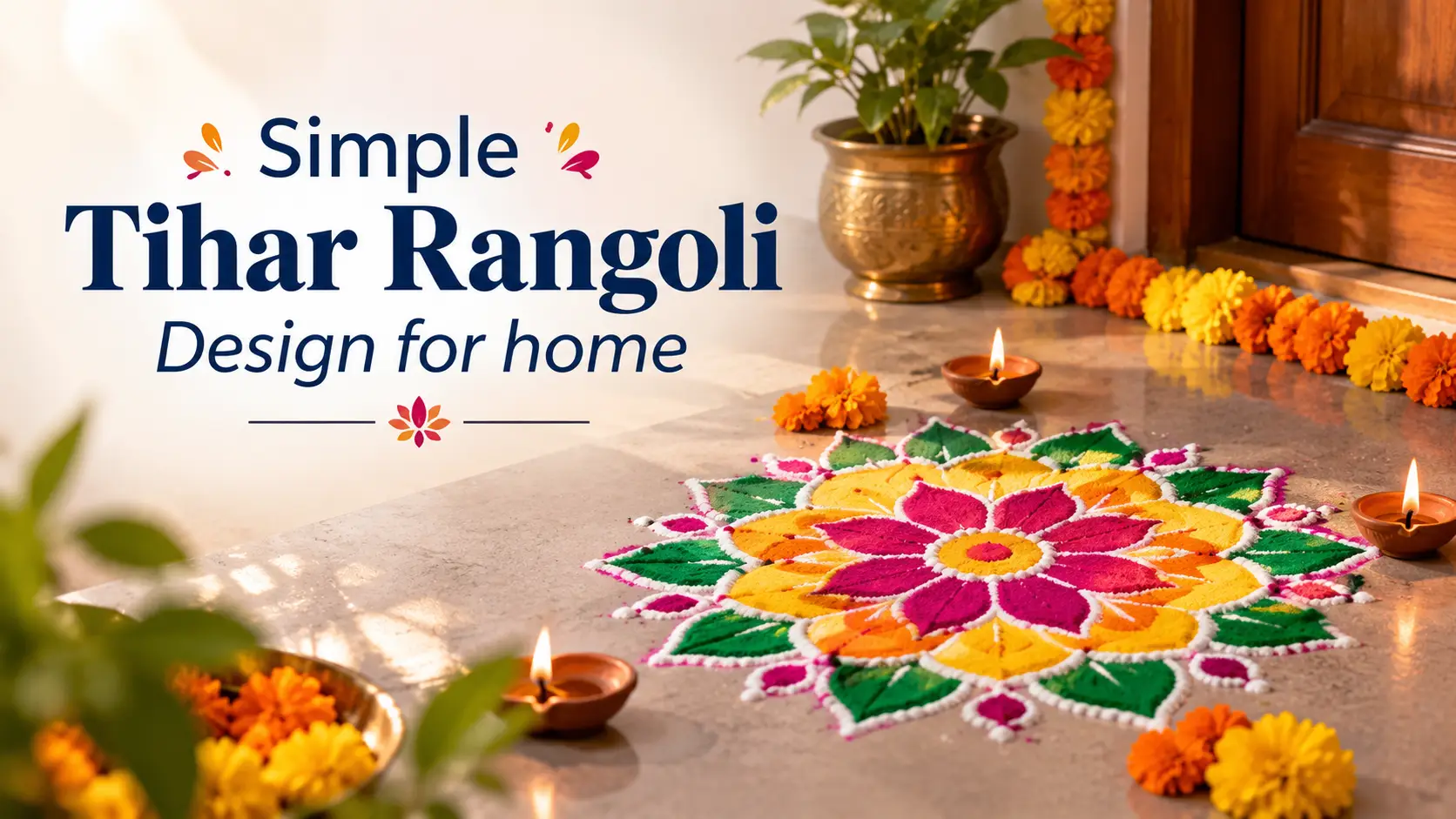
In a hurry? Start here.
- Easiest design: a marigold (sayapatri) petal circle with one diyo in the centre. It takes about 20 minutes.
- Best place: the doorstep or just outside the main entrance.
- Best time: the morning or afternoon of Laxmi Puja, so diyos can be lit in the evening.
- No colour powder at home? Use rice flour, flower petals and turmeric.
What’s Inside
- Tihar 2026 dates and the best rangoli for each day
- Why we make rangoli at Tihar
- 12 simple Tihar rangoli designs
- Difficulty and time comparison
- Materials you need
- How to make a rangoli in 6 steps
- Where to place your rangoli
- Apartments, rain, pets and safety
- Common mistakes to avoid
- FAQs
Tihar 2026 Dates and the Best Rangoli for Each Day
Tihar runs for five days. Rangoli is most closely linked with Laxmi Puja, but a small design on the other days keeps the festive mood going. Dates below follow the Nepali calendar for 2083 BS. Always confirm the exact tithi and puja time in your local patro, because timings can differ slightly between sources.
| Day | Date (2026) | Simple rangoli idea |
|---|---|---|
| Kaag Tihar | Sat, 7 Nov | Clean the floors. Practise your design on paper or on a tray. |
| Kukur Tihar and Laxmi Puja | Sun, 8 Nov | Your main rangoli: petal circle, diyo ring, lotus or footprints. |
| Goru Tihar, Govardhan Puja and Mha Puja | Tue, 10 Nov | A simple mandala for Mha Puja (design 12 below). |
| Bhai Tika | Wed, 11 Nov | A small colourful border near the tika seat. Pair it with Bhai Tika wishes in Nepali. |
Why We Make Rangoli at Tihar
Rangoli is a floor art made with coloured rice, dry flour, coloured sand or flower petals. It is part of festival traditions in both India and Nepal. During Tihar, families clean and decorate their homes, light diyos and welcome Goddess Laxmi, the goddess of wealth. A rangoli at the entrance is a way of saying that the home is ready to receive her.
The good news for beginners is that the tradition does not demand perfection. Simple geometric shapes, flower and petal patterns and a few diyos are all part of the custom, and the intricate designs you see on social media are optional.
12 Simple Tihar Rangoli Designs for Home
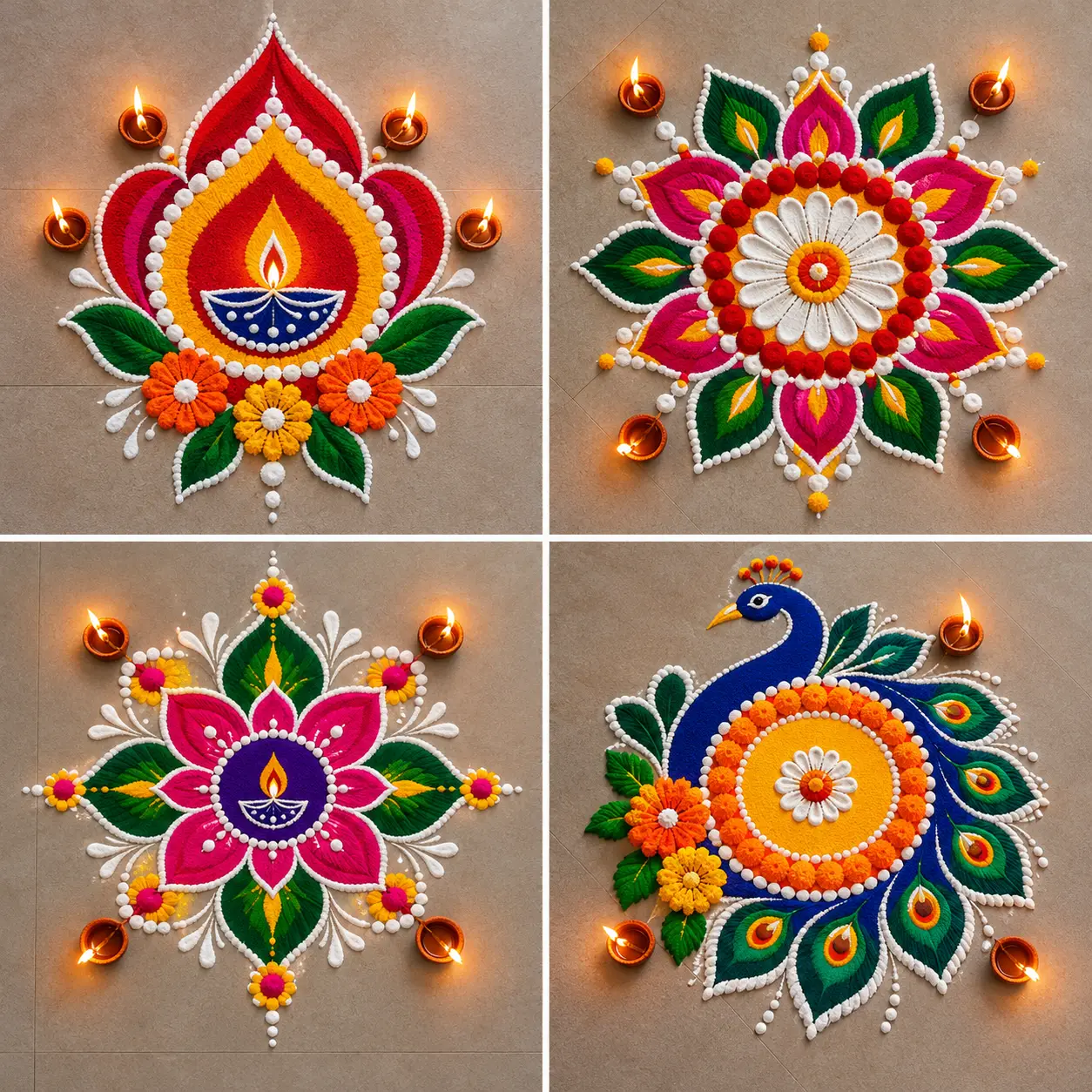
1. Marigold Petal Circle
Draw a circle with chalk, fill it with rings of orange sayapatri petals, add a ring of purple makhamali, and place one diyo at the centre. There is no powder and no stencil, and if a petal is out of place you simply move it. This is the best first rangoli for a beginner.
2. Diyo Ring Mandala
Make a simple round mandala in white flour, then place clay diyos around the edge at equal distances. Lotus petals or marigolds can fill the gaps. It is one of the least tiring designs, and the diyos do most of the decorating when lit at night.
3. Dot-Grid Geometric Rangoli
Mark a 5 × 5 grid of dots with chalk, then connect them with curved or straight lines in white flour. Colour the gaps in two or three shades. Symmetry makes even a plain pattern look planned and neat.
4. Square Border Rangoli
A square is easy to scale to any doorstep. Draw a white border, fill the inside with a simple star or flower, and put a diyo in each corner or in the centre. It is a good choice when the entrance is wider than it is deep.
5. Simple Lotus Rangoli
The lotus is closely tied to Laxmi, and it needs only white, pink and green. Draw eight petals around a small circle, outline them in white, fill them in pink, and add green leaves below. It looks rich but takes about 40 minutes, so start early.
6. Six-Petal Flower
Draw a small circle, then six overlapping circles around it to form a flower. Colour alternate petals in two shades. It is the most common pattern in Nepali households because it is quick, symmetrical and forgiving.
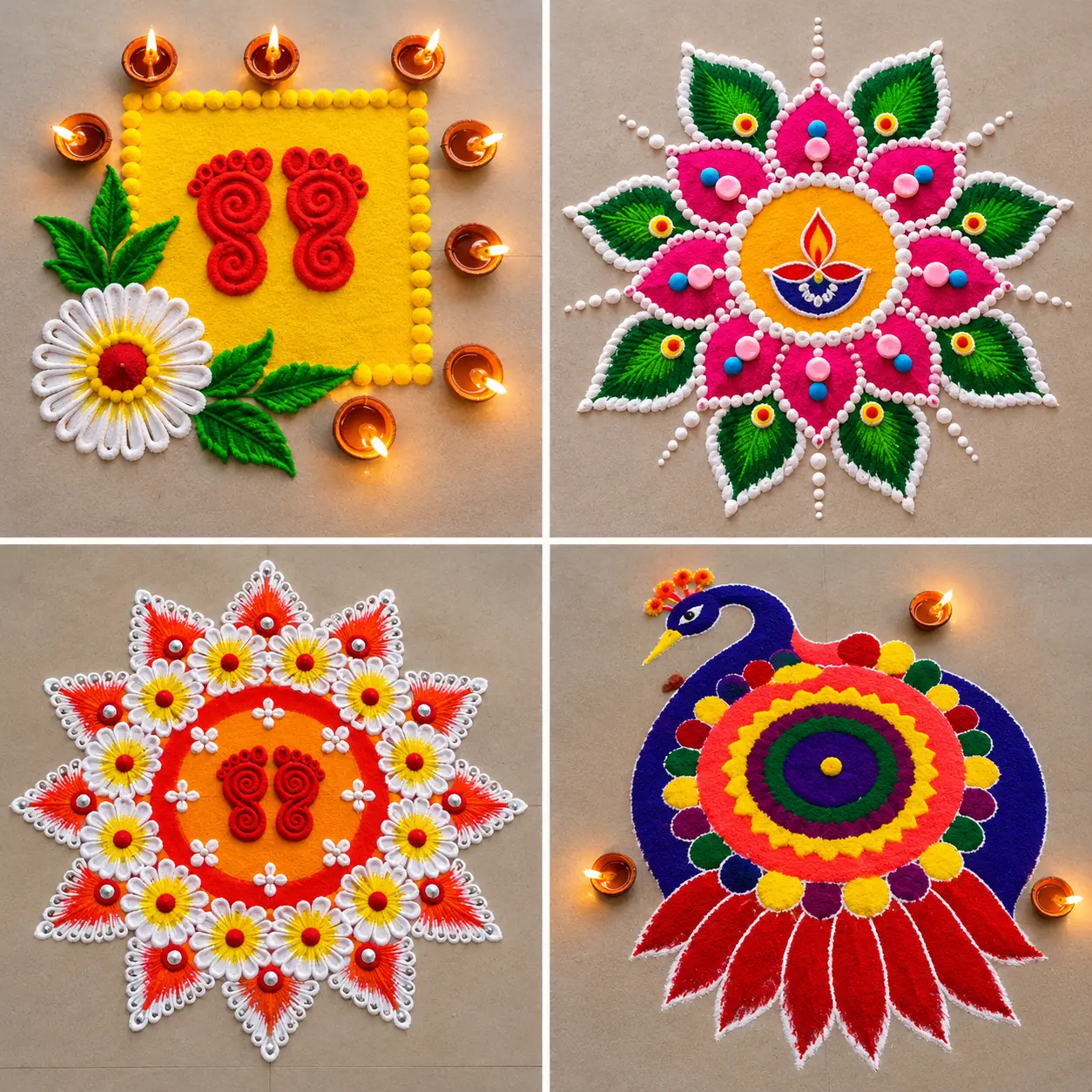
7. Doorstep Border Strip
If your entrance is narrow, skip the big circle. Make a long strip along the threshold with repeating triangles, dots or small flowers. It works well for flats and shops, and it takes only about 10 minutes.
8. Laxmi Footprints
In many Hindu households, small footprints are drawn leading from the doorstep into the house, as a symbol of Laxmi walking in. Use rice-flour paste, or flour mixed with a little vermilion. Press a hand-sized template or draw the shapes freehand, and keep them pointing inward.
9. Simplified Peacock Feather Fan
A full peacock rangoli is often considered one of the most tedious to make. Make it easy by drawing only a fan of five or seven feathers. Draw each feather as an oval with a smaller oval inside, then colour them in blue, green and gold. A stencil makes this much faster.
10. Om or Shree Centrepiece
Write a large Om or Shree symbol in the centre in white flour and surround it with a ring of petals or diyos. A paper cut-out placed on the floor helps you get a clean shape. It suits people who prefer a devotional look over a decorative one.
11. Portable Thali or Tray Rangoli
Make the rangoli on a large steel plate, a wooden board or a tray instead of the floor. You can prepare it indoors, carry it to the entrance and move it in if rain starts. This is the best option for apartments, balconies and windy terraces.
12. Mha Puja Mandala
Mha Puja, the Newar worship of the self, falls on Tuesday, 10 November in 2026 according to published calendars. A mandala is a natural fit for the day. Draw a square or circle, add concentric lines in different colours, and keep the centre open for the puja items. Check with elders in your family or community for the traditional form your household follows.
Difficulty and Time Comparison
Use this table to choose a design that matches your skill level and the time you have. Times are rough estimates for a first-time maker working at a normal doorstep size.
| Design | Difficulty | Main materials | Best for |
|---|---|---|---|
| Marigold petal circle | Very easy | Petals, diyo | First-timers, kids |
| Diyo ring mandala | Easy | Flour, diyos | Night look |
| Dot-grid geometric | Medium | Chalk, powders | Neat symmetrical look |
| Square border | Easy | Flour, diyos | Wide entrances |
| Lotus | Medium | White, pink, green | Laxmi Puja centrepiece |
| Six-petal flower | Easy | Chalk, two colours | Everyday festive look |
| Doorstep strip | Very easy | Flour or petals | Narrow entrances |
| Laxmi footprints | Very easy | Rice-flour paste | Traditional welcome |
| Peacock feather fan | Medium | Stencil, powders | Colourful statement |
| Om or Shree centrepiece | Easy | Flour, paper cut-out | Puja room |
| Thali or tray rangoli | Very easy | Plate, petals | Flats, balconies |
| Mha Puja mandala | Medium | Coloured powders | Mha Puja |
Estimated Time for a Beginner (in Minutes)
Estimates only. Your time will depend on the size of the design and how many people help.
Materials You Need
Rangoli is traditionally made with dry or wet rice flour, and natural colours such as turmeric (haldi) and vermilion (sindoor) can be added. Coloured rangoli powder is easy to find in the weeks before Tihar. In Kathmandu, shoppers often look in the busy markets around Ason for colours, diyos and decorations.
Basic kit
- White chalk for outlines
- Rice flour (chamal ko pitho)
- Coloured rangoli powder
- Small bowls for each colour
- A soft brush or old toothbrush for cleaning edges
- Clay diyos, oil or ghee, and wicks
Natural and eco-friendly kit
- Marigold (sayapatri) and makhamali petals
- Turmeric for yellow
- Vermilion for red
- Rice flour for white
- Crushed green leaves or green-dyed rice
- Stencils or paper cut-outs (optional)
How to Make a Simple Tihar Rangoli in 6 Steps
Clean
Sweep and dry the floor
Outline
Sketch in chalk
White line
Trace with flour
Fill
Add colours or petals
Tidy
Clean stray powder
Light
Place diyos at dusk
- Clean the surface. Sweep and wipe the floor, then let it dry completely. Dry flour and powder do not hold well on a wet floor.
- Sketch the outline. Draw the shape lightly with chalk. For symmetry, mark the centre point first and measure outwards.
- Trace with white. Hold a pinch of flour between your thumb and forefinger and let it trickle as you move your hand along the line. This is the traditional way to draw rangoli lines.
- Fill with colour. Start from the centre and work outwards, so your hand does not smudge finished sections. Place petals last.
- Tidy the edges. Use a soft brush or a cotton bud to clean stray powder around the lines.
- Add diyos at dusk. Place diyos on bare patches between the petals or in the centre, and light them once the family is ready for Laxmi Puja.
Practical tip: Practise the design once on a sheet of paper or a tray a day or two before. It takes ten minutes and shows you where the proportions go wrong before it matters. Once finished, take a photo and use it in a Tihar greeting card or banner post design to share with relatives.
Where to Place Your Rangoli
The entrance of the house, and the space just outside the puja room, are the traditional spots. Here is a simple way to think about it, working from outside to inside:
Footprints or a small border begin here
Your main rangoli with diyos
A small Om, Shree or flower design
Apartments, Rain, Pets and Safety
- Living in a flat: Use the thali or tray rangoli, or a doorstep strip. Both avoid stairs and shared corridors.
- Wind or drizzle: Make the rangoli with petals and heavier rice grains, and keep a plastic sheet or a cardboard cover nearby. Rice flour paste holds better than dry powder outdoors.
- Dogs on Kukur Tihar: Dogs are honoured with tika and garlands on this day, and Laxmi Puja falls on the same date in 2026. Dogs may lick or sniff at the floor, so prefer natural colours and flour near the entrance.
- Diyo safety: Keep diyos stable, away from curtains, dry flowers and children’s clothing. Never leave lit diyos unattended overnight.
- Cleaning up: Sweep petals into a compost pile if possible. Avoid washing large quantities of coloured powder straight into the drain.
Common Mistakes to Avoid
| Mistake | Simple fix |
|---|---|
| Choosing a design that is too big | Measure the doorstep first and scale the design down to fit. |
| Starting at the edges | Mark the centre first, then work outwards. |
| Using too many colours | Stay with three or four shades so the pattern stays clear. |
| Making it on a damp floor | Dry the floor fully, or switch to the tray version. |
| Placing diyos too close to petals | Leave a small gap and keep the flame well away from dry flowers. |
| Leaving it until the last hour | Finish by mid-afternoon so you have time to fix mistakes and prepare puja items. |
Share the Festive Mood
Once your rangoli is ready, send a photo to family along with a few kind words. You can find ready messages in our Tihar wishes in Nepali collection, and the Tihar greeting card design and banner post design page is useful if you want to make a shareable image. For the last day, see Bhai Tika wishes in Nepali. If your family also celebrates Chhath after Tihar, our Chhath Puja wishes in Nepali page can help.
Frequently Asked Questions
What is the easiest Tihar rangoli design for beginners?
A marigold petal circle with one diyo in the centre is the easiest. It needs no powder, no stencil and no special skill, and you can fix mistakes by moving petals.
When should I make rangoli for Tihar 2026?
Make your main rangoli on Laxmi Puja, Sunday, 8 November 2026, finishing before the evening puja. A smaller design for Mha Puja on 10 November and a border for Bhai Tika on 11 November are optional. Confirm exact timings in your local patro.
Can I make Tihar rangoli without colour powder?
Yes. Use rice flour for white, turmeric for yellow, vermilion for red and flower petals for orange, purple and pink. Rice grains and lentils also work as borders.
Where should I place the rangoli at home?
The traditional places are the entrance of the house and the area just outside the puja room. A narrow doorstep suits a border strip, and a wider one suits a circle or square.
How do I keep my rangoli from blowing away or getting damaged?
Use rice flour paste or heavier petals outdoors, work in a sheltered corner and cover the design if rain is forecast. A tray or thali rangoli can be carried indoors in bad weather.
What is a rangoli for Mha Puja?
Mha Puja is a Newar ritual of worshipping the self, and a mandala is commonly drawn for it. A simple version uses concentric squares or circles in several colours. Families follow their own traditions, so check with elders at home.
Final Thoughts
A good Tihar rangoli does not need to be large or complicated. Choose one of the designs above, collect your materials a few days early, practise once, and finish it before the evening of Laxmi Puja. The warmth of the home and the light of the diyos will do the rest. Happy Tihar 2083 to you and your family.