NID Card Check Nepal: Check Your NID Status Online

NID Card Check Nepal: How to Check Your National ID Card Status Online (2026 Guide)
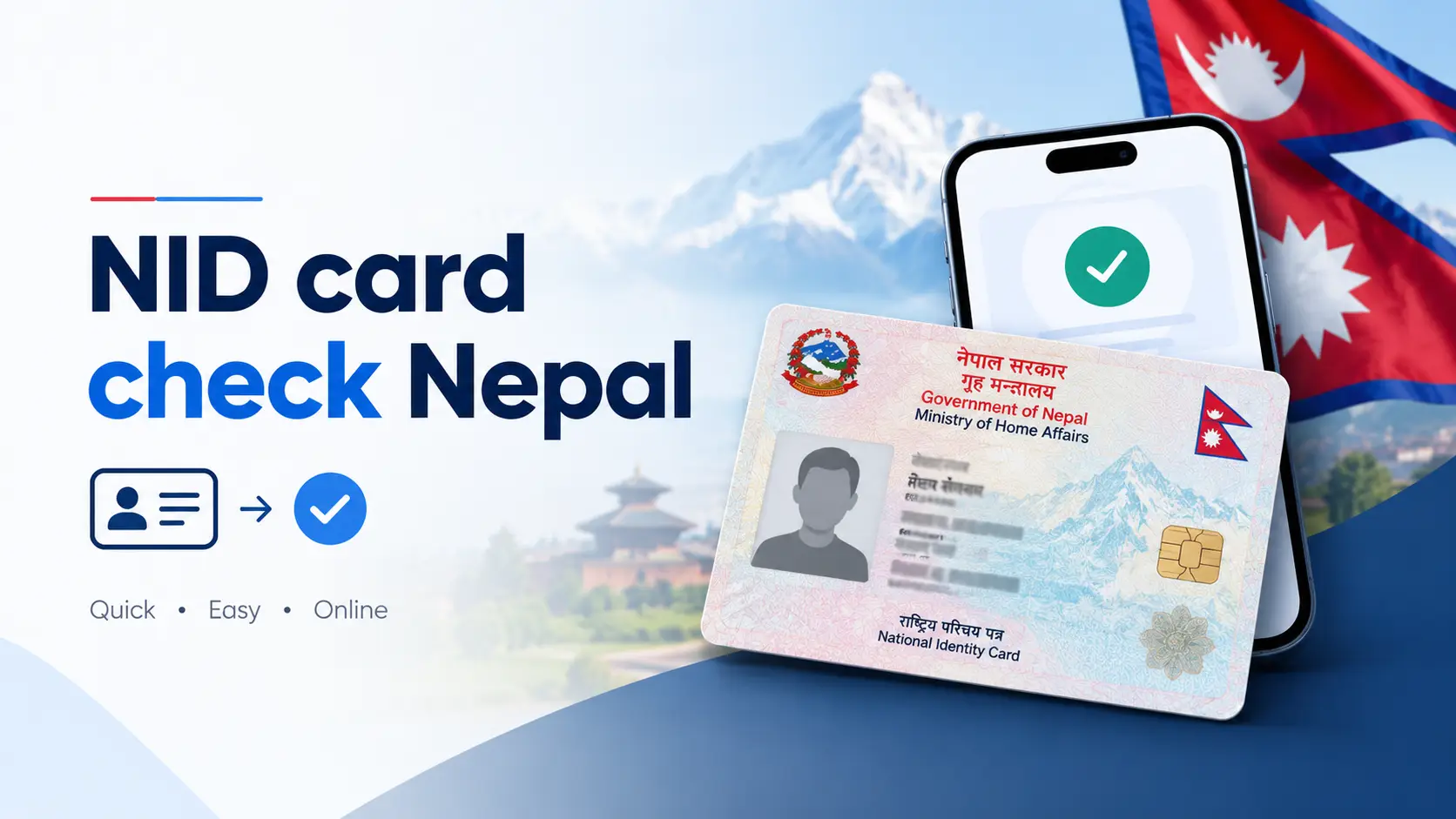
National ID card status check in Nepal on the DONIDCR Citizen Portal
Checking your Rastriya Parichaya Patra (National ID) status on the official DONIDCR Citizen Portal.

Quick answer: To do an NID card check in Nepal, open the official DONIDCR Citizen Portal at citizenportal.donidcr.gov.np, go to “Check National ID Card Status”, enter your Request Number (RSN) from your enrollment receipt or your National Identity Number (NIN), solve the captcha, and submit. You can also SMS N <space> your application number to 30001 to get your NIN, or open the Nagarik App to view your National ID once the NIN is generated.

You gave your fingerprints, iris scan and photo months ago. You walked out of the District Administration Office with a printed slip. And then… nothing. No SMS, no card, no update. If that sounds familiar, you are in the majority — and the good news is that you do not need to visit any office to find out what happened to your application.

This guide covers every working method to check your National ID (Rastriya Parichaya Patra) status in 2026: the official portal, the SMS shortcode, the Nagarik App, and the eNID download that most articles never mention. It also decodes the confusing error messages, explains the difference between the three ID numbers people constantly mix up, and tells you what to do when the system says your data does not exist.

What people actually mean by “NID card check”

Search results for this keyword are messy because three very different questions hide behind the same phrase. Identify yours first, because the method changes:

If you want to…You are really askingUse this method
Find out where your application standsApplication / printing statusCitizen Portal status page
Get your 10-digit National Identity NumberNIN lookupSMS to 30001, or the portal
Show proof of your NID to a bank or telecomDigital copy of the cardNagarik App or eNID download

Most competing articles answer only the first question in a line or two, then spend the rest of the page explaining how to apply. If you have already enrolled, that is wasted reading. Everything below assumes your biometrics are already submitted.

The three numbers people confuse (and why your check keeps failing)

This is the single biggest reason an NID status check returns nothing. Nepal's system uses several identifiers, and entering the wrong one in the wrong field produces an error that looks like a system fault but is actually a typing problem.

NumberWhere you got itWhat it is used for
Pre-enrollment / application numberPrinted at the top of the confirmation page you received after filling the online formSMS lookups to 30001
Request Number (RSN)On the receipt or token slip handed to you after biometric capturePortal status check before your NIN exists
National Identity Number (NIN)Sent by SMS once approved; printed on the card itselfPortal check, Nagarik App, banks, e-passport, SIM registration

Rule of thumb: if you have not received any NIN yet, use the Request Number. If you already have your NIN, use that instead — it is the more stable identifier and it survives re-prints and corrections.

Method 1 — Check NID status on the DONIDCR Citizen Portal

The Citizen Portal is run by the Department of National ID and Civil Registration (DONIDCR) under the Ministry of Home Affairs, Singhadurbar. It is the only source that reflects the actual database, and it is free.

  1. Open the official portal. Go to citizenportal.donidcr.gov.np/en/check-nid-card-status. Check the URL character by character — fake lookalike domains are common around Nepali government services.
  2. Switch language if you need to. The portal runs in both Nepali and English. The English toggle sits in the top navigation.
  3. Enter your Request Number or NIN. The single input field accepts either. Type it manually rather than pasting, because copied text often carries a trailing space that breaks the match.
  4. Complete the captcha. It is case-sensitive. If it refuses twice, reload the page to get a fresh code instead of retrying the same one.
  5. Submit and read the result. The portal returns the stage your record has reached. Note it down along with the date you checked, so you have a reference point next time.

Peak-hour tip: the portal slows noticeably during weekday office hours. Checking early morning or after 8 pm gives a far better success rate — this is a server load issue, not a problem with your application.

Method 2 — NID check by SMS to 30001

This works on any handset, needs no internet, and is the fastest route if you only want your NIN. Send from the mobile number you registered during enrollment.

To get your National Identity Number (NIN)

N <space> your 16-digit application number → send to 30001

To check card printing status

S <space> your 16-digit application number → send to 30001

The reply arrives from a DONIDCR sender ID. A successful lookup tells you the application has been approved and gives your National Identity Number. An unsuccessful one returns a “not found” message, and the department's reply usually points you to its support line for follow-up.

  • Send from the SIM registered in your own name and linked to the application.
  • Use a single space after the letter — extra spaces cause a failed parse.
  • Do not add “+977”, dashes, or the word “NID” anywhere in the message.
  • Standard SMS charges from your operator apply; the service itself is free.

Honest caveat that competitors skip: this shortcode is not consistently reliable. Error replies happen even for valid applications, and the message format has been revised more than once since launch. Treat SMS as a convenience, and the portal as the source of truth.

Method 3 — Check your NID in the Nagarik App

The Nagarik App now carries a National ID section. Once your NIN has been generated, you can link it and view the front of your card inside the app — genuinely useful while the physical card is still unprinted.

  1. Install the Nagarik App and complete the standard registration and identity verification with your mobile number.
  2. Open the National ID (राष्ट्रिय परिचयपत्र) module from the services list.
  3. Enter your National Identity Number to link your record.
  4. Your NID details appear in the app. Note that the app blocks screenshots of linked documents as a security measure, so plan to show the screen directly when asked.

If the app returns nothing, the usual cause is that your NIN has not been generated yet, or the mobile number in the app does not match the one on your NID record.

Method 4 — Ask your District Administration Office

When all three digital routes fail, the NID unit at your District Administration Office (or Area Administration Office) can look up your record directly. Carry your enrollment receipt and your original citizenship certificate. This is also the only route for a genuine problem — a mismatched name, a wrong date of birth, or a record that never synced.

MethodNeeds internetGives youReliability
Citizen PortalYesApplication and printing statusHighest
SMS 30001NoNIN, printing statusInconsistent
Nagarik AppYesDigital view of your NIDGood, after NIN exists
District Administration OfficeNoFull record, correctionsDefinitive, but slow

Find your national ID card

Knowing your status is one thing. Physically finding the card is another — and this is where the process trips people up, because the card is not posted to your home.

Where the printed card sits

Printed cards are dispatched from the central printing facility to the office that handled your enrollment, most commonly the District Administration Office of the district where you gave your biometrics. If a ward office ran a mobile registration camp for your area, the card usually returns to that ward or to the municipality office instead. Cards are not forwarded automatically to a new address, so if you have moved districts since enrolling, your card is waiting in the old one.

How to collect it

  • Wait for confirmation. The department sends an SMS when a card is ready. Do not queue at the office on speculation — confirm on the portal first.
  • Go in person. Biometric verification may be required at handover, so a family member generally cannot collect the card for you.
  • Carry your originals. Your citizenship certificate and your enrollment receipt. Bring the mobile phone with your registered SIM as well, in case an OTP is needed.
  • Check the printed details immediately. Verify the spelling of your name, your parents' names and your date of birth before you leave the counter. Correcting a card later is significantly harder than correcting it while you are standing there.

If no card exists yet

For a very large share of applicants, there is simply no card to find. Printing and distribution have run far behind enrollment since the programme began, and the department has never committed to a firm nationwide completion date. Meanwhile your NIN is the part that carries legal weight — it is what banks, telecoms and the passport department actually record. A confirmed NIN plus your enrollment slip or eNID is enough for almost every counter that asks.

What each status label means

The portal's wording can vary. Read your own screen rather than assuming, but broadly:

Status shownWhat it meansWhat to do
Submitted / pending verificationYour record is in the queue for document and biometric checksWait; re-check in 4–6 weeks
Approved / NIN generatedYou are registered and your National Identity Number existsRetrieve the NIN and start using it
Printing / in productionThe physical card is queued at the printing facilityNothing to do; wait for the SMS
Printed / dispatchedThe card has left central printing for your districtRe-check in a few weeks, then visit the office
Ready for collectionThe card is at your issuing officeCollect in person with originals
Not found / no dataThe identifier does not match a record in the databaseSee the troubleshooting section below

A status that has not moved in months is normal. It reflects a national backlog, not a rejected application. Rejections are communicated directly, not by silence.

Download your eNID — the option almost nobody writes about

The Citizen Portal now includes an eNID download section. This produces an official digital copy of your National ID issued by the department itself — not a photo of a printed card, and not a screenshot.

  1. Open the Citizen Portal and choose the eNID download option from the navigation.
  2. Enter your citizenship details exactly as they appear on the certificate — including the issuing district in the same format the record uses, and the date in the same calendar (BS or AD) as registered.
  3. Verify the request through the OTP sent to your registered mobile number.
  4. Download the file and store it somewhere private.

Important limitation: the department describes this as a provisional NID. It is a stopgap while cards are printed — it does not replace the permanent biometric smart card, and an individual bank or office may or may not accept it. Ask before you rely on it for something time-critical.

Error messages decoded

“Data not found” on the portal

  • Your entered details do not match the database exactly — a common cause is a citizenship district recorded under its older name, or a BS date entered where AD is expected.
  • Your record has not yet synchronised from the enrollment centre to the central database.
  • NIN generation is still in progress, in which case the department's own guidance is to check the status page rather than the eNID page.

“Error while retrieving your data” by SMS

Usually a server-side fault or a format mismatch rather than a problem with your application. Re-send with exactly one space after the letter, from the registered SIM, at an off-peak hour. If three attempts fail, switch to the portal.

You lost your application number or receipt

This is recoverable. Try, in order: search your SMS inbox for messages from the DONIDCR sender ID, which often quote the number; check whether your NIN is already visible in the Nagarik App, in which case you no longer need the application number at all; then visit the NID unit at the office where you enrolled with your original citizenship certificate, where staff can retrieve your record from your citizenship details.

Protect your NIN like a password

Your NIN is becoming the master key to your bank accounts, SIM registration and government records. Treat it accordingly:

  • Never post a screenshot of your status page, eNID, or enrollment receipt in Facebook groups or comment sections asking for help. This happens constantly and it hands over everything an impersonator needs.
  • Only ever enter your details on citizenportal.donidcr.gov.np. No legitimate NID check requires payment, an app download from outside the official stores, or a Telegram bot.
  • No genuine agent can “speed up” your card. Card printing is centralised; nobody in a photocopy shop has access to that queue.
  • Obtaining a National ID with false information carries criminal penalties under the National Identity Card and Registration Act — including imprisonment and a substantial fine. Do not let a middleman submit altered details on your behalf.

What the process actually felt like — my own check

Three months of “no data”, then a NIN in one SMS

I enrolled in Kathmandu and left with a printed slip I nearly threw away because it looked like a receipt. For the first three months, the portal returned nothing at all for my request number. I assumed the application had been lost.

What eventually worked was the SMS route — and the detail that fixed it was embarrassingly small. I had been typing the request number from my biometric slip into an SMS that expects the pre-enrollment application number from the confirmation page. Two different numbers, two different slips, both in the same folder. Once I sent the correct one to 30001, the NIN came back within a minute.

Two other things I would tell anyone starting this: photograph both slips the day you get them and store the images somewhere you will still find them in a year — paper slips fade, and the thermal-printed ones fade fast. And check at 7 in the morning. The portal that timed out four times during office hours loaded on the first attempt before breakfast.

The physical card still has not arrived. The NIN, meanwhile, has already been asked for twice — once by a bank and once during a passport enquiry — and the number alone was accepted both times.

What the other guides leave out

Having read through the pages currently ranking for this topic, these are the gaps this article set out to close:

  • The identifier confusion is never explained. Most guides say “enter your number” without distinguishing the application number, the request number and the NIN — which is precisely the mistake that makes checks fail.
  • The eNID download is missing or buried. It is the most practically useful thing available to someone whose card has not been printed, and it barely appears in the top results.
  • Error messages go undecoded. “Data not found” is reported as an outcome, not explained as a fixable mismatch.
  • Nobody tells you where the card physically goes. If you enrolled in one district and moved to another, that is the single most important fact for you — and it is absent.
  • Privacy guidance is thin. Guides encourage readers to share screenshots for help without warning what a NIN in the wrong hands enables.
  • Timelines are stated too confidently. Fixed “3 to 6 months” promises appear in articles despite the department never committing to one.

The same digital-services shift is reaching other documents. If you are updating your records this month, these guides cover the rest:

Frequently asked questions about NID card check in Nepal

How do I check my NID card status online in Nepal?

Open citizenportal.donidcr.gov.np, go to the “Check National ID Card Status” page, enter your Request Number or your National Identity Number, complete the captcha and submit. The portal displays the stage your record has reached.

Can I check my NID status without an application number?

Yes, if your NIN has already been generated — the portal accepts the NIN in the same field. If you have neither number, visit the NID unit at the office where you enrolled with your original citizenship certificate and staff can retrieve the record.

What is the SMS number for NID check in Nepal?

30001. Send N <space> application number to retrieve your National Identity Number, or S <space> application number for printing status, from your registered mobile number.

Why does the portal say “data not found” for my NID?

Most often because the details you entered do not match the database exactly, because your record has not yet synchronised from the enrollment centre, or because NIN processing is still incomplete. Re-check the district name format and whether the date should be BS or AD.

How long does it take to receive the National ID card?

There is no guaranteed timeline. Enrollment has consistently outpaced printing and distribution, so waits of many months are common and vary by district. Your NIN usually arrives long before the physical card.

Is the NID card free in Nepal?

The first card is issued free of charge. A replacement for a lost or damaged card carries a fee, and corrections caused by the applicant's own error are chargeable, while corrections caused by departmental error are processed free. Confirm current amounts on the official portal before paying anything.

Is the eNID valid instead of the physical card?

The department describes the eNID as a provisional National ID. It is an official digital copy for use while cards are being printed, but it is not the permanent biometric smart card, and acceptance can vary between institutions.

Can I check the NID status of a family member?

You can run a portal lookup with their Request Number or NIN if they have asked you to. However, the eNID download and the Nagarik App require an OTP sent to the registered mobile number, and card collection normally requires the cardholder in person because of biometric verification.

Do I still need my citizenship certificate if I have an NID?

Yes. The National ID is intended to become the primary identity document over time, but the citizenship certificate remains in active use and is still required for many processes, including NID enrollment itself.

Is the NID compulsory now?

The National Identity Number has been made a requirement for a growing list of services, including e-passport applications, and it is increasingly requested for bank accounts and SIM registration. Where the physical card has not been issued, the NIN itself is generally what institutions record.

The short version

An NID card check takes about two minutes once you know which number to use. Try the Citizen Portal first with your Request Number or NIN; fall back to the 30001 SMS if the site is unresponsive; use the Nagarik App or the eNID download if you need something to show at a counter. And if the status has not changed in months, that is the national backlog, not your application.

Keep your enrollment slips photographed, guard your NIN the way you would guard a password, and check back on the portal every few weeks rather than making a trip to the office. Rules and portal features around Nepal's National ID change fairly often — always confirm against the official DONIDCR website before acting on anything time-sensitive.

Nepali Age Calculator (BS & AD)

Nepali Age Calculator

Find your exact age in Bikram Sambat (BS) and English (AD) — down to the day.

Nepali Age (BS)
English Age (AD)
Born on
Nepali date of birth
English date of birth
Total days lived
Next Nepali birthday
Next English birthday

Supports dates from 2000–2090 BS (1943–2034 AD). Calculations use official Nepali calendar month lengths — the same ones used for citizenship, license and school-admission forms.

Nepali Age Calculator: How to Find Your Exact Age in Bikram Sambat

If you've ever filled out a citizenship form, a Lok Sewa Aayog application, or an SEE registration, you already know the problem: your birth certificate says one date, your school records say another format, and none of it looks like the "age" printed on your international documents. That's because Nepal runs on the Bikram Sambat (BS) calendar for every official purpose — while the rest of the world (and your passport) uses the Gregorian (AD) calendar.

Use the calculator above to get your exact BS and AD age instantly. The rest of this guide explains what those numbers actually mean, the one detail most age calculators quietly get wrong, and how to work it out by hand if you ever need to.

What Makes Nepali Age Calculation Different

A regular age calculator subtracts one Gregorian date from another. That works fine for AD ages, but it can't touch your Nepali age, because Bikram Sambat isn't just the Gregorian calendar with a different starting point.

BS is a solar calendar in its own right, and its month lengths shift from year to year based on astronomical calculation rather than a fixed pattern like AD's "30 days hath September." Baisakh might run 30 or 31 days depending on the year; Bhadra might be 31 or 32. That's why a proper Nepali date converter needs an actual calendar table — one that's kept updated year by year — rather than a simple formula.

The two calendars are roughly 56 years and 8 months apart, but the gap isn't a clean, constant number you can just add. Because the Nepali new year lands in mid-April, the offset flips between two values depending on which side of Baisakh 1 you're standing on. For part of the AD year the difference is 56 years; for the rest, it's 57. This is the single most common source of "why is my age off by a year" confusion, and it's rarely explained anywhere.

Completed Age vs. Running Age — the Detail Most Calculators Skip

This is the part that trips up almost everyone filling out a Nepali form, and it's worth getting right.

Completed Age
पूरा भएको उमेर

The number of full years you've lived. This is what most international forms — and this calculator's headline number — show.

Running Age
चालु / चल्दो उमेर

Your completed age plus one, because you're currently "living through" that year. Finished 24, partway into your 25th? Running age is 25.

Government job vacancies from Lok Sewa Aayog, some school admission notices, and various application forms in Nepal specifically ask for running age — and submitting your completed age instead can get an otherwise-valid application flagged. If a form says "आयु पुगेको" or "completed years," it wants completed age. If it just says "उमेर" or "running age," add one.

Running age = Completed age + 1 Until your next birthday, after which the two briefly match — then running age pulls ahead again.

How to Calculate Your Nepali Age Manually

If you ever need to sanity-check a result or don't have internet access, here's the logic behind the math:

  1. Write down your BS date of birth and today's BS date — for example, born 15 Mangsir 2058, today is 31 Bhadra 2083.
  2. Subtract year, month, and day separately, treating each column the way you would in a borrow-subtraction problem: 2083 − 2058 = 25 years; Bhadra (month 5) − Mangsir (month 8) needs borrowing, so it becomes 4 years... and so on.
  3. When the day count goes negative, borrow a month — using the actual number of days in the previous Nepali month for that year (not a flat 30), since BS months vary between 29 and 32 days.
  4. When the month count goes negative, borrow a year and add 12 to the month.
  5. The result is your age in completed years, months, and days.
In this example, the answer works out to 24 years, 9 months, 16 days — completed age 24, running age 25.

Doing this by hand is exactly why a dedicated calculator (using the official month-length table rather than an approximation) is worth using instead of a generic AD-based date calculator — the last thing you want is a one-day error on a form with a hard age cutoff.

Bikram Sambat vs. English Year: Quick Reference

Born in BS (approx.)Falls in AD (approx.)
20401983–1984
20501993–1994
20602003–2004
20702013–2014
20802023–2024

These are approximate because of the mid-April new year split mentioned above — for an exact figure for your own date, use the calculator rather than this table.

Where You'll Actually Need Your Exact BS Age

  • ✓Citizenship certificate applications — your age at the time of application must match your BS birth date on file.
  • ✓SEE and NEB exam registration — school records almost always run on BS.
  • ✓Lok Sewa Aayog and other government job vacancies — many list both a minimum and maximum age, usually as running age.
  • ✓Driving licence applications — the minimum-age cutoff is checked against your BS date of birth.
  • ✓School and college admissions — cutoff dates for grade placement are set in BS.
  • ✓Bratabandha, marriage registration, and other ceremonies — traditional age reckoning in Nepali culture is usually running age, not completed age.

Frequently Asked Questions

How do I calculate my age in the Nepali (BS) calendar?
Enter your date of birth in Bikram Sambat using the calculator above. It compares your BS birth date against today's BS date using the actual number of days in each Nepali month, and returns your completed age in years, months, and days.
What's the difference between completed age and running age in Nepal?
Completed age is the number of full years you've lived. Running age is completed age plus one, since you're currently living through that year. Government forms in Nepal specify which one they want — always check the wording before submitting.
How many years ahead is the Nepali calendar compared to English?
Bikram Sambat runs about 56 years and 8 months ahead of the Gregorian calendar, but the exact gap depends on the time of year, since the Nepali new year falls in mid-April rather than January.
Can I calculate my age if I only know my English (AD) date of birth?
Yes — switch the calculator to English (AD) mode, enter your date of birth as it appears on your passport or birth certificate, and it will convert it to Bikram Sambat and calculate both ages at once.
Is this calculator accurate enough for citizenship or government forms?
Yes. It uses the same official Nepali calendar month-length data (covering 2000–2090 BS) that's used for citizenship, license, and exam-form age verification, rather than an approximate formula.
Why do two Nepali age calculators sometimes give slightly different results?
The most common cause is one tool using approximate 30-day months instead of the real, variable BS month lengths, or rounding the running-age/completed-age distinction incorrectly. Small date-borrowing errors near month boundaries are the usual culprit.

This calculator uses official Bikram Sambat month-length data covering 2000–2090 BS (1943–2034 AD).

SEE GPA Calculator

SEE GPA Calculator

SEE GPA Calculator

Enter your theory and practical marks for each subject to instantly calculate your Secondary Education Examination (SEE) GPA, using Nepal's official grading bands.

Enter your marks

Marks are checked against the full marks for each subject, so you can't accidentally enter more than the maximum.

Grades update live as you type.
0.00
FINAL GPA

Start entering marks above to see your result.

How marks convert to grade points

The new SEE grading system scores theory and practical marks separately using the same percentage bands, then blends them into one grade point per subject.

Nepali, English, Compulsory Maths, Science, Social, and most optional subjects (Theory 75 / Practical 25)
GradeGrade pointTheory (75)Practical (25)
A+4.0067.5 – 7522.5 – 25
A3.6060 – 67.4920 – 22.49
B+3.2052.5 – 59.9917.5 – 19.99
B2.8045 – 52.4915 – 17.49
C+2.4037.5 – 44.9912.5 – 14.99
C2.0030 – 37.4910 – 12.49
D1.6026.25 – 29.998.75 – 9.99
NG—below 26.25below 8.75

For Computer Science, where theory and practical are each worth 50 marks, the same percentage bands apply — for example, an A+ is 45–50 in either part.

How to use this calculator

  1. Enter theory marks

    Type the marks you scored (or expect to score) in each subject's theory paper.

  2. Enter practical marks

    Add the practical component where a subject has one.

  3. Set your Optional I type

    Choose Computer Science if that's your optional subject — its full marks are split differently.

  4. Read your result

    Each subject shows its grade instantly, and your overall GPA appears in the result panel — no button required.

Frequently asked questions

What does GPA mean on a SEE result?

GPA stands for Grade Point Average. Instead of a single pass-or-fail mark, each subject is converted into a grade point between 0 and 4, and the average across all subjects becomes your final GPA.

How are theory and practical marks combined into one grade?

Theory and practical marks are graded separately using the same percentage bands, then combined into one grade point for the subject — weighted by how many total marks each part is worth.

What GPA is considered good in SEE?

Above 3.6 is outstanding, 3.2–3.6 is excellent, and anything above 2.8 is generally a strong, competitive result for Class 11 admissions.

Does this calculator save or send my marks anywhere?

No. Every calculation runs directly in your browser using JavaScript. Nothing you type is uploaded, stored, or shared.

Is this an official NEB or government tool?

No. This is an independent estimation tool built on the published SEE grading bands. Always confirm your final result against the official NEB mark sheet.

Check PAN Number Online in Nepal: Fast and Easy Steps

Person checking PAN number online in Nepal on a computer screen.
Checked against the official IRD website on 11 September 20268 min read

PAN Search Nepal: How to Check a PAN Number Online, and Find Yours If You Forgot

The official PAN search takes under a minute and costs nothing. This guide shows exactly how it works, what the result means, and what to do when you don't know your PAN at all.

0 of 9 digits entered.

We copy your PAN and open the official IRD search page in a new tab. Nothing is stored or sent to this website.

Quick answer

To check a PAN number online in Nepal, open the Inland Revenue Department's page ird.gov.np/pan-search, type the 9-digit PAN, answer the short captcha and click खोज्नुहोस् (Search). It is free and needs no login.

The official tool searches by PAN number only. You cannot look up a PAN by name or citizenship number online. If you've forgotten your PAN, jump to 7 ways to find it.

On this page

PAN search Nepal at a glance

PAN stands for
Permanent Account Number (स्थायी लेखा नम्बर)
Issued by
Inland Revenue Department (IRD), Lazimpat, Kathmandu
Format
9 digits, numbers only
Official search page
ird.gov.np/pan-search
Cost and login
Free, no login needed
Search by PAN number
Yes
Search by name
No
Search by citizenship number
No not through any public online tool
Forgot your PAN
Check your documents and apps, ask your employer or bank, or contact IRD with your citizenship

What is a PAN number in Nepal?

A PAN (Permanent Account Number), called स्थायी लेखा नम्बर in Nepali, is the unique tax identification number the Inland Revenue Department issues to individuals, businesses and organisations. Income tax returns, VAT bills, payroll salary payments and many bank and government transactions are all tied to it.

Two facts clear up most of the confusion online:

  • Nepal's PAN has 9 digits and contains only numbers. Many websites copy information about India's PAN, which is a 10-character mix of letters and numbers. That format does not apply in Nepal. A "PAN" with letters in it is not a Nepali PAN.
  • Your PAN never changes or expires. A PAN issued twenty years ago is still valid today. Individuals usually hold a Personal PAN (PPAN), and companies, firms and organisations hold a business PAN. One person should only ever have one PAN.

How to check a PAN number online in Nepal

The only official place to check a PAN is the IRD website. It takes under a minute.


  1. Open the official PAN search page

    Go directly to ird.gov.np/pan-search. Or open ird.gov.np, go to the ई–सर्भिस (e-Service) menu and choose PAN नम्बर खोजी. The page opens in Nepali; click ENG at the top for English.


  2. Enter the 9-digit PAN

    Type the number into the स्थाई लेखा नम्बर box. Digits only, with no spaces, dashes or letters.

    Simplified illustration of the official form. The captcha question changes each time.


  3. Answer the captcha

    The page asks a short human-verification question, usually a small sum. Type the answer.


  4. Click खोज्नुहोस् (Search)

    Use रिसेट गर्नुहोस् (Reset) to clear the form and check another number.


  5. Read the result

    The taxpayer's registered details appear below the form. The next section explains each part.

Bookmark the official page

Save ird.gov.np/pan-search instead of searching Google every time. Several look-alike websites rank for "PAN search", and some of them collect the numbers you type.

What the PAN search result shows

The layout changes from time to time, but a result on the IRD site typically includes:

FieldWhat it tells you
Taxpayer nameThe person or business registered to that PAN, in Nepali and English
Registered addressWard, municipality and district on record
Inland Revenue OfficeThe IRD office that manages the taxpayer's file
Registration detailsWhen the PAN or tax account was registered
Account type and statusWhether the taxpayer is registered for income tax, VAT (and in some cases excise), and whether each account is active
Filing informationFor many taxpayers, the fiscal years for which returns have been filed

What it does not show: citizenship number, date of birth, income, tax amounts, bank details or phone numbers. The public search only confirms identity and registration, which is why anyone can use it.

How to tell if a PAN is genuine

The name must match the bill, invoice or company you're dealing with, and the account should be active. If a seller charges 13% VAT, their PAN should show VAT registration. If it doesn't, ask questions before you pay.

For your own detailed history (returns filed, taxes paid, TDS), log in to the IRD Taxpayer Portal with your own credentials. That information never appears in the public search.

How to check a PAN on your phone

Mobile browser. The ird.gov.np/pan-search page works in any phone browser. Turn your phone sideways if the result table is cut off.

IRD Nepal app. The Inland Revenue Department links to its official Android and iOS app in the footer of ird.gov.np. Install it from that link so you get the genuine app.

Nagarik App. The government's Nagarik App lets you link your PAN to your verified citizen profile, so your PAN details are always on your phone once you know the number.

Can you search a PAN number by citizenship number in Nepal?

No. There is no public online tool, official or otherwise, that can legitimately find a PAN from a citizenship number. The IRD search page has one input field: the PAN itself. You enter a PAN and it returns a name. It does not work in reverse.

Works online

PAN number

Returns the registered name, address and status.

Not online

Citizenship number

Only through an IRD office, or the Nagarik App if already linked.

Not online

Name

No public name search exists.

This is deliberate. A citizenship number is sensitive personal data. If anyone could type one in and get back a PAN, name, address and tax status, it would be a gift to fraudsters.

Be careful with "find PAN by citizenship" websites

They have no special access to IRD's database. At best they send you to the same official page; at worst they collect your citizenship number. Never type your citizenship number, or upload a photo of your certificate, on an unofficial site.

What works instead

Your citizenship certificate is still the key to recovering your PAN, just not through a search box:

  • Visit an Inland Revenue Office with your original citizenship certificate. Staff can find your record from your citizenship details and tell you your PAN. This is the most reliable route. Go to the office where you registered if you remember it; otherwise your nearest office can guide you.
  • Contact IRD first. Call 01-5970081 or email serviceird@ird.gov.np to ask which office holds your record and what to bring. It can save you a wasted trip.
  • Use the Nagarik App. You register on the app with your citizenship details. If your PAN is already linked, you'll see it there. If the app asks you to enter your PAN, recover the number first using the methods below.

Searching by citizenship number online: the short answer

As of September 2026 it isn't possible. The closest online option is the Nagarik App, if your PAN is already linked. Otherwise the citizenship route means contacting or visiting an IRD office. This guide will be updated if IRD launches such a service.

Can you search a PAN by name?

No. The official IRD search has no name search, and no legitimate public tool offers one. Many people share names, and a name search would expose other people's tax details. It only works one way: from PAN to name, never from name to PAN.

I forgot my PAN number: 7 ways to find it

Forgetting your PAN is common, especially if you registered years ago for a job or bank account. Try these in order. Most people find their number in the first three.

  1. Search your phone and email

    IRD usually confirms a new PAN by SMS or email. Search your inbox and messages for "PAN", "IRD", "Inland Revenue" or स्थायी लेखा. Check your gallery for a photo of your PAN card and your downloads for a PAN certificate PDF.

  2. Log in to the IRD Taxpayer Portal

    If you still have your Taxpayer Portal login details, your profile and downloadable PAN certificate show your PAN.

  3. Open the Nagarik App

    If you linked your PAN to the app in the past, it appears in your profile.

  4. Ask your employer or HR

    Employers need your PAN to process salary and deduct tax, so it's on file with HR or accounts.

    Also check your salary slip or TDS certificate.

  5. Ask your bank

    If you gave your PAN when opening or updating your account (KYC), your branch can confirm it.

    Also check your bank KYC form and statements.

  6. Check old paperwork

    Anywhere you may have written your PAN: previous income tax returns, tax clearance letters, business registration files, DEMAT or Meroshare KYC forms, loan files, and vehicle or land transaction documents.

  7. Contact or visit IRD

    Call 01-5970081, email serviceird@ird.gov.np, or visit an Inland Revenue Office with your original citizenship certificate. They can retrieve your PAN. If you also want a new physical card, ask about replacement; a small administrative fee may apply.

Don't apply for a new PAN

One person should have only one PAN. A duplicate application creates problems that take longer to fix than recovering your original number.

Once you've found it, check it at ird.gov.np/pan-search, keep a photo of your PAN card and a copy of the certificate in a private cloud folder, and link it to the Nagarik App so you don't lose it again.

Old PAN search: checking an old PAN number

"Old PAN search" usually means one of four things.

You have an old PAN and want to check it

Use the same page, ird.gov.np/pan-search. There's no separate tool for old PANs. A PAN is permanent, so a number issued decades ago is searched exactly like a new one.

You're looking for the old IRD website

IRD still links to its previous site, old.ird.gov.np, under पुरानो वेबसाइट. PAN search is on the current website, and older tools may not be maintained, so use the current page.

Your old PAN shows no result or odd details

Check the digits first. On old handwritten cards, 1 and 7 or 0 and 6 are easy to confuse. If the number is right but still not found, or the details are outdated, visit the Inland Revenue Office printed on your old card (or your nearest office) with your citizenship certificate to have the record checked and updated.

You've lost your old PAN card

Your number still works. Download the PAN certificate from the Taxpayer Portal if you have access, or request a replacement card from an Inland Revenue Office.

New applicants: checking PAN application status

If you've just applied and haven't received a number yet, the public PAN search won't find you. Instead:

  • Look for the SMS or email confirming your PAN.
  • On the IRD Taxpayer Portal, check your application status with the submission number you received when you applied.
  • Be ready to complete photo and fingerprint verification at the Inland Revenue Office you selected. Many online applicants still need this step before the PAN is fully usable.

Once your PAN is issued, give it a little time to appear in the public search.

Why you should verify a PAN before you pay

The public PAN search is one of the easiest fraud checks in Nepal, and it works on anyone's PAN, not just yours:

  • Online shopping. A shop that sends a "PAN certificate" as proof may be using a random or borrowed number. If the name doesn't match the shop or bill, walk away.
  • VAT bills. Confirm that a seller charging VAT is actually VAT-registered.
  • Contractors and freelancers. Confirm the business you're paying exists and is active.
  • Rent agreements. Confirm the PAN on the agreement belongs to the person you're dealing with.
  • Payroll. Confirm a new employee's PAN matches their name before processing salary.

Common PAN search problems and fixes

"No record found"

Re-check all 9 digits. If the PAN was issued in the last few days, wait and try again. If it still fails, contact IRD on 01-5970081.

The captcha keeps failing

Reload the page and answer the new question. Captchas expire if the page sits open too long.

The page is stuck on "Loading…"

This usually means heavy traffic or a temporary server issue. Try again later, or switch to another browser or device.

The name appears only in Nepali

That's normal, because records are stored in Nepali. Switch the site to ENG or compare with the Nepali spelling on the citizenship certificate.

My own name or address is wrong

Your record hasn't been updated. Visit your Inland Revenue Office with your citizenship certificate to correct it.

A seller charges VAT but their PAN isn't VAT-registered

Don't pay VAT on that bill. Ask for a proper invoice, or buy elsewhere.

PAN search vs tax clearance search

The IRD website has two public lookups that people often mix up:

  • PAN नम्बर खोजी (PAN search) confirms who a PAN belongs to and their registration status.
  • कर चुक्ता खोजी (tax clearance search) at ird.gov.np/tax-clearance checks tax clearance information, which is often required for tenders, renewals and some official processes.

Use PAN search to verify identity, and tax clearance search when you need proof that taxes are up to date.

Stay safe when checking a PAN

  • Only trust pages on ird.gov.np and other official .gov.np domains.
  • Don't post photos of your PAN card or citizenship certificate on social media.
  • Never share your Taxpayer Portal password or an OTP with anyone, including people who claim to be from IRD.

नेपालीमा छोटो जानकारी

PAN नम्बर अनलाइन कसरी हेर्ने?

ird.gov.np/pan-search मा जानुहोस्, ९ अङ्कको स्थायी लेखा नम्बर (PAN) राख्नुहोस्, क्याप्चाको उत्तर दिनुहोस् र "खोज्नुहोस्" थिच्नुहोस्। यो सेवा निःशुल्क छ र लगइन आवश्यक पर्दैन।

नाम वा नागरिकता नम्बरबाट PAN खोज्न मिल्छ?

मिल्दैन। आन्तरिक राजस्व विभागको सार्वजनिक खोजीमा PAN नम्बर मात्र राख्न मिल्छ।

PAN नम्बर बिर्सनुभयो?

PAN कार्ड वा प्रमाणपत्रको फोटो, पुराना इमेल/SMS, नागरिक एप, कार्यालय वा बैंकका कागजात हेर्नुहोस्। नभेटिएमा सक्कली नागरिकता लिएर नजिकको आन्तरिक राजस्व कार्यालयमा जानुहोस्। PAN बिर्सेको कारणले नयाँ PAN का लागि फेरि आवेदन नदिनुहोस्।

सम्पर्क: ०१-५९७००८१, serviceird@ird.gov.np

Frequently asked questions

How can I check my PAN number online in Nepal?

Go to ird.gov.np/pan-search, enter your 9-digit PAN, answer the captcha and click Search. The result shows the registered name, address, Inland Revenue Office and registration status. It's free and doesn't need a login.

How do I search a PAN number by citizenship number in Nepal?

You can't search by citizenship number online, because the official IRD tool only accepts a PAN. To find your PAN using your citizenship, visit an Inland Revenue Office with your original certificate, or contact IRD on 01-5970081 or serviceird@ird.gov.np first.

Can I search a PAN by citizenship number online?

No. No public online service offers this, and websites that claim to cannot access IRD's database. The closest online option is the Nagarik App, if your PAN is already linked to your profile.

I forgot my PAN number. How can I get it?

Search your email and SMS for your PAN confirmation, look for a photo or PDF of your PAN card, log in to the Taxpayer Portal or Nagarik App, or ask your employer or bank. If none of that works, visit an IRD office with your citizenship certificate. Don't apply for a second PAN.

Is PAN search in Nepal free?

Yes. The IRD PAN search is a free public service with no login or registration.

Can I find someone's PAN by their name?

No. Nepal's official PAN search only works from PAN to name, not the other way around.

How do I do an old PAN search?

Use the same page, ird.gov.np/pan-search. PANs are permanent, so old numbers are searched the same way as new ones. If an old PAN isn't found, re-check the digits, then contact the IRD office shown on your old card.

How many digits is a PAN number in Nepal?

Nine digits, numbers only. The 10-character alphanumeric format belongs to India's PAN, not Nepal's.

Can I check my PAN on the Nagarik App?

Yes. Once your PAN is linked to your verified Nagarik App profile, your PAN details are available inside the app.

Does a PAN number expire in Nepal?

No. A PAN is permanent and stays the same for life, even if you lose the card.

Is it legal to check someone else's PAN?

Yes. PAN search is a public service meant for verifying taxpayers, and it only shows basic registration details, not private financial information.

Sources: Inland Revenue Department, PAN search and office contacts. Last checked 11 September 2026.

wilson.com.np is not affiliated with the Inland Revenue Department. This guide is general information; confirm details with IRD for official matters.

Wilson Shrestha

Written by Wilson Shrestha

Kathmandu-based web developer who writes practical guides on Nepali online services, NEPSE and digital tools. Contact Wilson

Renew Driving Licence Online in Nepal: Verified Step-by-Step Guide (2026)

Renew driving licence online in Nepal - step-by-step guide

Renew Your Driving Licence Online in Nepal: Step-by-Step Guide

Last verified: October 2026 · Fees, validity periods, and portal addresses are set by Nepal's Department of Transport Management (DOTM) and your provincial government, and they are revised periodically — always confirm current figures on the official portal before you pay.

Nepal's driving licence renewal has moved online, but "online" doesn't mean every applicant can finish the process without ever stepping into an office. This guide covers what you can actually do from home, which portal applies to you, what documents and fees to expect, and what happens if your licence has already expired — so you know exactly what you're walking into before you start.

Is Driving Licence Renewal Fully Online in Nepal?

Partly. You can start your application, enter your details, and in many cases pay your renewal fee entirely online. What you usually cannot skip is an in-person step at some point in the process — most commonly a biometric update (photo and fingerprints) or a medical/vision check, and sometimes document verification. Whether you need to visit an office at all depends on how early you're renewing:

  • Renewing before your licence expires: usually the lightest process — online application, with a biometric update that may still require a short office visit depending on your province.
  • Renewing within about a year after expiry: typically requires an online application plus a medical test and a visit to your provincial transport office.
  • Renewing more than a year or more after expiry: in many provinces this is treated as a fresh application — written test and practical trial included.

Bottom line: online renewal does cut down on form-filling and queueing for paperwork, but set aside the possibility of one office visit rather than expecting a fully remote process.

Which Portal Should You Use?

This is the part most guides get wrong: Nepal does not run driving licence services through one single national website. Since the federal transition, licence renewal is handled by the Department of Transport Management (DOTM) alongside province-specific e-licence portals. Start at the national site, then use your province's portal if you're redirected there:

ProvincePortal
National application portalapplydl.dotm.gov.np
Koshi Provinceedlvrs.koshi.gov.np
Madhesh Provinceedlvrs.madhesh.gov.np
Bagmati Provinceedlvrs.bagamati.gov.np
Gandaki Provinceedlvrs.gandaki.gov.np
Lumbini Provinceedlvrs.lumbini.gov.np
Karnali Provinceedlvrs.karnali.gov.np
Sudurpashchim Provinceedlvrs.sudurpashchim.gov.np

⚠️ Important Note: DOTM's online system has gone through server upgrades and outages in 2026, and portal addresses can change during these transitions. If a link above doesn't load, go to dotm.gov.np first — it will always point to whichever system is currently active.

Documents You Need Before You Start

Have these ready and scanned (or photographed clearly) before you open the portal:

  • Your current or expired driving licence — the physical card, plus a clear scan or photo of both sides.
  • Citizenship certificate or national ID — the same identity document you used for your original citizenship registration, or your National ID card if you have one (it can auto-fill parts of the form).
  • A recent passport-sized photo — digital, meeting the portal's size and background specifications.
  • A medical/vision certificate — not always required for early renewal, but routinely asked for if you're renewing after expiry or for certain licence categories.
  • Your registered mobile number — recent system updates require a mobile number linked to the application for OTP verification and status updates.

💡 Pro Tip: Scan documents at 300 DPI or higher and keep each file under the portal's upload size limit (usually 1–2 MB) in JPEG or PDF format. Blurry or oversized files are the most common reason applications get rejected or delayed.

Step-by-Step: How to Renew Your Driving Licence Online

Step 1: Go to the Right Portal

Use the table above to find your province's e-licence portal, or start at dotm.gov.np if you're unsure which one applies to you.

Step 2: Register or Log In

First-time users register with a mobile number and email; returning users log in directly. Some provincial portals let you auto-fill your details using your National ID or the Nagarik App QR code.

Step 3: Fill Out the Renewal Form

  1. Personal details: name, address, and contact information, exactly as they appear on your citizenship document.
  2. Licence details: current licence number, category (A, B, K, etc.), and expiry date.
  3. Upload documents: attach the scans from the checklist above.

⚠️ Important Note: A mismatch between your form entries and your citizenship or licence document — even a spelling difference — is one of the most common reasons renewal applications get rejected. Triple-check names, dates, and licence numbers before submitting.

Step 4: Pay the Renewal Fee

The portal calculates your fee based on licence category, province, and how long past expiry you are (see the fee section below), and accepts payment via online banking, mobile wallets (eSewa, Khalti), or card.

Step 5: Complete Any Required Office Visit

If your renewal requires a biometric update, medical test, or document verification, the portal will give you a date and location. Bring the original documents you uploaded — not just copies.

Step 6: Track and Collect Your Licence

You'll get a confirmation message with a reference number you can use to track status on the portal. Once approved, you'll be notified when your renewed smart card is ready for collection or dispatch.

Renewal Fees: What to Expect

Fees are set per province and have changed in several provinces in 2026 (Bagmati, for example, raised its licence fees), so treat the figures below as a general range rather than a fixed price — the portal will always show your exact fee before payment:

  • Renewing before expiry: roughly NPR 500–1,000 for most categories.
  • Renewing within about a year after expiry: roughly NPR 1,500–2,500, plus the medical test fee.
  • Renewing well beyond that window: priced as a new licence application, which costs significantly more and includes exam fees.

💡 Pro Tip: Save or screenshot your payment receipt and reference number immediately — you'll need the reference number to track your application, and the receipt if there's any dispute over payment.

What If Your Licence Has Already Expired?

Don't panic, but don't wait either — Nepal's motor vehicle regulations apply increasing penalties the longer a licence stays unrenewed:

  • Within about 90 days of expiry: you can typically renew without a late fine.
  • After that, up to around 5 years past expiry: you can still renew, but a late fine applies — commonly reported as an extra 100% to 500% on top of the standard renewal fee, depending on how long it's been.
  • Beyond roughly 5 years past expiry: the licence is generally treated as cancelled, meaning you'll need to re-register as a new applicant and retake the written and practical exams.

⚠️ Important Note: These windows and fine percentages come from current motor vehicle regulations as reported in 2026, but enforcement and exact amounts can vary by province and change with policy updates — confirm your specific fine, if any, on your provincial portal or at your local transport office before assuming the best case.

Common Mistakes to Avoid

Using the Wrong Portal

Starting an application on the wrong provincial portal, or on an outdated URL, is the single most common source of frustration. Always confirm your province's current portal via dotm.gov.np first.

Incomplete Applications

Missing a document or leaving a field blank is the fastest way to stall your application. Fill out every section and upload every required file before submitting.

Mismatched Information

Names, dates, or licence numbers that don't exactly match your citizenship document or existing licence frequently trigger rejections. Double-check everything against your physical documents before you submit.

Assuming No Office Visit Is Needed

Applicants who assume the entire process is remote are sometimes caught off guard by a required biometric or medical appointment. Check your application status for any scheduled visit as soon as you submit.

After Submission: Tracking and Receiving Your Licence

After you submit, you'll receive a confirmation message with a reference number — use it to check your status on the portal at any time. If anything in your application needs clarification, the transport office will contact you through the mobile number or email you registered, so check both regularly during processing.

⚠️ Important Note: Processing times have varied significantly in 2026 due to system upgrades at DOTM, from under two weeks to well over a month in some provinces. The portal's tracking page, not a fixed timeline, is the most reliable way to know where your application stands.

For the latest official guidance, fee schedules, and any service disruption notices, always cross-check with the Department of Transport Management directly before you apply or pay.

Frequently Asked Questions

Is renewing a driving licence in Nepal fully online?

Mostly, but not entirely. You can usually complete the application and payment online, but a biometric update, medical test, or document check may still require a short visit to your provincial transport office, especially if you're renewing after expiry.

Which website do I use to renew my driving licence?

There's no single national renewal website — each province runs its own e-licence portal. Start at dotm.gov.np to confirm your province's current portal, since addresses can change during system upgrades.

What documents are needed to renew my driving licence online in Nepal?

Your current or expired driving licence, citizenship certificate or National ID, a recent passport-sized photo, and — in many cases — a medical or vision certificate, plus a registered mobile number for OTP verification.

How much does it cost to renew a driving licence in Nepal?

It depends on your province, licence category, and how long after expiry you're renewing — roughly NPR 500–1,000 if you renew before expiry, and more if you renew late. The exact fee is always shown on the portal before you pay.

What happens if my driving licence has already expired?

You can usually still renew within about 90 days with no fine, and within about 5 years with a late fine. Beyond that, the licence is typically treated as cancelled and you'll need to reapply as a new applicant, including retaking the exams.

How long does it take to receive the renewed driving licence?

It varies by province and current system load — sometimes under two weeks, sometimes longer during system upgrades. Track your exact status using the reference number from your application rather than relying on a fixed estimate.

GPA to Percentage Calculator in Nepal: Convert NEB, SEE & TU GPA (2083)

GPA to Percentage Calculator (Nepal)

NEB (+2) and SEE GPA on the 4.0 scale

GPA to Percentage Calculator in Nepal showing NEB and SEE GPA converted into an estimated percentage range
GPA to percentage calculator for NEB (+2), SEE and university GPAs in Nepal.

GPA to Percentage Calculator in Nepal: Convert NEB, SEE & TU GPA Correctly (2083)

Need to turn your GPA into a percentage for a college form, a scholarship, a Lok Sewa or bank application, or a university abroad? This GPA to percentage calculator in Nepal gives you the number in seconds — and, unlike most converters, it also tells you how far that number can be trusted. Find your GPA in the table below, or use the two-line formula, and read the section on why GPA × 25 overstates your marks before you submit anything official.

Quick answer

For an NEB or SEE GPA on the 4.0 scale, the commonly used conversion is:

Percentage (common method) = GPA × 25
Realistic estimate of your actual marks = (GPA × 25) − 5

Example: GPA 3.20 → 80% by the common method, but your real average marks most likely sit between 70% and 80%, with 75% as the best single estimate. Use × 25 when a form asks for it; use the range when you need to know where you actually stand.

GPA to Percentage Calculator (Nepal Conversion Table)

Find your GPA in the first column. The table gives you three numbers for every GPA from 4.0 down to 1.6, so you are never stuck with only the optimistic one:

  • GPA × 25 – the figure most Nepali forms, colleges and converters expect.
  • Realistic estimate – the best single guess of your actual average marks.
  • Likely range – the band your real credit-weighted percentage must fall inside, based on NEB’s grade bands.
Your GPAGPA × 25Realistic estimateLikely range of actual marksNEB final grade
4.00100%95%90% – 100%A+
3.9097.5%92.5%87.5% – 97.5%A+
3.8095%90%85% – 95%A+
3.7092.5%87.5%82.5% – 92.5%A+
3.6090%85%80% – 90%A+
3.5087.5%82.5%77.5% – 87.5%A
3.4085%80%75% – 85%A
3.3082.5%77.5%72.5% – 82.5%A
3.2080%75%70% – 80%A
3.1077.5%72.5%67.5% – 77.5%B+
3.0075%70%65% – 75%B+
2.9072.5%67.5%62.5% – 72.5%B+
2.8070%65%60% – 70%B+
2.7067.5%62.5%57.5% – 67.5%B
2.6065%60%55% – 65%B
2.5062.5%57.5%52.5% – 62.5%B
2.4060%55%50% – 60%B
2.3057.5%52.5%47.5% – 57.5%C+
2.2055%50%45% – 55%C+
2.1052.5%47.5%42.5% – 52.5%C+
2.0050%45%40% – 50%C+
1.9047.5%42.5%37.5% – 47.5%C
1.8045%40%35% – 45%C
1.7042.5%37.5%32.5% – 42.5%C
1.6040%35%30% – 40%C
Need a GPA that is not in the table (e.g. 3.47)? Use the formula directly: 3.47 × 25 = 86.75%. Subtract 5 for the realistic estimate (81.75%) and 10 for the lower end of the range (76.75%). The range applies to NEB and SEE GPAs, where every grade band is 10 marks wide and 0.4 grade points apart.

Do not know your GPA yet? Calculate it first with the NEB GPA calculator for Class 11 and 12 or the SEE GPA calculator for Class 10, then come back to this table.

How to Convert GPA to Percentage in Nepal (Step by Step)

  1. Take the GPA printed on your grade sheet or transcript. Use it to two decimal places exactly as printed – do not round 3.18 up to 3.2.
  2. Check which system issued it. NEB and SEE use the 8-band scale (A+ = 4.0 down to D = 1.6). Tribhuvan, Kathmandu and Pokhara University programs use their own tables – see the section below before converting a university CGPA.
  3. Multiply by 25 to get the conventional percentage. This is what most forms mean by “percentage equivalent”.
  4. Subtract 5 for a realistic estimate of your actual marks, and subtract 10 for the lowest possible value.
  5. Write down which method you used. If a form has a remarks box, add “converted as GPA × 25” and attach the grade sheet.

Worked example: NEB Class 12 GPA 3.23

Common method: 3.23 × 25 = 80.75%
Realistic estimate: 80.75 − 5 = 75.75%
Likely range: 70.75% to 80.75%

Same GPA, two honest answers. If a scholarship form asks for a percentage and does not specify a method, 80.75% is the conventional figure. If you are deciding whether you realistically meet a “minimum 75% marks” requirement, the answer is “probably, but only just” — and that is a very different decision.

Two more quick examples

ResultGPAGPA × 25Realistic estimateLikely range
SEE (Class 10)3.6591.25%86.25%81.25% – 91.25%
NEB Class 122.4561.25%56.25%51.25% – 61.25%

Why GPA × 25 Overstates Your Percentage

Here is the part almost no GPA to percentage page in Nepal explains. A GPA is not a compressed percentage – it is built from grade bands, and every band throws away information.

How your marks become a GPA – and what gets lost

Your marks
e.g. 71% and 79% in two papers
→
Grade band
both become B+ (70 to under 80)
→
Grade point
both become 3.2
→
GPA × 25
3.2 × 25 = 80% for both

Diagram: the 71% student and the 79% student end up with the same GPA, and × 25 hands both of them 80%.

Look at where × 25 lands inside each NEB band. A grade point of 3.2 means you scored somewhere from 70 to just under 80. Multiplying by 25 gives 80 – the top edge of that band, not the middle. The same happens at every level:

NEB gradeGrade pointActual marks bandGPA × 25 givesWhere it lands
A+4.090 – 100100%Top edge
A3.680 – under 9090%Top edge (really the start of A+)
B+3.270 – under 8080%Top edge
B2.860 – under 7070%Top edge
C+2.450 – under 6060%Top edge
C2.040 – under 5050%Top edge
D1.635 – under 4040%Top edge

Because every subject’s real percentage sits between (grade point × 25) − 10 and grade point × 25, your credit-weighted average must sit in that same window for your final GPA. That is where the “likely range” column in the calculator table comes from – it is arithmetic, not guesswork.

Where a 3.23 GPA really sits (scale: 50% to 100%)

50%60%70%80%90%100%

Blue window: 70.75% to 80.75%

The blue window is every percentage a 3.23 GPA can come from. GPA × 25 (80.75%) sits on its right edge; the realistic estimate (75.75%) sits in the middle.

I tested it on 20,000 simulated NEB marksheets

To check the size of the gap, I simulated 20,000 NEB Science-stream marksheets in Python: six subjects with the real credit hours (English 4, Nepali 3, four 5-credit subjects), the 75:25 theory–practical split, Computer Science at 50:50, and theory and practical marks varying independently the way real results do. Each simulated student’s GPA was calculated with the official NEB bands and compared with their true average marks.

GPA × 25 vs actual average marks, by GPA band

GPA × 25Actual average marks
GPA 2.0 – 2.39
GPA × 25
55.8%
Actual
50.9%
GPA 2.4 – 2.79
GPA × 25
65.1%
Actual
60.0%
GPA 2.8 – 3.19
GPA × 25
74.9%
Actual
69.8%
GPA 3.2 – 3.59
GPA × 25
85.0%
Actual
80.1%
GPA 3.6 – 4.0
GPA × 25
95.0%
Actual
91.1%

Chart: averages from 20,000 simulated NEB marksheets. Bars are scaled 0–100%.

MethodAverage difference from actual marksTypical errorWorst case seen
GPA × 25+4.7 points (too high)4.7 points8.6 points
(GPA × 25) − 5−0.3 points1.0 point5.0 points

Two things stood out. First, × 25 was too high in every GPA band, by about five percentage points – enough to move someone across a 60%, 70% or 75% cut-off on paper. Second, the true credit-weighted percentage never fell outside the (GPA × 25) − 10 to GPA × 25 window in any of the 20,000 runs. This is a simulation, not real student data, but it is built on the same bands and credit hours NEB uses, so the direction of the error is not in doubt.

So is GPA × 25 wrong? Not for forms. It is the conventional conversion in Nepal, and colleges, banks and consultancies know exactly what it means. It is simply the ceiling of your real percentage, not your real percentage. Use it where it is requested; do not use it to judge whether you truly meet a marks requirement.
GPA to percentage Nepal conversion guide illustrating the GPA x 25 formula and NEB grade bands
NEB and SEE GPAs share one 8-band scale, which is why a single conversion table works for both.

The GPA to Percentage Formula Is Different for TU, KU and PU

The × 25 shortcut was built around the NEB/SEE scale, where 4.0 sits at 90–100%. University scales in Nepal do not line up that way, so applying × 25 to a university CGPA can be badly wrong.

Tribhuvan University (semester system)

Under the semester grading introduced for the 2074/75 intake onward, TU’s published table for programs such as BBS, BBA and MBS maps grades to marks like this:

TU gradeGrade pointCGPA rangeMarks (%)RemarkGPA × 25 would say
A4.04.0090 and aboveDistinction100%
A−3.73.70 – 3.9980 – 89.9Very good92.5% (wrong band)
B+3.33.30 – 3.6970 – 79.9First division82.5% (wrong band)
B3.03.00 – 3.2960 – 69.9Second division75% (wrong band)
B−2.72.70 – 2.9950 – 59.9Pass in individual paper67.5% (wrong band)
F–below 2.70below 50Fail–

A TU CGPA of 3.0 is a 60–69.9% result, but × 25 turns it into 75%. For a TU transcript, read your percentage band straight from the grading table printed on it, or interpolate inside the band – do not multiply by 25. Some TU faculties (for example, parts of Science and Technology) use a longer scale with more bands, so always check the legend on your own transcript.

Kathmandu University, Pokhara University and Purbanchal University

These universities also use 4.0 scales, but the marks attached to each grade vary by school and program – some KU schools start an A at 80%, others at 90%. There is no single correct multiplier, which is why you will see sites recommend × 25, × 20 or ÷ 4 × 100 for the same university. The only reliable source is the grade-to-marks legend on your own transcript.

Online converters disagree with each other

While researching this guide I compared the popular GPA to percentage converters ranking in Nepal. For the same 3.0 GPA they returned different answers:

Method you will find online3.0 GPA becomesCorrect when…
GPA × 2575%Conventional figure for NEB/SEE forms
GPA ÷ 4 × 10075%Identical to × 25; same caveats
GPA × 2060%Only if a specific university instructs it
Read the band on the transcript60 – 69.9% (TU)Always – this is the source of truth

GPA, Percentage and Division in Nepal

Older forms still ask for a “division”. Nepal’s school system dropped divisions when letter grading replaced percentages, so there is no official NEB GPA-to-division rule. The table below uses the old percentage-era division cut-offs applied to the realistic estimate – treat it as a guide for filling forms, not an official classification.

Old divisionPercentageNEB/SEE GPA (× 25 method)NEB/SEE GPA (realistic estimate)
Distinction80% and above3.20 and above3.40 and above
First division60% – 79.9%2.40 – 3.192.60 – 3.39
Second division45% – 59.9%1.80 – 2.392.00 – 2.59
Third divisionbelow 45% (pass)below 1.80below 2.00

For TU semester programs, use TU’s own remark column instead (B+ = first division, B = second division), shown in the TU table above.

When You Need a Percentage – and What to Submit

  • Bachelor admission in Nepal: most colleges state eligibility in GPA or grade already. Where a percentage is asked, × 25 is the accepted figure.
  • Scholarships and quota seats: check whether the notice says “GPA” or “percentage”. If it says percentage and you are near the cut-off, the realistic estimate tells you how safe you are.
  • Lok Sewa, bank and corporate jobs: application forms often have a percentage field. Enter GPA × 25 and keep the grade sheet ready for verification.
  • Study abroad: universities and credential evaluators usually assess your original grade sheet with its grading scale, not a percentage you calculated. Submit the grade sheet; add a converted figure only where the application asks for one, and label the method.
  • Result check first: if your NEB result is not out yet, any conversion is an estimate. Check your NEB Class 12 result here and convert the official GPA once it is published.

What Other GPA to Percentage Converters Miss

I reviewed the GPA to percentage converters currently ranking for this keyword in Nepal. The multiplication is easy; everything around it is where they fall short:

Gap in other convertersOn this page
Give one number with no warning that it is the top of the bandShows GPA × 25, a realistic estimate and the full range
Call 3.6 GPA “90% = A grade”, although NEB’s A band is 80–89Explains why × 25 lands on the band’s top edge
Apply × 25 to TU, KU and PU CGPAsShows the TU scale and why × 25 fails there
Contradict each other (× 25 vs × 20)Compares the methods and names the source of truth
No worked examples or evidenceWorked examples plus a 20,000-marksheet test
No link from conversion back to calculating the GPALinks to the NEB and SEE GPA calculators

Common Mistakes When Converting GPA to Percentage

  1. Treating GPA × 25 as your actual marks. It is the ceiling of a band. For NEB and SEE results it is typically about five points above your real average.
  2. Using × 25 on a university CGPA. TU’s 3.7 is an 80–89.9% grade, not 92.5%.
  3. Rounding the GPA before converting. 3.18 × 25 = 79.5%, not 80%. Some cut-offs are that close.
  4. Converting subject grades one by one and averaging them. NEB weights subjects by credit hours; a simple average of subject percentages will not match your GPA.
  5. Submitting only the converted figure. Always attach the original grade sheet or transcript and state the method you used.

Calculate your GPA first

Get an exact GPA from your marks, then convert it with the table above.

More free student tools: all Wilson tools

Frequently Asked Questions

How do I convert GPA to percentage in Nepal?

For NEB and SEE results, multiply your GPA by 25. A 3.2 GPA becomes 80%. That is the conventional figure; your actual average marks are usually about five points lower, so 75% is a more realistic estimate for 3.2.

Is GPA × 25 the official NEB formula?

No. NEB publishes grade bands (A+ = 90–100 and so on), not an official GPA-to-percentage formula. GPA × 25 is the widely accepted convention for forms, and it gives the top of the range your marks could fall in.

What is 3.6 GPA in percentage in Nepal?

3.6 × 25 = 90%. The realistic estimate is about 85%, and the actual marks fall between 80% and 90%. A 3.6 final GPA is graded A+ on the NEB/SEE scale.

What is 3.0 GPA in percentage?

For NEB or SEE, 3.0 × 25 = 75%, with a realistic estimate of 70% (range 65–75%). For a TU semester CGPA, 3.0 falls in the 60–69.9% band – do not use × 25 for TU.

What is 2.8 GPA in percentage?

2.8 × 25 = 70%. The realistic estimate is 65%, within a range of 60–70%.

Can I use this GPA to percentage calculator for SEE results?

Yes. SEE uses the same 8-band 4.0 scale as NEB, so the table and formulas apply directly. If you only have marks, use the SEE GPA calculator first.

Does this work for TU, KU or PU CGPA?

Not reliably. University scales map grade points to different marks bands, and they vary by faculty. Read the grading legend on your transcript and use the band it gives.

Which figure should I write on a form – × 25 or the realistic estimate?

Write GPA × 25 unless the form tells you otherwise, because that is the convention reviewers expect. Use the realistic estimate for your own planning, such as judging whether you really meet a marks cut-off.

How do I convert percentage back to GPA?

Find the grade band your percentage falls in (for example, 72% is B+ = 3.2 on the NEB scale). Dividing by 25 gives a rough figure, but the band is what NEB actually uses.

Final Word

GPA × 25 is the number Nepal’s forms expect, and this calculator gives it to you instantly. Just remember what it is: the top of the band your marks came from. Put the conventional figure on the form, keep the realistic estimate in your head, attach your grade sheet, and you will never be caught out by a percentage you did not actually score.

Written by Wilson Shrestha, Kathmandu. NEB grade bands are taken from the NEB letter grading scale; the TU table follows TU’s semester grading for the 2074/75 intake onward. The error figures come from a Python simulation of 20,000 NEB Science-stream marksheets using official bands and credit hours. Institutions can change their conversion rules – always follow the instructions of the college, employer or university you are applying to. Last updated: September 2026.