
Driving License Print Status Check Online Nepal (2026): Free DOTM Tool
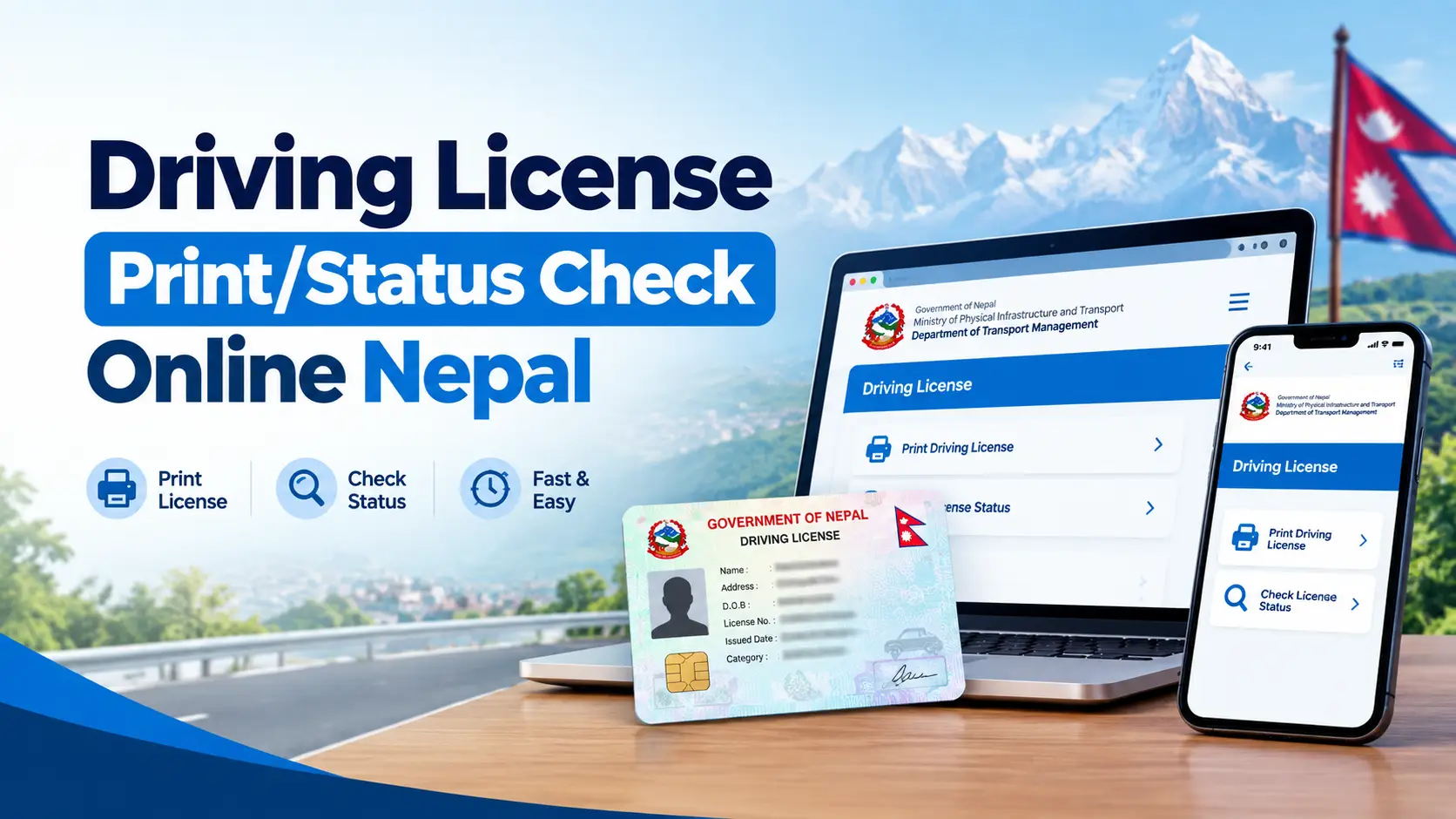
If you passed your trial weeks ago and you are still waiting, you want one answer: has my smart card actually been printed yet? The tool below searches the printed–licence lists the Department of Transport Management (DOTM) publishes, tells you which office your card was sent to, and — the part most checkers skip — tells you what to do when your number does not appear.
The 20–second answer
Enter your licence number as XX-XX-XXXXXXXX in the checker below. If it appears, your card has been printed centrally and sent to the office named in the result — ring that office before you travel, because dispatch takes a few more days. If it does not appear, it is almost always a batch that has not been published yet, not a lost application. Cross-check with DOTM’s own page and the SMS line before you assume something has gone wrong.
Still driving on your trial receipt in the meantime? That is normal, and it is what the transport office expects you to carry.
Driving Licence Print Status Check — Free Online Tool
Type your number in any form you like. Hyphens, spaces, no separators at all, or Nepali digits (०१-०२-०१२३४५६७) all work — the field tidies itself as you type. You can check up to five numbers at once, switch the whole tool into Nepali, and save your number so one tap re-checks it next week.
Driving Licence Print Status Check
Enter your DOTM licence number to see whether your smart card has been printed and which office it was sent to.
Send LC followed by your number to 33001, 34949 or 31003. Works on NTC, Ncell and Smart Cell. Standard SMS charges apply.
Transport offices that publish printed lists
Bagmati Province
- Chabahil, Kathmandu
- Ekantakuna, Lalitpur
- Thulo Bharyang, Kathmandu
- Sano Bharyang, Kathmandu
- Radhe Radhe, Bhaktapur
- Bharatpur, Chitwan
- Hetauda, Makwanpur
Koshi Province
- Biratnagar, Morang
- Itahari, Sunsari
- Damak, Jhapa
- Lahan, Siraha
Madhesh Province
- Janakpur, Dhanusha
- Birgunj, Parsa
- Kalaiya, Bara
- Bardibas, Mahottari
Gandaki Province
- Pokhara, Kaski
- Baglung
Lumbini Province
- Butwal (Belbas), Rupandehi
- Bhairahawa, Rupandehi
- Nepalgunj, Banke
- Tulsipur, Dang
Karnali Province
- Birendranagar, Surkhet
Sudurpaschim Province
- Dhangadhi, Kailali
- Mahendranagar, Kanchanpur
This tool searches the printed-licence lists the Department of Transport Management publishes at dotm.gov.np. It is not a government service and cannot change your place in the queue. For anything official, use applydlnew.dotm.gov.np or your own transport office.
This is an independent tool, not a government service. It reads the same public lists DOTM publishes and cannot move you up the queue. For anything legally binding, use DOTM’s own licence check or your transport office.
What a “print check” actually tells you
Nepal’s smart-card licence is not printed at your transport office. After you pass the written (likhit) and trial exams and your biometrics are cleared, your record goes to a central printing facility in Kathmandu. Cards are made in batches, quality checked, then shipped back out to the office where you applied.
A print check searches the lists DOTM publishes after each batch. So a positive result means one specific thing:
- Your card exists. It has been physically manufactured with your photo, chip and QR code.
- It has been assigned to an office. The list says which one.
- It has not necessarily arrived there. This is the single biggest misunderstanding, and I cover it in detail below.
If you have not reached this stage yet — you are still applying, or renewing — start with our guides to applying for an online driving licence in Nepal via eDLVRS and filling the driving licence online form. A print check only works once your card has entered the printing queue.
The two DOTM lists almost no checker tells you about
Every other print-check site I looked at treats DOTM data as one big pile. It is not. The department publishes printed licences in two separate streams, in two different sections of dotm.gov.np, and knowing which one you are in changes what you should expect.
1. Regular printing — नियमित तर्फ
The ordinary queue. DOTM publishes these office by office: one notice for Bharatpur, another for Radhe Radhe, another for Lahan, and so on.
Because they are per office, a gap of several weeks between notices for your office is completely normal even while other offices get updated.
2. Urgent printing — अत्यावश्यक
Cards fast-tracked for people who cannot wait — professional drivers, medical need, travel. These are published by date, not by office, often several notices in a single month.
If you applied through the urgent route, searching only the regular lists will show nothing, and you will wrongly conclude you have been forgotten.
The checker above searches both streams and labels which one your record came from, so you are not left guessing. That single label is the most useful thing on the result card, and no competing tool shows it.
Printed, dispatched, collectable: three different things
People travel to an office, queue, and are told “not arrived” while their phone shows “printed”. Nobody is lying. These are three separate stages and print lists only confirm the first one.
| Stage | What has happened | Can you collect? |
|---|---|---|
| Printed | Card manufactured centrally and added to a published list | Not yet |
| Dispatched | Batch handed to government logistics for your office | Not yet — allow a few days |
| Received and entered | Office has the box and has logged the cards at the counter | Yes — this is the moment to go |
Practical rule: treat a “printed” result as permission to phone your office, not as permission to travel to it. One phone call saves a wasted morning, and for anyone coming in from outside the valley it saves a whole day and a bus fare.
Five ways to check, and when each one is the right one
No single source is authoritative at every moment, because they update on different clocks. Use them in this order.
| Method | Speed | Internet? | Best for |
|---|---|---|---|
| The checker on this page | Instant | Yes | Name, category, office and list type in one card; checking several people at once |
| DOTM licence check | Instant when up | Yes | The reference answer — if anything disagrees, this wins |
| SMS shortcode | 1–2 minutes | No | Weak signal areas, load-shedding, no data pack |
| Province / office portal | Instant | Yes | Often the freshest source for that one office |
| The counter itself | Same day | No | Anything unusual: rejections, name errors, long silences |
Checking by SMS
Send LC, a space, then your licence number to 33001. 34949 and 31003 are also in circulation. Example message body: LC 01-02-12345678
Different sources quote different shortcodes, so if one returns nothing, try the next before concluding anything. Standard SMS charges apply, and the reply reflects the gateway’s data, which can lag the web lists by days in either direction.
Province and office portals: the source nobody mentions
Licensing moved to the provinces, and several provinces and individual offices now run their own status pages. These are frequently more current for that office than the central notices, because the office updates them itself. Not one of the popular print-check sites points people to them.
- Lumbini — Rupandehi (Butwal): the Rupandehi licence office runs a print-status search at tmolicense.p5gov.com, and its notice page states cards are handed out from room number 11, 9:00 am to 5:00 pm. That is the level of detail the central site never carries.
- Lumbini eDLVRS: edlvrs.lumbini.gov.np for applications and renewals in that province.
- Bagmati — Chitwan: Bharatpur operates through chitwanyatayat.bagamati.gov.np alongside the central notices.
- Your own office’s Facebook page. Not glamorous, but several offices post the arrival of a card batch there before anything else updates. Search the office name in Nepali.
If your province runs its own portal, check it as well as the tool above. Two sources that agree is a much stronger signal than one.
Why your friend’s licence shows and yours does not
You sat the same trial, on the same day, at the same office. Theirs appears; yours does not. This is the single most common message people send about print status, and it almost never means your application failed.
- Batches are not built in trial order. Records are pulled for printing as verification clears, not as a queue by exam date.
- One of you may be in the urgent stream. Different list, different publishing rhythm.
- A biometric or photo re-check delays a single record without touching anyone else in the batch.
- Category matters. Records for categories that need extra verification can be held back while simpler ones move.
- Your name may be spelled differently in the source list than on the receipt you are holding — which does not stop a number search, but does explain confusion at the counter.
What I learned building this checker
I build web tools from Kathmandu, and this one started because I was tired of refreshing a government page that half the time would not load. Once I started importing DOTM’s published lists into a database, a few things became obvious that are not obvious from the outside.
- There is no live feed. Several competing sites advertise “LIVE” data. There is no API to be live against. DOTM posts documents, irregularly, per office or per date. Any tool claiming a real-time link to the department is describing something that does not exist.
- Publishing is lumpy, not daily. Some weeks bring several office notices back to back; other weeks bring none. Checking every single day changes nothing. Twice a week is plenty.
- Formatting is inconsistent between offices. Some lists arrive with clean columns, others as text where the number and name run together. That is why the checker accepts any spelling of your number and why the importer is deliberately forgiving — a rigid parser would silently drop whole offices.
- Most “not found” results are typing, not tragedy. A dropped leading zero and a transposed pair of digits account for a surprising share of failed searches. The tool now pads an obviously missing leading zero and re-checks before it tells you there is nothing.
That last point is why the not-found card on this page gives you a plan instead of a shrug. Being told “no record” with no next step is what sends people on an unnecessary bus ride to a transport office.
Nothing showing up? A timeline you can actually follow
Weeks 1–4 — do nothing
This is inside normal. Carry your trial-pass receipt, check twice a week, and keep the SIM you registered with active so any official SMS reaches you.
Weeks 4–8 — widen the search
Check all three sources: this tool, DOTM’s page, and SMS. Add your province portal. Confirm the number on your receipt digit by digit against what you are typing.
Months 2–3 — go in person
Take your trial-pass receipt, payment receipt and citizenship to the office where you tested. Ask them to confirm your record reached the printing queue at all — that is the question that gets a useful answer.
Beyond 3 months — put it in writing
Ask at the counter for the office’s citizen charter (नागरिक बडापत्र) and submit a written query referencing it. A dated written record moves things in a way a verbal question does not.
Urgent need? Ask about the fast-track route
If you have a job offer, a foreign trip or a medical reason, ask your office about the urgent (अत्यावश्यक) printing route and bring documentation of the need. That is the stream whose lists DOTM publishes by date rather than by office.
Collecting your smart card
Once your office confirms the card is physically there:
- Citizenship certificate — original plus one photocopy.
- Revenue / payment receipts — DOTM’s own collection notices specifically ask you to bring every original receipt.
- Trial-pass slip or token from exam day.
- Your old paper licence if this is a renewal — you surrender it at the counter.
- Check the card before you leave. Name spelling, date of birth, categories, and that the QR scans. A correction started at the counter is far easier than one started next month.
Can somebody else collect it? Some offices allow it with an authorisation letter signed by you, your original citizenship, and the collector’s own citizenship. Others insist you come yourself because of the fingerprint check. Phone first — policy genuinely varies by office.
Renewing rather than collecting a first licence? Our guide to renewing a driving licence online covers the renewal window, documents and what still has to be done in person.
Where the popular checkers disagree with each other
While building this, I read the competing tools closely. Some of what they publish does not hold up, and you should know which numbers to distrust before you make decisions based on them.
- Record counts contradict themselves on the same page. One popular site advertises a headline figure in its search box, a noticeably larger figure in the body text, and a third figure in the footer. Treat any precise total as marketing, not data.
- Office counts do not add up. The same site promises a complete directory of a stated number of offices, lists a different number, and quotes a third number in its FAQ and image captions. The real list changes as offices open and split.
- “Updated within 24–48 hours” assumes a publishing schedule DOTM does not keep. Notices appear when a batch is done, and for some offices that means weeks between updates.
- “Live” badges. There is no public real-time DOTM endpoint. A badge saying otherwise is decoration.
- Fabricated activity tickers. At least one site shows a rolling popup of named strangers “just checking” their licence. It is a conversion device, not evidence of a live database.
The tool on this page shows you what it actually holds — the record count, the number of offices in the data, and the date of the newest list imported — and those figures come straight out of the database rather than being typed into the design.
Reading your licence number
A DOTM smart-card number is twelve digits, written in three parts:
01 – 02 – 12345678
province / zone code · office code · your serial
- The separator does not matter for searching here — but on DOTM’s own form, get the hyphens right.
- A dropped leading zero is the most common typing error.
1-02-12345678should be01-02-12345678. - Older paper licences used shorter formats. If yours is short, search it anyway, but expect to confirm at the office.
Frequently asked questions
How do I check my Nepal driving licence print status online?
Enter your licence number as XX-XX-XXXXXXXX in the checker at the top of this page. If your number appears in the printed lists, you will see the name on record, category, the office to collect from, the list date and whether it came from the regular or urgent stream. You can also use DOTM’s own check, the SMS line, the Nagarik App or your province portal.
What does it mean when my licence shows as printed?
It means the card has been manufactured at the central printing facility and assigned to your transport office. It does not mean the card is sitting at that counter yet. Dispatch and logging in at the office take a few more days, so phone the office before travelling.
My licence number is not found. What should I do?
In most cases your batch simply has not been published yet. Re-read your number digit by digit, especially the leading zero, then cross-check with DOTM’s own page and the SMS line. If nothing appears anywhere four weeks after your trial, visit the office where you tested with your trial-pass receipt.
How do I check my driving licence by SMS in Nepal?
Send LC followed by a space and your licence number to 33001. The shortcodes 34949 and 31003 are also in use. It works on NTC, Ncell and Smart Cell, standard charges apply, and the reply can differ from the website because the two update on different schedules.
Can I drive while I wait for the smart card?
Yes. Carry the trial-pass receipt or interim document your transport office issued, along with your old licence if you were renewing. Keep a photo of your print-status result on your phone as supporting proof — useful in a traffic check, though not a legal substitute for the document itself.
How often should I check my print status?
Twice a week. DOTM publishes in irregular batches rather than daily, so checking every day tells you nothing new and only adds worry. Save your number in the tool above and one tap re-checks it.
Where does the data in this checker come from?
From the printed-licence notices the Department of Transport Management publishes at dotm.gov.np, covering both the regular (नियमित) and urgent (अत्यावश्यक) streams. It is imported from those documents, not read from a live government feed — no such public feed exists.
Is this an official government website?
No. It is an independent tool built to make public information easier to search, and it has no affiliation with DOTM, the traffic police or any government office. For anything official — collection, disputes, corrections — your transport office is the authority.
The name or details on my printed card are wrong. What now?
Raise it at the counter before you leave, if you can. Otherwise return to the issuing office with your citizenship certificate and file a correction application. Do not use a card with incorrect details as identification until it has been replaced.
Can I check several licence numbers at once?
Yes — open the “Check several” tab in the tool and paste up to five numbers, one per line. It is built for families who sat their trials together and for anyone helping relatives who are not online.
The short version
Check twice a week, not twice a day. Read “printed” as phone the office, not go to the office. Know whether you are in the regular or urgent stream, because they publish on different rhythms. Check your province’s own portal as well as the central one. And if four weeks pass with nothing anywhere, stop refreshing and go and ask, receipt in hand.
Save this page with your number in the link — add ?lc=01-02-12345678 to the address and it checks itself every time you open the bookmark.
Sources
- Department of Transport Management — printed licence notices, regular stream: dotm.gov.np
- Department of Transport Management — urgent printed licence notices: dotm.gov.np
- Online Driving License System — official licence check and applicant instructions: applydlnew.dotm.gov.np
- Transport Management Office Rupandehi — print status and collection details: tmolicense.p5gov.com
Last reviewed September 2026. Procedures, shortcodes and office lists change — confirm anything time-sensitive with your transport office.