Shram Swikriti Renewal Online 2026: Step-by-Step FEIMS Guide

Shram Swikriti Renewal Online 2026: Step-by-Step FEIMS Guide for Re-Entry Labour Permit

By Wilson Shrestha · Updated 29 September 2026 · Checked against Department of Foreign Employment (DoFE) notices issued up to Jestha 2083
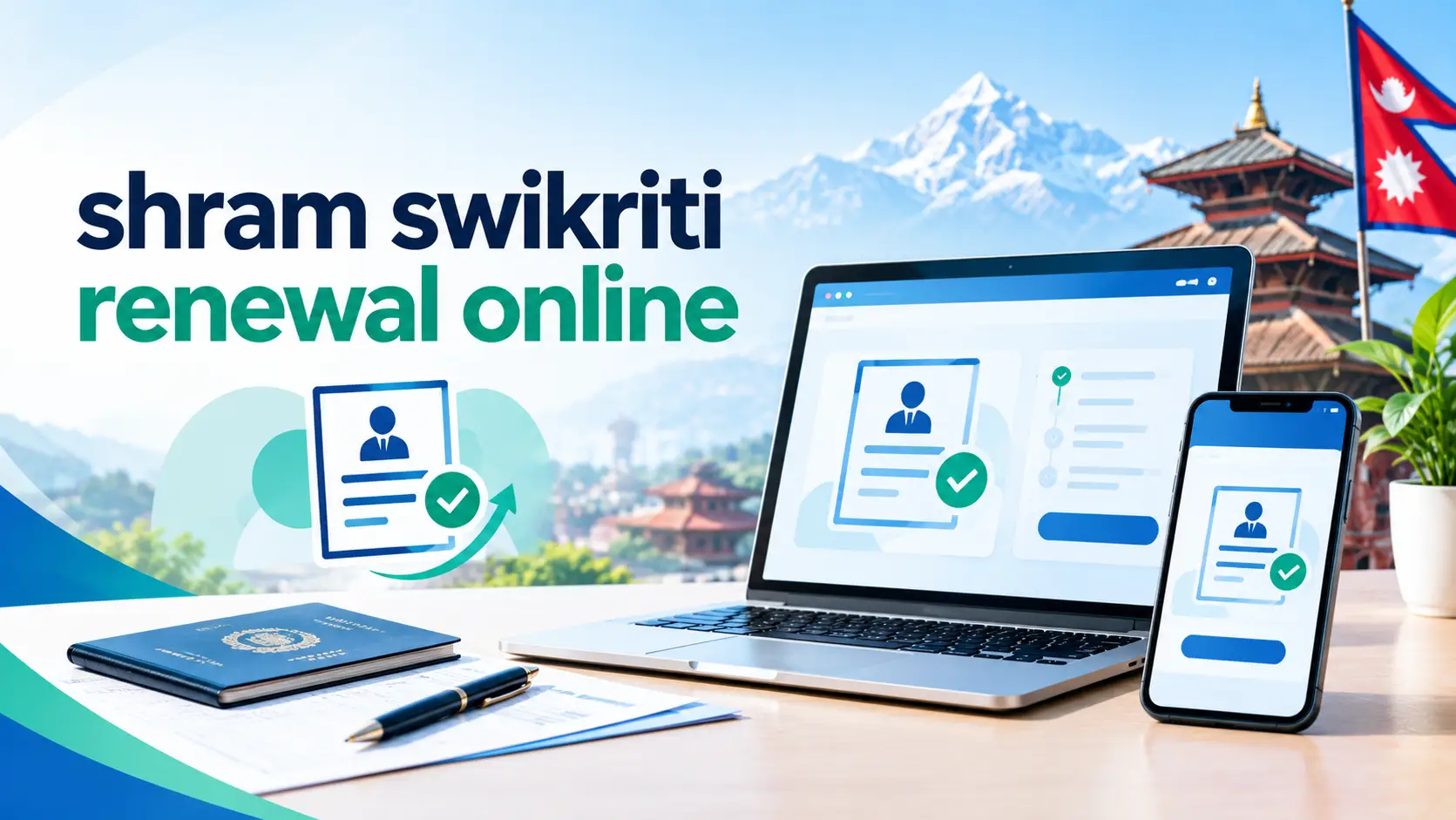
Shram Swikriti renewal online through the FEIMS portal of the Department of Foreign Employment, Nepal

Quick answer

You can renew your Shram Swikriti (re-entry labour permit, “punah shram swikriti”) online at feims.dofe.gov.np using the Individual login with your passport number and date of birth. Upload your valid visa, employment contract, renewed life insurance, and pay the Social Security Fund and Welfare Fund. Since 1 June 2026 (18 Jestha 2083), same-country, same-company renewals are approved automatically by the system if every condition is met.

Key takeaways

  • Renewal is done 100% online – from Nepal or from abroad – on the official FEIMS portal. No agent is required.
  • Going back to the same country and same company? Your approval is issued automatically once six conditions match.
  • Changed employer or country? You are outside the automatic route and your file is reviewed manually.
  • Typical government payments: about Rs 7,516 to Rs 13,271, depending on your age band for insurance.
  • Most failures come from a passport with less than 3 months left, an expired visa, or insurance that was not renewed.

What Is Shram Swikriti Renewal (Punah Shram Swikriti)?

Shram Swikriti is the labour approval (work permit) the Department of Foreign Employment (DoFE) issues before a Nepali citizen can legally leave for foreign employment. It is checked at the airport, and it is what links you to the Foreign Employment Welfare Fund, your insurance, and government support if something goes wrong abroad.

Shram Swikriti renewal – officially re-entry labour approval or punah shram swikriti (पुनः श्रम स्वीकृति) – is what you need when you already had a labour permit and are going abroad again. The most common cases are:

  • You came home on leave and are flying back to the same job.
  • Your contract and visa were renewed abroad and you need your Nepali permit to match.
  • You are going back to the same country but a new company, or to a new country.

Renewal is lighter than a first-time application because DoFE already has your profile, orientation and past approval on file. It all happens on the same system: FEIMS (Foreign Employment Information Management System).

2026 Update: Re-Entry Approval Is Now Automatic (Same Country, Same Company)

This is the biggest change most older guides still miss. On 18 Jestha 2083 (1 June 2026), DoFE announced that re-entry labour approval for workers returning to the same country and the same company is issued through a fully automatic system, with no staff member manually approving each case. It was introduced under the government’s governance-reform agenda to make foreign employment safer and more orderly.

The system checks six conditions. If any one of them fails, the application is rejected automatically, so you have to get them right the first time:

1. Passport
At least 3 months of validity left
2. Visa
Valid visa / residence permit for the same country
3. Contract
Valid employment contract with the same company
4. Life insurance
Periodic (renewed) life insurance policy
5. SSF receipt
Social Security Fund contribution paid
6. Welfare Fund receipt
Foreign Employment Welfare Fund paid

Decision diagram: will your renewal be automatic?

Did you have Shram Swikriti before?

↓ Yes

Same country AND same company as last time?

↓ Yes

All 6 conditions met?
Yes →
Automatic approval
No →
Auto-rejected. Fix and reapply

↓ No

Changed company or country
Manual review by DoFE. Submit fresh employer documents.

Never held Shram Swikriti? You need a first-time (new) labour approval, not a renewal.

Which Renewal Path Are You On?

Most competitor guides treat “renewal” as one process. In practice there are three, and picking the wrong one is the fastest way to waste a week. Use this table to find yours:

SituationProcessApprovalExtra documents
Same country, same companyRe-entry (renewal)AutomaticNone beyond the 6 conditions
Same country, new companyRe-entry with employer changeManual reviewNew contract, employer details; embassy attestation where required (Gulf)
New countryTreated like a new destinationManual reviewCountry-specific documents; medical if required
Never had Shram SwikritiFirst-time (new) approvalManual reviewOrientation (PDOT), medical, full document set

Documents Required for Shram Swikriti Renewal

Scan everything before you log in. Use clear colour scans or phone photos, one file per document (combine multi-page contracts into a single PDF), and make sure your name is spelled exactly the same on every document.

Same company (automatic)

  • Passport (3+ months validity)
  • Valid visa or residence ID (e.g. Emirates ID, Qatar ID)
  • Current employment contract
  • Periodic life insurance policy
  • SSF contribution receipt
  • Welfare Fund receipt

New company or country (manual)

  • Everything in the left column
  • New employer agreement / offer letter
  • Employer’s official email to the labour-approval office
  • Nepali embassy attestation (Gulf countries)
  • English translation if the contract is not in English or Arabic
  • Medical certificate, if the destination requires it

Got a new passport? Your FEIMS account is tied to your old passport number. Do not create a second account – the renewal option will not appear there because your approval history is on the old profile. Contact DoFE’s FEIMS support to update the passport on your existing account first.

How to Renew Shram Swikriti Online: Step by Step

Here is the full renewal flow at a glance, followed by what to do on each screen.

1
Open FEIMS Individual login
feims.dofe.gov.np → Individual (not Institutional)
2
Passport → date of birth → password
Each on its own screen with a Next button
3
Choose re-entry / renewal labour approval
Confirm country and employer
4
Update visa, contract and insurance details
Dates must match your documents exactly
5
Pay insurance, SSF and Welfare Fund
Only through the payment step inside FEIMS
6
Upload scans and submit
One clear file per document
✓
Check status and save your approval
Verify on DoFE’s Passport Search before booking the flight

Step 1: Log in to FEIMS with the Individual login

Go to feims.dofe.gov.np and choose the Individual login. The Institutional login is for manpower agencies and DoFE staff only. Enter your passport number, then your date of birth, then your password. If you forgot the password, use “Forgot Password?”, solve the CAPTCHA, and reset it through your registered mobile number or email.

Step 2: Start a re-entry (renewal) application

From your dashboard, open the re-entry / renewed labour approval option. Your previous approval, country and employer should be pre-filled. If the renewal option is missing, you are almost certainly logged into the wrong (new or duplicate) account.

Step 3: Update visa, contract and insurance details

Enter your new visa number and expiry date, the contract period, and your insurance policy details. Type dates carefully – FEIMS compares them against the six conditions, and a single wrong digit can trigger an automatic rejection. If your contract uses Bikram Sambat dates and the form wants AD (or the reverse), convert them first with our Nepali to English date converter (BS to AD) rather than guessing.

Step 4: Pay the fees inside FEIMS

Pay the periodic life insurance, Social Security Fund and Foreign Employment Welfare Fund through the payment step in FEIMS (digital wallets and ConnectIPS are commonly used). Keep every receipt and the transaction ID – if the status stays “pending” after payment, DoFE support will ask for them.

Step 5: Upload documents and submit

Upload your passport bio page, visa, contract and any extra documents for your path. Check the file-size and format limits shown on the upload screen. Submit once – resubmitting the same case repeatedly creates duplicate records and slows things down.

Step 6: Confirm approval before you travel

For same-company cases that meet every condition, the system issues the approval without manual review. For all other cases, wait for DoFE to process the file. Either way, confirm the result on DoFE’s official search (covered below) and save or print it before you buy or confirm your ticket.

Shram Swikriti Renewal Fee 2026: Cost Breakdown

DoFE itself does not charge a separate “renewal fee”. What you pay are the mandatory insurance and fund contributions. Insurance is age-banded, which is why two workers renewing on the same day can pay very different totals.

PaymentAge 18–35Age 36–50Age 51–64
Periodic life insuranceRs 3,708Rs 4,931Rs 9,463
Social Security Fund (SSF)Rs 2,308Rs 2,308Rs 2,308
Foreign Employment Welfare FundRs 1,500Rs 1,500Rs 1,500
Estimated totalRs 7,516Rs 8,739Rs 13,271

Chart: estimated renewal cost by age band (Rs)

Insurance SSF Welfare Fund
Age 18–35Rs 7,516
Age 36–50Rs 8,739
Age 51–64Rs 13,271

Figures are based on DoFE’s published FAQ amounts. Some other sites list the SSF as roughly Rs 2,595; the amount shown on your live FEIMS payment screen is always the one that counts. To understand what your SSF contribution actually covers, see our Social Security Fund (SSF) Nepal guide.

What is not included: a medical exam (only if your destination or new employer requires one), translation or attestation charges for manual cases, and any agency service fee. If you renew yourself on FEIMS, you do not have to pay an agent anything.

How Long Does Shram Swikriti Renewal Take?

For same-company renewals that pass all six checks, the system issues the approval itself instead of placing it in a manual queue, so it is the fastest route. Manual cases (new company or new country) depend on document review and are commonly reported to take a few working days, longer around festivals and peak travel months. Do not leave it to the last week.

Timeline: when to start before your flight

30 days before
Check passport has 3+ months left after travel. Renew it first if not.
21 days before
Get renewed visa and contract copies from your employer.
14 days before
Log in to FEIMS, fix any login or passport issues.
7–10 days before
Pay insurance and funds, upload and submit.
Before booking
Confirm approval on Passport Search and save a copy.

Shram Swikriti Renewal from Abroad (UAE, Qatar, Saudi, Malaysia and More)

You do not have to fly home to renew. Nepali missions abroad, including the Consulate General in Dubai, state that the whole re-entry labour permit process is online, so workers do not need to visit the consulate. You log in to the same FEIMS account from your phone or computer wherever you are.

  • Gulf countries (UAE, Qatar, Saudi Arabia, Kuwait, Oman, Bahrain): have your residence ID (Emirates ID, Qatar ID, Iqama) and renewed contract ready. If you change employers, expect embassy attestation of the new documents.
  • Malaysia: keep the renewed work pass (PLKS) copy and contract dates aligned; mismatched dates are a common reason for rejection.
  • Japan and South Korea: residence card and employer details must match your FEIMS record; confirm with the embassy if your status of residence changed.
  • Mobile tip: FEIMS works on a phone browser, but uploading is easier on a computer. If you only have a phone, use a scanning app to create clean PDFs rather than uploading photos of documents lying on a bed.

Country procedures can differ, so if your case is unusual, contact the Nepali embassy or labour attaché in your country before paying anyone to “process” the renewal for you.

How to Check Shram Swikriti Renewal Status Online

DoFE runs its approval check separately from FEIMS. Many workers look in the wrong place, so note the difference:

  1. Open foreignjob.dofe.gov.np.
  2. Choose Passport Search (the labour approval or “sticker” search) – not Job Search or Pre-Permission search.
  3. Enter your passport number and submit.
  4. Check that the country, employer and validity match your contract.
  5. Save a screenshot or printout to show at the airport if needed.
What you seeWhat it usually meansWhat to do
Pending / under processReceived but not finishedWait and recheck; do not resubmit
ApprovedLabour approval issuedVerify details, then book travel
Returned / rejectedA condition or document failedRead the reason, fix that item, reapply
No record foundWrong passport number or not synced yetRecheck the number; allow time after submitting

Why Shram Swikriti Renewals Get Rejected (and How to Fix Them)

Since the automatic system rejects any application that misses a condition, small mistakes now cost more time than before. These are the problems workers run into most:

ProblemLikely causeFix
Auto-rejectedPassport under 3 months, visa expired, or unpaid fundCheck all six conditions, correct the failing one, reapply
Renewal option missingLogged into a new or duplicate accountUse the account with your original approval
Cannot log inInstitutional login used, or DOB format wrongUse Individual login; enter DOB exactly as on passport
OTP not receivedOld Nepali SIM registeredReset via email, or request a contact update from DoFE. Not sure which number is yours? Check the SIM owner name
Paid but still pendingPayment not syncedWait a few hours; then contact FEIMS support with the transaction ID
Company not showingEmployer changed or not registeredFollow the manual (new company) route
Website not loadingServer load at peak hoursTry early morning Nepal time; do not pay agents to “bypass” it

Worked example: a same-company renewal from Qatar

Illustrative example based on the official conditions

Ram, 32, works for the same construction company in Doha and his Qatar ID was renewed for two more years. His passport, however, expires in 10 weeks. He logs in, fills everything, pays Rs 7,516 – and the application is rejected automatically, because the passport has less than 3 months of validity.

The lesson: check the passport before paying. Had Ram renewed his passport through the embassy first and updated it on his existing FEIMS account, the same application would have qualified for automatic approval.

Avoid Renewal Scams

  • Only enter your password on feims.dofe.gov.np. No legitimate helper needs it.
  • Pay only through the payment step inside FEIMS – never to a personal wallet or bank account of an “agent”.
  • Be wary of anyone promising “guaranteed same-day approval” for a changed employer; that route always involves manual review.
  • Verify any approval you receive on DoFE’s Passport Search, not on a screenshot someone sends you.

Before-You-Fly Checklist

☑ Approval shows on DoFE Passport Search

☑ Passport valid well beyond the contract period

☑ Visa and contract dates match what is in FEIMS

☑ Insurance, SSF and Welfare Fund receipts saved on phone and email

☑ Copies of documents left with family in Nepal

☑ Embassy or labour attaché contact saved for your destination

Frequently Asked Questions

Can I renew Shram Swikriti online from abroad?

Yes. Re-entry labour approval is handled entirely online through FEIMS, so you can apply from the UAE, Qatar, Saudi Arabia, Malaysia or any other destination without returning to Nepal or visiting the embassy.

What is the Shram Swikriti renewal fee in 2026?

There is no separate DoFE renewal fee. You pay periodic life insurance (Rs 3,708 to Rs 9,463 depending on age), the Social Security Fund (about Rs 2,308) and the Welfare Fund (Rs 1,500), roughly Rs 7,516 to Rs 13,271 in total. Always follow the amount on the live FEIMS payment screen.

What documents are needed for Shram Swikriti renewal?

For a same-company renewal: a passport with at least 3 months of validity, a valid visa, a valid employment contract, a periodic life insurance policy, and receipts for the Social Security Fund and the Foreign Employment Welfare Fund. A new employer or country needs additional employer documents.

Is re-entry labour approval automatic now?

Yes, for workers going back to the same country and the same company. Since 18 Jestha 2083 (1 June 2026), FEIMS issues these approvals automatically when all six conditions are met and rejects the application automatically if any condition fails.

How long does Shram Swikriti renewal take?

Same-company renewals that pass every check skip the manual queue and are the fastest. Cases with a new employer or country are reviewed manually and usually take a few working days, so apply at least 7 to 10 days before your flight.

How do I check if my Shram Swikriti is renewed?

Go to foreignjob.dofe.gov.np, choose Passport Search, enter your passport number and check that the approval shows the correct country, employer and validity.

I changed my passport. Can I still renew?

Yes, but do not open a new FEIMS account. Ask DoFE’s FEIMS support to update the new passport on your existing profile, otherwise the renewal option will not appear.

Do I need orientation training or a medical test again for renewal?

A same-company renewal is based on the six listed conditions and does not ask for fresh orientation. A medical certificate is needed only if your destination country or new employer requires one.

Official Links and DoFE Help

Disclaimer: wilson.com.np is an independent guide and is not affiliated with the Department of Foreign Employment or the Government of Nepal. Rules and fees can change at short notice; the live FEIMS portal and official DoFE notices are the final authority.
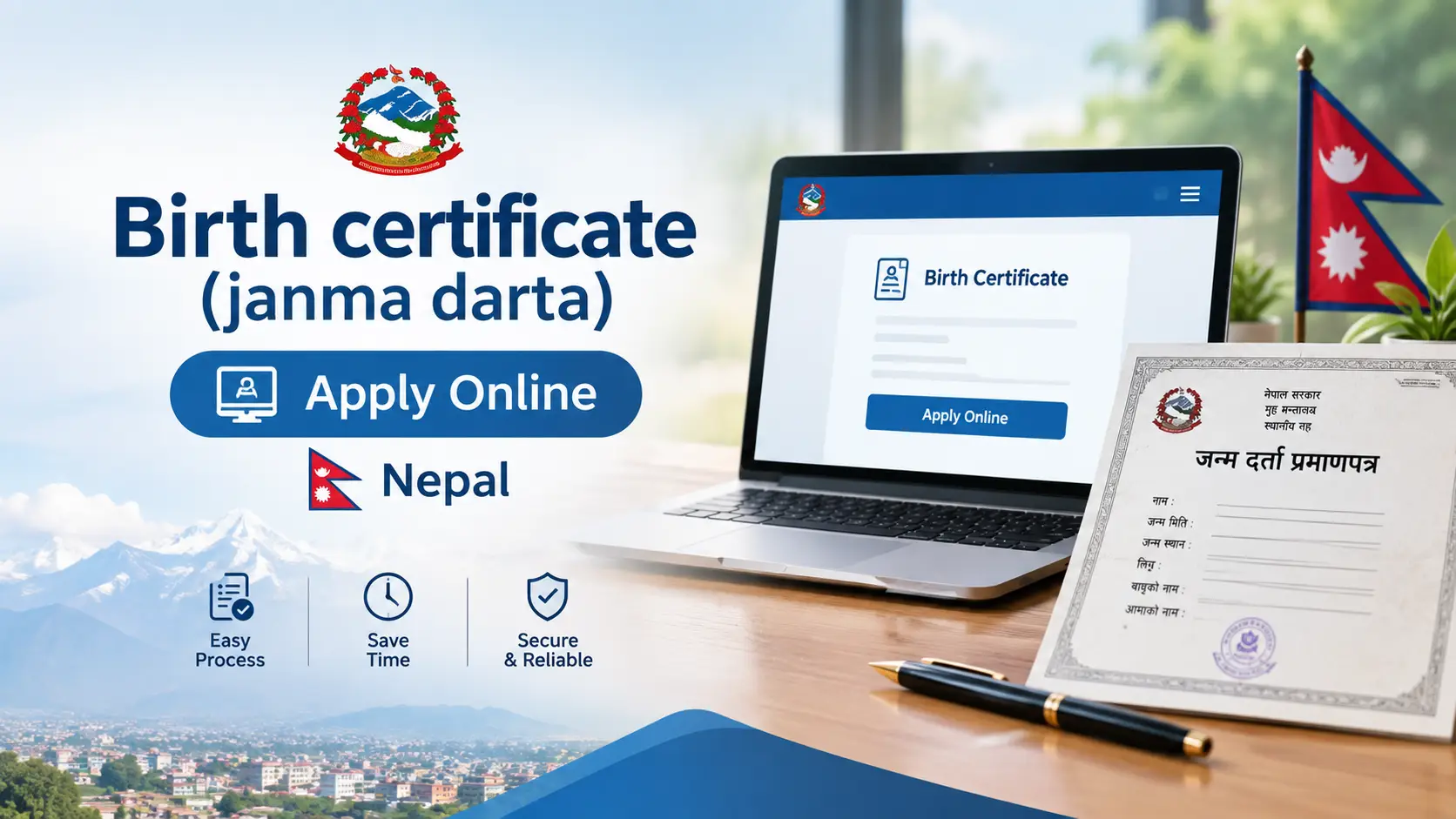

Birth Certificate Apply Online Nepal 2026 | Janma Darta Full Guide

Birth Certificate (Janma Darta) Apply Online in Nepal: 2026 Step-by-Step Guide

Updated: 19 September 2026  ·  By Wilson Shrestha  ·  Reading time: 11 minutes  ·  Applies to all 753 local levels of Nepal

Birth certificate (janma darta) apply online Nepal — DoNIDCR online vital registration portal guide

Short answer: You can fill the janma darta (birth registration) form online for free at public.donidcr.gov.np. The system then sends a token number to your mobile. That token is not the certificate — you must carry it to your ward office, show the original documents, and collect the printed birth certificate there. Registration is free within 35 days of birth, and the token usually expires in 30 days, so do not sit on it.

If you have just had a baby in Nepal — or you are an adult who never got registered — you have probably searched for birth certificate apply online Nepal and landed on a government page in Nepali that assumes you already know what a "सूचक" is, or a blog that tells you to "visit the official portal" without ever naming it.

This guide fixes that. It is built from the Department of National ID and Civil Registration's own published FAQ and rules, the actual behaviour of the online portal, and the instructions individual municipalities publish for their own citizens. It gives you the exact URLs, the exact document list, what the fee really is (it is not the same everywhere), and the three or four things that quietly cause rejection at the ward counter.

1. What janma darta actually is (and what "online" really means)

Janma darta (जन्म दर्ता) is the legal recording of a birth with the Local Registrar — an officer sitting in your ward office. Once recorded, the ward issues a birth registration certificate, which is the document schools, passport offices, banks and the citizenship process all ask for.

It is governed by the National ID and Civil Registration Act, 2076 and its Rules, 2077, and supervised nationally by the Department of National ID and Civil Registration (DoNIDCR) under the Ministry of Home Affairs. The ward office registers; the Department maintains the national record.

The part every other guide glosses over

Nepal's birth registration is online-assisted, not online-complete. Here is the honest breakdown of what the portal does and does not do:

StageCan you do it online?Reality in 2026
Filling the information form (Anusuchi-2)YesFully online at public.donidcr.gov.np — no ward visit needed to fill it
Getting a token / application numberYesDelivered by SMS to the mobile number you entered
Uploading scanned documentsPartly / NoMost local levels still verify original documents at the counter
Verification of the informant (सूचक)NoPhysical presence of the father, mother or eligible family member is required
Paying the late fee (if any)NoPaid in cash at the ward office
Receiving the certificateNoPrinted, signed and stamped at the ward office; collected in person

So "apply online" saves you one trip and a lot of queue time — it does not eliminate the ward office. Any article promising a fully paperless birth certificate in Nepal today is wrong, and following it will waste your 35-day window.

2. Janma darta online registration: full step-by-step process

There are two legitimate entry points, and they lead to the same system:

  • Central portal: public.donidcr.gov.np — the one to use if you are unsure.
  • Your municipality's own link: many palikas (Kathmandu Metropolitan, Chandragiri, Kirtipur, Madhyapur Thimi, Dakshinkali, Gokarneshwor and dozens more) publish a link labelled "अनलाइन जन्म दर्ता प्रणाली (सेवाग्राही)" on their website. It is the same backend.
  1. Confirm your ward is on the online system first

    This is the step nobody mentions, and it is the single biggest time-waster. Not every ward office in Nepal processes online applications. DoNIDCR publishes a list of wards that register vital events through the online information system. Before you fill anything, check that list — or simply call your ward office and ask: "के तपाईंको वडामा अनलाइन जन्म दर्ता निवेदन आउँछ?" If the answer is no, you fill the paper Anusuchi-2 form at the counter instead, and the rest of this guide still applies.

  2. Open the portal and choose "Click Here To Register"

    On the homepage of public.donidcr.gov.np, select the registration option, then choose Birth Registration (जन्म दर्ता) from the list of vital events (birth, death, marriage, migration, divorce). Use a desktop browser if you can — the form is dense and older government forms behave badly on small screens.

  3. Fill the child's details exactly as they will appear forever

    Full name, sex, date of birth in Bikram Sambat, place of birth (district, local level, ward), and whether the birth happened at a health institution or at home. Spell the name in Nepali exactly as you want it on every future document — school certificates, citizenship and passport will all be matched against this.

  4. Fill parent and grandparent details

    Father's and mother's names, citizenship numbers and permanent address, plus grandfather's and grandmother's details. Copy these character by character from the citizenship certificates in front of you. A single mismatched spelling between the citizenship and this form is the most common rejection reason at the counter.

  5. Enter the informant (सूचक) details

    The informant is the person legally giving the information. Per DoNIDCR, for a birth this is the father or mother, and in their absence a family member aged 18 or above. The informant's citizenship is mandatory because the state needs a responsible, identifiable person behind the record.

  6. Select the ward office where you will collect the certificate

    You may register at the ward of your permanent address or the ward where the birth occurred. Choose the one you can physically reach. Government employees on active service can, with an office recommendation, register at the ward where their office is located.

  7. Enter a working Nepali mobile number and submit

    The token arrives as an SMS on this number. Use a number that will stay active and that you control — not the hospital's, not a relative's abroad.

  8. Save the token number immediately

    Screenshot it and write it down. The token is your only proof that the application exists in the system.

  9. Go to the ward office with the token and original documents

    The registrar pulls up your submitted form by token, verifies the originals, collects the late fee if applicable, prints the certificate, and has it signed and stamped. Most wards hand it over the same day; some ask you to return the following working day.

⏳ The 30-day token trap — this is the gap in every competing article. Several municipalities explicitly state that the token number must be used at the ward office within 30 days. After that the token is dead and you have to fill the whole form again from scratch. Combine this with the 35-day free-registration window and the practical rule is simple: apply online and visit the ward within the same week.

3. Janma darta online registration login — the confusion explained

A large share of people searching for "janma darta online registration login" end up on a login screen, type in guesses, fail, and assume the system is broken. It is not. There are three different DoNIDCR systems and only one of them is for you.

SystemWho it is forDo you need a login?
public.donidcr.gov.np
Online vital event application
General public — youNo login. You fill a form and get a token by SMS. There is no citizen username or password for birth registration.
online.donidcr.gov.np
VERSP-MIS
Ward secretaries, local registrars, municipality staffYes — staff credentials issued by the Department. A citizen cannot and should not log in here.
citizenportal.donidcr.gov.np
Citizen Portal
National ID holdersYes — mobile number + OTP. Used for NID services and eNID download, not for birth registration.

In short: if a page is asking you for a username and password to register a birth, you are on the wrong page. Go back to public.donidcr.gov.np.

The Citizen Portal is worth knowing about separately, because it is where the National ID ecosystem lives. If you need it, we have written full walkthroughs for downloading your eNID in Nepal and for checking your NID card status online.

4. Download birth certificate Nepal online: the honest 2026 answer

This is the highest-volume question with the worst answers on the internet, so let us be precise.

Can you download an official Nepali birth certificate as a PDF today?

No — not as a legally valid certificate. As of September 2026, the birth registration certificate is issued as a signed and sealed physical document by the local registrar. There is no citizen-facing button anywhere on a government site that produces a downloadable, legally accepted janma darta PDF. Blogs that show a "download" step are describing either the token slip or a municipality's blank form.

What you can do online

  • Download and print the blank information form (Anusuchi-2) from the DoNIDCR website or your municipality's site, fill it by hand, and take it in. Useful when your ward is not on the online system.
  • Check the status of your token by phone with the ward office, quoting the token number.
  • Request a duplicate (प्रतिलिपि) if your original is lost or damaged — but this is applied for at the ward that holds the record, not online.

What is coming — and why it matters

In 2026 the Department of Information Technology confirmed that work has begun on integrating civil registration records — birth, marriage and divorce certificates — into the Nagarik App, so that these certificates become viewable digitally alongside other government services. The direction of travel is clear: digital birth certificates are coming, and they will most likely arrive through the Nagarik App and the Citizen Portal rather than through a separate download page.

Until that goes live, treat "download birth certificate Nepal online" as a trap query. Any third-party website offering to generate or deliver your Nepali birth certificate as a PDF for a fee is not a government service. Do not upload citizenship scans to it.

5. Documents required for birth registration (official DoNIDCR list)

This is the Department's own published list, not a blogger's recollection:

DocumentRequired whenNotes
Copy of mother's or father's citizenship certificateAlwaysOriginal carried for verification
Copy of the informant's (सूचक) citizenship certificateAlwaysIf the informant is the parent, this is the same document
Birth report from the health institutionBirth in a hospital / health postThe hospital discharge or birth report card
Immunisation (khop) cardBirth at homeStands in place of the hospital report
Police report regarding the fatherFather missing or whereabouts unknownRegistration still proceeds
Ward sarjamin muchulka or police reportOnly if the registrar needs further verificationTypically for late registrations

🚫 Myth to delete from your checklist: "you need the parents' marriage certificate." DoNIDCR states plainly that a marriage registration certificate is not mandatory for a child's birth registration. Several competing guides — including law-firm blogs — still list it as a required document. Individual ward offices sometimes ask for it out of habit; if yours does and you do not have one, you are entitled to point to the Department's position. Carry it if you have it, but its absence is not legal grounds to refuse registration.

6. Fees, the 35-day rule and late registration

The 35-day rule

A birth must be registered with the local registrar within 35 days of the birth. Within that window, registration is completely free. After 35 days, registration is still allowed — you never lose the right to be registered — but a late fee (विलम्ब शुल्क) applies.

The fee is not the same across Nepal — and that is a real gap

Nearly every article online quotes a single flat late fee. In reality the late fee is set through each local level's own financial act, so it varies. Real published examples from municipality citizen charters:

Local level (example)Within 35 daysAfter 35 days
Chandannath Municipality, JumlaFreeRs. 50
Gujara Municipality, RautahatFreeRs. 50
Kanepokhari Rural Municipality, MorangFreeRs. 100
Rupa Rural Municipality, KaskiFreeRs. 500

Practical takeaway: budget Rs. 50–500 for a late registration and confirm the exact figure with your own ward. Do not be surprised when the amount differs from what a blog told you — both can be correct.

Registering a birth years later

Adults who were never registered as children can still register. Expect the ward to ask for supporting evidence — school records, immunisation card, parents' citizenship, and often a sarjamin muchulka (a ward-level attestation by neighbours) or a police report. One legal limit worth knowing: events that occurred before the Births, Deaths and Other Personal Events (Registration) Act, 2033 came into force cannot be registered. In those cases the ward chairperson can issue an attestation of the event instead.

7. Special cases: single mothers, births abroad, adoption, foreign parents

This is where competing articles fall silent, and it is where most real difficulty lives. The following are the Department's stated positions:

SituationHow the registration is done
Single mother, father not establishedThe child is registered under the mother's surname and permanent address as they stood at the time of birth. No father's details are required.
Mother married after the child was bornIf the child lives with the mother, the mother's address is used; if the child lives at the maternal home, that address is used.
Father's whereabouts unknownRegistration proceeds on the basis of a police report plus the other required documents.
After divorce, child with motherCan be registered at the mother's permanent address — provided it is confirmed the birth was not already registered at the father's address.
Child born abroad to Nepali parentsGet the foreign birth certificate authenticated by the Nepali diplomatic mission in that country, then register at your permanent-address ward within 35 days of arriving in Nepal. Certain Nepali missions also accept birth registration directly, including through the online portal.
Mother is a foreign national, father NepaliRegistered on the father's Nepali citizenship with proof of the mother's foreign nationality, father as informant. If the marriage is registered or the mother also holds citizenship, the mother may be the informant.
Father is a foreign nationalRegistered at the place the birth occurred, with either parent as informant, along with proof of the father's foreign nationality.
Foreign nationals living in NepalMay register events occurring in Nepal at their place of residence using a passport or nationality document; if their country has a diplomatic mission in Nepal, that mission's recommendation is also needed.
Adopted child (धर्मपुत्र / धर्मपुत्री)The adoptive parent registers as informant, attaching a copy of the court decision. If both adoptive parents are named, both must be present.
Orphaned or helpless childA legal guardian acts as informant; if there is none, the ward chairperson becomes the informant.
Child born to a woman in prisonThe mother fills the information form, the prison chief certifies it, and it is forwarded to the local registrar's office for registration.
Dalit child, different surname from parentsPermitted — the surname must be one listed within the relevant Dalit community in the schedule published by the National Dalit Commission.

8. Seven mistakes that send people back to the ward office twice

  1. Letting the token expire. Thirty days, then the application is gone. Apply on a day you can also visit the ward that week.
  2. Spelling the name differently from the citizenship certificate. Even one matra difference in Nepali gets the form bounced. Type with the citizenship open in front of you.
  3. Entering the date in AD instead of BS. The form expects Bikram Sambat. Convert carefully — a wrong BS date on a birth certificate follows the child for life.
  4. Using someone else's mobile number. The token SMS goes there, and so does everything after it.
  5. Choosing the wrong ward. It must be the ward of the permanent address or the ward where the birth happened. Picking "wherever is convenient" means starting over.
  6. Sending a relative without the informant. The informant — parent, or a family member aged 18+ in their absence — has to be physically present with their citizenship.
  7. Collecting the certificate without reading it. Check every field at the counter before you walk away. It is the informant's stated duty to verify the details on the certificate before accepting it — and it is vastly easier to fix a typo at the counter than to file a correction later.

From doing this in Kathmandu: the smoothest run I have seen went like this — the online form was filled at about 9 pm from a laptop, the token SMS arrived within a minute, and the ward office was reached at 10:30 the next morning with the hospital birth report, both parents' citizenship originals and photocopies, and the token screenshot. Total time at the counter: under 25 minutes, certificate in hand the same day, zero rupees paid. The one thing that genuinely made the difference was carrying photocopies as well as originals — the ward keeps copies for its file, and the nearest photocopy shop is never inside the building. The case that went badly was an aunt trying to register a nephew while both parents were at work: turned away at the counter, correctly, because she was not the informant on the form.

9. How to correct a mistake on an issued birth certificate

Corrections are possible and routine. The legal basis is Rule 23(1) of the National ID and Civil Registration Rules, 2077, with the application made in the format of Schedule 26.

  • Where: the ward office that issued the certificate — the office holding the original record.
  • What to bring: the original certificate, your evidence for the correct detail (citizenship, hospital record, school certificate), and the informant's citizenship.
  • What gets corrected: name and surname spelling, date of birth, parents' details, address errors.
  • Timing matters: corrections raised within the first year are generally handled at ward level as a straightforward amendment. Older records and substantive changes take longer and may need higher approval.
  • A calendar quirk worth knowing: if an event was registered against a date that does not exist in that Nepali month, the duplicate can be issued against the last day of that month.

One warning that is not decorative: submitting false details to obtain a registration certificate is a punishable offence under Section 41 of the Act. Correct an error; do not "improve" a date of birth.

Why your birth certificate matters more every year

Nepal is steadily wiring its civil registration record into everything else. Your janma darta record is the upstream document for the citizenship certificate, and increasingly for the National ID. As NID becomes mandatory across banking, telecom and government services, an unregistered or misspelled birth record stops being a paperwork nuisance and starts blocking access to services.

If you are working through Nepal's other online government services, these walkthroughs use the same approach as this guide: NID card check in Nepal, eNID download step-by-step, and applying for a driving licence online in Nepal.

Do this today if a baby was born in your family this month: fill the form at public.donidcr.gov.np tonight, save the token, and walk into the ward office this week with both parents' citizenship originals plus photocopies and the hospital birth report. Inside 35 days it costs nothing. After that, it costs money and paperwork — forever.

Frequently asked questions

Can I get a birth certificate in Nepal completely online without visiting the ward office?

No. You can complete the application form online at public.donidcr.gov.np and receive a token by SMS, but the informant must appear at the ward office with original documents for verification, and the certificate is printed, signed and issued there.

What is the login for janma darta online registration?

There is no citizen login for birth registration. public.donidcr.gov.np is an open form — you submit and receive a token. The login page at online.donidcr.gov.np belongs to ward and municipality staff, and citizenportal.donidcr.gov.np is for National ID services, not birth registration.

How long is the online birth registration token valid?

Multiple municipalities state the token must be used at the ward office within 30 days. After that it expires and you must submit a fresh online application.

Is the parents' marriage certificate required for birth registration in Nepal?

No. The Department of National ID and Civil Registration states that a marriage registration certificate is not mandatory for registering a child's birth. Bring it if you have it, but its absence does not block registration.

How much does birth registration cost in Nepal?

It is free if done within 35 days of the birth. After 35 days a late fee applies, set by each local level — published examples range from about Rs. 50 to Rs. 500. Confirm the exact amount with your own ward office.

Can I register a birth after many years?

Yes. Late registration is always permitted with the late fee and supporting evidence such as school records, an immunisation card and often a ward sarjamin muchulka. The only hard limit is that events occurring before the 2033 Act came into force cannot be registered; a ward-level attestation is issued instead.

Can a single mother register her child's birth in Nepal?

Yes. Where paternity is not established, the child is registered using the mother's surname and her permanent address as at the time of birth, with the mother as informant.

How do I register a child born abroad?

Have the foreign birth certificate authenticated by the Nepali diplomatic mission in that country, then register at the ward office of your permanent address within 35 days of arriving in Nepal. Some Nepali missions also register births directly, including through the online portal.

I lost my birth certificate. Can I get a copy?

Yes. Apply for a duplicate (pratilipi) at the ward office holding the record. Where the record itself is missing or destroyed, the office can reconstruct it from the original information form or certificate held elsewhere, or by having the informant re-file and attest a fresh information form.

Will birth certificates be available on the Nagarik App?

Integration of civil registration data — including birth and marriage certificates — into the Nagarik App was confirmed as underway in 2026. It is not yet a substitute for the physical certificate, so register through your ward office in the meantime.

Who can be the informant (सूचक) for a birth registration?

The father or mother. In their absence, a family member aged 18 or above. For orphaned children, a legal guardian or, failing that, the ward chairperson.

Where do I complain if my ward office refuses or delays registration?

The Department of National ID and Civil Registration operates a toll-free helpline on 1147 and a grievance channel at gunaso@donidcr.gov.np. Local levels have a stated duty to register events, maintain records and issue certificates, and to inform citizens about the process and late fees.

Official sources: Department of National ID and Civil Registration — Civil Registration FAQ and Nepali Mission Registration FAQ (donidcr.gov.np); Online Vital Event Application Portal (public.donidcr.gov.np); National ID and Civil Registration Act, 2076 and Rules, 2077; municipal citizen charters of Chandannath, Gujara, Kanepokhari and Rupa local levels; municipal online birth registration notices of Kirtipur, Chandragiri, Dakshinkali and Madhyapur Thimi.

Disclaimer: This guide is for general information. Procedures and fees are set by individual local levels and can change. Confirm current requirements with your ward office or DoNIDCR before acting.

NEB GPA Calculator for Class 11 & 12

NEB GPA Calculator Nepal for Class 11 and 12 showing grade points, credit hours and final GPA result
NEB GPA Calculator — calculate your Class 11 and Class 12 GPA and download a printable provisional marksheet.

NEB GPA Calculator Nepal: Calculate Your Class 11 & 12 GPA (2082/2083)

Use the free NEB GPA calculator below to convert your theory and practical marks into your official GPA on the National Examination Board's 4.0 scale — for Science, Management and Humanities, Class 11 and Class 12. Enter grades or raw marks, get your GPA instantly, and download a printable provisional marksheet.

NEB GPA Calculator — Class 11 & 12

Official NEB grading scale · 27 credit hours · Free & instant

Enter your result as letter grades or as raw marks:

Provisional GPA Marksheet

National Examination Board (NEB) Grade 12 — Provisional GPA Marksheet
Student Name—
Stream—
Issued Date—
0.00GPA
—Grade
0%Approx. %
27.00Total Credits
SubjectTheoryPractical / InternalFinal GradeCredit

This provisional marksheet is generated by the NEB GPA Calculator at wilson.com.np for reference and planning purposes only. It is not an official National Examination Board result. Verify your final GPA on your official NEB grade sheet.

Prepared By
Verified By

Quick Answer: How Is NEB GPA Calculated?

NEB GPA is a credit-weighted average of grade points, not an average of marks. Convert each subject's theory and practical percentage into a grade point (A+ = 4.0 down to D = 1.6, NG = 0.0), multiply each by its share of the subject's credit hours, add everything up, and divide by the total credit hours — 27 for both Class 11 and Class 12.

GPA = Σ [ (Grade Pointtheory × Credittheory) + (Grade Pointpractical × Creditpractical) ] ÷ 27

What Is an NEB GPA Calculator?

An NEB GPA calculator takes the marks or letter grades you scored in each Class 11 or Class 12 subject and returns your Grade Point Average on the board's 4.0 scale — the same number that appears on your official grade sheet.

It exists because the manual calculation is genuinely awkward:

  • Theory and practical/internal components of the same subject are graded separately, then merged by credit weight.
  • Not every subject carries the same credit hours — Nepali carries 3, Physics carries 5.
  • Computer Science splits 50 + 50 instead of the usual 75 + 25, which changes the internal weighting.
  • An NG in one subject does not drop out of the calculation — it stays in the denominator at 0.0 grade points.

Get any one of these wrong and your estimate can be off by 0.3–0.5 GPA, which is the difference between a scholarship shortlist and a rejection email.

NEB Grading System 2082/2083 (Official Scale)

NEB uses a single eight-band letter grading system across SEE, Class 11 and Class 12. No stream, faculty or subject gets a different table.

Marks (%)Letter GradeGrade PointPerformance
90 – 100A+4.0Outstanding
80 – below 90A3.6Excellent
70 – below 80B+3.2Very Good
60 – below 70B2.8Good
50 – below 60C+2.4Satisfactory
40 – below 50C2.0Acceptable
35 – below 40D1.6Basic
Below 35NG0.0Not Graded
Two details students miss. First, the grade points drop by exactly 0.4 per band — until NG, which is not 1.2 but 0.0, because NG means the subject was never cleared. Second, the D/NG boundary moved: before 2079 BS, D began at 30 marks; from 2079 onward — including all 2082/2083 results — D starts at 35 and anything below 35 is NG. If an older sibling's grade sheet looks inconsistent with yours, that change is why.

Grade bands in raw-mark terms

Because most NEB theory papers are out of 75 and internals out of 25, it helps to see the same bands in raw marks:

GradeTheory (out of 75)Practical/Internal (out of 25)Computer Sc. (out of 50 each)
A+67.5 – 7522.5 – 2545 – 50
A60 – 67.520 – 22.540 – 45
B+52.5 – 6017.5 – 2035 – 40
B45 – 52.515 – 17.530 – 35
C+37.5 – 4512.5 – 1525 – 30
C30 – 37.510 – 12.520 – 25
D26.25 – 308.75 – 1017.5 – 20
NGBelow 26.25Below 8.75Below 17.5

NEB Credit Hours for Class 11 and Class 12

Credit hours decide how much each subject pulls on your final GPA. A brilliant Nepali result moves your GPA less than a mediocre Physics result, simply because Physics carries more credit. Total credit hours come to 27 in both Class 11 and Class 12.

Class 12 Science stream

SubjectTotal CreditTheory CreditPractical/Internal Credit
English43.001.00
Nepali32.250.75
Physics53.751.25
Chemistry53.751.25
Mathematics53.751.25
Biology / Computer Science53.75 (Computer: 2.50)1.25 (Computer: 2.50)
Total27——

Class 12 Management stream

SubjectTypeTotal Credit
EnglishCompulsory4
NepaliCompulsory3
Mathematics or Social Studies & Life SkillsCompulsory (choose one)5
Optional I — Accountancy, Economics, Business Studies…Optional5
Optional II — Computer Science, Business Maths, Hotel Mgmt…Optional5
Optional III — Tourism & Mountaineering, Marketing…Optional5
Total—27

Humanities, Education and Law

The structure is identical: English (4) + Nepali (3) + one compulsory third subject (5) + three optional subjects (5 each) = 27 credit hours. Only the optional subject names change — Sociology, Psychology, Mass Communication, Rural Development, Political Science, Major English and so on. The same formula works for every stream, which is why the calculator above handles all three from one tool rather than making you hunt for a stream-specific page.

Class 11 note: Class 11 also totals 27 credit hours, but the compulsory third subject is Social Studies (Life Skills appears in Class 12) and some colleges show slightly different theory/practical splits for lab subjects. Always cross-check against the credit column printed on your own grade sheet before treating an estimate as final.

The Real Formula — Including the 75:25 Split Nobody Explains

This is the single biggest source of confusion, and almost no NEB GPA calculator page explains it.

Within a subject, the theory and practical credits are split in the same ratio as the marks. Physics carries 5 credits and is examined 75 + 25, so:

  • Theory credit = 5 × 0.75 = 3.75
  • Practical credit = 5 × 0.25 = 1.25

Computer Science is examined 50 + 50, so its 5 credits split as 2.5 theory + 2.5 practical — meaning a weak practical hurts far more in Computer Science than it would in Chemistry.

Subject Points = (GPtheory × Credittheory) + (GPpractical × Creditpractical)Final GPA = Sum of all Subject Points ÷ 27

This also explains a question students ask constantly: "Why does my grade sheet show B when my theory was C+ and my practical was B+?" The subject's displayed final grade is the credit-weighted blend of the two components mapped back onto the letter scale — not the higher of the two, and not a simple average.

Worked Example: Calculating a Science GPA by Hand

Let's run a complete Science-stream calculation with Computer Science as the optional subject.

SubjectTheory Grade (GP)Practical Grade (GP)Credit SplitSubject Points
EnglishA+ (4.0)A+ (4.0)3.00 + 1.0016.00
NepaliC+ (2.4)B+ (3.2)2.25 + 0.757.80
PhysicsB+ (3.2)B+ (3.2)3.75 + 1.2516.00
ChemistryB+ (3.2)B (2.8)3.75 + 1.2515.50
MathematicsA (3.6)B (2.8)3.75 + 1.2517.00
Computer ScienceA (3.6)C+ (2.4)2.50 + 2.5015.00
Total Points87.30
GPA = 87.30 ÷ 27 = 3.23 → Grade A

Tested, not assumed. Before publishing this guide I ran the exact same grade combination through the popular NEB GPA calculators currently ranking in Nepal and compared their output with the hand calculation above. The tools returned 3.23 — matching to two decimal places. I repeated the test on a Management set (English A+/A, Nepali B/A, Maths A/A, three optionals) and both the manual figure and the tool agreed at 2.89.

The calculator on this page implements that same verified logic — so you can audit its answer yourself in about three minutes using the tables above. If any tool disagrees with your hand calculation by more than a rounding hair, the tool is wrong, not you.

Why the Nepali row behaves oddly

Notice Nepali: theory C+ and practical B+ produced 7.80 points across 3 credits, an effective 2.60 grade point — sitting between C+ (2.4) and B (2.8). Because the internal carries only 0.75 credit, a strong internal cannot rescue a weak theory paper. This is the most common false hope students carry into result day: internals move your GPA far less than you think.

How to Use the NEB GPA Calculator (Step by Step)

  1. Pick your stream and class. Science, Management and Humanities all use the same formula, but the subject list differs.
  2. Choose "By Marks" if you have your raw marks. Mark entry is more accurate than picking a band, because 52 and 59 are both B+ but tell you very different things about how close you were to the next band.
  3. Enter theory and practical separately. Never add them together yourself first — the calculator needs them apart to apply the credit split.
  4. Select your optional subjects correctly. Computer Science is automatically switched to its 50 + 50 structure when you pick it.
  5. Click Calculate. Your GPA, letter grade, approximate percentage and a full subject-wise marksheet appear instantly.
  6. Download or print the marksheet. Use the download button in the result window to save it as a PDF for your college application file.
  7. Treat the output as provisional. Any online result is an estimate until NEB publishes yours — when results are out, check your official NEB Class 12 result here and compare.

Calculating for a different exam?

SEE GPA Calculator Check NEB Class 12 Result

NEB GPA to Percentage Conversion

Foreign universities, embassies and some Nepali employers still ask for a percentage. The accepted approximation is:

Approximate Percentage = GPA × 25
GPALetter GradeApprox. PercentageTypical Interpretation
4.0A+100%Distinction
3.6A90%First division equivalent
3.2B+80%First division equivalent
2.8B70%Second division equivalent
2.4C+60%Meets most minimum eligibility bars
2.0C50%Pass, limited options
1.6D40%Basic pass
Be careful with this number. ×25 is a convenience conversion, not an official NEB equivalence. Each letter band covers a ten-mark range, so two students both showing 3.6 GPA might actually be six percentage points apart. For university applications and visa files, always submit the original grade sheet alongside any converted figure — and if the institution requires a formal equivalence, get it from the NEB equivalence section rather than a website.

What an NG Does to Your GPA (and How Grade Increment Works)

This is the scenario most competitor calculators ignore — their dropdowns stop at D and offer no NG option at all, so a student who actually failed a subject cannot model their own result. The calculator above includes NG for exactly this reason.

NG does not remove the subject from your GPA. It contributes 0.0 grade points but its credit hours stay in the denominator. Take the 3.23 example above and imagine Chemistry came back NG:

  • Total points fall from 87.30 to 71.80 (you lose all 15.50 Chemistry points).
  • The divisor stays at 27 — not 22.
  • New GPA = 71.80 ÷ 27 = 2.66.

One NG dropped a solid A-grade student by 0.57 GPA. That is why students who fail one paper often see a result far worse than they expected.

Your options after an NG

  • Grade increment exam: NEB holds a grade increment/supplementary exam roughly two to three months after the main result, letting you re-sit specific subjects.
  • Theory only, usually: internal and practical marks are generally carried over, so your preparation should focus on the theory paper.
  • Apply early: the registration window is short and is announced on the official NEB portal — watch neb.gov.np rather than relying on Facebook pages.
  • Recalculate before you decide: run your target grade through the calculator first. Sometimes lifting one theory paper from C to B+ moves your GPA enough to cross an eligibility threshold; sometimes it barely moves it at all.

What GPA Do You Actually Need After Class 12?

A GPA number only matters relative to what you want to do next. Here are the current published eligibility floors for the main paths in Nepal.

PathwayMinimum RequirementWhat Actually Decides Admission
MBBS / BDS / BSc Nursing (MECEE-BL)50% aggregate or GPA 2.4 in Physics, Chemistry and BiologyYour MECEE-BL entrance score and merit rank
Engineering (TU IOE)At least C grade (2.0) in Physics, Chemistry and Mathematics, with 45% aggregateIOE entrance exam score only
Engineering (KU / PU)Roughly 50% (KU) / 45% in PCM (PU)KUCAT / PU entrance exam
BBA / BIM / BBSTypically 2.0–2.4 GPA; competitive colleges look for 3.2+College entrance + interview
B.Ed and most Humanities programsD+ / pass in each subjectSeat availability
Study abroad (undergraduate)Commonly 2.5–3.0 GPA minimumGPA + English test + financial documents

Two honest observations worth internalising. First, for engineering and medicine, your GPA opens the door but the entrance exam decides the seat — a 3.9 GPA gives you no advantage once you are inside the IOE exam hall. Second, competitive government MBBS scholarship seats are consistently won by students with very high Class 12 PCB grades, not because GPA is scored, but because the same preparation produces both.

One practical detail students overlook: some programs carry an age floor — MBBS and BDS applicants, for example, must have reached a minimum age by the admission cut-off date. If you are unsure whether you qualify, our Nepali age calculator converts your BS date of birth to the exact AD age on any given date, which is what the application form actually asks for.

What Most NEB GPA Calculators Get Wrong

I reviewed the NEB GPA calculators currently ranking for this keyword in Nepal — including the widely used stream-specific tools. Their calculation logic is broadly correct; the experience around it is where they fall short. Here is what they miss, and how the calculator on this page handles it:

Gap in other calculatorsOn this page
No grading table shown — you get a GPA you cannot verifyFull grading scale, credit hours and worked example published
No NG option; dropdowns stop at DNG supported, with its real effect on your GPA
Grade bands only — you convert your own marks"By Marks" mode converts raw marks for you
Class 12 onlyClass 11 and Class 12
Science and Management onlyScience, Management, Humanities and Education
Same optional subject selectable three times, producing an impossible marksheetDuplicate optional subjects are blocked
No GPA-to-percentage figurePercentage shown on the marksheet
No guidance on what the number meansEligibility thresholds and next steps included

None of that makes those tools useless. It just means the calculator is only half the job. The number is worth having; understanding what produced it is what lets you make a decision with it.

Five Mistakes Students Make When Estimating Their GPA

  1. Averaging marks instead of grade points. Adding six percentages and dividing by six ignores credit hours completely and is usually off by 0.2–0.4.
  2. Merging theory and practical before entry. Combining 58 + 20 into "78%" applies the wrong credit weights and inflates subjects with strong internals.
  3. Forgetting Computer Science is 50 + 50. Treating it as 75 + 25 is the most common single-subject error in Science-stream estimates.
  4. Assuming an NG subject drops out. It stays in the denominator. Always.
  5. Rounding your own borderline marks upward. A 59.5 in theory is B+, not A. Grade bands are hard cut-offs, and hope is not a rounding rule.

Class 11 vs Class 12 GPA: What's Different?

AspectClass 11Class 12
Grading scaleSame 8-band scale (A+ to NG)Same 8-band scale
Total credit hours2727
Compulsory third subjectSocial Studies or MathematicsSocial Studies & Life Skills or Mathematics
Calculation methodCredit-weighted grade pointsCredit-weighted grade points
Used for admissionRarely — mostly internal progressionYes — entrance eligibility, scholarships, abroad

Because the method is identical, one properly built calculator handles both — which is exactly what the tool at the top of this page does.

Frequently Asked Questions

Is the NEB GPA calculator result the same as my official result?

It is an accurate estimate, not an official document. If your marks are entered correctly, the GPA will match your grade sheet, because the formula is the same one NEB applies. But only the grade sheet published by the National Examination Board is official.

What is the total credit hour for NEB Class 12?

27 credit hours: English 4, Nepali 3, the compulsory third subject 5, and three optional subjects at 5 credits each.

What is a good GPA in NEB Class 12?

3.2 and above (B+ or better) is considered strong and clears the eligibility bar for essentially every program in Nepal. 3.6+ puts you in the competitive band for top private colleges and international applications. 2.4 is the practical floor for medical entrance eligibility.

How do I convert my NEB GPA into a percentage?

Multiply by 25 — a 3.2 GPA is approximately 80%. This is an approximation, not an official NEB equivalence, so always submit your original grade sheet alongside it.

Does NG mean I failed the whole year?

No. NG means that one subject was not graded because you scored below 35%. You keep your other grades and re-sit only the NG subject in the grade increment exam.

Do internal marks really affect my GPA?

Yes, but less than most students assume. In a 75 + 25 subject the internal carries only 25% of that subject's credit — in a 3-credit subject like Nepali, that is 0.75 credit out of 27 total.

Can I use this calculator for Class 11?

Yes. Select Class 11 in the calculator. Class 11 uses the same grading scale, the same credit-weighted formula and the same 27 total credit hours; only the compulsory third subject differs.

Why is Computer Science calculated differently?

Computer Science is examined 50 theory + 50 practical instead of 75 + 25, so its 5 credits split evenly as 2.5 and 2.5. A weak practical hurts noticeably more in Computer Science than in Physics or Chemistry.

Can I download my marksheet?

Yes. After calculating, click "Download / Print Marksheet" in the result window to save a clean provisional marksheet as a PDF or print it directly. It is for reference and planning only, not an official NEB document.

Can I improve my GPA after results are published?

Yes, through the NEB grade increment exam, usually held a few months after the main result. You can re-sit specific subjects; internal and practical marks are generally carried forward.

Is there a GPA calculator for SEE as well?

Yes — SEE uses the same 4.0 letter grading scale with a different subject and credit structure. You can use our SEE GPA calculator for Class 10 results.

Final Word

The calculator saves you ten minutes of arithmetic. Understanding the grading scale, the credit hours and the 75:25 split saves you from the far more expensive mistake — misjudging where you stand and planning your admissions around a number you never verified.

Run your marks, check the result against the worked example on this page, then go do something useful with the answer: shortlist colleges, register for the right entrance exam, or plan a grade increment paper. When the official result drops, verify it on the NEB portal and compare — if your estimate was built on correct marks, it should match.

Written by Wilson Shrestha, Kathmandu. Grade points, credit hours and calculation logic in this guide were verified against the NEB grading scale and cross-checked by manually reproducing the output of currently ranking NEB GPA calculators to two decimal places. Eligibility requirements change between admission cycles — always confirm against the official notice from NEB, MEC or the relevant university before acting on them. Last updated: September 2026.

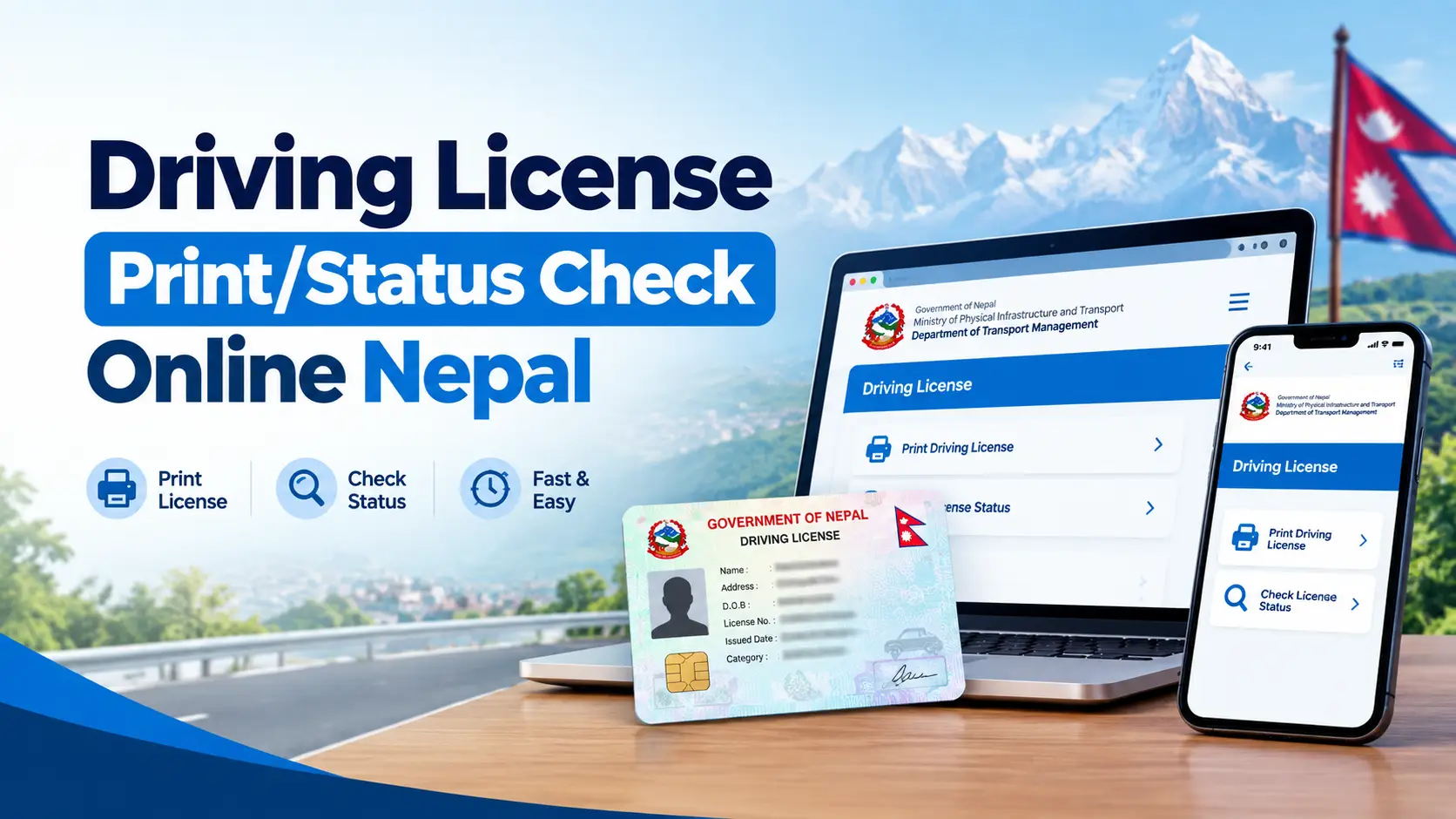
Driving License Print Status Check Online Nepal (2026): Free DOTM Tool

Driving License Print Status Check Online Nepal (2026): Free DOTM Tool

Driving license print status check online Nepal – DOTM smart card checker

If you passed your trial weeks ago and you are still waiting, you want one answer: has my smart card actually been printed yet? The tool below searches the printed–licence lists the Department of Transport Management (DOTM) publishes, tells you which office your card was sent to, and — the part most checkers skip — tells you what to do when your number does not appear.

The 20–second answer

Enter your licence number as XX-XX-XXXXXXXX in the checker below. If it appears, your card has been printed centrally and sent to the office named in the result — ring that office before you travel, because dispatch takes a few more days. If it does not appear, it is almost always a batch that has not been published yet, not a lost application. Cross-check with DOTM’s own page and the SMS line before you assume something has gone wrong.

Still driving on your trial receipt in the meantime? That is normal, and it is what the transport office expects you to carry.

Driving Licence Print Status Check — Free Online Tool

Type your number in any form you like. Hyphens, spaces, no separators at all, or Nepali digits (०१-०२-०१२३४५६७) all work — the field tidies itself as you type. You can check up to five numbers at once, switch the whole tool into Nepali, and save your number so one tap re-checks it next week.

Unofficial tool · data from DOTM public lists

Driving Licence Print Status Check

Enter your DOTM licence number to see whether your smart card has been printed and which office it was sent to.

Format XX-XX-XXXXXXXX. Hyphens, spaces and Nepali digits are all fine — the box tidies them for you.

Useful when you and a family member tested on the same day. Up to five at a time.

744,210 Records held
12 Transport offices
— Latest list date
Free No login needed
No result here? Try DOTM’s own SMS line

Send LC followed by your number to 33001, 34949 or 31003. Works on NTC, Ncell and Smart Cell. Standard SMS charges apply.

Open SMS app
Transport offices that publish printed lists

Bagmati Province

  • Chabahil, Kathmandu
  • Ekantakuna, Lalitpur
  • Thulo Bharyang, Kathmandu
  • Sano Bharyang, Kathmandu
  • Radhe Radhe, Bhaktapur
  • Bharatpur, Chitwan
  • Hetauda, Makwanpur

Koshi Province

  • Biratnagar, Morang
  • Itahari, Sunsari
  • Damak, Jhapa
  • Lahan, Siraha

Madhesh Province

  • Janakpur, Dhanusha
  • Birgunj, Parsa
  • Kalaiya, Bara
  • Bardibas, Mahottari

Gandaki Province

  • Pokhara, Kaski
  • Baglung

Lumbini Province

  • Butwal (Belbas), Rupandehi
  • Bhairahawa, Rupandehi
  • Nepalgunj, Banke
  • Tulsipur, Dang

Karnali Province

  • Birendranagar, Surkhet

Sudurpaschim Province

  • Dhangadhi, Kailali
  • Mahendranagar, Kanchanpur

This tool searches the printed-licence lists the Department of Transport Management publishes at dotm.gov.np. It is not a government service and cannot change your place in the queue. For anything official, use applydlnew.dotm.gov.np or your own transport office.

This is an independent tool, not a government service. It reads the same public lists DOTM publishes and cannot move you up the queue. For anything legally binding, use DOTM’s own licence check or your transport office.

What a “print check” actually tells you

Nepal’s smart-card licence is not printed at your transport office. After you pass the written (likhit) and trial exams and your biometrics are cleared, your record goes to a central printing facility in Kathmandu. Cards are made in batches, quality checked, then shipped back out to the office where you applied.

A print check searches the lists DOTM publishes after each batch. So a positive result means one specific thing:

  • Your card exists. It has been physically manufactured with your photo, chip and QR code.
  • It has been assigned to an office. The list says which one.
  • It has not necessarily arrived there. This is the single biggest misunderstanding, and I cover it in detail below.

If you have not reached this stage yet — you are still applying, or renewing — start with our guides to applying for an online driving licence in Nepal via eDLVRS and filling the driving licence online form. A print check only works once your card has entered the printing queue.

The two DOTM lists almost no checker tells you about

Every other print-check site I looked at treats DOTM data as one big pile. It is not. The department publishes printed licences in two separate streams, in two different sections of dotm.gov.np, and knowing which one you are in changes what you should expect.

1. Regular printing — नियमित तर्फ

The ordinary queue. DOTM publishes these office by office: one notice for Bharatpur, another for Radhe Radhe, another for Lahan, and so on.

Because they are per office, a gap of several weeks between notices for your office is completely normal even while other offices get updated.

2. Urgent printing — अत्यावश्यक

Cards fast-tracked for people who cannot wait — professional drivers, medical need, travel. These are published by date, not by office, often several notices in a single month.

If you applied through the urgent route, searching only the regular lists will show nothing, and you will wrongly conclude you have been forgotten.

The checker above searches both streams and labels which one your record came from, so you are not left guessing. That single label is the most useful thing on the result card, and no competing tool shows it.

Printed, dispatched, collectable: three different things

People travel to an office, queue, and are told “not arrived” while their phone shows “printed”. Nobody is lying. These are three separate stages and print lists only confirm the first one.

StageWhat has happenedCan you collect?
PrintedCard manufactured centrally and added to a published listNot yet
DispatchedBatch handed to government logistics for your officeNot yet — allow a few days
Received and enteredOffice has the box and has logged the cards at the counterYes — this is the moment to go

Practical rule: treat a “printed” result as permission to phone your office, not as permission to travel to it. One phone call saves a wasted morning, and for anyone coming in from outside the valley it saves a whole day and a bus fare.

Five ways to check, and when each one is the right one

No single source is authoritative at every moment, because they update on different clocks. Use them in this order.

MethodSpeedInternet?Best for
The checker on this pageInstantYesName, category, office and list type in one card; checking several people at once
DOTM licence checkInstant when upYesThe reference answer — if anything disagrees, this wins
SMS shortcode1–2 minutesNoWeak signal areas, load-shedding, no data pack
Province / office portalInstantYesOften the freshest source for that one office
The counter itselfSame dayNoAnything unusual: rejections, name errors, long silences

Checking by SMS

Send LC, a space, then your licence number to 33001. 34949 and 31003 are also in circulation. Example message body: LC 01-02-12345678

Different sources quote different shortcodes, so if one returns nothing, try the next before concluding anything. Standard SMS charges apply, and the reply reflects the gateway’s data, which can lag the web lists by days in either direction.

Province and office portals: the source nobody mentions

Licensing moved to the provinces, and several provinces and individual offices now run their own status pages. These are frequently more current for that office than the central notices, because the office updates them itself. Not one of the popular print-check sites points people to them.

  • Lumbini — Rupandehi (Butwal): the Rupandehi licence office runs a print-status search at tmolicense.p5gov.com, and its notice page states cards are handed out from room number 11, 9:00 am to 5:00 pm. That is the level of detail the central site never carries.
  • Lumbini eDLVRS: edlvrs.lumbini.gov.np for applications and renewals in that province.
  • Bagmati — Chitwan: Bharatpur operates through chitwanyatayat.bagamati.gov.np alongside the central notices.
  • Your own office’s Facebook page. Not glamorous, but several offices post the arrival of a card batch there before anything else updates. Search the office name in Nepali.

If your province runs its own portal, check it as well as the tool above. Two sources that agree is a much stronger signal than one.

Why your friend’s licence shows and yours does not

You sat the same trial, on the same day, at the same office. Theirs appears; yours does not. This is the single most common message people send about print status, and it almost never means your application failed.

  • Batches are not built in trial order. Records are pulled for printing as verification clears, not as a queue by exam date.
  • One of you may be in the urgent stream. Different list, different publishing rhythm.
  • A biometric or photo re-check delays a single record without touching anyone else in the batch.
  • Category matters. Records for categories that need extra verification can be held back while simpler ones move.
  • Your name may be spelled differently in the source list than on the receipt you are holding — which does not stop a number search, but does explain confusion at the counter.

What I learned building this checker

I build web tools from Kathmandu, and this one started because I was tired of refreshing a government page that half the time would not load. Once I started importing DOTM’s published lists into a database, a few things became obvious that are not obvious from the outside.

  • There is no live feed. Several competing sites advertise “LIVE” data. There is no API to be live against. DOTM posts documents, irregularly, per office or per date. Any tool claiming a real-time link to the department is describing something that does not exist.
  • Publishing is lumpy, not daily. Some weeks bring several office notices back to back; other weeks bring none. Checking every single day changes nothing. Twice a week is plenty.
  • Formatting is inconsistent between offices. Some lists arrive with clean columns, others as text where the number and name run together. That is why the checker accepts any spelling of your number and why the importer is deliberately forgiving — a rigid parser would silently drop whole offices.
  • Most “not found” results are typing, not tragedy. A dropped leading zero and a transposed pair of digits account for a surprising share of failed searches. The tool now pads an obviously missing leading zero and re-checks before it tells you there is nothing.

That last point is why the not-found card on this page gives you a plan instead of a shrug. Being told “no record” with no next step is what sends people on an unnecessary bus ride to a transport office.

Nothing showing up? A timeline you can actually follow

Weeks 1–4 — do nothing

This is inside normal. Carry your trial-pass receipt, check twice a week, and keep the SIM you registered with active so any official SMS reaches you.

Weeks 4–8 — widen the search

Check all three sources: this tool, DOTM’s page, and SMS. Add your province portal. Confirm the number on your receipt digit by digit against what you are typing.

Months 2–3 — go in person

Take your trial-pass receipt, payment receipt and citizenship to the office where you tested. Ask them to confirm your record reached the printing queue at all — that is the question that gets a useful answer.

Beyond 3 months — put it in writing

Ask at the counter for the office’s citizen charter (नागरिक बडापत्र) and submit a written query referencing it. A dated written record moves things in a way a verbal question does not.

Urgent need? Ask about the fast-track route

If you have a job offer, a foreign trip or a medical reason, ask your office about the urgent (अत्यावश्यक) printing route and bring documentation of the need. That is the stream whose lists DOTM publishes by date rather than by office.

Collecting your smart card

Once your office confirms the card is physically there:

  • Citizenship certificate — original plus one photocopy.
  • Revenue / payment receipts — DOTM’s own collection notices specifically ask you to bring every original receipt.
  • Trial-pass slip or token from exam day.
  • Your old paper licence if this is a renewal — you surrender it at the counter.
  • Check the card before you leave. Name spelling, date of birth, categories, and that the QR scans. A correction started at the counter is far easier than one started next month.

Can somebody else collect it? Some offices allow it with an authorisation letter signed by you, your original citizenship, and the collector’s own citizenship. Others insist you come yourself because of the fingerprint check. Phone first — policy genuinely varies by office.

Renewing rather than collecting a first licence? Our guide to renewing a driving licence online covers the renewal window, documents and what still has to be done in person.

Where the popular checkers disagree with each other

While building this, I read the competing tools closely. Some of what they publish does not hold up, and you should know which numbers to distrust before you make decisions based on them.

  • Record counts contradict themselves on the same page. One popular site advertises a headline figure in its search box, a noticeably larger figure in the body text, and a third figure in the footer. Treat any precise total as marketing, not data.
  • Office counts do not add up. The same site promises a complete directory of a stated number of offices, lists a different number, and quotes a third number in its FAQ and image captions. The real list changes as offices open and split.
  • “Updated within 24–48 hours” assumes a publishing schedule DOTM does not keep. Notices appear when a batch is done, and for some offices that means weeks between updates.
  • “Live” badges. There is no public real-time DOTM endpoint. A badge saying otherwise is decoration.
  • Fabricated activity tickers. At least one site shows a rolling popup of named strangers “just checking” their licence. It is a conversion device, not evidence of a live database.

The tool on this page shows you what it actually holds — the record count, the number of offices in the data, and the date of the newest list imported — and those figures come straight out of the database rather than being typed into the design.

Reading your licence number

A DOTM smart-card number is twelve digits, written in three parts:

01 – 02 – 12345678

province / zone code · office code · your serial

  • The separator does not matter for searching here — but on DOTM’s own form, get the hyphens right.
  • A dropped leading zero is the most common typing error. 1-02-12345678 should be 01-02-12345678.
  • Older paper licences used shorter formats. If yours is short, search it anyway, but expect to confirm at the office.

Frequently asked questions

How do I check my Nepal driving licence print status online?

Enter your licence number as XX-XX-XXXXXXXX in the checker at the top of this page. If your number appears in the printed lists, you will see the name on record, category, the office to collect from, the list date and whether it came from the regular or urgent stream. You can also use DOTM’s own check, the SMS line, the Nagarik App or your province portal.

What does it mean when my licence shows as printed?

It means the card has been manufactured at the central printing facility and assigned to your transport office. It does not mean the card is sitting at that counter yet. Dispatch and logging in at the office take a few more days, so phone the office before travelling.

My licence number is not found. What should I do?

In most cases your batch simply has not been published yet. Re-read your number digit by digit, especially the leading zero, then cross-check with DOTM’s own page and the SMS line. If nothing appears anywhere four weeks after your trial, visit the office where you tested with your trial-pass receipt.

How do I check my driving licence by SMS in Nepal?

Send LC followed by a space and your licence number to 33001. The shortcodes 34949 and 31003 are also in use. It works on NTC, Ncell and Smart Cell, standard charges apply, and the reply can differ from the website because the two update on different schedules.

Can I drive while I wait for the smart card?

Yes. Carry the trial-pass receipt or interim document your transport office issued, along with your old licence if you were renewing. Keep a photo of your print-status result on your phone as supporting proof — useful in a traffic check, though not a legal substitute for the document itself.

How often should I check my print status?

Twice a week. DOTM publishes in irregular batches rather than daily, so checking every day tells you nothing new and only adds worry. Save your number in the tool above and one tap re-checks it.

Where does the data in this checker come from?

From the printed-licence notices the Department of Transport Management publishes at dotm.gov.np, covering both the regular (नियमित) and urgent (अत्यावश्यक) streams. It is imported from those documents, not read from a live government feed — no such public feed exists.

Is this an official government website?

No. It is an independent tool built to make public information easier to search, and it has no affiliation with DOTM, the traffic police or any government office. For anything official — collection, disputes, corrections — your transport office is the authority.

The name or details on my printed card are wrong. What now?

Raise it at the counter before you leave, if you can. Otherwise return to the issuing office with your citizenship certificate and file a correction application. Do not use a card with incorrect details as identification until it has been replaced.

Can I check several licence numbers at once?

Yes — open the “Check several” tab in the tool and paste up to five numbers, one per line. It is built for families who sat their trials together and for anyone helping relatives who are not online.

The short version

Check twice a week, not twice a day. Read “printed” as phone the office, not go to the office. Know whether you are in the regular or urgent stream, because they publish on different rhythms. Check your province’s own portal as well as the central one. And if four weeks pass with nothing anywhere, stop refreshing and go and ask, receipt in hand.

Save this page with your number in the link — add ?lc=01-02-12345678 to the address and it checks itself every time you open the bookmark.

Sources

  • Department of Transport Management — printed licence notices, regular stream: dotm.gov.np
  • Department of Transport Management — urgent printed licence notices: dotm.gov.np
  • Online Driving License System — official licence check and applicant instructions: applydlnew.dotm.gov.np
  • Transport Management Office Rupandehi — print status and collection details: tmolicense.p5gov.com

Last reviewed September 2026. Procedures, shortcodes and office lists change — confirm anything time-sensitive with your transport office.

How to Check Vehicle Tax and Bluebook Renewal Online in Nepal (2083/84)

How to Check Vehicle Tax and Bluebook Renewal Online in Nepal (2083/84)

Short answer: you can check your vehicle tax dues and pay them online in minutes through the Nagarik App, the TMIS portal, or a wallet like eSewa or Khalti. What has changed in FY 2083/84 is the part after payment — in Bagmati Province, owners whose payment is reflected in the Vehicle Registration System are no longer required to queue at a transport office just to get the bluebook stamped. Almost every guide still online tells you to go and stand in that line.

How to check vehicle tax and bluebook renewal online in Nepal using Nagarik App and TMIS portal

What “checking vehicle tax” and “bluebook renewal” actually mean

People search these as one phrase, but they are two separate things, and confusing them is why so many owners end up paying twice or turning up at the wrong counter.

  • Vehicle tax is the annual road tax your province charges, based on engine capacity (CC) or motor power (kW). It is set every year by your provincial Finance Act, not by the federal government.
  • Renewal fee is a small separate charge the Transport Management Office adds on top — typically Rs. 300 for two-wheelers and Rs. 500 for four-wheelers.
  • Third-party insurance is mandatory and must be valid before renewal can be completed. No valid policy, no renewal.
  • Bluebook renewal is the record update itself — the entry confirming the above three are cleared for that fiscal year.

So “checking vehicle tax online” means looking up what you owe. “Bluebook renewal online” means clearing it and getting the record updated. The online systems handle the first two completely. Whether the third step still needs a physical visit is exactly what changed this year.

The FY 2083/84 change almost no guide has updated

What changed: Through the Economic Bill 2083 (FY 2026/27), the Bagmati Provincial Government introduced online vehicle tax payment and removed the mandatory physical Blue Book renewal visit for digitally verified vehicles.

Owners who pay through the online system, and whose payment record is reflected in the Vehicle Registration System (VRS), are no longer required to visit a transport office to renew the registration book. The stated aim is shorter queues and wider digital service coverage.

This matters because every one of the popular pages ranking for this keyword today — the wallet blogs, the doorstep-service landing pages, the tax calculators — still ends with some version of “now visit the TMO to get your bluebook stamped.” For a large share of Bagmati owners in FY 2083/84, that step is no longer compulsory.

The honest caveat: the exemption is conditional on your record actually appearing in VRS. If your vehicle was recently transferred between provinces, has arrears, was bought at auction, or simply was never linked correctly in the system, the record may not resolve and a counter visit is still the fix. Check your status online first — that is the whole point of this guide — rather than assuming either way.

Other FY 2083/84 changes worth knowing before you pay

  • Annual tax rates were kept unchanged for almost every category, with one exception: private EVs up to 50 kW went up by Rs. 1,500 and commercial EVs up to 50 kW by Rs. 1,000.
  • Fees for applying for a driving licence, renewing one, and adding a category were doubled.
  • Vehicles older than 14 years from date of manufacture now attract an additional 5% tax for each subsequent year. If you run an older vehicle, budget for this.
  • Public buses, minibuses and microbuses offering fare concessions to students, senior citizens and persons with disabilities get a 60% reduction in annual vehicle tax.
  • Full exemptions apply to fire engines, ambulances, hearses, three-wheeled scooters up to 150cc used by persons with disabilities, and vehicles over 20 years old preserved in public museums.
  • Vehicles severely damaged in accidents or held by courts as evidence are exempt for the period they are out of service, on the basis of police, local government or court recommendation.
  • Buyers of auctioned vehicles pay tax only for the year the purchase completes; prior years are waived.
  • Stolen vehicles are exempt from tax, renewal fees and penalties for the missing period, on police recommendation.

Before you check: what to have in front of you

Gather these before opening any app. Every failed lookup I have seen came down to one of them being wrong.

  • Your full vehicle number exactly as printed in the bluebook — province or zone code, lot number, vehicle-class letters (BA, CHA, PA and so on) and the numeric part. All four fields matter.
  • The registering office, not just the province. Ekantakuna, Chabahil, Bhaktapur and Thulo Bharyang hold different sets of records.
  • A mobile number registered in your own name for the OTP.
  • Your previous tax receipt or the last stamped page of the bluebook, so you know which fiscal year you are actually paying from.
  • A valid third-party insurance policy, or be ready to buy one in the same session.

Method 1: Check and pay through the Nagarik App

This is the official government route and the one I recommend to most people, because the record it writes is the record the transport office reads.

  1. Open the Nagarik App and log in. Your citizenship must already be verified in the app — if it is not, do that first, because verification is not instant.
  2. Find the Vehicle Tax service (the section with the vehicle icon).
  3. Select your province and then the exact transport office where the vehicle is registered.
  4. Choose the vehicle type, then enter the lot number, the class letters and the vehicle number. Tap search.
  5. If the record is found, the app returns your vehicle details and a live tax calculation including any accumulated fines. This screen alone answers “how much do I owe?” — you do not have to pay to see it.
  6. Review the breakdown line by line: tax, renewal fee, insurance, penalty. They are separate amounts and should not be lumped together.
  7. Pay using a linked bank account, wallet or ConnectIPS.
  8. Download the receipt immediately. Do not rely on being able to fetch it later.

The receipt carries a QR code. Traffic police can scan it to verify tax clearance, which is why keeping a printed or offline copy in the vehicle is genuinely useful — mobile data at a checkpoint is not something to depend on.

Method 2: Check on the TMIS portal (tmis.bagamati.gov.np)

The Transport Management Information System is the Bagmati Province web portal behind the Nagarik App integration. Use it when you want a bigger screen, when you are managing several vehicles, or when the app lookup is failing and you want to see whether the problem is the app or the record.

  1. Go to tmis.bagamati.gov.np and register with your mobile number. You will receive an OTP.
  2. Log in and add (link) your vehicle to your account using the registration details from the bluebook.
  3. Once linked, the dashboard shows the vehicle record, tax history and outstanding dues.
  4. Pay via mobile banking, internet banking, debit or credit card, or a wallet, and download the receipt.

Realistic expectation: OTP delivery on this portal has been unreliable for years — it is the single most common complaint in the comment sections of every guide about it. If the OTP does not arrive, try a different network, retry at an off-peak hour, and if it still fails, use the Nagarik App instead rather than registering repeatedly.

Method 3: Check and pay through eSewa, Khalti or MyPay

Wallets are convenient, and their calculators are the fastest way to get a ballpark figure. But be clear about what you are buying.

  1. Open the wallet and search for “Bluebook Renewal” or find Government Services, then Vehicle Tax.
  2. Select your province’s transport office.
  3. Fill in the vehicle details from your bluebook. The app calculates tax, renewal fee and insurance.
  4. Review and authorise payment, then save the receipt.

Two things the wallet blogs state plainly and that you should take seriously:

  • The calculated amount can differ slightly from the final government figure. Overpayment is refunded; underpayment must be settled before the office payment goes through.
  • The rates used are Bagmati Province rates. If your vehicle is registered elsewhere, the number shown may simply be wrong for you.

Method 4: Doorstep pickup services — and the caveat nobody mentions

Several providers collect your bluebook from home, do the office work, and return it. Khalti’s service charge has been Rs. 350 for two-wheelers and Rs. 500 for four-wheelers, with turnaround usually quoted at three to four working days; it has also run a cheaper missed-call and SMS booking route. eSewa has offered bluebook renewal within Kathmandu Valley with no additional service fee when bundled with third-party insurance, on a similar three to four day timeline. Third Wheel and similar operators run comparable services inside the Valley.

The gap in the competitor pages: these services are not as permanent as their landing pages imply. Khalti’s bluebook renewal service was suspended in March 2026 following the government crackdown on middlemen operating at transport offices, and was only resumed later in the year.

If you are planning around a doorstep service, confirm it is actually running this week before your deadline passes — and note that eSewa’s own terms say it cannot be held responsible for fines incurred within three working days of payment. Hand your bluebook over with time to spare, not on the last day.

Which method should you use?

MethodBest forExtra costWatch out for
Nagarik AppMost owners; the official recordNoneCitizenship verification must be done first
TMIS portalDesktop use, multiple vehiclesNoneOTP delivery is frequently unreliable
eSewa / Khalti / MyPayQuick estimate, familiar interfaceNone to smallFigures are Bagmati-based and approximate
Doorstep serviceNo time, Valley addressAround Rs. 350–500Availability has been interrupted before
Office counterArrears, disputes, transfers, auctionsNoneGo early; carry originals

What it actually costs: reading your bill correctly

Your total is never one number. It is four lines, and understanding them is how you spot an error before you pay.

1. Annual vehicle tax

Set by your province, based on CC or kW. This is the only line a late penalty is calculated on.

2. Renewal fee

Around Rs. 300 for two-wheelers, Rs. 500 for four-wheelers. Flat, and never multiplied by the penalty rate.

3. Third-party insurance

Mandatory. Roughly Rs. 1,700–2,200 for bikes and Rs. 7,000–10,000+ for private cars, by CC band.

4. Late penalty, if any

A percentage of line 1 only. If a calculator applies it to your whole bill, the calculator is wrong.

As a worked example, a typical 150cc private motorcycle in Bagmati lands somewhere around Rs. 7,000 all-in when paid on time — roughly Rs. 5,000 tax, Rs. 300 renewal fee, and about Rs. 1,700 third-party insurance. An older vehicle adds the 14-year surcharge on top. These are planning figures, not a quotation; the portal’s own calculation is the one that counts.

Third-party insurance bandIndicative premium
Bike / scooter below 150 CCAround Rs. 1,705
Bike / scooter 150–249 CCAround Rs. 1,931
Bike / scooter 250 CC and aboveAround Rs. 2,157
Private car below 1000 CCAround Rs. 7,355
Private car 1000–1600 CCAround Rs. 8,485
Private car 1600 CC and aboveAround Rs. 10,745
Electric two-wheeler (by wattage band)Around Rs. 1,705–2,157
Electric four-wheeler (by kW band)Around Rs. 7,355–8,485

Premium bands are revised separately from tax slabs. Treat the figures above as a budgeting guide and confirm the live amount in the app before paying.

Late renewal: how the fine is calculated

For Bagmati, the penalty is charged on the tax amount and escalates in bands: 5% for the first 30 days past the deadline, 10% for the following 45 days, 20% thereafter until the fiscal year ends, and then 32% for each subsequent fiscal year, capped at five years.

What that means practically: a delay of a few weeks is cheap, a delay past the fiscal year is expensive, and a delay of several years compounds badly. If you have missed more than one year, do not just pay through an app — ask the office whether a relief provision applies to your exact case first, because paying blindly can forfeit a waiver you were entitled to.

For FY 2083/84 there is a specific route for obsolete two-wheelers: owners who submit recommendations from both the local government and Nepal Police and clear all outstanding taxes and renewal fees up to the current fiscal year by the end of Poush 2083 (mid-January 2027) get all penalties accumulated up to FY 2082/83 waived, and the vehicle is removed from the registration database. If you have a dead bike sitting in a yard accruing fines, this is the window.

What I learned doing this myself

A few things that only become obvious after you have actually run through the process here in Kathmandu:

  • The lookup failing usually is not the app’s fault. Nine times out of ten the vehicle number is entered with the wrong class letters or the wrong registering office. Take a photo of the bluebook’s first page and copy character by character from the photo instead of from memory.
  • Do the tax lookup a month before expiry, not on expiry day. Checking is free and instant. If the record does not resolve, you then have four weeks to fix it instead of four hours.
  • Sort insurance first. Renewal cannot complete without a valid policy, and discovering it lapsed mid-payment means starting over.
  • Screenshot every confirmation screen. If a payment shows as deducted but unconfirmed, do not immediately pay again — pending is not the same as failed. Save the transaction ID and timestamp, wait for reconciliation, and escalate with that evidence if needed.
  • Print the QR receipt and keep it in the vehicle. It is the thing traffic police can actually scan, and it does not depend on your phone having signal.
  • Never share OTPs with anyone offering to help. Legitimate services collect documents, not one-time passwords.

If your vehicle is registered outside Bagmati

This is the single biggest blind spot in the pages currently ranking for this keyword: most of them are written entirely around Bagmati and never say so clearly.

  • Tax slabs are set province by province through each provincial Finance Act, so a calculator built on Bagmati figures can be materially wrong for a vehicle registered in Koshi, Madhesh, Lumbini, Karnali or Sudurpashchim.
  • Online payment coverage is uneven. Bagmati and Gandaki have been the furthest along; other provinces vary by office and by vehicle record.
  • The FY 2083/84 removal of the mandatory physical renewal visit is a Bagmati provincial reform. Do not assume it applies to a vehicle registered elsewhere.
  • If your vehicle moved between provinces, expect the online record to be incomplete and plan on a counter visit.

Common errors and what to do about them

ProblemLikely cause and fix
Vehicle not foundWrong office or class letters selected. Re-enter from a photo of the bluebook. If it still fails, the record may not be digitised — visit the office.
OTP never arrivesKnown portal issue. Use a number registered in your own name, retry off-peak, or switch to the Nagarik App.
Amount looks wrongCheck whether the penalty was applied to the whole bill instead of the tax line, and whether the calculator used Bagmati rates for a non-Bagmati vehicle.
Paid but record not updatedAllow time for VRS reconciliation. Keep the receipt; if it does not resolve, take the receipt to the registering office.
Several years unpaidDo not pay online first. Ask the office about applicable relief or waiver provisions for your case.

Related guides on this site

Frequently asked questions

Can I check my vehicle tax online without paying anything?

Yes. Both the Nagarik App and the TMIS portal show your vehicle details and outstanding amount, including accrued fines, before any payment step. Checking costs nothing.

Do I still have to visit the transport office after paying online?

In Bagmati Province for FY 2083/84, owners who pay online and whose payment is reflected in the Vehicle Registration System are no longer required to visit an office to renew the bluebook. If your record does not resolve online, or your vehicle is registered in another province, plan on a visit.

How much does bluebook renewal cost for a 150cc bike?

In Bagmati, roughly Rs. 7,000 paid on time — about Rs. 5,000 annual tax, Rs. 300 renewal fee and around Rs. 1,700 third-party insurance. Older vehicles and late payments add to this. Confirm the exact figure in the app.

What is the fine for renewing late?

In Bagmati the penalty is applied to the tax amount only: 5% for the first 30 days after the deadline, 10% for the next 45 days, 20% until the fiscal year ends, then 32% for each following fiscal year up to five years. The renewal fee and insurance premium are never multiplied by that rate.

Do I need third-party insurance to renew the bluebook?

Yes, it is mandatory and checked before renewal is completed. You can buy or renew it within the same flow on most wallets, or separately with any licensed insurer.

Is online vehicle tax payment available outside Bagmati Province?

Coverage varies. Bagmati and Gandaki have been furthest along; elsewhere availability depends on the office and on whether your vehicle record is digitised. Use only the official portal or app shown for your own province.

Did vehicle tax rates go up in FY 2083/84?

Rates were kept unchanged for almost all categories. The exceptions are private electric vehicles up to 50 kW, up by Rs. 1,500, and commercial electric vehicles up to 50 kW, up by Rs. 1,000. Separately, vehicles more than 14 years old attract an additional 5% per subsequent year, and driving licence fees were doubled.

I have not paid for several years. What should I do?

Check with your registering office before paying, because relief provisions can apply to long-overdue cases, stolen vehicles, auctioned vehicles and obsolete two-wheelers being deregistered. Paying blind through an app can cost you a waiver you qualified for.

Are doorstep bluebook renewal services safe to use?

Established wallet-backed services are generally legitimate, but availability has been interrupted before — one major provider suspended its service in March 2026 during a crackdown on middlemen at transport offices and resumed only later. Confirm the service is running, allow several working days, and never hand over OTPs.

A checklist before you start

  • Bluebook photo taken, all four parts of the vehicle number readable
  • Registering office identified, not just the province
  • Third-party insurance valid, or ready to buy
  • Mobile number registered in your own name for the OTP
  • Tax status checked at least a few weeks before expiry
  • Payment breakdown reviewed line by line before authorising
  • Receipt downloaded, printed, and the QR copy kept in the vehicle

Checking your vehicle tax online takes about two minutes and costs nothing, and it is the step that makes everything after it predictable. Rates, portal coverage and provincial rules do change each fiscal year, so verify the live figure in the official app or at your registering office before you pay.

NRN Card Nepal 2026: Fees, Documents, Online Apply & Full Process

NRN Card Nepal 2026: Fees, Documents, Online Apply & Full Process

NRN Card Nepal — Non-Resident Nepali identity card application guide showing fees, documents and online apply process

Last updated: 19 September 2026 · Verified against the Ministry of Foreign Affairs, the official NRN portal (nrn.mofa.gov.np), and Nepali embassy fee schedules in Washington DC, London and Hong Kong.

If you are a Nepali living abroad — or a foreign citizen whose parents or grandparents were Nepali — the NRN Card is the single document that reconnects you legally to Nepal. It unlocks a free visa, the right to buy property, the right to open a foreign-currency bank account, and the right to invest and take your money back out.

The problem is that the information is scattered. The Ministry of Foreign Affairs publishes its fee schedule only in Nepali. Each embassy lists a different price in a different currency. And almost nobody tells you the two details that get most applications rejected: your renunciation certificate must already be issued, and your photo must be exactly 45 mm × 35 mm.

This guide puts all of it in one place, in English, with the 2026 numbers.

Key takeaways

  • Two categories: Foreign Citizen of Nepali Origin (card valid 10 years) and Nepali Citizen Residing Abroad (card valid 2 years).
  • Apply online first at nrn.mofa.gov.np — there is no paper-only route any more.
  • Fee in Nepal: NPR 1,500 registration + USD 500 or USD 250 (origin card, by country tier) or USD 50 (Nepali citizen abroad), paid in rupees at that day's NRB rate.
  • SAARC countries are excluded from both categories — India, Pakistan, Bangladesh, Sri Lanka, Bhutan, Maldives and Afghanistan.
  • Renouncing Nepali citizenship is mandatory for foreign citizens of Nepali origin, and the certificate must be in hand before you apply.
  • An NRN Card is not NRN Citizenship. They are two separate documents from two separate ministries.

What is the NRN Card?

The Non-Resident Nepali (NRN) Identity Card is an official identity document issued by the Ministry of Foreign Affairs (MOFA) in Kathmandu, or by any Nepali embassy or consulate general abroad. It formally recognises you as a Non-Resident Nepali under the Non-Resident Nepali Act, 2064 (2008) and the Non-Resident Nepali Rules, 2066 (2009).

Think of it as a diaspora status card rather than a travel document. It does not replace your passport and it does not let you vote. What it does is switch on a defined package of economic, social and cultural rights inside Nepal that ordinary foreign nationals do not get — chiefly a free visa, the ability to own land within set ceilings, and the ability to move investment capital in and profits out.

Important distinction: the NRN Card does not, by itself, give you the right to enter Nepal. Foreign citizens of Nepali origin still need a visa — the card simply makes that visa free (gratis) and long-term. Nepali citizens residing abroad never needed a visa in the first place; for them the card is about property, banking and investment rights.

Who is eligible — and who is not

The NRN Act splits applicants into exactly two categories. Which one you fall into decides your documents, your fee and your card's validity, so get this right before you start.

Category 1: Foreign Citizen of Nepali Origin (FCNO)

You qualify if you, or your father, mother, grandfather or grandmother was a citizen of Nepal at any time, and you have since acquired the citizenship of a foreign country that is not a SAARC member state.

  • Card validity: up to 10 years
  • Covers first, second and third generation applicants (you, your parent, or your grandparent was Nepali)
  • Renunciation of Nepali citizenship is compulsory

Category 2: Nepali Citizen Residing Abroad (NCRA)

You qualify if you still hold Nepali citizenship and have been living in a foreign country for at least two years, engaged in a profession, occupation, business or employment.

  • Card validity: up to 2 years
  • You keep your Nepali citizenship and passport
  • Much cheaper and much simpler than the FCNO card

Who is excluded

This is where competitor guides tend to go quiet. The law explicitly rules out several groups:

  • Residents of SAARC countries — India, Pakistan, Bangladesh, Sri Lanka, Bhutan, the Maldives and Afghanistan. This applies to both categories.
  • Nepali diplomats and consular staff posted abroad on a Government of Nepal assignment.
  • Students studying at an academic institution abroad — time on a student visa does not count toward the two-year requirement.
  • Children of a Nepali-origin mother and a non-Nepali father. The Embassy of Nepal in Washington DC states directly that such a child is not eligible for an NRN ID card. This is a live grievance in the diaspora and it is worth knowing before you pay any fee.

How to get an NRN Card?

Regardless of where in the world you are, the process follows the same three legal steps set out in the NRN Rules:

  1. Register as an NRN. Submit an application with the prescribed registration fee to the competent authority — the head of the Nepali embassy or consulate if you are overseas, or the Secretary of the Ministry of Foreign Affairs if you are in Nepal.
  2. Pay the card fee. Once your registration is approved, pay the separate identity card fee, which varies by category and by the country of your passport.
  3. Collect your card. The authority prints and issues the NRN Identity Card, either over the counter or by post.

In practice, step one now begins online for everyone. The rest of this guide walks through each stage.

Where should you apply — Nepal or abroad?

If you apply…AuthorityTypical processing timeBest for
In NepalMOFA, Singha Durbar (Room 314)Often same dayAnyone visiting Nepal with complete documents
Hong KongConsulate General of Nepal3 working days + 1 day to printHK and Macao residents
LondonEmbassy of Nepal, UKSame day in person; up to 7 working days by postUK residents
Washington DCEmbassy of Nepal, USA10–15 business daysUS residents (check your consulate's jurisdiction)

Jurisdiction matters. In the United States you must apply to the embassy or consulate that covers your state of residence — you cannot simply walk into Washington DC because you happen to be visiting. If you do want to apply outside your jurisdiction, email the mission in advance and get written confirmation first.

How to apply for an NRN card online?

Every NRN application now starts at the government's dedicated portal: nrn.mofa.gov.np. There is no alternative paper-first route, and missions will turn you away if you have not submitted online.

  1. Open the portal and sign up. Go to nrn.mofa.gov.np and create an account. You will see two separate forms — Foreign Citizen of Nepali Origin and Nepali Citizen Residing Abroad. Choose carefully; picking the wrong one means restarting.
  2. Select the correct issuing office. The form asks which office will process your application. Choose the embassy or consulate covering your residence, or select the MOFA Labour Migration and Nepali Diaspora Coordination Division if you intend to apply in Kathmandu.
  3. Fill in your personal details. Enter names exactly as they appear on your passport. A mismatch between your foreign passport and your old Nepali citizenship certificate is the single most common cause of delay — if the spelling differs, be ready to explain it.
  4. Upload your documents. Every supporting document must be uploaded in the required format and dimensions. Oversized or wrongly sized files are rejected by the system itself, not by a human, so you will not always get a clear error message.
  5. Upload your photo and signature. The photo must be a recent passport-size image at 45 mm × 35 mm (400 × 300 pixels). The signature should be signed on plain white paper and scanned.
  6. Submit and print. Submit the form, then print the completed application and sign it by hand. This signed printout is part of your physical file.
  7. Notify your mission. Online submission alone does not start the clock. Email your embassy or consulate to tell them the application is in — Hong Kong, for example, asks applicants to email the consulate directly after submitting.
  8. Submit the physical file and pay. Mail, drop off or hand-deliver the printed application with your self-attested document copies and the fee. Then collect the card, or receive it in your prepaid return envelope.

There is no online payment. This catches almost everyone. The portal handles your application, not your fee. Missions require a cashier's cheque, money order, or in-person card payment; in Nepal, you pay through a bank voucher at Rastriya Banijya Bank. Budget time for this step.

Self-attesting your copies

Most missions require every photocopy to be self-attested: write "True Copy" on the back of each page, sign it, and date it. An unsigned or un-attested file is returned without being processed.

How to make an NRN card in Nepal (the MOFA route)

If you are already in Kathmandu, applying directly at the Ministry of Foreign Affairs is usually the fastest option in the world — MOFA aims to issue the card the same day when the file is complete. But the building is inside Singha Durbar, a restricted government compound, so you cannot simply walk in.

  1. Complete the online form first at nrn.mofa.gov.np and prepare your original documents.
  2. Call ahead on 01-4211121 to book a convenient time with the NRN Desk. This is not optional — it is how you get into the compound.
  3. Give your entry details. Provide your full name, the district that issued your citizenship, your address, and your vehicle number if you are driving. MOFA forwards this to Counter No. 1 at the Singha Durbar south gate.
  4. Collect your entry pass at Counter No. 1, south gate, on the appointed day. You will need to leave an ID (citizenship or driving licence) at the gate and collect it on your way out.
  5. Register at reception inside MOFA, then go to the NRN Desk, Room 314, third floor (east side), under the Policy, Planning, Development Diplomacy and Nepali Diaspora Division.
  6. Document check and approval. If your file is complete, it goes to the Secretary's office on the second floor for approval.
  7. Get your payment voucher. Take the approval to the Financial Administration Section, Room 226, second floor, and collect a revenue voucher.
  8. Pay at the bank. Deposit the amount at the Rastriya Banijya Bank branch inside the Singha Durbar compound, near the television tower (opposite the Ministry of Information and Communication).
  9. Return with the original voucher to the division. Your card is printed and issued — usually the same day, unless the ministry needs to verify something further.

Bring originals, not just copies. For foreign citizens of Nepali origin, the original citizenship renunciation document must be produced. The ministry keeps the photocopy and hands the original back to you after inspection.

Non-Resident Nepali (NRN) Identity Card: NRN Identity Card vs NRN Citizenship

This is the most confused topic in the entire NRN space, and it is the biggest gap in every competing article we reviewed. The NRN Identity Card and NRN Citizenship are two different documents, issued by two different ministries, under two different laws. Having one does not automatically give you the other.

FeatureNRN Identity CardNRN Citizenship
Governing lawNon-Resident Nepali Act, 2064 & Rules, 2066Constitution of Nepal, Article 14; Nepal Citizenship Act, 2063 (Section 7A) and its amendment Regulations
Issued byMinistry of Foreign Affairs, or Nepali embassies/consulates abroadDistrict Administration Office (DAO/CDO), under the Ministry of Home Affairs
What it isAn identity and benefits card for diaspora NepalisA limited, non-political citizenship status
Who can applyForeign citizens of Nepali origin, and Nepali citizens abroad 2+ yearsOnly foreign citizens of Nepali origin (non-SAARC)
Validity10 years (FCNO) or 2 years (NCRA), renewableA citizenship certificate — no fixed expiry
Voting rightsNoNo
Public office / civil service / army / judiciaryNoNo — explicitly excluded
Nepali passportNoNo
Visa needed to enter NepalYes, but free (gratis) while the card is validHolders are entitled to a free multi-entry residential visa
Where to applyOnline at nrn.mofa.gov.np, then the mission or MOFAIn person at the DAO of your (or your ancestor's) home district
Typical timelineSame day (Nepal) to 15 business days (US)Roughly 10–15 working days at the DAO

How the two documents relate

In practice the NRN Identity Card functions as the gateway document. Most DAOs expect to see an NRN ID card (or at least evidence you qualify for one) when you apply for NRN citizenship, and your copy of the card is listed among the supporting documents.

The NRN citizenship route typically requires you to:

  • Formally renounce your Nepali citizenship at the DAO and obtain the renunciation certificate
  • Get a recommendation letter from your local Ward Office confirming your Nepali origin
  • Have the DAO forward your file to the police for a background check
  • Bring a close relative who holds valid Nepali citizenship to appear in person at the DAO and verify your identity
  • Submit your foreign passport, foreign citizenship certificate, your (or your parents'/grandparents') Nepali citizenship copies, photographs and the application form

Embassies cannot issue NRN citizenship. The Embassy of Nepal in Washington DC confirms that missions are not currently authorised to issue it, and directs applicants to their District Administration Office in Nepal instead. There is a legal provision to apply via a mission, but in practice almost every applicant is told to come to Nepal. Plan a trip.

And a point no guide should skip: Nepal does not permit full dual citizenship. A Nepali who voluntarily acquires foreign citizenship loses their Nepali citizenship automatically. NRN citizenship is the narrow, non-political exception that lets you hold a foreign passport alongside a Nepali identity — it is a bridge, not dual nationality.

NRN Card benefits

Here is what the card actually buys you, grouped by what people use it for.

1. Free, long-term visa

  • Foreign citizens of Nepali origin receive a gratis tourist visa on arrival at the airport, for a number of days set by the Department of Immigration.
  • That visa is then converted to an NRN visa by applying to the Non-Tourist Visa Section of the Department of Immigration, extendable for a maximum of one year at a time.
  • Both the arrival visa and the extension are free of charge for as long as the NRN card is valid — effectively ten years of free visas for FCNO holders.
  • Nepali citizens residing abroad need no visa at all; their card is about the economic rights below.

The card is not a visa. An NRN card holder still cannot legally remain in Nepal without obtaining the NRN visa. The card waives the fee; it does not waive the requirement. Overstaying on the strength of the card alone will land you in trouble at departure.

2. The right to buy property in Nepal

Foreign citizens of Nepali origin may purchase land or immovable property for residential use by themselves or their family, within a strict ceiling that depends on location:

#LocationMaximum areaApprox. in square metres
1Inside Kathmandu Valley2 Ropani~1,017 m²
2Municipalities in the Terai8 Kattha~2,709 m²
3Municipalities in other districts (outside the Valley and Terai)4 Ropani~2,035 m²
4Rural municipalities in the Terai1 Bigha~6,773 m²
5All other areas10 Ropani~5,087 m²
  • The ceiling applies to one location only — you choose which category applies, you do not get all five.
  • Exception: the ceiling does not apply to land you already acquired while you were still a Nepali citizen.
  • Inheritance is separate. A foreign citizen of Nepali origin can inherit ancestral property from Nepali citizens without government approval — but you must hold an NRN ID card to do so.
  • You must apply to MOFA for a land-purchase recommendation. There is no fee for this recommendation, and MOFA generally issues it within one week.

A limitation nobody advertises: the Embassy of Nepal in Washington DC states that while an NRN ID card allows you to purchase property in Nepal, it may not permit you to transfer or sell that land. If your plan is to buy and later flip, get specific legal advice before you commit capital.

3. Banking and money

  • Open and operate an account in convertible foreign currency at any Nepali commercial bank or financial institution, for income earned abroad.
  • Repatriate your investment and the profits earned on it back out of Nepal.

4. Investment rights

  • NRNs are treated as foreign investors under the Foreign Investment and Technology Transfer Act, 2019 (FITTA) and may invest in convertible currency.
  • Permitted forms include equity shares, reinvestment of profits, lease finance, venture capital funds, listed stocks via the secondary market, acquisition of shares or assets in a Nepali company, technology transfer, and establishing or expanding an industry.
  • The conditions: a minimum of NPR 50 million in equity shares, a sector that is not on FITTA's Negative List, and a business that qualifies as an "Industry" under the Industrial Enterprises Act, 2020.

5. Social and civil rights

  • Marry in Nepal under the National Civil Code.
  • Apply to reacquire Nepali citizenship by relinquishing your foreign citizenship.
  • Formal recognition of your Nepali origin for schools, institutions and cultural participation.

What the NRN Card does NOT give you

  • No voting rights and no right to stand for election.
  • No appointment to the civil service, security forces, judiciary or constitutional bodies.
  • No Nepali passport.
  • No automatic right of entry — you still take the (free) visa.
  • No dual citizenship.

Planning to manage property, taxes or a business remotely? Your NRN card pairs with Nepal's other digital identity services. If you hold Nepali citizenship, it is worth also sorting out your National ID (NID) card status and downloading your eNID while you are in Nepal — both are now required for a growing list of government and banking services.

What are the documents required?

The list differs sharply between the two categories. Prepare the correct one.

For a Foreign Citizen of Nepali Origin

  1. Completed online application form, printed and signed by hand.
  2. Proof of your current foreign citizenship — naturalisation certificate, citizenship certificate, or a birth certificate if you were born in that country.
  3. Copy of your valid foreign passport.
  4. Original certificate of renunciation of Nepali citizenship, plus a photocopy. This is mandatory and non-negotiable.
  5. Proof of Nepali origin, one of:
    • Your own former Nepali citizenship certificate, minor certificate or birth certificate (first generation)
    • Your father's or mother's Nepali citizenship certificate (second generation)
    • Your grandfather's or grandmother's Nepali citizenship certificate, plus a document proving the relationship (third generation)
  6. Proof of profession, business or employment abroad — business registration documents, or an employment letter and income details.
  7. Recent passport-size photographs. MOFA in Nepal asks for three; missions abroad typically ask for two, uploaded at 45 mm × 35 mm (400 × 300 px).
  8. Your signature, email address and local phone number on plain white paper (for mission applications).
  9. Payment instrument — cashier's cheque or money order for postal submissions, or a debit/credit card in person.
  10. Self-addressed prepaid return envelope with tracking, if you want the card mailed back.

For a Nepali Citizen Residing Abroad

  1. Completed online application form, printed and signed.
  2. Copy of your Nepali citizenship certificate.
  3. Copy of your Nepali passport (the biographic data page of a valid passport).
  4. Copy of your residence permit — Green Card, PR card or equivalent, if applicable.
  5. Proof of address — any official document showing your current overseas address.
  6. Proof of business or employment in your country of residence.
  7. Appointment letter and current employment confirmation, if you work for an international organisation or agency.
  8. Passport-size photographs — three for MOFA in Nepal, typically two abroad.
  9. Your signature, email and phone number on plain white paper.
  10. Self-addressed prepaid return envelope, if applying by post.

Document tip: gather your parents' or grandparents' citizenship certificate numbers and issuing districts, not just the photocopies. MOFA's own guidance specifically asks for the certificate number and district, which means someone in Nepal may need to pull the record. Ask a family member to retrieve this before you travel.

NRN Card fee in Nepal

The fee structure is genuinely confusing because it comes in two parts, and because the card fee depends on which passport you hold, not where you currently live. Here is the official MOFA schedule.

Part 1: Registration fee

A flat NPR 1,500 is charged when you submit the application to register your name as an NRN. Everyone pays this.

Part 2: Identity card fee (also charged on renewal)

CategoryCountry of your passportOfficial feeApprox. NPR*
Foreign Citizen of Nepali OriginEurope, North America, South America, Australia and the countries of that continent, New Zealand, Japan and South KoreaUSD 500~NPR 75,800
All other countriesUSD 250~NPR 37,900
Nepali Citizen Residing AbroadAny countryUSD 50~NPR 7,600

*Indicative only. The fee is payable in Nepali rupees at the Nepal Rastra Bank exchange rate fixed for the day you pay. NRB's published rate in early September 2026 was around NPR 151.66 per USD. Always check nrb.org.np/forex on the day.

Where to deposit the fee in Nepal

  • Bank: Rastriya Banijya Bank, Singha Durbar branch (near the television tower, opposite the Ministry of Information and Communication)
  • Nepal Rastra Bank account no.: 1000200010000
  • Office code no.: 326003501
  • Revenue heading no.: 14529

NRN card fee at Nepali missions abroad

Missions convert the same USD schedule into local currency and add the registration component, so the numbers look different but the underlying logic is identical.

MissionForeign Citizen of Nepali OriginNepali Citizen Residing AbroadNotes
Embassy of Nepal, Washington DCUSD 520USD 70Debit card adds 2% + 25¢; credit card adds 3%. No online payment.
Consulate General, Hong KongHKD 4,050 (British passport)HKD 2,110 (HKSAR passport)Reflects the USD 500 vs USD 250 country tiers.
Embassy of Nepal, LondonGBP 365—Same fee applies to renewal.

The insight most guides miss: notice that Hong Kong charges British passport holders roughly double what it charges HKSAR passport holders. That is not a Hong Kong policy — it is the MOFA country-tier rule showing through. Your fee is set by the passport you carry. A Nepali-origin Canadian living in Dubai pays the USD 500 tier; a Nepali-origin Malaysian pays USD 250.

Renewal, lost cards and replacements

Renewing your NRN card

  • Renewal requires the full set of documents needed for a new card, plus your original, unexpired NRN identity card.
  • Foreign citizens of Nepali origin must again attach the citizenship renunciation document.
  • The renewal fee is identical to the new-card fee. There is no discount for renewing.
  • Start at least three months before expiry. An expired card generally means starting a fresh application with full documentation.

If your card is lost or damaged

  • You may reapply, but you must submit everything required for a new card, plus a police report about the loss.
  • The fee is doubled. In Washington DC that means USD 1,040 for an origin card and USD 140 for a Nepali-citizen card.
  • Missions also ask for a copy of the lost or damaged card and a self-declaration letter stating it was lost.

Photograph both sides of your NRN card the day you receive it and store the image in your cloud drive. A copy of the lost card is a required document for replacement — and doubling a USD 500 fee because you had no copy is an expensive lesson.

Mistakes that get NRN applications rejected

Having walked several family members and clients through this — including one file that came back twice from Washington DC before it cleared — these are the failures we see over and over. None of them appear on the official pages.

  • Applying before your renunciation certificate is issued. This is the number one rejection. Submitting your renunciation application and handing over your original citizenship certificate is not enough. The Embassy of Nepal in Washington DC states plainly that the issued certificate is mandatory before you can apply for the NRN ID. Expect this to add weeks to your timeline, and sequence it first.
  • Photo dimensions. 45 mm × 35 mm at 400 × 300 pixels is not the same as a US or UK passport photo. A standard 2×2 inch American photo will be rejected by the portal's uploader, often with no useful error. Get it resized before you start.
  • Name mismatches. Nepali names get transliterated differently on foreign passports than on old citizenship certificates — "Shrestha" versus "Shresth", middle names dropped, surnames swapped. If yours differ, prepare a short covering note and any supporting document that bridges the two spellings.
  • Forgetting to email the mission. Several consulates only begin verification after you notify them that the online form is submitted. Applicants routinely wait weeks assuming the portal notified someone. It often does not.
  • Missing the "True Copy" attestation. Files are returned unprocessed if copies are not self-attested and signed. It takes five minutes and saves a round trip in the post.
  • Assuming you can pay online. There is no online payment anywhere in this process. Arrange a cashier's cheque or money order in advance, or plan an in-person visit.
  • Arriving at Singha Durbar without calling first. You will not get past the gate. Call 01-4211121 and book, and have your citizenship district and vehicle number ready.
  • Counting student years toward the two-year rule. Time spent studying abroad does not qualify you as a Nepali Citizen Residing Abroad. You need profession, occupation, business or employment.

Practical sequencing that works: renounce citizenship first → wait for the certificate → gather ancestral citizenship numbers from family in Nepal → resize the photo → submit online → email the mission → arrange payment → submit the physical file. Treat it as a two-to-three month project, not a two-week one.

Related identity and compliance services in Nepal

An NRN card rarely sits alone. Most people who get one are also managing property, tax or travel paperwork in Nepal at the same time:

Frequently asked questions about the NRN Card

How long is an NRN card valid?

Up to 10 years for a foreign citizen of Nepali origin, and up to 2 years for a Nepali citizen residing abroad. Both are renewable, and renewal costs the same as a new card.

Do I have to give up my Nepali citizenship to get an NRN card?

Only if you are applying as a foreign citizen of Nepali origin — Nepali law requires you to have renounced Nepali citizenship, and the issued renunciation certificate must be submitted. If you are applying as a Nepali citizen residing abroad, you keep your citizenship and passport.

Can I get an NRN card if I live in India or another SAARC country?

No. Both NRN categories explicitly exclude SAARC member states — India, Pakistan, Bangladesh, Sri Lanka, Bhutan, the Maldives and Afghanistan.

Can NRN card holders vote in Nepali elections?

No. Neither the NRN identity card nor NRN citizenship grants political rights. There is no voting, no standing for office, and no appointment to the civil service, security forces, judiciary or constitutional bodies.

How much land can an NRN buy in Nepal?

Within one of these ceilings, for residential use: 2 Ropani inside Kathmandu Valley, 8 Kattha in Terai municipalities, 4 Ropani in municipalities of other districts, 1 Bigha in Terai rural municipalities, or 10 Ropani elsewhere. The ceiling does not apply to land acquired while you were still a Nepali citizen.

Is there any fee for the MOFA land purchase recommendation?

No. MOFA charges no fee for the land-purchase recommendation, and the recommendation is generally issued within one week.

How long does it take to get an NRN card?

It depends entirely on where you apply. MOFA in Kathmandu aims for same-day issuance when the file is complete. Hong Kong takes about 3 working days for approval plus 1 day to print. London is same-day in person, up to 7 working days by post. Washington DC takes 10–15 business days.

Can I apply for an NRN card from inside Nepal?

Yes. Apply online at nrn.mofa.gov.np and select the Ministry of Foreign Affairs (Labour Migration and Nepali Diaspora Coordination Division) as your office, then visit the NRN Desk in Room 314 at Singha Durbar after calling 01-4211121 to book.

My mother is Nepali and my father is a foreign national. Can my child get an NRN card?

Under current practice, no. The Embassy of Nepal in Washington DC states that a child of a Nepali-origin woman married to a non-Nepali foreign national is not eligible for an NRN ID card. This remains a contested point in the diaspora, so check with your mission before spending on fees.

Can I sell land in Nepal using my NRN card?

The NRN card allows you to purchase property, but the Embassy of Nepal in Washington DC notes it may not permit you to transfer or sell that land. Take specific legal advice before buying with an exit in mind.

What happens if I lose my NRN card?

You reapply with the full set of documents for a new card, plus a police report about the loss, a copy of the lost card and a self-declaration letter — and you pay double the standard fee.

Is the NRN card the same as NRN citizenship?

No. The NRN card is issued by the Ministry of Foreign Affairs under the NRN Act, 2064. NRN citizenship is issued by a District Administration Office under the Ministry of Home Affairs, based on Article 14 of the Constitution and the Nepal Citizenship Act, 2063. The card is generally treated as the gateway document for the citizenship application.

Can I pay the NRN card fee online?

No. There is no online payment service anywhere in the process. In Nepal you pay via a bank voucher at Rastriya Banijya Bank inside Singha Durbar; abroad, missions accept cashier's cheques, money orders or in-person card payments.

Final word

The NRN Card is one of the better-value documents the Government of Nepal issues. For a Nepali citizen living abroad, USD 50 buys two years of property, banking and investment rights. For a foreign citizen of Nepali origin, USD 500 buys a decade of free visas and the legal standing to own land in the country your family came from.

The friction is administrative, not legal. Get the renunciation certificate first, size your photo correctly, collect your ancestors' citizenship numbers, and email your mission after you submit. Do those four things and the rest of the process is largely paperwork.

Sources

Disclaimer: This article is for general information only and is not legal advice. Government fees, forms and procedures change. Always confirm current requirements with the Ministry of Foreign Affairs or the Nepali embassy or consulate with jurisdiction over your place of residence before submitting an application or paying any fee.