Sudan Gurung Biography: Age, Hami Nepal, Assets & Home Minister 2026
Sudan Gurung Biography: From Thamel DJ to Nepal's Home Minister (2026 Update)
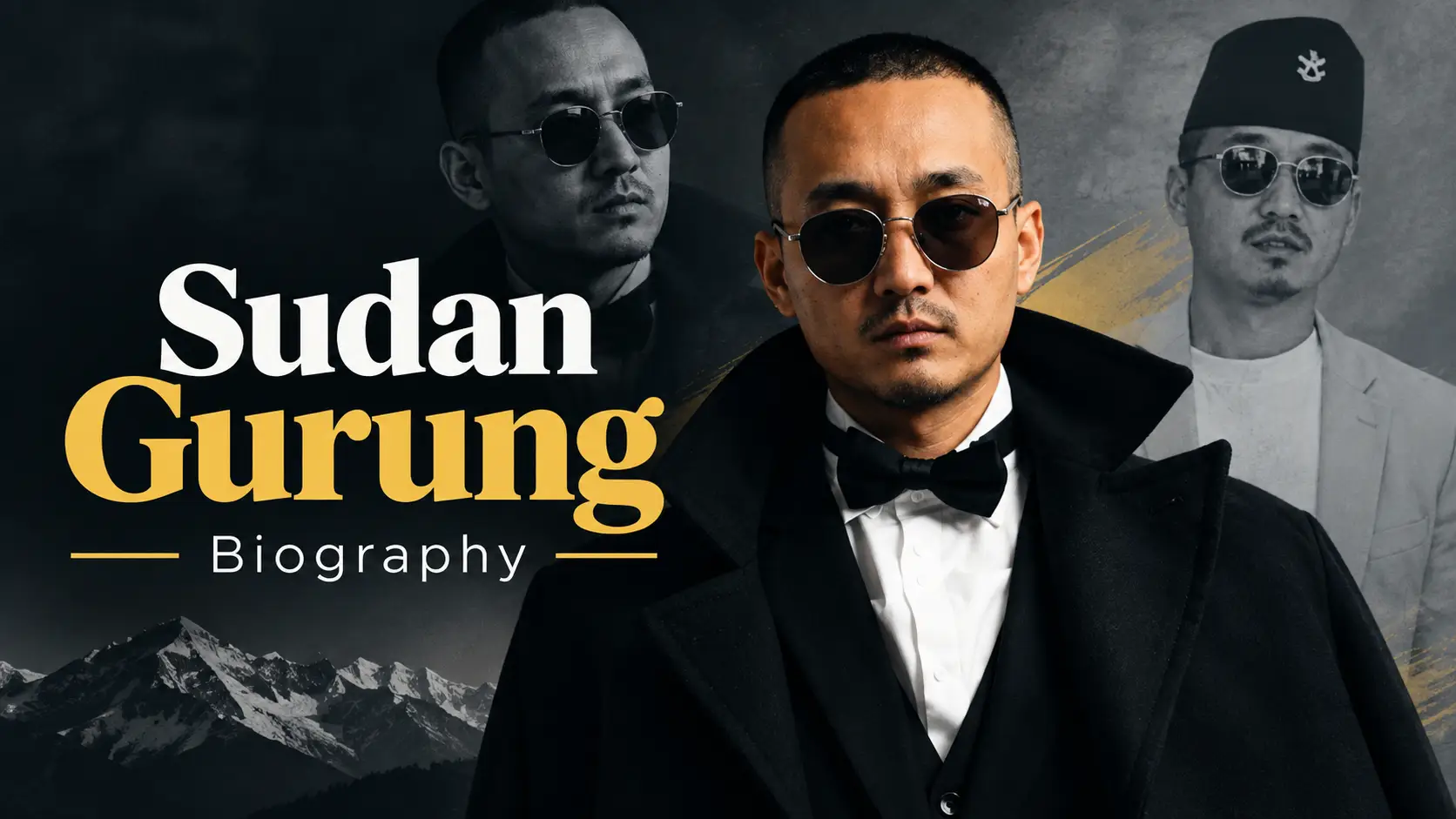
Sudan Gurung, founder of Hami Nepal, Member of Parliament from Gorkha-1 and Nepal's Minister of Home Affairs.
Sudan Gurung went from spinning records in a Thamel nightclub to running Nepal's most powerful ministry — and he did it in under twelve months. But most biographies of him online stop in April 2026, when he resigned in disgrace. They miss what happened next: the investigation that cleared him, his return to the Home Ministry on 9 June 2026, and the Bhotekoshi flood that has made him the most scrutinised minister in Balen Shah's cabinet. This is the complete, current picture.
Sudan Gurung: Quick Facts
| Full name | Sudan Gurung (also spelled and pronounced Sudhan Gurung; Nepali: सुधन गुरुङ) |
| Date of birth | 18 July 1987 |
| Age | 39 years (as of September 2026) |
| Birthplace | Chumanubri Rural Municipality, Gorkha District, Nepal |
| Raised in | Chitwan District, by his grandparents |
| Father | Dil Bahadur Gurung |
| Grandfather | Ramsal Gurung |
| Education | SLC from Kalika Gurukul Secondary English Boarding School, Chitwan; A-Levels at Malpi International School, Kathmandu (not completed) |
| Early professions | Call centre agent, disc jockey ("DJ Sudan"), nightclub owner, event manager |
| Known for | Founding Hami Nepal; leading the 2025 Gen Z movement |
| Political party | Rastriya Swatantra Party (RSP), joined 18 January 2026 |
| Constituency | Gorkha-1, House of Representatives (29,896 votes) |
| Current position | Minister of Home Affairs of Nepal (since 9 June 2026) |
| Previous term | Home Minister, 27 March – 22 April 2026 (26 days) |
| Beliefs | Anti-corruption, secularism, systemic reform, youth empowerment; follows no organised religion, describes his outlook as the "religion of humanity" |
Who Is Sudan Gurung?
Sudan Gurung is a Nepali politician, social activist, entrepreneur and former disc jockey who currently serves as Nepal's Minister of Home Affairs. He is the founder and coordinator of Hami Nepal, a youth-led disaster relief NGO, and he became the most recognisable civilian face of the September 2025 Gen Z protests that brought down the KP Sharma Oli government.
He represents Gorkha-1 in the House of Representatives on a Rastriya Swatantra Party ticket, and he is Nepal's 27th Home Minister. What makes his story unusual is not just the speed of the rise — it is that he had no political background at all. No party youth wing, no student union, no family dynasty. He was a nightclub owner who became a volunteer, then a movement leader, then a minister, then a resignation case study, then a minister again, all within eighteen months.
The thing most articles get wrong: Many profiles of Sudan Gurung still list him as a "former" Home Minister, because they were written around his April 2026 resignation and never updated. He returned to the post on 9 June 2026 after a government-appointed committee reported that it found nothing unusual in his landholdings. He holds the office today.
Early Life, Family and Education
Gurung was born on 18 July 1987 in Chumanubri Rural Municipality, a remote northern corner of Gorkha District. His father, Dil Bahadur Gurung, is from the same region. The family was not well-off, and Gurung did not grow up there. He moved to Chitwan as a child and was raised largely by his grandparents — his grandfather, Ramsal Gurung, worked in a hotel.
That detail matters more than it looks. Being raised away from his parents, largely in boarding hostels, is something Gurung has spoken about publicly as the source of both his independence and his early hardship. He has described crying his way into resilience as a child.
He completed his School Leaving Certificate at Kalika Gurukul Secondary English Boarding School in Chitwan, then enrolled in A-Levels at Malpi International School in Kathmandu. He never finished — he dropped out in his second year. He remains, formally, a man without a degree who now heads a ministry staffed with career bureaucrats holding postgraduate qualifications. His critics use this against him. His supporters treat it as the whole point.
The Thamel Years: Call Centre, DJ Booth, Nightclub
After moving from Chitwan to Kathmandu, Gurung's first job was at a call centre. He then moved into nightlife, working as a disc jockey and building a following in Thamel under the name DJ Sudan.
In 2012, he went from employee to owner. Together with business partners considerably older than him, he opened OMG Club in Thamel. He became known for theme-based parties — a format that was still novel in Kathmandu's nightlife scene at the time. The club made him money and, crucially, it made him connections across Kathmandu's business and social elite. Some of those connections later became liabilities: reporting on his career has noted his association during this period with figures from Kathmandu's underworld, including Dinesh Adhikari, known as Chari Don.
This phase is the part of his biography that his political opponents return to most often, and it is also the part that explains the wealth he later declared. He was a successful businessman in his twenties, long before he entered public life.
The 2015 Earthquake: A Child Died in His Arms
The April 2015 earthquake killed close to 9,000 people in Nepal. For Gurung, it ended one life and started another.
"A child died in my arms; I'll never forget that moment." — Sudan Gurung, recalling the 2015 earthquake
He has told this story many times, and it is the pivot of his public identity. In the immediate aftermath he posted an appeal for help on social media. Around 200 untrained volunteers responded. He became a fixture at Bir Hospital in Kathmandu, where he ended up coordinating roughly 1,000 volunteers — moving supplies, managing crowds, supporting doctors dealing with a flood of casualties. Volunteers under his coordination carried rice and relief materials to rural villages and pitched tents in school grounds for displaced families.
He also came out of 2015 angry. He publicly blamed government corruption and bureaucratic delay for aid not reaching people — a position he has never softened, and which became the emotional core of his politics ten years later.
Hami Nepal: What It Actually Is
In 2020, during the COVID-19 pandemic, Gurung formally registered Hami Nepal ("We Nepal") as a non-governmental organisation. The model was simple and deliberately unbureaucratic: mobilise young volunteers fast, through social media, and deliver help directly rather than through institutional channels.
Its record includes:
- COVID-19 response (2020–2021): oxygen supply coordination, food and medical relief, volunteer mobilisation across Kathmandu Valley and beyond.
- 2021 Nepal floods: relief distribution to displaced families.
- 2023 Turkey–Syria earthquakes: international contribution, unusual for a Nepali grassroots NGO.
- 2025 Gen Z protests: drinking water, first aid, and evacuation of injured protesters to hospitals.
- 2026 Bhotekoshi flood: relief collection and volunteer deployment.
The organisation has drawn support from well-known Nepali figures, including ophthalmologist Dr Sanduk Ruit, and Miss Universe Nepal 2018 Manita Devkota has served as a goodwill ambassador. Hami Nepal has received awards for its COVID-19 and community relief work.
Hami Nepal's relationship with Gurung's ministerial role is now itself a live controversy. During the 2026 Bhotekoshi flood, the NGO was collecting donations through a QR code while its founder was the sitting Home Minister — the same minister whose government had just warned the public against unauthorised QR codes soliciting flood relief. The QR code was withdrawn after a government warning. Critics call it a conflict of interest between a minister's office and a private NGO; his supporters argue Hami Nepal moved faster than the state did. Either way, no responsible biography of Gurung in late 2026 can leave it out.
The 2025 Gen Z Movement: How He Became the Face of It
The protests of September 2025 were triggered by the Oli government's ban on 26 social media platforms. But the ban was the spark, not the fuel. The underlying anger was about corruption, nepotism, youth unemployment and the visible wealth of political families — the "nepo kid" discourse that dominated Nepali social media through 2025.
Gurung did not start the movement. He did not call the first protest. What he did was make himself useful, then indispensable.
How his role escalated
- Stage one — logistics. Hami Nepal showed up at protest sites with drinking water and first aid. Low-profile, practical, and enormously credibility-building with a crowd that distrusted every institution.
- Stage two — coordination. He used TikTok, Instagram and Discord to share protest routes, timings and safety instructions across Kathmandu and other cities. Hami Nepal's Discord server later became an open forum where the selection of an interim prime minister was discussed and voted on — one of the strangest and most genuinely novel moments in modern Nepali politics.
- Stage three — casualty response. On 8 September 2025, security forces moved from tear gas and water cannon to rubber bullets and, ultimately, live ammunition outside the old parliament building in Baneshwor. At least 19 people were killed and hundreds injured that day. Gurung and Hami Nepal volunteers were visibly moving the wounded to hospitals.
- Stage four — negotiation. This is where he crossed from activist to power broker. He took part in negotiations involving President Ram Chandra Paudel and Army Chief Ashok Raj Sigdel, which led to former Chief Justice Sushila Karki being installed as interim prime minister, parliament being dissolved, and early elections being scheduled.
It is worth noting that his activism did not begin in September 2025. Earlier that year he had led a transparency protest at the B. P. Koirala Institute of Health Sciences in Dharan, and he had previously volunteered with civic movements including Enough Is Enough and Occupy Baluwatar.
He turned on the interim government too
A detail that complicates the hero narrative: Gurung did not stop protesting once his preferred candidate was installed. On the night of 14 September 2025 he led a protest outside the prime minister's residence demanding Sushila Karki's resignation, alleging she was expanding her cabinet without consultation. He protested again on 24 and 26 November 2025 over allegations that relatives had been appointed to political posts. Whatever else he is, he is not a reliable ally of whoever happens to be in power — including the people he helped put there.
From the Street to Parliament
In September 2025, Gurung announced he would contest the 2026 general election, and that he would do so within a party rather than as an independent — a decision he framed as strategy rather than conviction. He also warned that the elections would be obstructed if Gen Z demands were ignored.
On 18 January 2026, he joined the Rastriya Swatantra Party and filed his candidacy from Gorkha-1. He won the seat with 29,896 votes, breaking through constituency ground that had historically belonged to the Nepali Congress and the Maoists. He was sworn in as a Member of Parliament on 26 March 2026.
The following day — 27 March 2026 — Prime Minister Balen Shah appointed him Minister of Home Affairs. Three RSP figures had reportedly staked a claim to the portfolio; Gurung got it. The gap between winning a parliamentary seat and running Nepal's internal security apparatus was one day.
Home Minister: 26 Days, a Resignation, and a Return
Day one: ordering the arrest of a former prime minister
Gurung did not ease into office. On his first day, he directed police to arrest former prime minister KP Sharma Oli and former home minister Ramesh Lekhak, acting on recommendations from a commission led by former judge Gauri Bahadur Karki that had investigated the September 2025 killings. He reportedly stayed at Police Headquarters until both arrests were carried out in the early hours of the next morning.
It was the single most dramatic act by any minister in the Shah cabinet, and it defined public expectations of him: uncompromising, personally present, impatient with procedure.
The resignation — 22 April 2026
Twenty-six days later, he was out. The trigger was his own asset declaration. When ministers' property details were made public on 12 April 2026, Gurung's disclosure showed share investments running to tens of millions of rupees, 89 tolas of gold, and land across three districts. Two problems followed:
- The blank loan section. His declaration left the loans field empty. He later explained in a Facebook post that he had taken a loan in 2023, documented by a written agreement dated 15 August 2023, to buy shares in companies associated with businessman Deepak Bhatta — a man under investigation for money laundering. That loan did not appear in the official filing.
- The misclassified investment. He admitted that roughly Rs 2.5 million invested in Star Micro Insurance and Liberty Micro Finance had not been entered in the correct category, describing it as a classification error.
For a minister who had publicly promised to extract every rupee from the houses of the corrupt, the optics were fatal. He resigned on 22 April 2026, citing moral responsibility. He was the first minister in the new post-Gen Z political order to fall on exactly the standard he had campaigned on.
The investigation and the return — 9 June 2026
The government formed an investigation committee led by former judge Achyut Prasad Bhandari. It submitted a 45-page report to Prime Minister Shah in early June 2026. The committee compared the asset declarations Gurung filed with the Election Commission before the election against those made public after he became minister, and concluded that it found nothing unusual in his landholdings. On other assets, it reported that it was difficult to conclude they lacked identifiable sources. Notably, the report did not reach a definitive conclusion on his monetary transactions and share investments.
On 9 June 2026, President Ram Chandra Paudel administered the oath of office to Gurung as Home Minister for a second time. Sworn in alongside him — as Minister for Science, Technology and Innovation — was Mahabir Pun, the Magsaysay-winning innovator, in a pairing that the government clearly intended as a signal of technocratic credibility.
The unresolved part: The investigation report was never made public. Gurung returned to office without the document that cleared him being released. Separately, the National Human Rights Commission has recommended an investigation into Gurung himself, arguing that the September 2025 protest turned violent after he assumed leadership of it. That recommendation has not been resolved.
Sudan Gurung's Declared Assets: The Actual Numbers
Because so much of the coverage of Gurung is about money, here are the figures as published by the Office of the Prime Minister and Council of Ministers on 12 April 2026. These are declared assets under Nepal's mandatory disclosure framework — not an estimated net worth, and not a figure any website can responsibly guess at.
| Category | Declared holding |
|---|---|
| Land (own name) | 19 ropani 15 aana in Karkichhap, Dhankuta (approx. 1.014 hectares) |
| Land (father's name) | 30 kattha in Bharatpur-18, Gunjanagar, Chitwan |
| Land (grandfather's name) | 221 ropani in Chumanubri, Gorkha — jointly held, not yet partitioned |
| Gold | 89 tolas (declared as ancestral property) |
| Silver | 6 kilograms |
| Bank deposits | Approx. Rs 6.16 million (Nabil Bank, Laxmi Sunrise Bank, Sanima Bank) |
| Share investments | Over Rs 43.1 million in total, including listed securities worth approx. Rs 27.46 million |
| Company holdings | 30,000 shares in Hope Holdings Pvt. Ltd.; 57,000 shares in Lagom Premium Apartments Pvt. Ltd.; 70,000 shares in Adventure Villa Pvt. Ltd. |
| Vehicle | MG S5 car, valued at approx. Rs 4.8 million |
Gurung's own defence has been consistent: wealth earned before entering government is not a sin. RSP leaders backed him, arguing that the relevant question is whether wealth was earned through enterprise or corruption, not whether a politician is poor. His critics counter that the issue was never the wealth itself — it was the incomplete disclosure, and the identity of the businessman whose companies he had invested in.
Watching this unfold from inside Kathmandu, the most striking thing was not the numbers — it was how fast the mood turned. In the first week of April 2026, Gurung was the minister who had arrested a former prime minister. Two weeks later the same social media accounts that had celebrated him were dissecting his share portfolio line by line. The Gen Z movement that put him in office applied its own standard to him faster and harder than it ever applied it to the old parties. That is either the system working, or the movement eating itself, depending on who you ask over tea in Baneshwor.
The 2026 Bhotekoshi Flood: His Biggest Test
On 26 August 2026, a catastrophic flash flood swept down the Bhotekoshi river in Rasuwa, devastating the Trishuli 3A hydropower project area and surrounding districts. The scale was enormous: more than 3,000 people rescued across Rasuwa and Nuwakot in the first days, with a large number reported missing, and workers trapped inside hydropower tunnels.
As Home Minister, Gurung sits at the centre of Nepal's disaster command structure. The Government Work Division Regulations assign him responsibility for early-warning systems, national disaster management policy, and the mobilisation of the Nepal Police and Armed Police Force. What he actually did became the defining controversy of his second term.
What he did
- Coordinated rescue and relief flights from Kathmandu airport in the first hours alongside the tourism minister.
- Visited flood-affected Nuwakot on 30 August and issued direct instructions to rescue teams.
- Travelled to the Trishuli 3A site carrying a breaker and rescue equipment, accompanied by an Indian rescue team, to help clear the barrier blocking the tunnel entrance.
- Spent days at the site personally participating in tunnel search work.
- Announced that the government was exploring drilling vertically from above the tunnels as an alternative route to reach trapped workers.
- Was present when two workers trapped underground for nine days were rescued alive — and was filmed carrying an oxygen cylinder connected to one of them.
Why it became controversial
Disaster management experts, former officials and some affected families argued that the person responsible for coordinating the entire national response should not be inside one tunnel. The criticism sharpened when reports emerged that relief supplies were stockpiled in Trishuli while affected communities in Rasuwa went without — a coordination failure, critics argued, that a minister at his desk issuing clear instructions could have fixed. There were also discrepancies between security agencies on basic figures: personnel deployed, people rescued, people missing.
Gurung's response was characteristically blunt. He said the Disaster Response Command Centre was operating with senior officials from relevant ministries, that he was running regular online meetings to direct the response, and that he did not need to be physically at the ministry to lead.
"Rather than worrying about where I am, I would like to request that you focus on the results." — Sudan Gurung, responding to critics, September 2026
He added that Nepal had suffered for years from leaders who ran things from a desk without understanding conditions on the ground. It is the clearest statement of his governing philosophy available — and the clearest statement of the risk it carries.
Criticism, Controversy and Open Questions
A biography that only lists achievements is a press release. Here is the honest balance sheet on Sudan Gurung as of September 2026.
The case for him
- He built a genuine volunteer infrastructure over a decade, through an earthquake, a pandemic, floods, and an international disaster — before politics was ever a possibility for him.
- He resigned voluntarily when his own disclosure was questioned, a standard almost no Nepali minister before him had set.
- He acted on the Gen Z killings commission's recommendations within 24 hours of taking office, when the political cost of doing so was obvious.
- He broke entrenched party vote banks in Gorkha-1 as a first-time candidate.
The case against him
- Disclosure failures. A blank loan section and a misclassified investment in a filing made by the man responsible for enforcing anti-corruption law.
- The unreleased report. He returned to office before the investigation that cleared him was made public, and the committee reached no definitive conclusion on his share dealings.
- The NHRC recommendation. An unresolved human rights commission recommendation for an investigation into his role in the escalation of the September 2025 protest.
- Institutional weakness. A leadership style built on personal presence does not scale. Nepal's disaster response needs functioning systems, not a minister with a breaker.
- The NGO conflict. Running a donation-collecting NGO while holding the ministry that regulates disaster relief is an unresolved structural conflict, regardless of intent.
- Old associations. His Thamel-era connections, including with figures linked to organised crime, have never been fully addressed publicly.
Sudan Gurung: Complete Timeline
| Date | Event |
|---|---|
| 18 July 1987 | Born in Chumanubri, Gorkha District |
| Late 1990s–2000s | Raised in Chitwan by grandparents; SLC from Kalika Gurukul |
| Mid-2000s | Moves to Kathmandu; A-Levels at Malpi International School (incomplete); first job at a call centre |
| Late 2000s | Becomes known as DJ Sudan in Thamel |
| 2012 | Opens OMG Club in Thamel with partners |
| April 2015 | Nepal earthquake; coordinates ~1,000 volunteers at Bir Hospital |
| 2020 | Founds and registers Hami Nepal during the COVID-19 pandemic |
| 2021 | Hami Nepal leads flood relief operations in Nepal |
| 2023 | Hami Nepal contributes to Turkey–Syria earthquake response |
| Early 2025 | Leads transparency protest at B. P. Koirala Institute of Health Sciences, Dharan |
| 8 September 2025 | Gen Z protests turn deadly in Baneshwor; at least 19 killed |
| September 2025 | Participates in negotiations leading to Sushila Karki's interim premiership |
| 14 September 2025 | Leads midnight protest demanding Karki's resignation |
| 27 September 2025 | Announces he will contest the 2026 general election |
| Nov 2025 | Further protests over alleged appointment of relatives to political posts |
| 18 January 2026 | Joins Rastriya Swatantra Party; files candidacy from Gorkha-1 |
| March 2026 | Wins Gorkha-1 with 29,896 votes |
| 26 March 2026 | Sworn in as Member of the House of Representatives |
| 27 March 2026 | Appointed Home Minister; orders arrest of KP Sharma Oli and Ramesh Lekhak |
| 12 April 2026 | Asset declaration published; controversy begins |
| 22 April 2026 | Resigns as Home Minister citing moral responsibility |
| 5 June 2026 | Bhandari committee submits 45-page report; nothing unusual found in landholdings |
| 9 June 2026 | Reappointed Home Minister; sworn in alongside Mahabir Pun |
| 26 August 2026 | Bhotekoshi flash flood devastates Rasuwa and Nuwakot |
| Aug–Sept 2026 | Leads flood response on the ground; faces criticism over command structure |
Frequently Asked Questions
Who is Sudan Gurung?
Sudan Gurung is Nepal's Minister of Home Affairs, a Member of Parliament from Gorkha-1, and the founder of the relief NGO Hami Nepal. A former Thamel DJ and nightclub owner, he became the most visible leader of the September 2025 Gen Z protests that toppled the KP Sharma Oli government.
How old is Sudan Gurung?
He is 39 years old. He was born on 18 July 1987 in Gorkha District, Nepal.
Is Sudan Gurung still the Home Minister of Nepal?
Yes. He resigned on 22 April 2026 but was reappointed on 9 June 2026 and holds the office as of September 2026. Profiles listing him as a "former" Home Minister are out of date.
Why did Sudan Gurung resign as Home Minister?
He resigned on 22 April 2026 after his published asset declaration drew scrutiny. The declaration left the loans section blank despite a 2023 loan he had taken to buy shares in companies linked to a businessman under money laundering investigation, and it misclassified around Rs 2.5 million of investments. He cited moral responsibility.
Why was he allowed to return to the cabinet?
An investigation committee led by former judge Achyut Prasad Bhandari reported that it found nothing unusual in his landholdings and could not conclude that his other property lacked identifiable sources. The report was not made public, and it did not reach a definitive conclusion on his share investments.
Which party does Sudan Gurung belong to?
The Rastriya Swatantra Party (RSP), which he joined on 18 January 2026. During the 2025 Gen Z protests he was not affiliated with any party.
Is Sudan Gurung married?
There is no verified public record of a marriage, and he has not made his personal relationships part of his public life. Claims circulating about a wife or partner are not supported by any credible source, so this article does not repeat them.
What is Sudan Gurung's net worth?
No verified net worth figure exists. What is on record is his official asset declaration of April 2026: share investments of over Rs 43.1 million, 89 tolas of gold, 6 kg of silver, roughly Rs 6.16 million in bank deposits, land in Dhankuta, and an MG S5 car. Family land is registered in his father's and grandfather's names.
What is Hami Nepal?
Hami Nepal is a youth-led, non-partisan NGO founded by Gurung in 2020 during the COVID-19 pandemic. It focuses on rapid disaster relief and volunteer mobilisation, and has operated during the pandemic, the 2021 floods, the 2023 Turkey–Syria earthquakes, the 2025 protests and the 2026 Bhotekoshi flood.
What role did he play in the Gen Z protests?
He began by supplying water and first aid to protesters through Hami Nepal, then coordinated protesters via TikTok, Instagram and a Discord server, helped evacuate the injured on 8 September 2025, and took part in negotiations with the President and the Army Chief that produced Sushila Karki's interim government and early elections.
What religion does Sudan Gurung follow?
He does not identify with any organised religion. He describes his outlook as the "religion of humanity" and is a vocal supporter of secularism in Nepali public life.
Related Nepali Biographies
- Balen Shah Biography — the rapper-engineer turned mayor who now leads Nepal as Prime Minister and appointed Gurung to the Home Ministry.
- Mahabir Pun Biography — the Magsaysay Award-winning innovator sworn in alongside Gurung on 9 June 2026 as Minister for Science, Technology and Innovation.
- Bidya Devi Bhandari Biography — Nepal's former President, for context on the political establishment the Gen Z movement displaced.
The Bottom Line
Sudan Gurung is the clearest test case of whether Nepal's Gen Z revolution can actually govern. He arrived in office with no political training, enormous moral authority, and a disclosure form he filled out badly. He lost the job in 26 days and got it back in 48. He has since led a national disaster response from inside a tunnel, and been criticised for exactly that.
His defenders see a man who refuses to lead from a desk in a country ruined by desk-bound leaders. His critics see someone who confuses being present with being in charge, and whose own financial record fails the standard he built his politics on. Both readings are supported by the evidence. What is not in dispute is that he is, at 39, one of the two or three most consequential political figures in Nepal — and that his story is nowhere near finished.
Sources
- The Kathmandu Post — reporting on Gurung's appointment, resignation, the Bhandari committee report, his reappointment, and the Bhotekoshi flood response (March–September 2026)
- Nepal News — asset declaration details and resignation coverage (April 2026)
- Khabarhub — asset disclosure discrepancies, flood rescue updates (April and August–September 2026)
- OnlineKhabar — appointment, disaster response coordination, and Gurung's response to critics (2026)
- Ratopati — profile reporting on his early life and rise (April 2026)
- Reuters and Al Jazeera — Gen Z movement leadership and election intentions (September 2025)
- Office of the Prime Minister and Council of Ministers — published ministerial asset declarations (12 April 2026)
- Wikipedia — consolidated biographical timeline, cross-checked against the above