
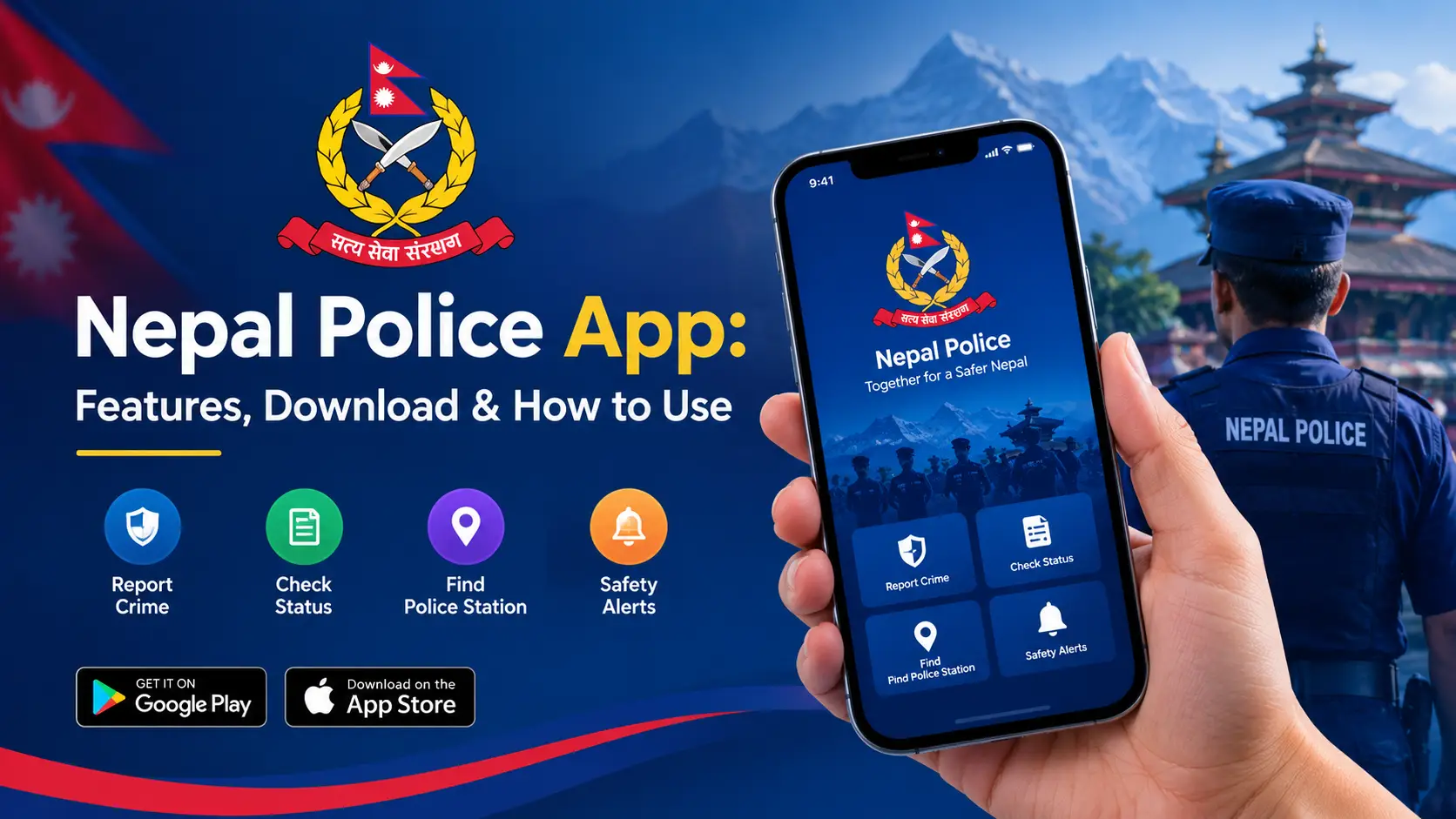
Nepal Police App (2026): Features, Download & How to Use It
Last checked: 1 November 2026 · Sources: Nepal Police Headquarters app listings, the official privacy policy and Nepali tech and news reports (linked at the end)
Quick answer
The Nepal Police App is the free, official app from Nepal Police Headquarters for Android and iPhone. Its developer name is "Nepal Police". Since 19 May 2026 you can use it to register a police complaint from home, attach photo, audio or video evidence and track the complaint’s status. It also has Panic Mode, Public Eye, nearby police stations, emergency numbers and a link to apply for a police report (OPCR). It does not replace an emergency call: if someone is in danger right now, dial 100.
Free
Android & iOS, no fee to use
100K+
Google Play downloads
4.1 ★
Play rating, 834 reviews
9
Tools open to the public
In this guide
- What the Nepal Police App is
- Download the official app (and spot fakes)
- Every feature explained
- Which feature to use for your situation
- How to sign up (and fix the OTP problem)
- How to file and track a complaint
- Panic Mode, Public Eye and Report Incident
- Police report (OPCR): app vs Nagarik vs Ncell vs web
- Permissions, data and privacy
- Common problems and fixes
- FAQs
What is the Nepal Police App?
The Nepal Police App is the official mobile app of Nepal Police, built and maintained by the Information Technology Directorate at Police Headquarters, Naxal. It puts several police services in one place: reporting crimes and safety problems, finding the nearest police office, calling emergency numbers, an emergency alert button, official news and notices, and a shortcut to the online police clearance system.
The same app has a second side that only police personnel can open (attendance, daily incident reports, internal circulars and similar). If you are a member of the public, you will only see the public tools.
The biggest change came on 19 May 2026. Inspector General of Police Dan Bahadur Karki launched an online "Citizen Assistance and Grievance Management" service inside the app, at the same event where Nepal Police published its three-year strategic plan for 2083/85. Since then, citizens can register a complaint from their phone instead of going to a police office first, and follow its progress digitally.
A short history, so you don’t install the wrong app
Nepal Police has released several apps over the years. Kathmandu’s Metropolitan Police launched Hamro Police in 2016 for the valley, and the traffic police launched Traffic Police Nepal the same year. The current national "Nepal Police" app was first piloted in Kaski in 2020 and then rolled out nationwide. When people say "Nepal Police App" in 2026, they mean this one. The APF Nepal app is a different app, run by the Armed Police Force, not Nepal Police.
Nepal Police App download: the official links
Download only from the official stores. Before you tap Install, check the details in the table below.
| Check | Android (Google Play) | iPhone (App Store) |
|---|---|---|
| App name | Nepal Police | Nepal Police |
| Developer / seller | Nepal Police | Nepal Police Headquarters |
| Store ID | com.pathway.nepalpolice | id1440979497 |
| Price | Free | Free |
| Last update seen | 2 September 2026 | Varies by region listing |
| Support email | npmapp@nepalpolice.gov.np | |
| Link | Get it on Google Play | Get it on the App Store |
How to spot a fake or look-alike app
- The developer must read Nepal Police or Nepal Police Headquarters, not a personal or company name.
- The official app never asks you to pay. Any "police report fast service" app that wants money is not Nepal Police.
- Avoid APK files from Telegram, Facebook groups or download sites. An APK from an unknown source can steal OTPs and banking data.
- Do not confuse it with APF Nepal (Armed Police Force) or the older Traffic Police Nepal app. They are separate.
Tip: you can use it with zero balance
Nepal Telecom and Ncell have zero-rated several Nepal Police services, including the Nepal Police Mobile App, the main website and the online police clearance system (OPCR). That means you can open them without an active data pack and without using your data. It helps a lot when you need the police and your balance has run out.
Nepal Police App features: what each tool does
These are the tools a member of the public can use, based on the current Google Play description and the new complaint service launched in May 2026.
| Feature | What it does | Login needed? |
|---|---|---|
| Register Complaint / eComplaint | File a complaint by category, add photo, audio or video evidence and location, then track its status | Yes |
| Report Incident | Report suspicious activity or an incident, anonymously if you want; registered users can track progress | Optional |
| Public Eye | Send a safety violation (for example a dangerous road or public nuisance) with photo or video evidence | Usually yes |
| Panic Mode | Alerts the police operations department and shares your location so they can respond | Set up in advance |
| Police Stations Nearby | Map of the nearest police offices, with a call option | No |
| Emergency Numbers | Emergency contacts shown on a map; one tap to call | No |
| OPCR (Police Clearance) | Opens the online police clearance registration to apply for a police report | OPCR account |
| FM | Live Metro Traffic FM 95.5 for traffic updates and public notices | No |
| News / Notices | Official Nepal Police news, notices and safety advice | No |
Features only police personnel can use
If you see these menu items, they are for officers and will not work with a public account: E-Hajiri (location-based attendance), Event Attendance, DIRS (daily incident reports), Nepol.cd circulars, PMIS profile, the inventory (ePaybook) check, the GPS Tracker and the Police Calendar.
Which feature should you use? (situation guide)
Most people open the app and are unsure which button to press. Use this table.
| Your situation | Best option | Why |
|---|---|---|
| Someone is in danger right now (attack, kidnapping, fire, serious accident) | Call 100 | A live call is the fastest route. Use Panic Mode only if you cannot speak |
| You were scammed online, lost money to fraud, or are being harassed on social media | Register Complaint | Pick the cyber or financial category, attach screenshots, get a tracking ID |
| Your phone, bike or bag was stolen | Register Complaint | Creates a dated record; add IMEI, bluebook or bill photos |
| You saw drugs being sold, a suspicious person, or illegal activity | Report Incident | You can stay anonymous |
| Reckless driving, broken signal, open manhole, public safety hazard | Public Eye | Built for photo or video evidence of safety violations |
| A police office refused or delayed your application, or an officer behaved badly | eComplaint (grievance) | Every submission is logged and time-stamped, visible to higher authorities |
| You need a police report for a job, visa or study abroad | OPCR | The app links to the same free OPCR system |
| You need the phone number of the nearest police post | Police Stations Nearby | Map plus one-tap call |
How to use the Nepal Police App: sign up step by step
You can browse news, emergency numbers and nearby stations without an account. To register and track a complaint, you need to sign up once.
- Install the app from Google Play or the App Store and open it.
- Allow permissions when asked: location (to tag the incident place), storage or photos (to attach evidence) and phone (to call police from the app). You can say no, but location and photos are what make a complaint useful.
- Tap Sign Up and enter your name, mobile number, email and address. Use details that match your citizenship or national ID, because police may contact you.
- Enter the verification code (OTP). Recent tests report the code being sent by email; other reports mention a verified mobile number. Keep both your inbox and SMS open.
- Create a password and log in. Your account now shows your complaints and incidents in one place.
The OTP problem, and how to beat it
The most common complaint about the app is sign-up getting stuck. A Nepali tech reviewer who tested the complaint feature in May 2026 said the email code arrived so late that it had already expired, and it only worked on the second try. Several Play Store reviews describe the loading screen freezing at the OTP step.
- Check your Spam / Promotions folder before requesting a new code.
- Request a new code only once the timer runs out; repeated taps can invalidate the last code.
- Switch between Wi-Fi and mobile data, then try again.
- Update the app to the latest version from the store.
- Do not wait on sign-up if the matter is urgent. Call 100 or go to the nearest police office.
How to file a police complaint in the Nepal Police App
This is the feature most people install the app for. Here is the full flow, from opening the app to following up.
Step 1
Log in
Step 2
Register Complaint
Step 3
Category + details
Step 4
Evidence + location
Step 5
Submit & track ID
- Log in to your account.
- Tap "Register a complaint" (shown as "Register Complaint" or under eComplaint, depending on your version).
- Choose a category. Categories reported at launch include cybercrime and online fraud, financial crimes, domestic violence, accidents and public safety, theft, and narcotics.
- Write the details: what happened, when, where, and who was involved. Keep it short but specific.
- Attach evidence: photos, screenshots, audio or video.
- Set the location of the incident. The complaint goes to the district or local police office responsible for that place.
- Submit. You get a unique tracking ID. Status updates appear under "My Incidents" or eComplaint, and investigating officers can contact you through the app.
What to write so police can actually act on it
Strong complaint
"On 28 October 2026 at about 8 pm, I sent Rs 18,500 by eSewa to 98XXXXXXXX for a phone listed on Facebook Marketplace. The seller blocked me after payment. Screenshots of the chat, the listing and the payment receipt are attached."
Weak complaint
"I got scammed online, please help, they took my money." No date, no amount, no account number, no proof. Police will have to come back to you for everything.
What happens after you submit
- The complaint is logged with a time stamp and sent to the relevant office. Police Headquarters says this record is auditable by higher authorities, which is meant to stop offices from ignoring or delaying complaints.
- An officer may call you, message you in the app, or ask you to come in to give a statement. Serious crimes still need a formal statement and sometimes original documents.
- For bank or wallet fraud, also call your bank or wallet provider immediately to block the transaction. The app complaint does not freeze money by itself.
Panic Mode, Public Eye and Report Incident
Panic Mode
Panic Mode sends an alert to the police operations department with your location so they can respond. According to the app’s privacy policy, it is one of the features that may use location in the background. Set it up and allow location before you need it; in a real emergency there is no time to read permission screens. Think of it as a backup for when you cannot speak on the phone, not a replacement for calling 100.
Public Eye
Public Eye is for safety violations you can photograph: a vehicle driving dangerously, a public disturbance, a hazard on the road. Capture clear evidence (number plate, place, time), add a short description and submit. Never put yourself at risk to get the photo.
Report Incident
Use Report Incident for tips about suspicious activity. You can report anonymously. If you are logged in, you can track what happens to your report. Keep it brief and factual.
Police report through the app vs Nagarik App vs Ncell App vs website
The Nepal Police App does not issue a police clearance certificate by itself. Its OPCR button sends you to the same Online Police Clearance Registration system you can reach on the web or through other government apps. Here is how the options compare. For the full process, read our police clearance certificate online Nepal guide.
| Channel | Police report (OPCR) | File complaint | Best for |
|---|---|---|---|
| Nepal Police App | Yes, via OPCR link | Yes, with evidence and tracking | Complaints, tips, emergencies |
| opcr.nepalpolice.gov.np | Yes (main system) | No | Police report on a laptop |
| Nagarik App | Yes | No | If your documents are already linked |
| Ncell App | Yes (added 2024) | No | Ncell users who live in that app |
| nepalpolice.gov.np complaint form | No | Yes (web form) | If the app sign-up fails |
Already using the Nagarik App? Our Nagarik App Nepal guide shows how to register and link your documents, and you can download your eNID to keep your national ID number handy when filling forms.
Permissions, data and privacy: what the app collects
It is reasonable to ask what a police app does with your data. Here is what the official sources say.
| Permission | Used for | Can you refuse? |
|---|---|---|
| Location | Tagging the incident place; Panic Mode (may use background location) | Yes, but complaints and Panic Mode lose their main value |
| Storage / photos, camera | Attaching evidence; downloading notices | Yes, but you cannot attach proof |
| Phone / calls | Calling emergency numbers and police offices from the app | Yes; you can dial manually |
- The privacy policy (effective 20 November 2023) says the app collects your name, phone number, address and email from registration, extra details when you report something, and device information such as device ID, IP address and usage in aggregate. It says data is protected with modern encryption such as HTTPS.
- The police-only GPS Tracker stores location under the officer’s control and, according to the policy, is not sent to the server.
- A mismatch worth knowing: on Google Play, the developer’s data-safety label currently says "No data collected" and "Data isn’t encrypted". That does not match the privacy policy, which describes collecting registration data and using HTTPS. Store labels are filled in by the developer, so treat the privacy policy as the fuller description and send questions to npmapp@nepalpolice.gov.np.
- To stop data collection, the policy says you can uninstall the app.
Why this app matters now: cybercrime complaints in Nepal
Online fraud, social media harassment and wallet scams are the kinds of cases the new complaint feature was built for. Complaints to Nepal Police’s Cyber Bureau have more than quadrupled in five years.
Cybercrime complaints registered with the Cyber Bureau, by fiscal year
Source: Nepal Police Cyber Bureau figures as reported by INSEC (2026). Chart by wilson.com.np.
Before you report, it also helps to know your own phone and SIM details. Our guides to checking your phone’s IMEI status on MDMS and checking the SIM owner name on NTC and Ncell show how to find the numbers police usually ask for in theft and fraud cases.
Nepal Police App not working? Common problems and fixes
| Problem | What to try |
|---|---|
| OTP not received or expired | Check spam, wait for the timer, request once, switch network, update the app |
| Stuck on loading after OTP | Force-close the app, clear its cache (Android: Settings → Apps → Nepal Police → Storage), then log in instead of signing up again |
| Location shows the wrong place | Turn on precise location and GPS, step outdoors, or move the map pin manually before submitting |
| Video upload fails | Trim the clip, use Wi-Fi, or attach key screenshots instead |
| No reply on a complaint | Note your tracking ID and visit or call the police office for that area; quote the ID |
| App will not install | Free up storage and update your phone software; the iPhone app is roughly 50–80 MB depending on the listing |
If nothing works, the official complaint and grievance web form on nepalpolice.gov.np is a fallback for non-urgent matters. You can also email app problems to npmapp@nepalpolice.gov.np.
Quick checklist before you need it
☐ Installed the official app (developer: Nepal Police)
☐ Signed up and logged in once, while calm
☐ Allowed location and photo access
☐ Opened Panic Mode once to see how it works
☐ Saved 100 and the toll-free number 1660-01-41516 in your contacts
☐ Showed an older family member how to use Police Stations Nearby
FAQs about the Nepal Police App
Is the Nepal Police App free?
Yes. It is free on Google Play and the App Store, and Nepal Telecom and Ncell users can open it without using data or balance.
Can I file a police complaint online in Nepal?
Yes. Since 19 May 2026 you can register a complaint in the Nepal Police App, attach photo, audio or video evidence, and track it with a tracking ID. Serious cases may still need a statement at a police office.
Can I report anonymously?
Yes, through Report Incident. Formal complaints that you want to track need a registered account.
Can I get a police report (police clearance) from the app?
The app links to OPCR, the official online police clearance system. The application itself is processed in OPCR, the same as on the website or the Nagarik App.
Why am I not getting the OTP?
Codes can arrive late. Check your spam folder, wait for the timer, request only one new code and try a different network. Users have reported success on a second attempt.
Should I use Panic Mode or call 100?
Call 100 whenever you can. Panic Mode is a backup for situations where you cannot safely speak; set it up and allow location in advance.
Is the APF Nepal app the same as the Nepal Police App?
No. APF Nepal belongs to the Armed Police Force. Nepal Police and the Armed Police Force are separate organisations with separate apps.
Can tourists use the Nepal Police App?
Anyone in Nepal with a smartphone can install it and use emergency numbers and nearby stations. Tourists should also save the Tourist Police contacts; see our traveling to Nepal guide for other safety basics.
Bottom line
Install the official Nepal Police App now, while nothing is wrong, and finish the sign-up so the OTP hassle does not cost you time later. Use Register Complaint for fraud, theft and other non-urgent crimes because it gives you evidence upload and a tracking ID. Use Report Incident or Public Eye for tips and hazards, OPCR for your police report, and call 100 whenever someone is in danger.
More government how-tos are in our Nepal government services guides, including online driving license in Nepal. For telecom help, see NTC, Ncell and ISP guides.
Sources
- Nepal Police app on Google Play (features, rating, data-safety label; checked 1 Nov 2026)
- Nepal Police app on the App Store
- Nepal Police Mobile App privacy policy
- NepaliTelecom: filing complaints on the Nepal Police app (May 2026)
- ICT Frame: online citizen complaint system launch (May 2026)
- Techpana: digital complaint service launch
- Techpana: Nepal Police services usable without balance
- Radio Nepal: Nepal Police three-year strategic plan
- INSEC: Cyber Bureau complaint figures
Disclaimer: wilson.com.np is an independent guide and is not affiliated with Nepal Police. App features, menu names and sign-up steps can change with updates. In an emergency, call Police Control 100.