
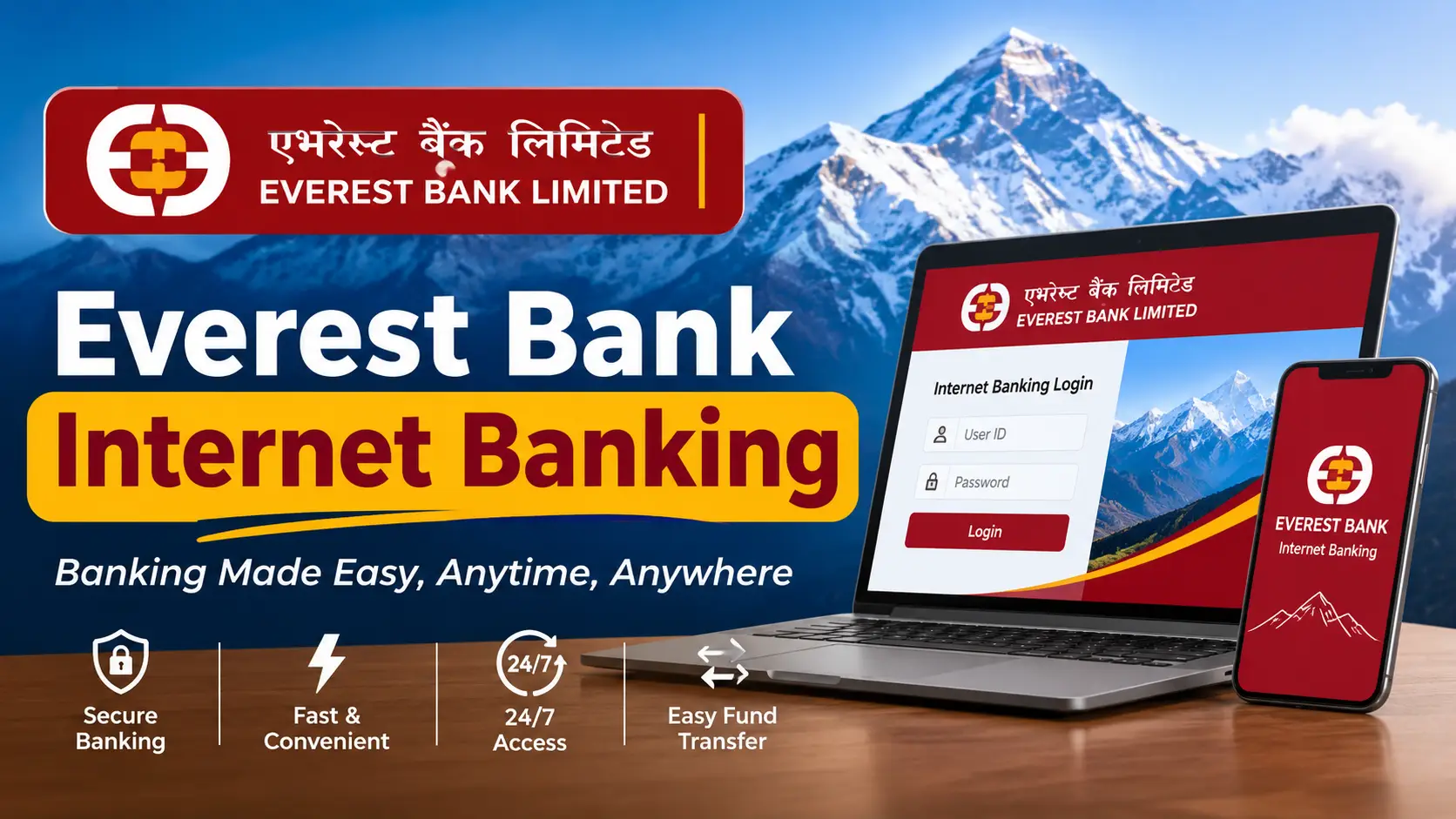
Everest Bank Internet Banking (2026): netebl.com Login, Registration, Forgot Password, Limits & Charges
Everest Bank internet banking lets you check balances, download statements, pay bills, load eSewa or Khalti and send money to any bank in Nepal from a browser, 24 hours a day. The catch is that the bank’s own information is spread over a dozen FAQ pages, and searching “EBL internet banking” often brings up Eastern Bank PLC in Bangladesh, which uses the same initials.
This guide puts everything for Everest Bank Limited, Nepal in one place: the official login address, how to register, the two-password system, fixes for every common error, retail and corporate charges, transaction limits compared with the EBL Touch 24 app, and how to avoid the fake login pages the bank has warned about.
Quick answer
- Official login: type https://www.netebl.com yourself (or click Digital Hub on everestbankltd.com). Never log in from an SMS, ad or social media link.
- Registration: submit the internet banking request form at your branch. Retail access is free; the password is emailed to your registered email, usually within 3 working days.
- Forgot password: on netebl.com enter your User ID and click Forgot Password.
- Blocked: 5 wrong login passwords disable the user; the branch reactivates it.
- Retail limits: Rs 5 lakh per transaction, Rs 20 lakh per day, Rs 50 lakh per month.
- Corporate: Rs 500 registration + Rs 500 a year, with maker/checker and salary uploads.
- Help: toll-free 16600171718 / 18102171718, or 01-5970118.
Checked on 16 November 2026 against Everest Bank’s Retail and Corporate Internet Banking pages, its internet banking and mobile banking FAQs, and the bank’s security notices. wilson.com.np is not affiliated with Everest Bank. Screens on netebl.com can change after updates; the rules below stay the same.
On this page
- What Everest Bank internet banking is (retail vs corporate)
- Everest Bank vs Eastern Bank: avoid the wrong EBL
- How to register
- Everest Bank internet banking login: step by step
- Login password vs transaction password
- Forgot password, blocked login & error fixes
- What you can do after login
- Transaction limits
- Charges: retail and corporate
- Corporate internet banking for businesses
- Internet banking vs EBL Touch 24 app
- Stay safe: fake login pages and approval scams
- Customer care and complaints
- FAQ
What Is Everest Bank Internet Banking?
It is Everest Bank’s browser-based banking portal at netebl.com. You need an Everest Bank account, a device with internet and an up-to-date browser such as Chrome or Firefox. It works from any country, so Non-Resident Nepalis can use it too. There are two versions:
Retail internet banking
For individuals and single-signatory accounts.
- Free access
- Own, third-party and interbank (IPS) transfers
- Bill pay, eSewa and Khalti loads
- Set your own limits and login hours
Corporate internet banking
For companies, firms and institutions.
- Rs 500 registration, Rs 500 per year
- Multiple users with maker/checker approval
- Salary and bulk payment uploads
- Trade finance requests (LC, guarantees)
Everest Bank (Nepal) vs Eastern Bank (Bangladesh): Avoid the Wrong EBL
Both banks shorten their name to EBL. Before you type a password anywhere, check you are on the Nepali one:
| Item | Everest Bank Limited (Nepal) ✓ | Eastern Bank PLC (Bangladesh) |
|---|---|---|
| Website | everestbankltd.com | ebl.com.bd |
| Internet banking | netebl.com | EBL Skybanking |
| Mobile app | EBL Touch 24 | EBL Skybanking |
| Currency | Nepali rupees (NPR) | Taka (BDT) |
How to Register for Everest Bank Internet Banking
There is no self sign-up for internet banking. The bank creates your user after you request it. Any account holder whose account is KYC compliant can apply, including NRNs. The whole journey looks like this:
1. Form
Download or collect the e-banking request form
2. Branch
Sign and submit at your account branch
3. Email
User ID and password arrive in about 3 working days
4. Log in
Open netebl.com and change the password
- Get the form. Download the internet banking request form from the Downloads section of everestbankltd.com, or ask for it at any branch.
- Fill it in and sign exactly as on your account. Tick transaction rights if you want to send money, not only view statements.
- Submit it to the branch that holds your account. The bank’s FAQ also accepts a signed, scanned copy emailed to that branch.
- Receive credentials. The password is sent to the email (and in newer cases the mobile) registered with the bank, so you do not need to collect a password slip.
- Log in and change the password on first use.
✓ Email changed?
Update KYC at a branch first, or the password goes to your old inbox.
✓ Several accounts?
Accounts under one Customer ID show under one user automatically. Joint accounts get a separate user ID.
✓ No account yet?
See opening a bank account in Nepal from abroad (video KYC options).
Everest Bank Internet Banking Login: Step by Step
Step 1
Type https://www.netebl.com in the address bar, or click Digital Hub on everestbankltd.com.
Step 2
Check the address starts with https:// and shows the padlock.
Step 3
Choose the retail (personal) or corporate login and enter your User ID.
Step 4
Enter your login password. On a shared computer, use the on-screen keyboard.
Step 5
Complete any verification shown. Approve a login prompt only if you just started that login.
Three habits that prevent most problems
- Bookmark netebl.com after your first visit and always use the bookmark.
- Click Logout when done. The session also closes after 5 minutes of inactivity.
- Avoid cyber cafés. If you must, use the on-screen keyboard and do not make transfers.
Login Password vs Transaction Password
Everest Bank internet banking uses two separate passwords. Mixing them up causes most lockouts.
| Item | Login password | Transaction password |
|---|---|---|
| Used for | Getting in and viewing accounts | Confirming transfers and payments |
| Wrong attempts allowed | 5 | 3 |
| Expiry | Change it regularly | Valid 90 days, then must be changed |
| Rule | Keep them different. Both can be changed any time from Change Password after login. | |
If you can log in but cannot send money, your user probably has view-only rights. Request transaction rights at your branch; the transaction password is then emailed to you.
Forgot Password, Blocked Login & Error Fixes
Reset a forgotten password online
- Go to netebl.com.
- Enter your User ID.
- Click Forgot Password and complete the verification.
- Set a new password and log in.
Forgot the User ID itself? Look for the original email from the bank, or call customer care or your branch. You can change the User ID to something memorable after logging in.
Error messages and what they mean
| You see | Why | Fix |
|---|---|---|
| “Exceeded the max. no. of attempts. Login is disabled” | Wrong login password more than 5 times | Know the password? Ask the branch to reactivate. Otherwise use Forgot Password. |
| “Invalid Login Id or Password” with the right password | User is in a disabled state | Contact the nearest branch for activation. |
| “Transaction password expired” | Not changed for over 90 days | Log in, open Change Password, set a new one. |
| “Transaction not allowed” | Restriction on the debit account (KYC, freeze, dormant) | Branch must clear it; often a KYC update. |
| Transfer button missing | View-only user | Request transaction rights at the branch. |
| One account not showing | Different Customer ID | Branch can link it to your user. |
| Page will not load or keeps logging out | Cache, VPN or idle timeout | Clear cache, turn off VPN, update the browser, stay active. |
What You Can Do After Login
Money movement
- Transfer between your own accounts
- Pay other Everest Bank accounts
- Interbank transfer through IPS, 24/7 including Sundays and holidays
- Load eSewa and Khalti
- Schedule a transfer for a future date
Accounts and bills
- Statements and transaction history
- Download and save statements
- Dashboard of all linked accounts
- Utility bill payments
Security controls
- Set your own transaction limits
- Restrict the hours when login works
- Change your User ID
- Reset and change passwords
For electricity bills step by step, see our NEA online bill check and payment guide; for ISP and TV bills, see paying internet and DTH bills online. Unsure which wallet to load? Compare them in eSewa vs Khalti vs IME Pay.
Underused tip: set a personal daily limit far below the bank’s Rs 20 lakh ceiling and block logins at night. If your password ever leaks, those two settings cap the damage.
Everest Bank Internet Banking Transaction Limits
Internet banking allows much larger transfers than the mobile app. Here are the bank’s published ceilings side by side:
Daily limit: internet banking vs EBL Touch 24
| Limit | Internet banking (retail) | Touch 24 payments | Touch 24 wallet |
|---|---|---|---|
| Per transaction | Rs 5,00,000 | Rs 1,00,000 | Rs 25,000 |
| Per day | Rs 20,00,000 | Rs 3,00,000 | Rs 50,000 |
| Per month | Rs 50,00,000 | Rs 20,00,000 | Rs 10,00,000 |
Note: one older section of Everest Bank’s mobile FAQ still shows Rs 10 lakh a month for mobile transfers. If a large app transfer fails, use internet banking or confirm the current figure with the bank.
Everest Bank Internet Banking Charges
| Service | Charge |
|---|---|
| Retail internet banking access | Free |
| SMS alerts only (individual) | Rs 200 per year |
| Mobile banking + SMS alerts (individual) | Rs 300 per year |
| Corporate internet banking registration | Rs 500 |
| Corporate internet banking annual fee | Rs 500 |
| Corporate password reset / re-PIN | Rs 150 |
| Corporate IPS transfer above Rs 50,000 | Rs 10 per transaction |
| Retail IPS and wallet loads | Any fee is shown on the confirmation screen before you approve |
Several Everest Bank savings products (for example the women’s and children’s accounts) bundle free internet, SMS and mobile banking. Compare what your money earns in our bank interest rates in Nepal roundup.
Everest Bank Corporate Internet Banking for Businesses
Most guides skip this, but companies, schools, NGOs and firms get a separate module with controls a single login cannot offer:
- Operating modes: the corporate form lets you choose single, joint or workflow-based authorisation.
- Maker/checker: one user prepares a payment, another approves it, which cuts internal fraud.
- Salary and bulk payments: upload a batch file instead of keying in each staff account.
- Trade finance: send requests for letters of credit, bank guarantees and bills; upload documents securely.
- Requests and alerts: cheque book and remittance requests online, with email and SMS logs.
How to apply: download the corporate e-banking form, fill in the primary account, registered email and mobile, choose the authorisation mode, and submit it with the signatories’ signatures at your branch. Businesses that bank with several institutions can also ask about Corporate Pay, an NCHL platform for paying from accounts at different banks via connectIPS and IPS (it needs a corporate current account, an enrolment form and a board resolution).
Everest Bank Internet Banking vs EBL Touch 24 App
These are two separate channels. Your netebl.com user ID does not log you into the app.
| Item | Internet banking (netebl.com) | EBL Touch 24 app |
|---|---|---|
| User ID | Issued by the bank (changeable) | Your registered mobile number |
| Sign-up | Form at branch | Self-registration in the app with an OTP |
| Cost | Free (retail) | Rs 300 a year with SMS alerts, auto-renewed |
| Daily limit | Rs 20 lakh | Rs 3 lakh |
| Best for | Large or scheduled transfers, statements, NRNs without a Nepali SIM | Daily payments, QR, wallet loads, biometric login, Nepal–India transfers |
Most customers use both: the app for everyday payments, internet banking for big transfers and statements. IPO applications run through a different system; see how to apply for an IPO in MeroShare.
Stay Safe: Fake Login Pages and Approval Scams
In November 2025 Everest Bank warned customers about two tricks: social media “bonus” or “survey” links leading to copies of its login page, and scammers who start a real login and then pressure you to approve the prompt on your phone. The bank’s rule is simple: never approve a login you did not start, and never share a PIN, password, card number, CVV or OTP by phone, email or chat.
✗ Red flags
- A login link in SMS, Viber, WhatsApp or Facebook
- Any address other than netebl.com or everestbankltd.com
- A “bank officer” asking for your OTP to “update KYC”
- A login approval request you did not trigger
✓ Good habits
- Type the address or use your bookmark
- Different login and transaction passwords
- Keep SMS alerts on to see every debit
- Updated browser; log out every time
Entered your details on a fake page? Call the toll-free line immediately to block the user, change both passwords from a clean device, then report to Nepal Police’s Cyber Bureau. Our guide on filing a police complaint in Nepal covers the online options.
Everest Bank Customer Care and Complaints
| Channel | Details |
|---|---|
| Toll-free (24/7) | 16600171718 / 18102171718 |
| Customer care centre | 01-5970118 (+977-1-5970118 from abroad) |
| Branch | Reactivation, transaction rights, KYC or email changes |
| Complaints | EBL Gunaso Portal (on everestbankltd.com); if unresolved, NRB’s grievance portal |
Receiving money from abroad into Everest Bank? Compare routes in our send money to Nepal guide and keep the bank’s SWIFT code handy. Bank with Muktinath too? See the Muktinath internet banking guide.
Frequently Asked Questions
What is the official Everest Bank internet banking login link?
It is https://www.netebl.com, also reachable from the Digital Hub button on everestbankltd.com. Pages on ebl.com.bd belong to Eastern Bank in Bangladesh.
How do I register for Everest Bank internet banking?
Submit the signed internet banking request form at your branch (or email a scanned copy to it). The bank creates your user ID and emails the password, usually within 3 working days.
Is Everest Bank internet banking free?
Retail internet banking is free. Corporate internet banking costs Rs 500 to register and Rs 500 a year. SMS alerts cost Rs 200 a year.
How do I reset my Everest Bank internet banking password?
Open netebl.com, enter your User ID and click Forgot Password. If the login is blocked after 5 wrong attempts and you know the password, ask your branch to reactivate it.
What is the Everest Bank internet banking transfer limit?
Retail users can send Rs 5 lakh per transaction, Rs 20 lakh per day and Rs 50 lakh per month. You can set a lower personal limit.
Can I use Everest Bank internet banking from abroad?
Yes. It works from any country and NRN customers are eligible. Keep your registered email current because passwords are sent there.
Does Everest Bank have corporate internet banking?
Yes. It offers multiple users with maker/checker approval, salary and bulk uploads, trade finance requests and email/SMS alerts, for Rs 500 registration and Rs 500 a year.
Can I log in to EBL Touch 24 with my internet banking user ID?
No. EBL Touch 24 uses your registered mobile number and its own passwords, set up through self-registration in the app.
Why can I log in but not transfer money?
Either your user has view-only rights or the transaction password expired after 90 days. Request transaction rights at the branch, or change the transaction password after login.
Sources: Everest Bank Retail Internet Banking and Corporate Internet Banking pages; Everest Bank internet banking FAQs (attempts, password validity, errors, registration, timeout); Everest Bank Mobile Banking FAQ (Touch 24 limits and fees); Everest Bank corporate e-banking form and Corporate Pay page; Everest Bank press release on the new internet banking system; Everest Bank security notices and service summary as reported by ICT Frame (November 2025). Checked 16 November 2026. Limits, fees and screens can change; confirm on netebl.com or with the bank.