
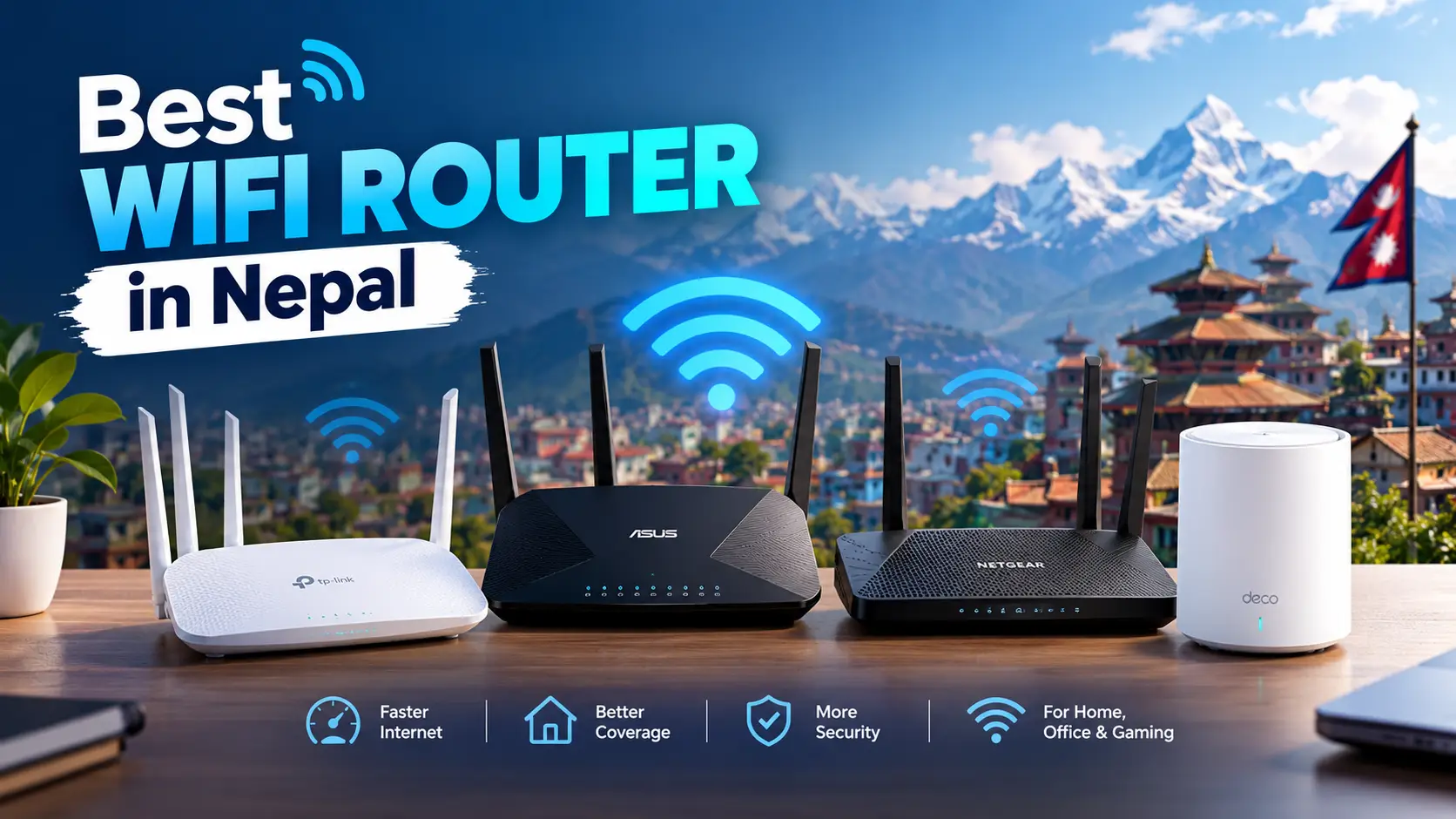
Best WiFi Router in Nepal 2026: 7 Picks by Price, Plan Speed & House Size
By Wilson Shrestha, Kathmandu · Prices taken from Nepali retailer listings on 20 October 2026 (Kartik 2083) · Prices move often, so treat them as a guide
Most “best router” lists you find for Nepal are either old launch posts or a shop’s product page. Neither answers the question you actually have: with the internet plan and the house I have, which router should I buy, and should I buy one at all?
This guide picks the best WiFi router in Nepal for each situation, using prices from Nepali shops, and covers three things almost nobody mentions: the cheap-router port limit that quietly caps a 300 Mbps plan at under 100 Mbps, why a mesh system beats a faster router in a concrete multi-storey house, and why paying extra for Wi-Fi 6E makes little sense in Nepal right now.
Quick answer
- Best overall value: TP-Link Archer AX12 (Wi-Fi 6, gigabit ports) – about Rs 6,000.
- Best for a two or three-storey house: TP-Link Deco M4 2-pack mesh – about Rs 17,500.
- Best future-proof pick: TP-Link Archer BE3600 dual-band Wi-Fi 7 – about Rs 14,500.
- Tight budget (plans up to 100 Mbps only): TP-Link Archer C54 – about Rs 3,650.
- Before you buy anything: if your ISP already gave you a Wi-Fi 6 router, a mesh add-on usually fixes weak signal for less than a new router.
Key takeaways
- Router prices in Nepal run from about Rs 2,000 for a basic single-band model to Rs 25,000+ for a 3-unit Wi-Fi 6 mesh system.
- Many budget routers (Archer C20, Archer C54, Mercusys AC1200) have 10/100 Mbps ports. Behind your ISP’s fiber box, they cannot pass more than about 94 Mbps, whatever plan you pay for.
- If your plan is 200 Mbps or faster, buy a router with gigabit ports. Wi-Fi 6 is the sensible minimum in 2026.
- In RCC houses, signal fades badly between floors. Mesh fixes dead rooms; a more expensive single router usually does not.
- The 6 GHz band that Wi-Fi 6E and tri-band Wi-Fi 7 routers use has not been opened for home Wi-Fi in Nepal as far as we could find, so that premium mostly buys you nothing here.
First: do you even need to buy a router?
Every fiber connection in Nepal comes with an ONT (the fiber box), and most ISPs now hand you one with Wi-Fi built in. On newer plans that box is often already Wi-Fi 6. Buying a separate router on top of it can be wasted money unless one of these is true:
- Your ISP device is old Wi-Fi 4 or Wi-Fi 5 and you pay for 200 Mbps or more.
- You have dead rooms or floors (then think mesh, not a bigger router).
- You want features the ISP box lacks: proper parental controls, guest network, better app, VPN, or more devices without slowdowns.
- You keep switching ISPs and want your Wi-Fi name, password and settings to stay the same.
Here is what the big ISPs include today, based on our own plan checks:
| ISP | Wi-Fi 6 router included? | Mesh option | Full price list |
|---|---|---|---|
| WorldLink | Yes, on 6G plans | Nokia Beacon mesh | WorldLink prices |
| Vianet | Yes, on all home plans | Mesh unit around Rs 3,500 | Vianet prices |
| Classic Tech | Free on 200 and 350 Mbps | Ask the ISP | Classic Tech prices |
| DishHome | On 600 Mbps and 1 Gbps plans | Mesh node on premium plans | DishHome prices |
| Subisu | Wi-Fi 6 plans available | Ask the ISP | Subisu prices |
| Nepal Telecom (NT Fiber) | Depends on the ONT issued; ask at the counter | Bring your own | NTC FTTH packages |
If you are still choosing a provider, our best internet in Nepal comparison shows which plans include a Wi-Fi 6 router, which can save you the cost of buying one.
Best WiFi routers in Nepal at a glance
Prices below are what Nepali retailers were listing in October 2026. The same model can differ by a few thousand rupees between shops, so compare two or three before paying.
| Router | Wi-Fi | Ports | Price in Nepal | Best for |
|---|---|---|---|---|
| TP-Link Archer AX12 | Wi-Fi 6, AX1500 | Gigabit | ≈ Rs 6,000 | Best value, flats, plans up to 400 Mbps |
| TP-Link Deco M4 (2-pack) | Wi-Fi 5 mesh, AC1200 | Gigabit | ≈ Rs 17,500 | Multi-storey houses |
| TP-Link Archer BE3600 | Wi-Fi 7, dual-band | Gigabit or faster | ≈ Rs 14,500 | Gamers, 600 Mbps+ plans, many devices |
| TP-Link Deco X20 (3-pack) | Wi-Fi 6 mesh, AX1800 | Gigabit | ≈ Rs 24,900 (imported) | Large homes up to 5,800 sq ft |
| TP-Link Archer AX10 | Wi-Fi 6, AX1500 | Gigabit | Rs 13,500 – 17,000 | Only if found on discount |
| TP-Link Archer C54 | Wi-Fi 5, AC1200 | 10/100 only | ≈ Rs 3,650 | Plans up to 100 Mbps |
| Mercusys AC1200 | Wi-Fi 5, AC1200 | 10/100 only | ≈ Rs 4,290 | Budget backup or access point |
WiFi router price in Nepal by model (October 2026)
Lowest listed price we found at a Nepali retailer. Longer bar = more expensive.
Grey = Wi-Fi 4/5 with slow ports · Blue = Wi-Fi 6 · Purple = Wi-Fi 7 · Green = mesh
The pattern is clear: the jump from a Rs 3,500 router to the Rs 6,000 Archer AX12 buys you Wi-Fi 6 and gigabit ports, which is the single biggest upgrade in the whole list. After that, you pay mostly for coverage (mesh) or for headroom (Wi-Fi 7).
The 7 best WiFi routers in Nepal, in detail
1. TP-Link Archer AX12 – best overall value
Price in Nepal: about Rs 6,000 · Wi-Fi: Wi-Fi 6, AX1500 (up to 1,201 Mbps on 5 GHz, 300 Mbps on 2.4 GHz) · Ports: gigabit WAN and LAN
For most flats and single-floor homes, this is the router to buy. It has the two things that matter on a modern fiber plan, Wi-Fi 6 and gigabit ports, at roughly the price of an older Wi-Fi 5 model. It handles the usual Nepali household load of several phones, a smart TV, a laptop and a few smart plugs without the evening slowdowns older routers suffer from.
- Good: lowest price we found for Wi-Fi 6 with gigabit ports; easy setup through the TP-Link Tether app.
- Watch out: one router will not cover a whole three-storey house; pair it with a mesh or OneMesh-compatible extender if you need more floors covered.
2. TP-Link Deco M4 (2-pack) – best for multi-storey houses
Price in Nepal: about Rs 17,500 · Wi-Fi: Wi-Fi 5 mesh, AC1200 · Coverage: TP-Link rates the 2-pack at up to about 3,800 sq ft
A typical Kathmandu house is built from brick and RCC slabs, with the ISP’s fiber box on the ground floor. Concrete floors are where Wi-Fi goes to die, especially 5 GHz. The Deco M4 puts a second unit upstairs and joins both into one network with one name, so phones hand over between floors on their own.
- Good: fixes top-floor and back-room dead zones; units have gigabit ports, so you can run a cable between floors for even better speed.
- Watch out: it is Wi-Fi 5, not Wi-Fi 6. On a 400 Mbps+ plan, the Deco X20 below is the better long-term buy. Also check whether your ISP’s own mesh add-on is cheaper first.
3. TP-Link Archer BE3600 (Wi-Fi 7) – best future-proof pick
Price in Nepal: about Rs 14,500 · Wi-Fi: dual-band Wi-Fi 7, BE3600 class (roughly 2,880 Mbps on 5 GHz plus 688 Mbps on 2.4 GHz)
If you are on a 600 Mbps or 1 Gbps plan, game online, or have 25+ connected devices, this is the router to grow into. It is dual-band, which is actually a good thing in Nepal: you get Wi-Fi 7 features on 2.4 and 5 GHz without paying for a 6 GHz radio you may not be able to use here (more on that below).
- Good: Wi-Fi 7 for about the price shops still ask for older Wi-Fi 6 models like the Archer AX10.
- Watch out: your phone and laptop need Wi-Fi 7 to get the full benefit. On a 200 Mbps plan, the Archer AX12 does the same job for less than half the price.
4. TP-Link Deco X20 (3-pack) – best Wi-Fi 6 mesh for big homes
Price in Nepal: about Rs 24,900 through import sellers · Wi-Fi: Wi-Fi 6 mesh, AX1800 · Coverage: up to 5,800 sq ft (3-pack), about 2,100 sq ft per unit
For a large family house, a house plus shop downstairs, or a small office, the Deco X20 3-pack covers far more ground than any single router. Because it is Wi-Fi 6 on every unit, it keeps up with 400 Mbps and faster plans better than the Deco M4.
- Good: one network across three floors; you can buy a 2-pack and add a unit later.
- Watch out: the price we found was from an import seller, so local warranty may be limited. Ask authorised TP-Link dealers for stock first.
5. TP-Link Archer AX10 – only buy on discount
Price in Nepal: Rs 13,490 to Rs 17,000 depending on the shop · Wi-Fi: Wi-Fi 6, AX1500 · CPU: 1.5 GHz triple-core
The AX10 is a solid router with a stronger processor than the AX12, and it still appears on almost every Nepali “best router” list. The problem is price: it shares the AX12’s Wi-Fi speed class but some shops ask more than double. At those prices, the Wi-Fi 7 Archer BE3600 is the smarter buy. If you see the AX10 near Rs 7,000–8,000, it becomes a good choice.
6. TP-Link Archer C54 – best on a tight budget (plans up to 100 Mbps)
Price in Nepal: about Rs 3,650 · Wi-Fi: Wi-Fi 5, AC1200 · Ports: 10/100 Mbps
A fine dual-band router for a small room, hostel or shop on a 50–100 Mbps plan, or as a second access point. Do not buy it as your main router on a 200 Mbps+ plan; read the port warning below first. The Archer C20 (about Rs 3,500) is similar but slower on Wi-Fi.
7. Mercusys AC1200 – budget alternative
Price in Nepal: about Rs 4,290 · Wi-Fi: Wi-Fi 5, AC1200 · Ports: 10/100 Mbps
Mercusys is TP-Link’s budget brand. This router is easy to set up and good enough as a repeater or a second network for a rented room. Same limitation as the C54: 10/100 ports, so it is not a match for fast fiber plans.
Routers we would skip in 2026
Single-band 300 Mbps models like the TL-WR841N and TL-WR820N (Rs 2,000–2,300) only use the crowded 2.4 GHz band and have 10/100 ports. They are fine as a cheap repeater, but as a main router on any modern fiber plan they will make your connection feel slower than what you pay for.
The 10/100 port trap: why your 300 Mbps plan shows 90 Mbps
This is the most common router mistake we see in Nepal, and shop listings rarely mention it. When you connect your own router to the ISP’s fiber box, all your internet passes through the router’s WAN port. If that port is 10/100 (Fast Ethernet), it physically cannot carry more than about 94 Mbps of real data.
Example: a 300 Mbps fiber plan through two kinds of routers
How to check before buying: look for “Gigabit”, “10/100/1000” or “1000 Mbps” next to the WAN and LAN ports on the box or spec sheet. If it says only “10/100”, that router belongs on a plan of 100 Mbps or less.
Router, mesh or extender? What works in Nepali houses
A faster router sends a stronger signal, but it cannot push through two RCC slabs. Here is how the three options compare in a typical three-storey house with the fiber box on the ground floor.
One router on the ground floor
Router + mesh unit on the 1st floor
| Your home | Best setup | Approx. cost |
|---|---|---|
| 1–2 BHK flat, one floor (under about 1,200 sq ft) | One Wi-Fi 6 router (Archer AX12) or the ISP’s Wi-Fi 6 box | Rs 0 – 6,000 |
| Two-storey house | ISP mesh add-on, or Deco M4 2-pack | Rs 3,500 – 17,500 |
| Three-storey house or 3,000+ sq ft | 3-unit mesh (Deco X20 3-pack), one unit per floor | Rs 20,000 – 25,000 |
| One dead room only | A dual-band range extender placed halfway | Rs 3,000 – 5,000 |
Tip that costs nothing: if you can run one Ethernet cable up the stairwell between mesh units (called wired backhaul), the upstairs unit gets almost full speed instead of sharing Wi-Fi with your devices. When a house is being built or painted, ask the electrician to lay a Cat6 cable between floors; it is the cheapest Wi-Fi upgrade you will ever make.
Wi-Fi 5 vs Wi-Fi 6 vs Wi-Fi 7: what is worth paying for in Nepal?
| Standard | Typical price in Nepal | Worth it if… |
|---|---|---|
| Wi-Fi 5 (AC) | Rs 3,500 – 5,000 | Plan is 100 Mbps or less, few devices |
| Wi-Fi 6 (AX) | Rs 6,000 and up | Most homes in 2026: 200–400 Mbps plans, 10+ devices |
| Wi-Fi 6E | Mostly imported | Not recommended in Nepal for now (see below) |
| Wi-Fi 7 (BE), dual-band | Rs 14,500 and up | 600 Mbps+ plans, gaming, newer Wi-Fi 7 phones and laptops |
Why Wi-Fi 6E (and the 6 GHz band) is not worth paying for here
Wi-Fi 6E and tri-band Wi-Fi 7 routers add a third radio in the 6 GHz band. Many countries have opened part of that band for home Wi-Fi, but Nepal’s regulator has treated it differently. In 2022, the Nepal Telecommunications Authority (NTA) publicly warned against using the lower 6 GHz band (5.925–6.425 GHz) without its permission, and its Frequency Policy 2080 widened the 5 GHz Wi-Fi bands rather than opening 6 GHz for home use. We could not find any later notice allowing 6 GHz Wi-Fi in homes.
In plain terms: a 6 GHz router may not be legal to run on that band here, and the extra radio is what makes those routers expensive. A dual-band Wi-Fi 6 or Wi-Fi 7 router gives you nearly everything useful for less. If NTA opens the band later, we will update this section.
Which WiFi router should you buy? A 30-second decision guide
↓
↓
↓
↓
↓
How to set up your own router with a Nepali ISP
A new router does not plug and play the same way with every ISP. These steps avoid the usual first-day problems:
- Call your ISP first. Ask whether your fiber box should stay in router mode or be switched to bridge mode, and whether your connection uses PPPoE (username and password) or automatic IP. Some ISPs do the change remotely in minutes.
- Connect the box’s LAN port to the router’s WAN port (usually a different colour) with the cable in the router’s box.
- Avoid double Wi-Fi. If the ISP box stays in router mode, turn off its Wi-Fi so your devices do not jump between two networks. Alternatively, set your new router to access point mode.
- Use the same Wi-Fi name and password as before, and your devices reconnect on their own. WorldLink users can follow our guide to change the WorldLink Wi-Fi password.
- Update the firmware from the app on day one and turn on WPA3 or WPA2/WPA3 security.
- Place it high and central, out of cabinets and away from the fridge, water tank pipes and metal grills.
Buying tips for Nepal: warranty, fakes and power cuts
- Buy from an authorised dealer and ask for a VAT bill. Router warranties in Nepal are usually handled by the importer, not the brand, so the shop’s name matters.
- Check the exact model and version on the box. Older hardware versions of the same name sometimes sit in stock for years.
- Be careful with imported listings on marketplaces. They can be cheaper, but returns and warranty claims are slower.
- Compare at least three shops. We found the same Archer AX10 listed from Rs 13,490 to Rs 17,000.
- Plan for power cuts. Your fiber box and router both need power. A small DC mini UPS for routers keeps the internet running through short outages; check that its output voltage matches both devices before buying.
Our verdict: the best WiFi router in Nepal for 2026
Best for most homes
TP-Link Archer AX12. Wi-Fi 6 and gigabit ports for about Rs 6,000. Nothing cheaper does both.
Best for multi-storey houses
Deco M4 2-pack, or the Deco X20 on 400 Mbps+ plans. Coverage beats raw speed.
Best for fast plans and gamers
Archer BE3600 Wi-Fi 7. Dual-band, so you skip the 6 GHz premium.
Before you buy any of them, check what your ISP already gives you. With WorldLink 6G, Vianet and Classic Tech now bundling Wi-Fi 6 on many plans, the best upgrade for a lot of Nepali homes is a mesh unit, not a new router. For more internet guides, see our Telecom & Internet hub.
Frequently asked questions
Which is the best WiFi router in Nepal in 2026?
For most homes, the TP-Link Archer AX12 is the best value at about Rs 6,000, because it combines Wi-Fi 6 with gigabit ports. For two or three-storey houses, a mesh system such as the TP-Link Deco M4 or Deco X20 is better than any single router.
What is the price of a WiFi router in Nepal?
Basic single-band routers start around Rs 2,000, dual-band Wi-Fi 5 models cost about Rs 3,500 to Rs 4,500, Wi-Fi 6 routers start near Rs 6,000, dual-band Wi-Fi 7 routers are around Rs 14,500, and mesh systems cost Rs 17,000 to Rs 25,000 or more.
Do I need to buy a router if my ISP already gave me one?
Usually not. WorldLink 6G, Vianet and Classic Tech include Wi-Fi 6 devices on many plans. Buy your own only if the ISP device is old, lacks features you need, or cannot cover your house. For coverage problems, a mesh add-on is normally cheaper and more effective.
Why does my 300 Mbps plan only show about 90 Mbps?
The most common cause is a router with 10/100 Mbps ports, which caps speed at about 94 Mbps. Other causes are testing over 2.4 GHz Wi-Fi or far from the router. Test with a cable plugged into the ISP box first, then replace the router with one that has gigabit ports if needed.
Is a Wi-Fi 6 router worth it in Nepal?
Yes, for any plan of 200 Mbps or more, or a home with 10 or more connected devices. Wi-Fi 6 handles many devices at once far better than Wi-Fi 5, and entry models now cost only about Rs 2,000 more than older routers.
Can I use a Wi-Fi 6E or Wi-Fi 7 router in Nepal?
Dual-band Wi-Fi 7 routers work normally on 2.4 and 5 GHz. The 6 GHz band used by Wi-Fi 6E and tri-band Wi-Fi 7 has not been opened for home Wi-Fi in Nepal as far as we could find, and NTA has warned against unauthorised use of the lower 6 GHz band, so that extra radio is not worth paying for here.
Mesh or range extender for a three-storey house?
Mesh. An extender works for one dead room, but it creates a second network and halves speed. A 3-unit mesh with one unit per floor gives one network name, automatic handover and much steadier speeds, especially in concrete houses.
Which router brand is best in Nepal?
TP-Link has the widest range, the easiest availability and the most dealers in Nepal, which makes warranty and replacement simpler. Mercusys (TP-Link’s budget brand), Tenda, Huawei and Xiaomi are also sold, but stock of their newer models is less consistent.
Sources
- Best Deals Nepal: TP-Link listings (Archer AX12, Archer C54, Archer BE3600, TL-WR820N)
- Magic Mart Nepal: routers (Deco M4 2-pack, Archer AX10)
- Gadget House Nepal: Archer AX10
- Exort Store: Archer C20
- Thulo.com: Mercusys AC1200
- Ubuy Nepal: Deco X20 3-pack
- NepaliTelecom: NTA warning on L6 GHz use
- Eleos Compliance: NTA Frequency Policy 2080
Prices are retailer listings checked on 20 October 2026 and change often, especially around Tihar. Always confirm the final price, model version and warranty with the shop before paying. This article is not sponsored by any brand or retailer.