
Pharmacy Billing Software in Nepal (2026): Features, IRD & VAT Rules, Vendors and a Buyer’s Checklist
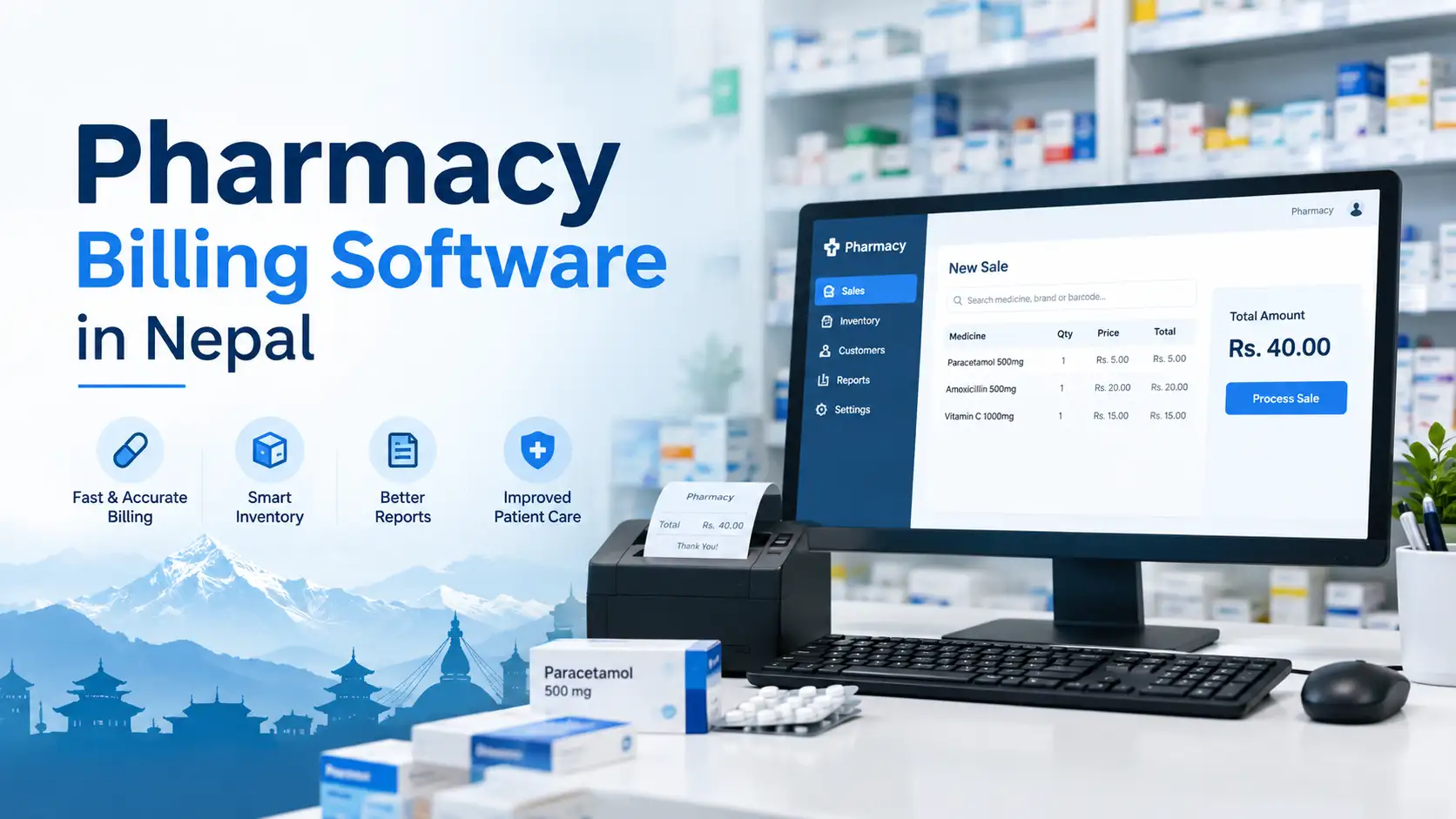
Last updated: 19 October 2026 · Reflects the IRD CBMS notice of Baishakh 2083 and the FY 2083/84 budget announcement.
Most pages ranking for pharmacy billing software in Nepal are vendor brochures. They tell you their product is “IRD compliant” and has “expiry alerts”, and stop there. None of them explain the thing that trips up Nepali medical stores most often: most medicines are VAT-exempt, but the cosmetics, supplements and baby products on the same shelf are not. One bill, two tax treatments.
This guide covers what pharmacy billing software actually has to do in Nepal, the tax and IRD rules that apply to a medical shop in 2026, the pharmacy-specific features generic POS tools miss, the local vendors you will come across, and a demo checklist you can take to any sales meeting. I build retail and restaurant billing systems in Kathmandu, so where it helps I have added what I learned designing them.
Quick answer
Pharmacy billing software in Nepal is a POS and inventory system built around medicines: it bills by batch and expiry, sells loose strips and tablets, blocks expired stock, keeps prices within the MRP, records prescription-only sales, and prints IRD-compliant PAN or VAT bills. If you issue bills from a computer, the software must be IRD-enlisted. Real-time CBMS connection is currently mandatory only above Rs 20 crore annual turnover (a cut to Rs 10 crore was announced in the FY 2083/84 budget), which affects large wholesalers and hospital pharmacies more than neighbourhood medical shops.
In this guide
- What pharmacy billing software is (and is not)
- The IRD, VAT and DDA rules a medical shop must follow
- The mixed bill: exempt medicines and taxable items
- How a medicine moves through the software
- 10 features a Nepali pharmacy actually needs
- Generic POS vs pharmacy software
- Retail, wholesale and hospital pharmacy needs
- Pharmacy software vendors in Nepal
- What it costs and how to budget
- Lessons from building retail billing systems
- The 15-minute demo test
- Switching from a register or old software
- FAQs
What Pharmacy Billing Software Is (and Is Not)
Pharmacy billing software is a point-of-sale and stock system designed for businesses that sell medicines: retail medical shops, pharmacy chains, wholesalers and distributors, and hospital or clinic dispensaries. It does three jobs at once:
- Billing: prints a legal sales invoice (PAN bill or VAT bill) quickly at the counter, with the correct tax treatment for each item.
- Batch and expiry control: knows which batch every strip came from, when it expires, and which batch should be sold first.
- Records: keeps purchase, sales, return, supplier and prescription records that your accountant, the Inland Revenue Office and a DDA inspector may each want to see.
What it is not: a full hospital information system, a clinical decision tool, or a replacement for your pharmacist’s judgement. Some vendors bundle those things, but a medical shop rarely needs them. And it is not the same as accounting software. Many pharmacies run a counter billing system and push the totals into Tally or another ledger, which is a perfectly good setup.
The IRD, VAT and DDA Rules a Medical Shop Must Follow
A Nepali pharmacy answers to two regulators. The Inland Revenue Department (IRD) cares about your bills and taxes. The Department of Drug Administration (DDA) cares about what you sell and how you record it. Good software serves both.
1. IRD: computerised bills need enlisted software
If your bills are printed from a computer or tablet rather than written in a pre-printed bill book, the software must be one that the IRD has enlisted, and your business needs permission from its tax office to issue computerised invoices. That is a separate step from CBMS. Our guide on how to get IRD approval for billing software in Nepal walks through the process, and the IRD-approved billing software list in Nepal explains how to check whether a vendor is genuinely enlisted.
2. VAT: most medicines are exempt
Nepal’s VAT Act lists exempt goods in Schedule 1, and medicines are on that list. Two consequences matter for your software:
- Exempt sales do not count toward the VAT threshold. The threshold is measured on taxable turnover, so a pharmacy selling only exempt medicines generally does not have to register for VAT and issues PAN bills instead.
- Exempt means no input credit. Unlike zero-rated supplies, VAT you pay on purchases for exempt sales becomes a cost, not something you claim back.
The catch is that very few medical shops sell only medicines. Cosmetics, shampoos, many nutritional supplements, baby care products and sanitary items are typically taxable at 13%. Once your taxable sales cross Rs 50 lakh a year for goods, VAT registration becomes mandatory, and from then on every taxable line needs proper VAT treatment. Which items are exempt is a product-by-product question: confirm your item list with your tax advisor, and make sure the software lets you set the tax category per item.
3. CBMS: the real-time connection
The Central Billing Monitoring System (CBMS) receives each invoice from your software as it is issued. Here is where the threshold stands as of October 2026:
CBMS mandatory threshold over time (annual turnover)
Bar length is proportional to the threshold. Lower bar = more businesses covered.
FY 2080/81 budget
IRD notice, 4 Baishakh 2083 (April 2026) — current rule
FY 2083/84 budget (announced, awaiting notice)
A typical neighbourhood medical shop is nowhere near Rs 10 crore. A large distributor, a pharmacy chain under one PAN, or a busy hospital pharmacy may be. If you are in that group, choose software with a working CBMS integration now, not later. Our CBMS integration guide explains how invoices, credit notes and offline sync queues work; it is written for restaurants, but the invoice rules are the same for pharmacies.
4. DDA: records, prices and controlled medicines
Pharmacies are licensed by the DDA under the Drug Act, 2035, and its inspectors check storage, pharmacist supervision and records. Three DDA-side requirements have a direct software angle:
- Maximum retail price. The DDA can fix MRPs under Section 26 of the Drug Act, and pharmacies have been booked for not displaying the price list of medicines with fixed prices. Your software should stop a cashier from billing above the MRP.
- Prescription-only and controlled medicines. Drugs such as certain benzodiazepines and codeine preparations must be dispensed on prescription with the user and physician recorded. Joint DDA and Narcotics Control Bureau raids have seized such drugs from pharmacies that could not show sales records.
- Expired stock separation. Expired medicines must be stored separately and must not be sold. Software that blocks expired batches at the counter is your last line of defence.
Where competitor guides get it wrong
Some vendor articles say VAT compliance is mandatory for every pharmacy. It is not. A pharmacy selling only exempt medicines with taxable turnover below the threshold issues PAN bills. What is mandatory is that the bill is legal, that computerised bills come from enlisted software, and that taxable and exempt items are kept apart once you do register.
The Mixed Bill: Exempt Medicines and Taxable Items on One Invoice
This is the single most useful test of any pharmacy billing software in Nepal. A customer buys a strip of paracetamol, a cough syrup, a face wash and a protein powder. For a VAT-registered pharmacy, the bill should look like this:
| Item | Tax category | Shelf price | Taxable value | VAT 13% |
|---|---|---|---|---|
| Paracetamol 500 mg, 1 strip | Exempt | Rs 20.00 | — | — |
| Cough syrup 100 ml | Exempt | Rs 150.00 | — | — |
| Face wash | Taxable | Rs 339.00 | Rs 300.00 | Rs 39.00 |
| Protein powder | Taxable | Rs 2,260.00 | Rs 2,000.00 | Rs 260.00 |
| Bill total | Exempt Rs 170 + Taxable Rs 2,300 | Rs 2,769.00 | Rs 2,300.00 | Rs 299.00 |
Illustrative prices, assuming shelf prices of taxable items already include VAT. The software has to do three things correctly here:
- Show exempt and taxable totals separately on the bill, rather than charging 13% on the whole basket or on nothing.
- Extract VAT from VAT-inclusive prices for taxable items: taxable value = price ÷ 1.13, and VAT = price − taxable value. It should not add 13% on top of the shelf price.
- Split the sales register so your monthly VAT return shows exempt and taxable sales as separate lines without anyone re-sorting bills by hand.
If a demo system can only apply one tax rate to an entire bill, it was built for a kirana shop or a restaurant, not a pharmacy.
How a Medicine Moves Through Pharmacy Software
Every feature that matters in a pharmacy system hangs off one idea: stock is tracked by batch, not just by product name. Here is the life of a single batch:
1. Purchase entry
Supplier bill, batch no., expiry, MRP, cost, free qty
2. Stock by batch
Box, strip and tablet units; rack location
3. FEFO billing
Earliest-expiry batch offered first; MRP cap
4. Near-expiry alert
60/90-day report; push sales or return
5. Return or write-off
Purchase return to supplier; expired stock blocked
FEFO = First Expiry, First Out. Every step reads the batch and expiry captured at step 1, which is why sloppy purchase entry breaks everything downstream.
The practical lesson: the counter is not where most pharmacy software succeeds or fails. Purchase entry is. If your staff skip the batch number or type the expiry wrong when a distributor’s delivery arrives, the expiry alerts, FEFO and recall reports are all built on bad data.
10 Features a Nepali Pharmacy Actually Needs
Every vendor lists “fast billing” and “inventory”. These are the features that separate pharmacy software from a general shop POS, ranked roughly by how much money they save or protect.
1. Batch-wise stock with FEFO selection
When the cashier selects a medicine, the software should show available batches with expiry dates and pick the earliest-expiring one by default. Expired batches must not be selectable at all.
2. Near-expiry reports with supplier return tracking
A configurable window (for example 60 or 90 days) that lists what is about to expire, grouped by supplier. That is the list you take to the distributor’s representative to arrange returns before the stock becomes a dead loss. Better systems also warn you at purchase entry if a distributor is delivering short-expiry stock.
3. Unit breakdown: box, strip, tablet
Nepali customers routinely buy four tablets, not a strip. The software needs a conversion (for example 1 box = 10 strips = 100 tablets), loose-unit pricing that matches the strip MRP, and stock that reduces correctly. Without it, stock counts drift every single day.
4. Per-item tax category
Exempt or taxable set on the item master, not chosen by the cashier at the counter. This is what makes the mixed bill above work automatically.
5. MRP lock
Each batch carries its own MRP from the purchase bill, and the selling price cannot exceed it. Discounts below MRP are fine and should be logged with the user who gave them.
6. Generic, salt and brand search
Customers ask for brand names; prescriptions sometimes use generics. Search by salt composition, brand, or barcode, and suggest in-stock alternatives with the same composition when the requested brand is out.
7. Prescription and controlled-drug register
Flag items that need a prescription. When one is billed, require the patient name and prescriber name (and ideally a photo of the prescription), and keep a separate report you can hand to an inspector.
8. Supplier credit, schemes and purchase returns
Pharmacies buy on credit from many distributors and receive bonus schemes such as “10 + 1 free”. The software should spread the free quantity into the real unit cost, track what you owe each supplier, and record purchase returns for expiry and breakage against the original batch.
9. Customer credit and repeat purchases
Regular customers on monthly chronic medication often pay at month-end. Track their dues, keep their purchase history so the counter can repeat last month’s order in seconds, and record sales returns with a proper credit note rather than an edited bill.
10. Offline billing, Nepali dates and data export
The counter must keep working when the internet drops. Bills should show Bikram Sambat dates and restart numbering each fiscal year in Shrawan. And you should be able to export your full sales register and item master if you ever leave the vendor.
Generic POS vs Pharmacy Billing Software
A general retail POS can print a legal bill. Here is where it falls short in a medical shop:
| Need | Generic retail POS | Pharmacy software |
|---|---|---|
| Batch and expiry per unit | Usually one stock figure per product | Stock held per batch with expiry |
| Expired stock | Can be sold by mistake | Blocked at the counter |
| Loose tablets | Workarounds or separate item codes | Box/strip/tablet conversion |
| Exempt + taxable on one bill | Often one rate per bill | Tax category per item |
| MRP control | Price editable freely | Capped at batch MRP |
| Salt / generic search | Name or barcode only | Composition search and substitutes |
| Prescription records | Not available | Patient and prescriber captured |
| Recall handling | Cannot trace a batch | Find and stop a batch in seconds |
If you run a general store that also keeps a small shelf of over-the-counter products, a good retail POS may be enough. Our POS billing software guide for kirana shops covers that case. A licensed pharmacy should use pharmacy software.
Retail, Wholesale and Hospital Pharmacy: Different Priorities
Retail medical shop
- Counter speed and loose-unit billing
- FEFO and expiry alerts
- PAN bill or mixed VAT bill
- Customer credit for regulars
- Works offline on one PC or tablet
Wholesaler / distributor
- B2B invoices with buyer PAN
- Credit limits and ageing per retailer
- Scheme and free-quantity handling
- Batch recall across customers
- Likely CBMS candidate as turnover grows
Hospital / clinic pharmacy
- Link to patient ID and doctor orders
- Inpatient issue vs counter sale
- Insurance or credit settlement
- Ward and store transfers
- Often part of a hospital system
Pharmacy Billing Software Vendors in Nepal
Below are pharmacy-focused or pharmacy-capable products marketed in Nepal as of October 2026. This is not a ranking and none of these vendors paid to be listed. Feature notes are what each vendor says about its own product; verify IRD enlistment and test the features yourself before paying.
| Product | Type | What the vendor highlights | Best fit |
|---|---|---|---|
| BIS PRO (BISage) | ERP | Importer-to-retail chain, batch and expiry-aware billing, IRD e-billing module, DDA-aligned traceability | Distributors, multi-level pharma businesses |
| Saral Billing + TallyPrime (CNC Tally Nepal) | Billing + accounting | Counter billing and inventory in Saral, accounts and VAT in Tally | Pharmacies whose accountant already uses Tally |
| Okhati | Pharmacy / health platform | Low-stock and expiry alerts, supplier and purchase tracking | Retail pharmacies, clinics |
| Pharma Care | Pharmacy POS | Batch and expiry control, VAT-ready invoices, multi-branch, desktop and mobile | Single and multi-counter shops |
| Lotussoft / Youngtech | Pharmacy + hospital modules | IRD pharmacy billing and stock, linked hospital and clinic systems | Clinics, polyclinics, hospital pharmacies |
| Marg Pharmacy (local resellers) | Desktop pharmacy ERP | Batch, supplier and company-wise stock, supplier ordering | Shops wanting a mature desktop product; check Nepal tax localisation |
| Pharmedica (Amtrix) | Cloud pharmacy | Web-based inventory and billing, expiry and credit-deadline tracking, owner mobile app | Small shops wanting cloud access |
| Stock Sewa | Cloud pharmacy ERP (new) | Inventory, billing, expiry, purchases, suppliers, staff | Early adopters; ask about IRD status |
Watch out for foreign listings
Software directories that list “best pharmacy software in Nepal” are often filled with Indian GST products or US medical-billing tools such as insurance-claim systems. US “medical billing” is a different job entirely, and a GST invoice is not an IRD-compliant Nepali bill. Ask any vendor for a sample Nepali invoice with BS date, PAN and fiscal-year numbering before you go further.
What Pharmacy Billing Software Costs in Nepal
Most Nepali pharmacy vendors quote on request, so published prices are rare. One cloud product, Pharmedica, has listed a basic plan at Rs 15,000 per year. Instead of chasing a single number, budget by component, because the licence is usually not the biggest line:
| Cost component | One-time or recurring | What to ask |
|---|---|---|
| Licence or subscription | Yearly (cloud) or one-time (desktop) | Per counter, per user, or per branch? |
| Annual maintenance / renewal | Yearly | Are tax-rule updates included? |
| Item master setup | One-time | Do you supply a medicine database with salts, or do we type 3,000 items? |
| Hardware | One-time | PC or tablet, thermal printer, barcode scanner, UPS |
| CBMS integration | One-time or add-on | Only if you are near the threshold; is it extra? |
| Training and opening stock entry | One-time | Will someone help enter opening batches and expiries? |
The hidden cost in a pharmacy is the opening stock entry: every medicine, every batch, every expiry on the shelf on day one. Ask vendors who does it and how long it takes. For how plan prices, add-ons and renewals usually stack up in practice, see our breakdown of billing software price in Nepal; the pricing patterns are similar across retail categories.
Lessons From Building Retail Billing Systems
I have designed offline-first billing for Nepali retail and a restaurant platform with role-based screens. A few lessons carry straight over to pharmacies:
- The item master decides everything. Tax category, unit conversion, MRP and prescription flag all live on the item. Spend your setup time there, and lock editing of the master to the owner or pharmacist.
- Make the right action the fast one. If entering a batch at purchase takes three extra screens, staff will skip it. Good systems pre-fill batch and expiry from the supplier’s last delivery and only ask for what changed.
- Offline needs a numbering plan. The hard part of offline billing is not saving the bill. It is guaranteeing two counters never print the same invoice number while disconnected. Ask how the vendor solves it.
- Bills are frozen; corrections are credit notes. Any system that lets a cashier edit a printed bill will eventually cause an audit problem. Returns should create a credit note linked to the original bill.
The 15-Minute Demo Test
Brochures all look the same. Ask the vendor to do these things live, in front of you, on their system:
Enter a purchase of one medicine in two batches with different expiries and a “10 + 1” scheme. Check the unit cost.
Sell 4 loose tablets. Confirm the earlier-expiring batch is picked and stock drops by 4 tablets, not 1 strip.
Try to sell an expired batch and to bill above MRP. Both should be blocked.
Print the mixed bill from the table above. Exempt and taxable totals must be separate and VAT must be extracted, not added.
Bill a prescription-only item. It should demand patient and prescriber details and show up in a separate register.
Return half the bill. You should get a credit note linked to the original, and the stock should go back to the right batch.
Unplug the internet, bill two more customers, reconnect. Nothing should be lost or duplicated.
Then ask the paperwork questions: Is this exact product on the IRD enlisted list? Which batch reports can I export for a DDA inspection? What happens to my data if I stop paying?
Switching From a Register or Old Software
- Switch at the start of a fiscal year or a month. Clean cut-offs make bill numbering and VAT returns far easier. Shrawan is ideal; any month-start is workable.
- Do a physical stock count first. Count by batch and expiry, shelf by shelf. Separate expired stock before you start, so it never enters the new system as sellable.
- Run both systems for a few days if you can, so staff learn without customers waiting.
- Close the old bill book or software properly. Keep its records; you still need them for past fiscal years.
- Complete IRD permission before printing the first computerised bill, not after.
Frequently Asked Questions
Is pharmacy billing software mandatory in Nepal?
Not for every pharmacy. A small pharmacy may still issue bills from a pre-printed bill book. If you issue bills from a computer, the software must be IRD-enlisted and approved for your business. Real-time CBMS connection is mandatory only above the turnover threshold, currently Rs 20 crore.
Do pharmacies in Nepal charge VAT on medicines?
Medicines are listed as VAT-exempt in Schedule 1 of the VAT Act, so no VAT is charged on them. Cosmetics, many supplements and other non-medicine items are usually taxable at 13%. A VAT-registered pharmacy must show exempt and taxable sales separately.
Does a pharmacy need VAT registration in Nepal?
Only if its taxable turnover crosses the threshold, which is Rs 50 lakh a year for goods. Exempt medicine sales do not count toward it. A pharmacy selling only exempt medicines generally issues PAN bills.
Does my pharmacy need CBMS integration?
Only if annual turnover exceeds Rs 20 crore under the current IRD notice. The FY 2083/84 budget announced a cut to Rs 10 crore, so large wholesalers, chains and hospital pharmacies should choose software with CBMS integration ready.
What is FEFO in pharmacy software?
FEFO means First Expiry, First Out. The software automatically offers the batch with the nearest expiry date at billing, so older stock is sold before newer stock and less medicine expires on the shelf.
Can I use general retail POS software for my pharmacy?
You can print legal bills with it, but most general POS systems cannot track stock by batch and expiry, block expired medicines, sell loose tablets correctly, cap prices at MRP or keep prescription records. A licensed pharmacy should use pharmacy-specific software.
Will pharmacy billing software work without internet?
Desktop and offline-first systems keep billing locally and sync later. Cloud-only systems need a connection, though a phone hotspot often works. Test offline billing in the demo before you buy.
How do I check if pharmacy software is IRD approved?
Ask the vendor for the exact product name and version on the IRD enlisted list, then confirm it yourself on the IRD website or with your tax office. Our IRD-approved billing software list guide explains the steps.
The Bottom Line
The best pharmacy billing software in Nepal is not the one with the longest feature list. It is the one that gets four things right: batch and expiry at purchase entry, exempt and taxable items on the same bill, MRP and prescription controls at the counter, and bills that are legal under IRD rules. Put every shortlisted vendor through the 15-minute demo above and the right choice usually becomes obvious.
Next steps: check the IRD-approved billing software list, then read how to get IRD approval before your first computerised bill. Browse more guides in our business software hub.
Disclaimer
This guide is general information as of 19 October 2026, not tax or legal advice. VAT exemptions apply item by item, and IRD and DDA thresholds and directives change. Confirm your obligations with your Inland Revenue Office at ird.gov.np, the Department of Drug Administration at dda.gov.np, or a qualified tax practitioner. Vendor descriptions are based on each vendor’s own published material.
Wilson Shrestha — web developer in Kathmandu building POS and billing systems for Nepali businesses, including offline-first retail billing and the DinePosAi restaurant platform.