
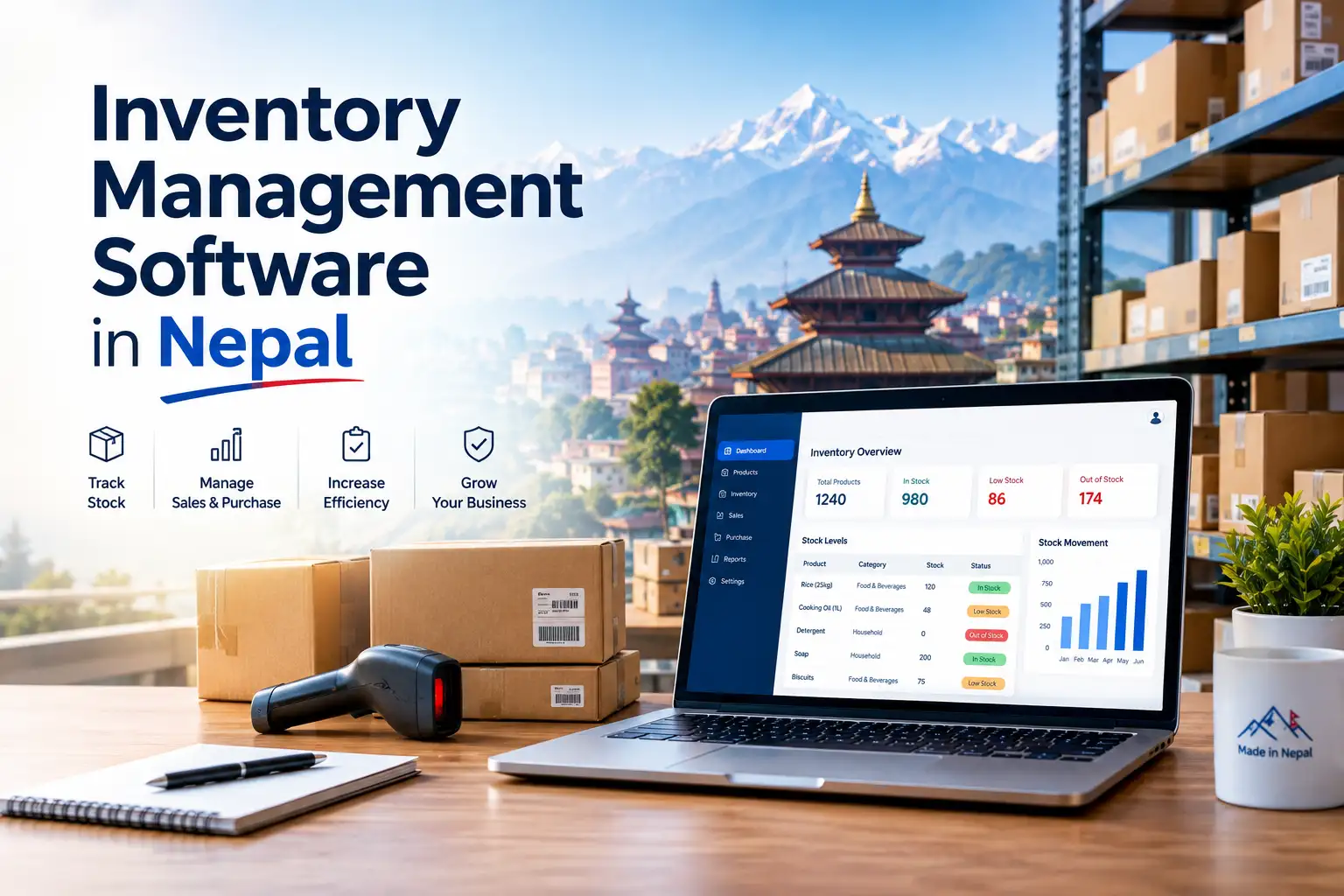
Inventory Management Software in Nepal (2026): Features, Real Costs, IRD/CBMS Rules & How to Choose
Updated: 19 October 2026 · Reading time: about 14 minutes · Written for shop owners, wholesalers, pharmacies, restaurants and growing SMEs in Nepal
Quick answer
Inventory management software in Nepal is a system that records every purchase, sale, return and godown transfer so your stock count is always correct. For most Nepali businesses, the right choice must handle Bikram Sambat dates, 13% VAT purchase and sales books, godown and batch/expiry tracking, and, if your annual turnover is above Rs 20 crore, billing that syncs with the IRD’s CBMS. Small shops can start with a free or low-cost mobile app; wholesalers and multi-branch businesses usually need desktop accounting-plus-inventory software, a cloud ERP or a custom system that typically costs Rs 90,000 to Rs 1,50,000+ one-time for a single branch.
Key takeaways
- Inventory software and billing software are not the same thing. Billing issues the invoice; inventory tracks what is left on the shelf and in the godown.
- From Baisakh 2083 (April 2026), the IRD lowered the mandatory e-billing/CBMS threshold from Rs 25 crore to Rs 20 crore annual turnover.
- Nepal’s Income Tax Act allows FIFO or average cost for valuing stock when individual items cannot be identified, so your software should support at least one of these.
- Price ranges run from free mobile apps to six-figure custom systems. Hardware, training and yearly support often add 20 to 40% to the first-year bill.
- Judge any software on a weighted scorecard (compliance, inventory depth, ease of use, local support, 3-year cost, data ownership), not on the demo alone.
In this guide
- What inventory management software does
- Signs you have outgrown Excel or a notebook
- Must-have features for Nepali businesses
- IRD, VAT and CBMS rules you must know
- 4 types of inventory software in Nepal compared
- How much it costs (with hidden costs)
- What to pick for your type of business
- How to choose: a weighted scorecard
- 30-day plan to switch from Excel
- Mistakes to avoid
- FAQs
What Is Inventory Management Software (and How Is It Different from Billing Software)?
Most businesses in Nepal begin with a khata notebook, move to an Excel sheet, and stay there long after it stops working. Inventory management software replaces that guesswork with one live record: every purchase adds stock, every sale removes it automatically, and every transfer between godowns or branches is logged.
This is where many buyers get confused. Billing software is about the invoice: VAT, PAN, invoice numbering and, where applicable, IRD approval. Inventory software is about the goods: how many units you have, where they are, what they cost and when to reorder. Good systems do both and link them, so a bill printed at the counter reduces stock in the same moment.
How stock moves through a connected system
Supplier bill entered, VAT input recorded, stock added
Batch, expiry, location and cost saved
Barcode scanned, invoice issued, stock deducted
Sales and purchase VAT books, stock ageing, reorder list, profit by item
Invoice synced to the IRD’s Central Billing Monitoring System in real time
7 Signs Your Business Has Outgrown Excel or a Notebook
- The system count and the shelf count never match at month-end, and nobody can explain the gap.
- You run out of fast sellers during Dashain-Tihar or wedding season because nobody saw stock falling.
- Expired medicines, food or cosmetics are found on the shelf after the date has passed.
- You have two or more godowns or branches and transfers are tracked by phone calls.
- Your accountant rebuilds the VAT purchase and sales books by hand before every monthly or periodic return.
- You do not know your real profit per item because purchase prices keep changing.
- Staff theft or “shrinkage” is suspected but impossible to prove without user-level logs.
If three or more of these apply, the money lost on dead stock, stock-outs and accountant hours is very likely higher than the cost of a basic system.
Must-Have Features for Inventory Software in Nepal
Many popular tools were built for India or other markets and adapted later. The features below are the ones that matter specifically in the Nepali context. Use this table as your demo checklist.
| Feature | Why it matters in Nepal | Who needs it most |
|---|---|---|
| Bikram Sambat (BS) dates | Fiscal year closes in Ashad; VAT books and reports are read in BS months | Everyone |
| 13% VAT purchase and sales books | Auto-generated registers save hours before every return | VAT-registered businesses |
| Multi-godown and branch transfer | Common setup: shop in the bazaar, godown on the outskirts | Wholesalers, distributors, chains |
| Batch and expiry tracking | Prevents selling expired goods and helps return near-expiry stock to suppliers | Pharmacies, FMCG, cosmetics |
| Barcode print and scan | Many local items arrive without barcodes, so the system must print its own labels | Retail, marts, hardware |
| Reorder levels and low-stock alerts | Supplier lead times from India or China can be weeks; alerts must come early | Importers, retailers |
| FIFO or average cost valuation | These are the two methods named in Section 15 of the Income Tax Act, 2058 | Everyone filing tax on stock |
| Unit conversion | Buy by carton, bora or dozen; sell by piece, kg or packet | Kirana, wholesale, hardware |
| User roles and audit trail | Shows who edited, cancelled or deleted entries; also an IRD e-billing expectation | Any shop with staff |
| Offline mode with sync | Billing must not stop during an internet outage | Outside the valley, busy counters |
| Nepali language interface | The person entering sales is often not the owner or accountant | Family-run shops |
| QR payment reconciliation | Fonepay, eSewa and Khalti receipts should match bills at closing | Retail and restaurants |
| Excel import and full data export | Lets you move in from Excel and move out later without losing years of records | Everyone |
FIFO vs average cost: a quick example
Say you bought 100 bags of cement at Rs 700 and later 100 more at Rs 760, then sold 120 bags. Under FIFO, the 120 bags sold are costed as 100 at Rs 700 and 20 at Rs 760 (Rs 85,200), so the 80 left are valued at Rs 760 each. Under average cost, every bag is Rs 730, so the 120 sold cost Rs 87,600. Same sales, different reported profit. Pick one method, apply it consistently, and make sure the software calculates it for you instead of your accountant doing it in Excel.
IRD, VAT and CBMS Rules That Affect Your Software Choice
This is the section most competitor pages skip or get wrong, so read it carefully. Three separate rules interact here:
- VAT registration: goods traders must register for VAT once annual taxable turnover crosses Rs 50 lakh; the limits for service and mixed businesses are lower. Below the threshold you issue PAN bills.
- Mandatory e-billing and CBMS: the Inland Revenue Department has required taxpayers above a turnover threshold to issue invoices electronically and integrate them with the Central Billing Monitoring System. That threshold was Rs 25 crore from FY 2080/81 and was lowered to Rs 20 crore by a directive issued on Baisakh 4, 2083. Entities such as banks that do not bill consumers directly are excluded.
- IRD-approved software: if you are in scope, the software that issues your invoices must be on the IRD’s approved list and able to sync in real time.
Mandatory CBMS turnover threshold (Rs crore)
Source: IRD directive reported by Ratopati, April 2026. Some vendor help pages still quote older or sector-specific limits (for example, a separate lower line for restaurants), so confirm the current IRD notice for your sector before you buy.
What this means for inventory software
The inventory module itself (stock counts, godowns, valuation) does not need IRD approval. The billing module that prints your tax invoice does, once you are in scope. If you are below Rs 20 crore today but growing fast, pick software whose billing side is already IRD-approved so you do not have to migrate later. See our IRD-approved billing software list in Nepal and, if you are a developer or vendor, how to get IRD approval for billing software.
IRD-approved systems typically share a few behaviours that you can test in a demo: invoices cannot be deleted (only cancelled with a record), reprints are marked as copies with a count, every user action is logged, invoice numbers run in order, and both BS and AD dates appear. Restaurants have extra wrinkles around KOTs and table bills; our CBMS integration guide for restaurant billing covers those in detail.
4 Types of Inventory Management Software in Nepal Compared
Search results for this keyword are mostly vendor pages, each claiming to be “the best”. A more useful way to think is by type, because the type decides your cost, flexibility and support model.
1. Mobile bookkeeping apps
Example: Karobar (built in Nepal, Nepali language and calendar, stock with low-stock alerts).
Best for: small shops, home businesses, PAN-only traders. Limits: shallow godown and batch control; not meant for supermarkets or large traders.
2. Desktop accounting + inventory
Examples: TallyPrime (Nepal partners offer IRD billing and Nepali Miti), BUSY, Swastik.
Best for: wholesalers, distributors, accountant-led firms. Limits: remote access and multi-branch need extra setup; support depends on the local partner.
3. Cloud ERP (Nepali)
Examples: NitiERP, Providhy, Himalaya ERP, ERPNext with a Nepal IRD app.
Best for: multi-branch retail, manufacturing, businesses wanting POS + HR + accounts in one place. Limits: monthly or yearly fees forever; needs stable internet or a good offline mode.
4. Custom-built software
Built by a local developer for your exact workflow, usually with source code ownership.
Best for: unusual workflows, chains with specific needs. Limits: IRD approval is a separate process; quality depends entirely on the developer.
| Factor | Mobile app | Desktop | Cloud ERP | Custom |
|---|---|---|---|---|
| Upfront cost | Free to low | Medium (licence) | Low to medium | High |
| Ongoing cost | Optional yearly plan | Yearly renewal/AMC | Subscription | Hosting + support |
| Godown / batch depth | Basic | Strong | Strong | As built |
| Multi-branch live sync | Limited | Extra setup | Built in | If scoped |
| IRD/CBMS billing | Check sector rules | Via Nepal edition/partner | Often included | Needs own approval |
| Time to go live | Same day | 1 to 2 weeks | 1 to 4 weeks | 6 to 8+ weeks |
How Much Does Inventory Management Software Cost in Nepal?
Very few vendors publish prices, which is a major gap in current search results. The figures below are publicly reported data points, not quotes. Use them to sense-check what you are offered.
Reported price points (Rs, first year)
Sources: Kathmandu Post (2023) for mobile app plans; eztax.in Nepal page; WebsNP published ranges. Desktop licences (Tally, BUSY, Swastik) and cloud ERPs are mostly quote-based through local partners. Prices may have changed; always ask for a written quote.
Hidden costs most buyers forget
- Hardware: barcode scanner, label printer, thermal receipt printer, and sometimes a dedicated counter PC.
- Opening stock entry: counting and entering thousands of SKUs takes staff days or a paid data-entry job.
- Yearly support or AMC: often charged separately from the licence after year one.
- Extra users and branches: many plans price per user, device or location.
- Customised invoice formats and reports are frequently billed as change requests.
- Hosting and domain renewal for custom web-based systems.
For a deeper breakdown of how these line items add up in practice, our restaurant billing software price guide walks through a full first-year budget; the same logic applies to retail and wholesale.
What to Pick for Your Type of Business
| Business | Critical inventory needs | Sensible starting type |
|---|---|---|
| Kirana / small retail | Fast billing, unit conversion, udhaaro tracking, low-stock alerts | Mobile app or simple POS (see our kirana POS guide) |
| Pharmacy | Batch, expiry, near-expiry returns, supplier-wise purchase | Pharmacy-specific software or ERP with expiry module |
| Restaurant / cafe | Recipe-based raw material deduction, wastage, KOT, CBMS where applicable | Restaurant POS with inventory module |
| Wholesaler / distributor | Multi-godown, party-wise credit, scheme and discount tracking | Desktop accounting + inventory or cloud ERP |
| Manufacturer | Bill of materials, raw material to finished goods, work in progress | Cloud ERP with production module |
| Multi-branch retail chain | Live stock across branches, inter-branch transfer, central purchasing | Cloud ERP or custom system |
Illustrative scenario: a hardware wholesaler with two godowns
Picture a hardware wholesaler in Kalimati with a showroom and a godown in Balkhu, about 3,000 items, and an accountant who visits twice a month. On Excel, the godown keeper and showroom staff each keep their own sheet. Every Ashad the physical count is short, but no one can say whether the gap is theft, wrong entries or breakage.
Moving to a system with godown-wise stock and transfer vouchers changes three things: the gap shows up per item and per location, transfers need a second person to receive them, and the VAT books are ready when the accountant arrives. The biggest win is rarely the software itself; it is the discipline that a single shared record forces on everyone.
How to Choose: A Weighted Scorecard for Demos
Shortlist three to five options and score each from 1 to 5 on the criteria below. Multiply by the weight and add up. The highest total, not the slickest demo, wins.
| Criterion | Weight | What to test in the demo |
|---|---|---|
| Nepal compliance | 25% | BS dates, VAT books, IRD approval status, CBMS sync, cancel-not-delete |
| Inventory depth | 25% | Godown transfer, batch/expiry, unit conversion, FIFO or average cost report |
| Ease of use | 15% | Can your counter staff bill 10 real items in your busiest hour? Nepali interface? |
| Local support | 15% | Support hours, Saturday availability, on-site training, partner near you |
| 3-year total cost | 10% | Licence + renewals + users + hardware + support over 36 months |
| Data ownership | 10% | Full Excel export, backups, what happens to data if you stop paying |
10 questions to ask every vendor
- Is your billing module on the current IRD-approved list, and under which company name?
- Does it sync with CBMS in real time, and what happens to bills issued while offline?
- Which stock valuation methods do you support: FIFO, average cost, or both?
- Can I see godown-wise and batch-wise stock in one report?
- How do you price extra users, devices and branches?
- What exactly is included in yearly support, and what is billed separately?
- Can I import my item master and opening stock from Excel?
- Can I export all my data at any time, in a usable format?
- Who are three current clients in my industry I can call?
- How many years has the company been operating, and who maintains the software if the developer leaves?
A 30-Day Plan to Switch from Excel to Inventory Software
The best time to switch is right after a physical stock count, ideally at the start of a BS month or after the fiscal year closes in Ashad, so opening balances are clean.
Week 1: Prepare
Clean the item list, fix names and units, set categories, list suppliers and customers with PAN.
Week 2: Count and load
Do a full physical count per godown, import opening stock and cost, print barcode labels.
Week 3: Run in parallel
Bill in the new system while keeping the old sheet. Train staff, set user roles and reorder levels.
Week 4: Go live
Spot-check 20 fast items against the shelf, compare VAT books, then retire the Excel sheet.
Common Mistakes to Avoid
- Choosing on price alone. A cheap system that your staff cannot use creates more errors than Excel.
- Skipping the opening count. Wrong opening stock means every report after it is wrong.
- Buying foreign software without a Nepal edition. Missing BS dates and Nepali VAT formats will cost you at return time.
- Ignoring the CBMS threshold. If you are near Rs 20 crore turnover, buy IRD-approved billing now rather than migrating mid-year.
- Giving everyone admin rights. Set roles so only managers can edit prices or cancel bills.
- No exit plan. Confirm in writing that you can export all data if you leave.
Frequently Asked Questions
Which is the best inventory management software in Nepal?
There is no single best option. Small shops are often well served by a Nepali mobile app such as Karobar; wholesalers commonly use desktop tools like TallyPrime, BUSY or Swastik through local partners; multi-branch businesses lean towards Nepali cloud ERPs. Choose based on your turnover, number of godowns, and whether you need IRD-approved billing.
How much does inventory software cost in Nepal?
Reported prices range from free mobile apps and a few thousand rupees a year for basic paid plans, up to about Rs 90,000 to Rs 1,50,000 one-time for a custom single-branch POS and inventory system, and more for multi-branch setups. Add hardware, training and yearly support to the first-year budget.
Does inventory software need IRD approval in Nepal?
The stock-tracking part does not. The billing part that issues tax invoices must be IRD-approved and CBMS-connected if your business falls within the mandatory e-billing scope.
Is CBMS mandatory for my business?
Under the IRD directive issued on Baisakh 4, 2083, taxpayers with annual turnover above Rs 20 crore must issue electronic invoices integrated with CBMS, except entities such as banks that do not bill consumers directly. Certain sectors may have separate rules, so check the latest IRD notice.
Which stock valuation method should I use in Nepal?
Section 15 of the Income Tax Act, 2058 allows the first-in-first-out (FIFO) method or the average cost method when individual stock items cannot be identified. Pick one, use it consistently, and confirm your software supports it.
Can I use free inventory apps for my shop?
Yes, for a small single-location shop. Free apps usually handle sales, purchases, stock and customer credit well, but they are not designed for large traders, multiple godowns or mandatory CBMS billing.
Can I use Indian software like Vyapar in Nepal?
You can install it, but check for Nepali BS dates, Nepal VAT report formats, Nepali language and IRD approval before relying on it. Software sold with a Nepal edition by a local partner is usually the safer route.
Cloud or desktop: which is better?
Cloud suits owners who want to check stock from anywhere and businesses with several branches. Desktop suits single-location firms with an in-house accountant and patchy internet. Many businesses now pick cloud systems with an offline mode to get both.
Final Word
Inventory management software in Nepal is no longer just for supermarkets. With the CBMS threshold falling to Rs 20 crore and buyers expecting fast QR-paid billing, even mid-sized traders benefit from one accurate record of what they own. Start with the feature checklist, score three to five options on the weighted scorecard, budget for the hidden costs, and switch right after a clean stock count.
Related guides on Wilson
Sources
- Ratopati: IRD lowers mandatory e-billing threshold to Rs 200 million
- Income Tax Act 2058, Section 15 (cost of stock-in-trade)
- The Kathmandu Post: Karobar app plans and target users (2023)
- WebsNP: inventory and POS software development pricing in Nepal
- TallyPrime in Nepal
- Nepal VAT registration thresholds explained (2026)
Disclaimer: This guide is for general information and is not tax or legal advice. Product names are mentioned as examples only; Wilson has no paid relationship with any vendor listed. Confirm current IRD rules with the department or a tax professional.